

Your product photography backdrop is so much more than a simple background. It's the silent partner in every shot, the element that sets the stage, shouts quality from the rooftops, and quietly reinforces your entire brand identity. Choosing the right one isn't just a creative choice; it's a critical business decision that can make browsers stop, look, and ultimately buy.
Why the Right Backdrop Is Your Most Important Prop
Think of your product photo as a tiny theater. Your product is the star of the show, no doubt. But the backdrop? That’s the entire set design. It’s the very first thing a customer sees that tells them if they’re looking at a premium, trustworthy brand or a hobbyist selling stuff from their garage.
A clean, professional background builds instant confidence. A busy or wrinkled one creates immediate doubt. This single element can be the difference between a curious click and an immediate bounce. Its impact is more than just cosmetic—it's a powerful tool for visual merchandising in a brutally competitive online world. A consistent backdrop strategy makes sure every product you sell looks like it belongs to the same family, creating a clean, professional, and memorable online storefront.
The Foundation of Great Visuals
The product photography backdrops you choose have a direct and powerful effect on the final image. Here’s how:
- Makes Your Product the Hero: A simple, uncluttered background guarantees your product is the star. It pulls the customer's eye exactly where you want it to go, with zero distractions.
- Sets the Mood Instantly: A rustic, textured wood surface can scream "handcrafted" and "natural." A crisp white sweep suggests precision, cleanliness, and modernity. The backdrop starts telling the story before a single word of your product description is ever read.
- Boosts Perceived Value: High-quality photos signal a high-quality product. It's that simple. A polished, professional presentation can justify a higher price point and build the kind of trust that earns sales.
- Saves You Editing Headaches: When you start with a clean, well-lit backdrop, you slash your post-production time. That means fewer hours spent in Photoshop and more money saved.
A backdrop isn't just what’s behind your product; it's the canvas that makes your product shine. It controls light, sets the tone, and eliminates distractions, allowing you to present your items in the best possible light—literally.
This guide is your complete roadmap. We'll walk through everything from classic physical options like seamless paper and vinyl to the mind-blowing flexibility of modern AI tools. For more tips on building a killer visual brand, you can always find great reads on the Photo AI Studio blog. By the time you're done here, you’ll know exactly how to choose, set up, and master the backdrops that will take your product photos from just "okay" to absolutely outstanding.
Choosing Your Physical Backdrop Material
Stepping into the world of product photography backdrops can feel a bit like walking into a specialty craft store. You're hit with a wall of options, and it's immediately clear that the material you choose is going to have a huge impact on the final product. Your backdrop isn't just a background; it's the foundation of your image, directly influencing the light, texture, and overall mood of the shot. Picking the right one isn't just an artistic choice—it's a smart investment that saves a ton of time in post-production.
The explosion of e-commerce has made high-quality visuals non-negotiable, turning backdrops from a simple prop into a core business tool. The global photography props market, which includes these essential surfaces, was valued at a massive $1.8 billion in 2023. Experts predict it will nearly double to $3.2 billion by 2032. That growth is fueled by a simple truth: for online stores, better images lead to more sales, with some brands seeing revenue boosts of over 30% from visual upgrades alone. You can dive deeper into these market trends over at PicJ.ai.
This isn't just theory. The right backdrop has a direct, measurable impact on how customers perceive your brand and your products.
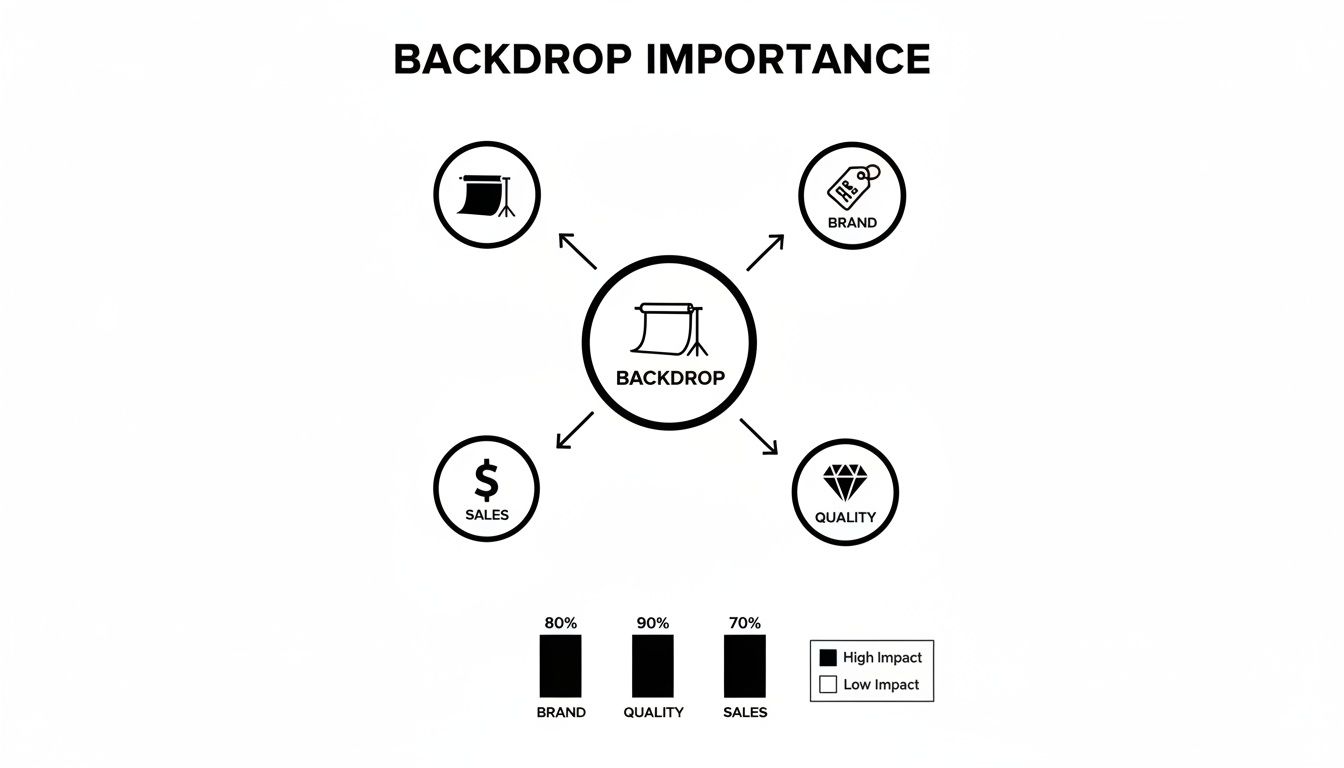
As you can see, it’s a strategic asset. A great backdrop frames your product in a way that builds trust and drives business success.
With so many materials out there, it helps to see how they stack up against each other. Each one has its own personality, with clear strengths and weaknesses depending on what you're shooting.
Physical Backdrop Material Comparison
| Material | Best For | Pros | Cons |
|---|---|---|---|
| Seamless Paper | Clean, minimalist e-commerce shots; eliminating distractions. | Smooth, non-reflective matte finish; disposable for a perfect surface every time; wide color selection. | Easily damaged (tears, creases, dirt); not reusable; can be bulky to store. |
| Fabric (Muslin) | Lifestyle shots needing texture; portable or on-location setups. | Lightweight and foldable; adds warmth and depth; can be washed and reused. | Wrinkles are a constant battle (steamer required); can be distracting if not lit properly. |
| Vinyl | Messy products (food, cosmetics, liquids); simulating textures like wood or marble. | Extremely durable; waterproof and wipeable; huge variety of printed patterns; reusable. | Can cause glare if not matte; can look artificial up close; rolls can be heavy. |
| Solid Surfaces | Ultimate realism for high-end, specific brand aesthetics. | Authentic texture and depth; highly durable and premium-looking. | Heavy and expensive; difficult to store; limited versatility for different shoots. |
This table gives you a quick snapshot, but the real magic is in understanding the nuance of each material. Your choice will ultimately come down to the story you're trying to tell with your product.
Seamless Paper: The Industry Standard
There’s a reason seamless paper is the undisputed workhorse in almost every product photography studio. It comes in giant rolls, giving you a perfectly smooth, non-reflective surface that’s ideal for that classic, clean "product floating in space" look you see all over Amazon and other major retail sites.
Think of it as having a fresh canvas for every single shoot. If a section gets scuffed, dirty, or torn, you just slice it off, unroll a new piece, and you’re back in business. That efficiency is a lifesaver for high-volume shoots where consistency is everything.
Its biggest superpower is its matte finish. It just soaks up light beautifully, killing glare before it becomes a problem. This is absolutely critical when you’re shooting anything shiny or reflective—jewelry, glassware, electronics—making sure the product stays the hero of the shot.
Fabric Backdrops: For Portability and Texture
Fabric backdrops, especially those made from muslin, offer a totally different vibe. They’re incredibly lightweight, you can fold them up, and they're easy to haul around, which makes them a go-to for photographers who need a mobile setup or find themselves shooting in different spots.
Unlike the crisp, sterile look of paper, fabric introduces a softer, often subtly textured element into the frame. This can add a layer of warmth, elegance, or even a casual, rustic feel, depending on how you hang it. You can let it drape with natural folds for a relaxed look or pull it tight for a smoother, though never perfectly flat, surface.
But here’s the trade-off: wrinkles. They are the arch-nemesis of fabric backdrops. You will almost always need a steamer or an iron close by to get a professional, crease-free surface, which means adding an extra step to your setup every time.
Pro Tip: When using fabric, use clamps to pull it taut on all sides of your backdrop stand. Even after a good steaming, getting solid tension is your best defense against distracting wrinkles showing up in your final photos.
Vinyl Backdrops: The Durable and Reusable Option
If you’re shooting anything that might make a mess—food, cosmetics, liquids, you name it—vinyl is your best friend. These backdrops are made from a tough, non-porous material that you can literally wipe clean in seconds. This makes them ridiculously practical and built to last.
One of the best things about vinyl is the sheer variety of printed textures available. You can find convincing replicas of surfaces like marble, wood, concrete, or tile, allowing you to create sophisticated lifestyle scenes without having to source heavy, expensive, and hard-to-store props.
Vinyl is available in different finishes, too, from completely matte to a high gloss. A glossy vinyl can create a stunning reflection for a dramatic, high-end shot of a perfume bottle or a new phone. A matte vinyl, on the other hand, gives you that non-glare surface similar to paper but with way more durability.
Textured and Solid Surface Backdrops
When you need absolute realism, sometimes nothing beats the real thing. Solid surface backdrops are just that: actual pieces of wood, slabs of stone, sheets of metal, or custom-painted canvases. These options bring an authentic texture and depth to an image that’s nearly impossible to replicate perfectly with a print.
These are fantastic for nailing a very specific mood or brand aesthetic.
- A weathered barn wood plank can create a rustic, handmade feel for artisanal products.
- A slab of slate or marble instantly adds a touch of luxury for high-end skincare or gourmet food.
- A brushed metal surface can give tech gadgets an industrial, modern edge.
While they offer unmatched authenticity, the downsides are pretty significant. They are almost always heavy, a pain to store, and far less versatile than other options. Because of this, they really only make sense for photographers with a dedicated studio space who have a consistent, ongoing need for that specific look.
Mastering Your Lighting and Backdrop Setup
A great backdrop is a fantastic starting point, but it's only half the story. Think of it like buying prime ingredients for a meal; the real magic happens on the stove. For product photography, your lighting is what transforms a simple background into a stunning, professional image.
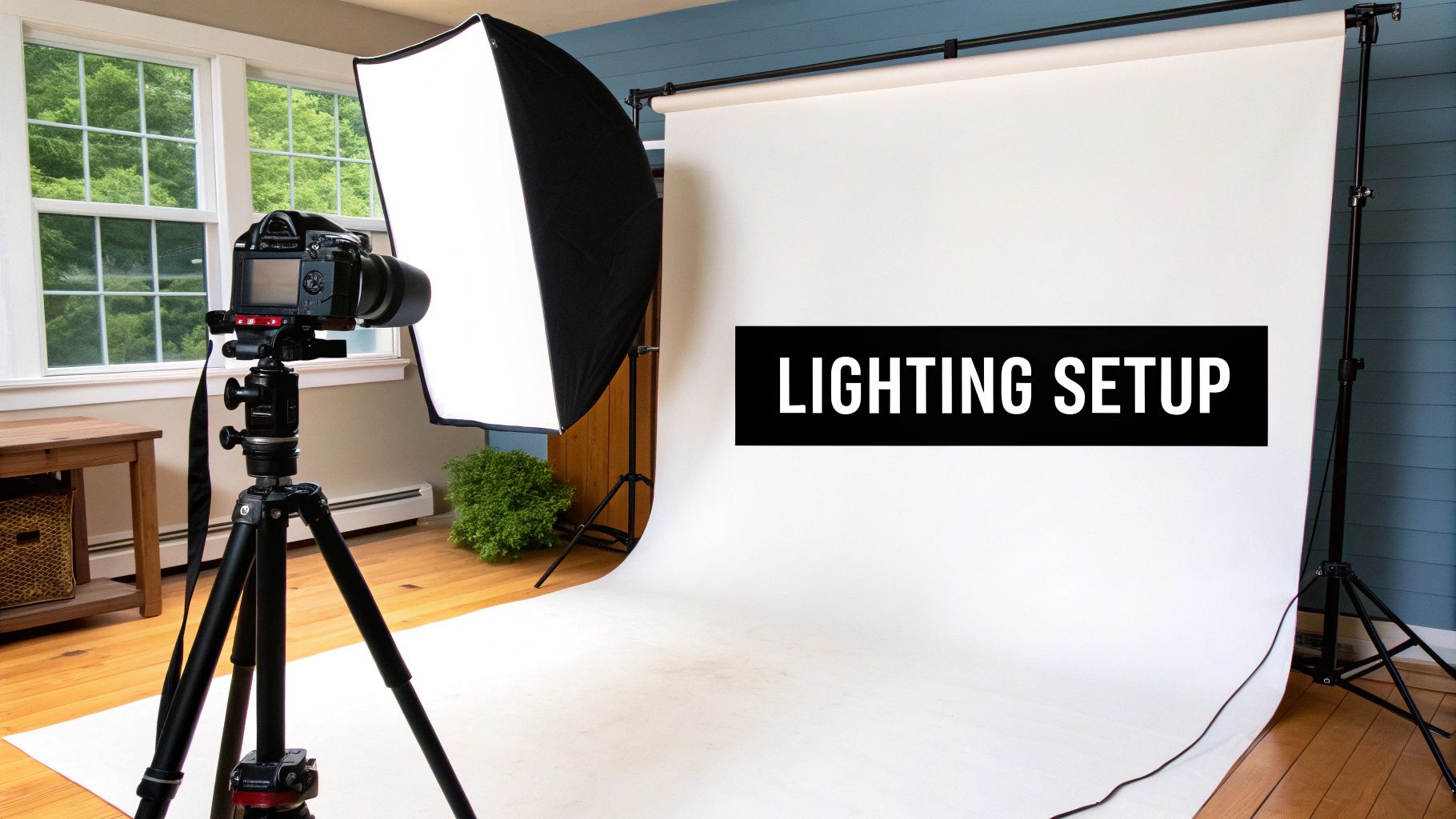
This doesn't have to be complicated or expensive. A few core techniques are all you need to get that polished, studio-quality look that builds trust and gets customers clicking "add to cart." It all starts with getting your backdrop perfect before you even switch on a light.
Preparing Your Backdrop for the Perfect Shot
First things first: you need a clean, distraction-free canvas. Every material has its own little quirks, but a few minutes of prep can save you hours of headaches in editing.
- For Seamless Paper: The goal here is a smooth, curved "infinity sweep." You’ll want to drape the paper from a stand or wall down onto your shooting surface, creating a gentle curve where the wall meets the floor. This simple trick kills those hard corner shadows and makes your product look like it’s floating in a clean, professional void.
- For Fabric Backdrops: Wrinkles are public enemy number one. Before every shoot, take the time to steam or iron your fabric until it's perfectly smooth. Then, use clamps to pull it taut on its stand from all sides. This tension is your best weapon against the distracting creases that scream "amateur."
- For Vinyl Backdrops: Vinyl is tough, but it can pick up dust and smudges. A quick wipe-down with a damp cloth is usually all it needs. Be mindful of glare, especially with glossier finishes—that's something you'll tackle with your lighting placement.
Understanding the Basics of Three-Point Lighting
With your backdrop prepped and ready, it's time to bring in the lights. The go-to method used by pros everywhere is the three-point lighting setup. It’s a simple but incredibly powerful way to control how your product looks, defining its shape, texture, and mood. Don't worry about having fancy gear; it's all about understanding what each light's job is.
Imagine your product is at the center of a clock, and your camera is at 6 o'clock.
- Key Light: This is your main light source, the brightest of the bunch. You'll typically place it around 4 or 5 o’clock. It’s responsible for lighting up the product and creating the main shadows that give it shape and dimension.
- Fill Light: Positioned on the opposite side, around 7 or 8 o’clock, the fill light is less intense. Its job is to "fill in" the dark shadows created by the key light, revealing detail without killing the sense of depth. This gives you a balanced, well-defined look.
- Backlight (or Rim Light): This one goes behind the product, often pointing back toward the camera or at the backdrop. It creates a subtle, bright outline around your subject. This "rim" of light is what separates the product from the background, adding depth and making it pop right off the screen.
This classic lighting setup is the bedrock of professional studio photography. Once you master the interplay between these three lights, you can sculpt your product, banish unwanted shadows, and make it the undeniable hero against any product photography backdrop.
Lighting Your Backdrop Separately
Here’s a pro tip that makes a world of difference: light your backdrop independently from your product. A common mistake is letting the light on your product spill onto the background, creating ugly gradients or distracting shadows.
For the cleanest results, especially if you're aiming for a pure white background, this is non-negotiable.
Place one or two lights behind your product, out of the camera's view, and aim them directly at the backdrop. By making the backdrop just a little brighter than your product, you can achieve that perfect, "blown-out" white that needs almost no editing. This clean separation guarantees your product is the undisputed star of the show.
Common Backdrop Mistakes to Avoid
Even with the best camera gear in the world, a few simple backdrop mistakes can completely sabotage your final image. What starts as a promising shot can quickly turn into an amateur-looking photo, and these subtle errors have a bigger impact than you'd think. The good news? They're almost always easy to fix once you know what to look for.
And believe me, you want to fix them. Poor visuals are one of the top reasons customers click away from a product page. A staggering 7 in 10 online shoppers will bail on a purchase because of subpar photography. Even more telling, 81% of consumers say high-quality images are more important than the brand name itself when they're deciding what to buy. You can dig into more of these stats on how visuals impact online sales over at ElectroIQ.
These aren't just abstract numbers; they represent real, lost sales and a tarnished brand image. Avoiding the following mistakes isn't just about making prettier pictures—it's a direct investment in your business.
Choosing a Backdrop That Steals the Show
This is probably the most common mistake I see. People pick a backdrop that competes with the product for attention. Imagine trying to sell a delicate, intricate piece of jewelry against a loud, busy floral pattern. The product gets completely lost. The customer's eye darts all over the place, unsure where to focus.
Your backdrop's job is to be a supporting actor, not the star. It should complement the product, provide some context, and create a mood that makes the item you're selling look even better.
- The Fix: Stick with simple, neutral, or subtly textured backdrops that fit your brand’s vibe. If you absolutely must use a pattern, make sure it’s muted and doesn’t clash with your product's colors or complexity. When in doubt, you can almost never go wrong with a clean white or light gray.
Ignoring Wrinkles, Creases, and Dents
Nothing screams "unprofessional" louder than a wrinkled fabric backdrop or a creased paper sweep. Those distracting lines pull the viewer's eye away from what you’re selling and send a clear message: you don't pay attention to detail. If the photo looks sloppy, a customer might wonder if the product is, too.
This is a classic problem with muslin and other fabrics, but don't think you're safe with paper. It can get dented and creased in a heartbeat if you aren't careful.
Key Takeaway: A pristine, smooth background is non-negotiable for professional shots. Taking an extra five minutes to steam a backdrop or carefully unroll your paper will save you an hour of frustrating, and often imperfect, editing work later on.
Creating Unwanted Glares and Hotspots
Shooting anything shiny—glass, metal, glossy plastics—can be a nightmare because it reflects everything, especially your lights. This often leads to harsh, blown-out highlights called "hotspots" or "specular reflections."
You’ll run into this issue with vinyl backdrops that have a bit of a sheen, or anytime your lighting is too direct and harsh. These glares hide important product details and just make the whole shot look cheap.
The solution almost always comes down to your lighting:
- Use a Bigger Light Source: The larger and more diffused your light is, the softer and more flattering the reflections will be. A big softbox or even just a diffusion panel between your light and the product can work wonders.
- Play with Your Angles: Sometimes, all it takes is moving your light a little to the side or raising it higher to shift that nasty reflection right out of the frame. Experiment.
- Grab a Polarizing Filter: A circular polarizing filter (CPL) for your camera lens is the ultimate secret weapon here. It’s designed specifically to cut down on glare and reflections from non-metallic surfaces. It’s like magic.
The Power of AI and Virtual Backdrops
What if you could place your product in any scene imaginable without ever buying a single prop, roll of fabric, or sheet of paper? That’s the reality of AI-powered virtual backdrops, a technology that is completely rewriting the rules of product photography. This isn't just about swapping backgrounds; it's about freeing brands from the physical and creative limits of a traditional studio.

AI tools can instantly generate, replace, or just plain remove backgrounds from your photos. This directly solves some of the biggest headaches for brands—tight budgets, tiny studio spaces, and the never-ending hunger for fresh marketing content. It’s a fundamental shift from building physical scenes to creating digital ones.
How Does AI Actually Generate a Backdrop?
Think of it like having a world-class photo editor and a Hollywood set designer on call 24/7. The process itself is surprisingly simple but incredibly powerful.
First, the AI scans your image and perfectly identifies your product, isolating it from its original surroundings. It essentially creates a pixel-perfect digital cutout, a task that would take a human editor a good chunk of time and a very steady hand to get right.
With your product isolated, the real fun begins. You can now tell the AI what kind of scene to build around it, usually with a simple text prompt. Want your new skincare bottle sitting on a wet, mossy stone next to a waterfall? Just type it out. Need to see your hiking boots on a sun-drenched mountain peak at sunrise? The AI can build that, too.
The secret sauce is the AI's ability to understand context. It doesn't just crudely paste your product onto a stock photo. It analyzes the lighting, shadows, and reflections of the new scene and applies them to your product, making it look like it was really there.
This whole process puts high-end lifestyle photography within reach for everyone. What once required a location scout, a car full of props, and a full day of shooting can now be done from your desk in just a few minutes.
Solving Real Business Problems with AI
AI-powered product photography backdrops are much more than a cool party trick; they're a practical solution to very real business problems, especially for small and medium-sized e-commerce brands. This tech is a big reason the global e-commerce product photography market, valued at $0.85 billion in 2025, is expected to explode to $2.38 billion by 2034.
Here’s how AI helps brands jump over common hurdles:
- Infinite Variety, Almost Zero Cost: Instead of buying dozens of physical backdrops, you get access to a limitless library of virtual ones. This lets you create seasonal campaigns, A/B test different looks, and refresh your product listings without spending another dime on materials.
- No Studio Space? No Problem: If you don't have a dedicated studio, it doesn't matter. You can snap a clean photo of your product against a simple white wall at home and let a tool like Photo AI Studio transport it to a luxurious marble countertop, a rustic wooden table, or a minimalist concrete slab.
- Giving You Back Time and Labor: The time saved is massive. You can forget about setting up and tearing down complicated scenes, steaming wrinkled fabrics, or cleaning up messy food shoots. Those are hours you can now pour back into growing your business.
To really get your head around how AI changes the game for backdrops, it helps to understand a related concept, What Is Virtual Staging and How Does It Work, which uses the same core idea of placing objects into new digital worlds.
Creating Scenes That Look Real and Feel On-Brand
The big question everyone asks is, "But does it look fake?" While early versions of this tech could be a bit clumsy, today's platforms are incredibly sophisticated. They’re brilliant at creating realistic lighting, generating natural shadows, and matching your product's perspective to the new scene.
This gives you a level of creative control that was once unimaginable. You can specify not just the location but the entire mood. Instead of just "a kitchen counter," you can ask for "a bright, morning-lit kitchen counter with a soft-focus background of fresh herbs." That kind of detail ensures the final image hits the exact note your brand is going for. The technology has even grown beyond still images; you can now generate dynamic brand assets with AI models and place them in any scene you can dream up. You can explore how it works here: https://www.photoaistudio.com/tools/ai-influencer-generator.
For small businesses, this is a total game-changer. It puts them on a level playing field, giving them the power to produce a huge portfolio of high-quality, on-brand lifestyle shots that can compete with the big guys—all at a fraction of the cost and effort.
Building Your Perfect Backdrop Strategy
You've seen the worlds of physical and virtual product photography backdrops, but the real magic happens when you stop thinking of them as an either/or choice. The most effective workflow isn't about picking a side; it’s about building a hybrid strategy that gives you both rock-solid consistency and endless creative firepower.
Think of a simple physical backdrop—like a roll of seamless white paper—as your daily driver. It's the reliable, no-fuss tool you use for all your foundational shots. These are the clean, product-on-white images that are non-negotiable for Amazon, your own e-commerce catalog, and anywhere clarity is king. They're your workhorses.
The Hybrid Model in Action
A hybrid strategy means you start with a simple, clean physical setup to capture a perfectly lit source image. Then, you hand that image over to an AI tool, which becomes your creative engine room. You get the best of both worlds.
- Foundation: Shoot all your core products on a neutral physical backdrop (white or grey paper works wonders). This ensures your lighting is consistent and gives the AI a clean slate to work from, making it dead simple to isolate your product.
- Creativity: This is where you let the AI run wild. Need a cozy, festive scene for a holiday campaign? Or a sun-drenched beach for a summer launch? An AI backdrop generator can spin those up in minutes, saving you the time and expense of a full-blown location shoot.
This blend of physical authenticity and digital possibility is the secret sauce for a modern product photography workflow.
Your backdrop strategy is more than just making things look pretty. It's about using powerful persuasive advertising techniques to turn browsers into buyers. When you match the right visual to the right channel, you create a far more compelling journey for your customers.
Building Your Workflow
Let's go back to the car analogy. Your seamless paper is the trusty sedan that gets you to work every day. AI tools? That's the private jet you charter for a high-stakes trip. One gives you dependable, everyday results, while the other offers incredible speed and flexibility for your most important marketing pushes.
This two-pronged approach allows you to churn out stunning, on-brand visuals without breaking the bank or your calendar.
With a tool like Photo AI Studio, you can take one simple shot and instantly test-drive dozens of concepts. This is a game-changer for tailoring visuals to different social media platforms, A/B testing ad creative, or refreshing your email campaigns without ever setting up a camera again. You can see how accessible this tech is by checking out the Photo AI Studio pricing plans; it's a scalable solution that can grow right alongside your brand.
Frequently Asked Questions
When you're trying to nail those perfect, sales-driving product shots, a lot of questions about backdrops can pop up. Let's tackle the most common ones with some straightforward, practical answers to help you make the right call for your brand.
What Is the Best Color for a Product Photography Backdrop?
For most e-commerce, you can't go wrong with neutral colors. White, light grey, and off-white are the industry workhorses for a reason—they make your product the hero of the shot and ensure its colors look true to life. A clean, simple backdrop lets the item speak for itself.
That said, colored backdrops can be a secret weapon for branding. The right color can evoke a specific mood, lock in your brand's visual identity, or make a new product line stand out from the crowd. If you go this route, just make sure the color is part of a deliberate brand strategy and complements the product instead of clashing with it. You can also check out our AI passport photos.
Can I Use a DIY Backdrop for Professional Photos?
Absolutely. When you're just starting out, a DIY solution can be surprisingly effective. A big, clean sheet of white poster board from an art supply store, a freshly ironed bedsheet pulled taut, or even a smooth, evenly painted wall can get you pretty far.
The trick to making a DIY backdrop work is making sure the surface is spotless, doesn't have any reflective glare, and is lit evenly to kill any distracting shadows. While these are fantastic for getting your feet wet, you'll probably want to upgrade to seamless paper or vinyl as you start shooting more. They’re built to last and deliver more consistent, professional results, especially when you're dealing with high-volume photography.
How Do AI Backdrop Generators Work?
Think of an AI backdrop generator as a super-smart, lightning-fast photo editor. First, it uses complex algorithms to analyze your photo and perfectly identify the product, cutting it out from its original background with incredible precision.
Once the product is isolated, the AI builds a completely new, photorealistic scene around it based on what you tell it to do. You can type in a simple text prompt like, "a rustic wooden table with scattered coffee beans," or choose from pre-made styles. The magic is that the AI is smart enough to blend your product into the new scene, automatically matching the lighting, shadows, and perspective so it looks completely natural.
It's a game-changer that lets you create an endless library of stunning lifestyle shots from a single, basic photo, saving a ton of time, money, and effort.
What Size Backdrop Do I Need?
There’s no magic number here—the right size for your product photography backdrops comes down to what you’re shooting. You can also check out our AI dating profile photos. But here are some solid rules of thumb to guide you:
- For Small Items: Photographing jewelry, cosmetics, or tiny accessories? A tabletop setup around 24x24 inches will give you plenty of room to work.
- For Medium Items: For products like shoes, handbags, or small gadgets, you'll want more breathing room. A backdrop that's at least 53 inches wide is a great starting point. It gives you enough space to frame different angles without accidentally capturing the edges.
- For Large Items: If you're shooting apparel on a mannequin or bigger home goods, you’ll need a full-width roll. Go for a 107-inch wide sweep to make sure you have seamless coverage from top to bottom and side to side.
Ready to skip the hassle of physical setups and create stunning, studio-quality product shots in minutes? Photo AI Studio lets you generate unlimited, high-quality backdrops with just a few clicks. Transform your images and elevate your brand today. Explore what's possible at https://photoaistudio.com.


