

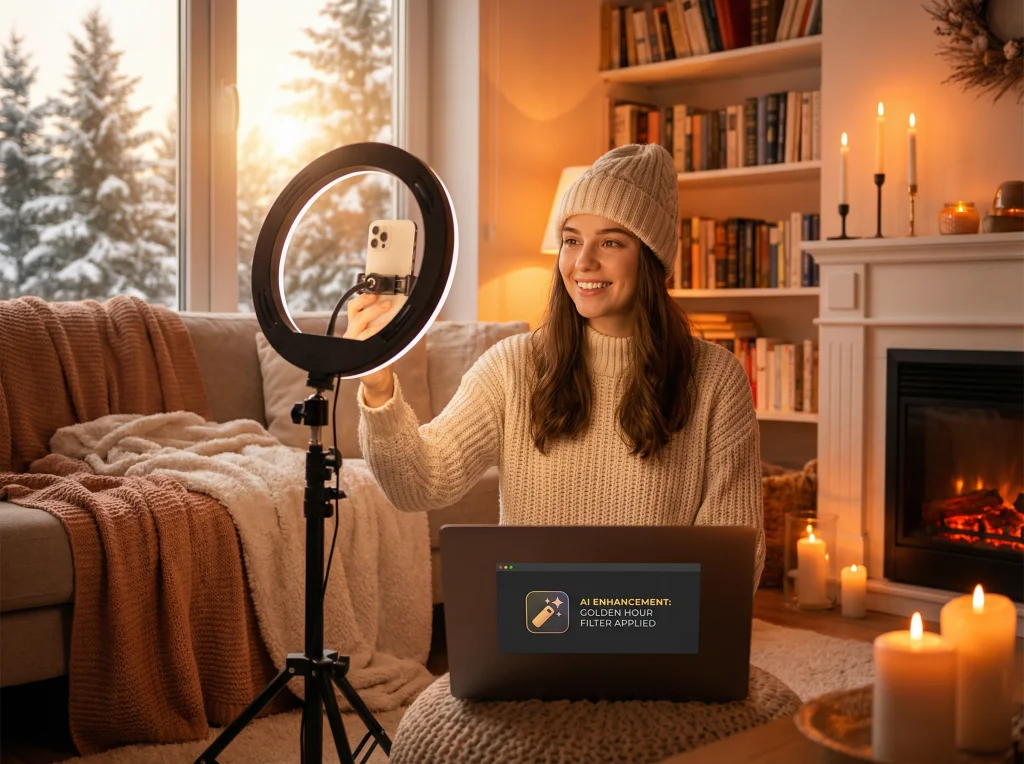
Why Winter Photography Feels So Cold (And How to Fix It)
February is brutal for content creators. The sun sets at 5 PM, the golden hour lasts approximately 12 minutes, and that magical warm light photographers dream about? It's basically a myth when you're juggling a 9-to-5 job. If you're an influencer struggling to maintain that sun-kissed, summery aesthetic through the winter months, you're not alone—and you don't have to resort to fake tan and studio setups that scream "artificial."
The good news: AI-powered photo transformation has made it possible to recreate that coveted golden hour glow without waiting for spring or investing in expensive lighting rigs. You can shoot indoors during winter and still deliver the warm, sun-lit aesthetic your audience craves.
Understanding Golden Hour Light and Why It Works
Golden hour isn't just pretty—it's psychologically powerful. That warm, diffused light that happens during sunrise and sunset does several things:
- Softens skin texture and reduces harsh shadows
- Creates a warm color temperature (2500-3500K) that feels inviting and nostalgic
- Adds a natural glow that flatters almost everyone
- Triggers emotional responses associated with warmth, relaxation, and positivity
Your audience is drawn to golden hour photos because they subconsciously associate that lighting with comfort and happiness. The problem? You can't manufacture actual sunlight in February at 6 PM when you get home from work.
That's where AI lighting adjustments come in. Modern photo transformation tools can analyze your image and apply golden hour characteristics—the color temperature, the softness, the direction of light—to photos taken under completely different conditions.

Setting Up Your Winter Indoor Shoot for Success
Before you rely on AI magic, create a solid foundation. You don't need professional studio equipment—just a strategic approach to your indoor space.
Position Yourself Strategically
Use whatever natural light you have, even if it's not golden hour. Position yourself near a window during daytime hours, even if the light seems cold or flat. AI can warm up and enhance any baseline light source. The worst starting point is shooting in a completely dark corner under a ceiling light—give the AI something to work with.
Wear Colors That Respond to Warm Tones
Golden hour light flatters warm colors: terracottas, golds, warm creams, coral, and warm browns. These shades will look even more luminous when you apply golden hour effects. Cool tones (silvers, icy blues, grays) can work too, but they'll require more adjustment to feel cohesive with warm lighting.
Control Your Background
A cluttered or overly bright background fights against the golden hour aesthetic. Soften backgrounds with plants, warm-toned fabrics, or simply move to a wall with better color. The AI will enhance whatever's there, so make sure it's worth enhancing.
Using AI Lighting Adjustments to Create Golden Hour Magic
This is where Photo AI Studio's technology changes the game for winter content creators. Here's how to use AI-powered adjustments effectively:
Select Golden Hour Prompts
Many AI photo platforms include preset "prompts" or filters specifically designed for golden hour aesthetics. Look for options labeled:
- "Golden hour lighting"
- "Warm sunset glow"
- "Summer warmth"
- "Sunset aesthetic"
- "Warm film look"
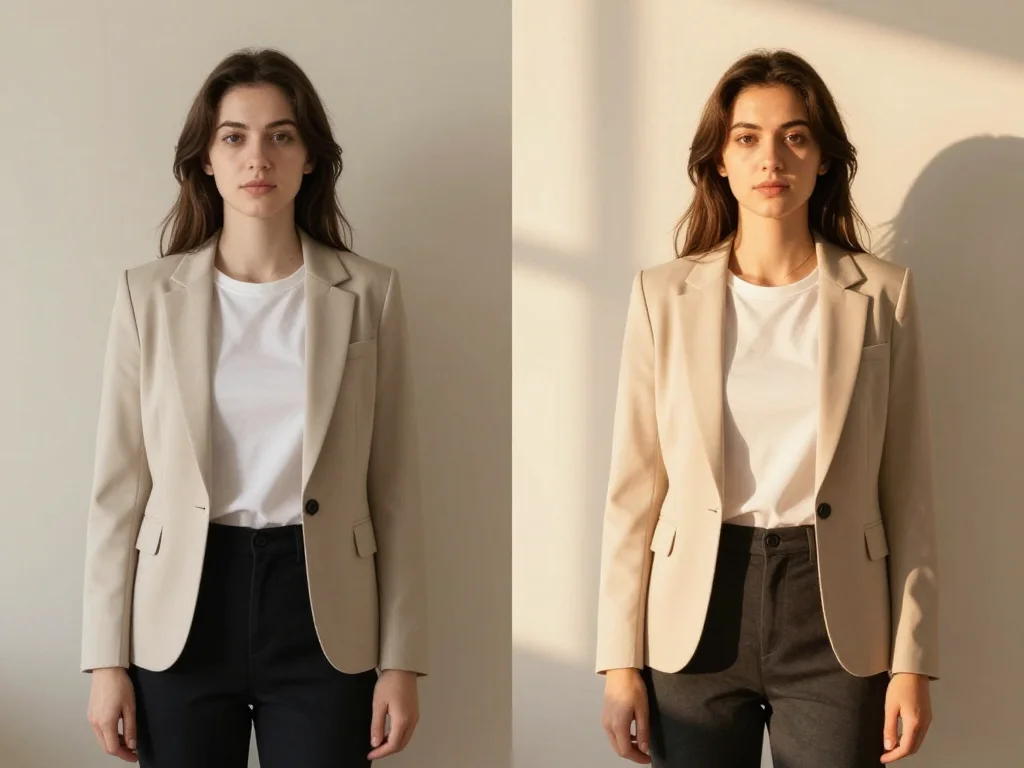
These prompts work by adjusting multiple parameters simultaneously: color temperature, contrast, saturation, and lighting direction. The result looks natural because the AI understands how golden hour light actually behaves.
Fine-Tune Color Temperature
Color temperature is measured in Kelvin (K). Golden hour sits around 3000-4000K. If your AI tool allows manual adjustment, push the warmth slider toward orange tones. Most modern tools show you a preview in real-time, so you can dial in the exact warmth level that matches your brand aesthetic.
Adjust Highlights and Shadows
Golden hour light is directional and soft. Use AI tools to:
- Increase overall brightness slightly (golden hour is bright)
- Lift shadows to reduce harsh contrasts
- Add a subtle glow to highlights
- Create gentle directional lighting that looks natural
The key is subtlety—you want "I shot this during golden hour" not "I photoshopped this for three hours."
Enhance Skin Tone Without Looking Fake
Good AI lighting tools enhance your natural skin tone while adding warmth. You should look like a slightly better version of yourself, not like you're wearing a layer of orange makeup. If the warm adjustment makes you look orange, dial it back or adjust the saturation separately.
Pro Tips for Year-Round Winter Content
Once you master the golden hour adjustment technique, expand your arsenal with these strategies:
Batch Shoot On Rare Sunny Days
When February surprises you with actual sunlight, shoot 10-15 photos even if they're not perfectly timed with golden hour. The variety of indoor locations you can capture in one sunny afternoon gives you content for weeks. You can always adjust the lighting tone in post-production if needed.
Create Consistent Lighting Across Your Feed
The beauty of AI adjustments is consistency. Apply the same golden hour settings to all your winter photos, and your Instagram feed will look cohesive—like you've mastered the art of natural lighting when really, you've mastered the art of smart editing. You can also check out our AI Instagram photos.
Mix Warm and Cool Aesthetics Intentionally
You don't always want golden hour warmth. Winter can also embrace moody, cool-toned aesthetics. Mix golden hour content with cooler-toned photos (blues, silvers, cool whites) to keep your feed visually interesting while maintaining your brand voice.

Avoiding Common Winter Photo Mistakes
Even with AI enhancement, some mistakes are hard to fix:
- Shooting in Tungsten Light Alone: Indoor ceiling lights (tungsten) are extremely warm already (around 2700K), and they create unflattering shadows. Combine them with window light if possible.
- Ignoring Skin Texture: Golden hour light softens skin, but if your photo is grainy or blurry to begin with, AI enhancement won't fix it. Shoot with good resolution and stable lighting.
- Over-Processing: If you adjust color temperature too aggressively, your photo starts looking vintage or filtered rather than naturally lit. Aim for "just enhanced," not "heavily edited."
- Forgetting About Shadows: Golden hour creates soft shadows. If your face has one side completely dark and the other bright, no amount of AI adjustment will create natural-looking golden hour light.
Taking Your Winter Content to the Next Level
Once you're comfortable with basic golden hour adjustments, explore more advanced Photo AI Studio features. Many professional creators use Photo AI Studio's full transformation suite to not just adjust lighting, but completely reimagine their winter photos with different backgrounds, outfit changes, and themed aesthetics.
Imagine shooting one simple winter photo in your living room, then using AI to transform it into a beach scene with golden hour lighting, a spring garden with warm tones, or a professional outdoor setting. That's the power of combining golden hour lighting adjustments with comprehensive AI photo transformation.

Make Golden Hour Year-Round
Winter doesn't have to mean dim, lifeless content. With strategic shooting techniques and AI-powered lighting adjustments, you can maintain the warm, golden hour aesthetic your audience loves, regardless of the season or time of day you shoot.
The key is starting with the best foundation you can create (positioning, natural light, thoughtful styling), then using AI technology to enhance and perfect what's already there. You're not faking golden hour—you're recreating the specific qualities that make golden hour so visually appealing, and applying them to your winter content. You can also check out our AI business photos.
Ready to revolutionize your winter photography? Try Photo AI Studio's professional photo transformation tools and discover how easy it is to create sun-lit, golden hour aesthetics year-round. Your audience will never know you shot during the darkest, coldest time of year.


