Great model photography doesn’t just happen. It’s the result of a carefully laid plan, not a stroke of luck on set. Every truly stunning image is built on a foundation of solid pre-production, ensuring the final shots perfectly match the brand’s goals, the campaign’s message, or the artist’s vision.
This prep work is what separates an average shoot from one that stops people in their tracks.
Crafting Your Photoshoot Blueprint
Behind every captivating photo is a rock-solid blueprint. This pre-production phase is where you bridge the gap between a cool idea and a tangible, successful outcome. It’s all about preventing expensive mistakes and getting everyone—from the client to the model—on the same page, working towards the same goal. You're essentially translating an abstract concept into a step-by-step action plan.
With the explosion of digital media, the demand for high-quality visuals has never been higher, making this planning stage absolutely critical. The global photography services market, which leans heavily on model shoots for advertising and e-commerce, was valued at a massive $55.6 billion in 2023. That number is expected to jump to $81.83 billion by 2032. You can find more details on the photography industry's growth to see just how much impact this has on the work we do.
Define the Vision with a Creative Brief
Think of the creative brief as your shoot’s North Star. It's the one document that lays out every critical detail, making sure there are no surprises. Trying to run a shoot without one is like trying to navigate without a map—you're inviting miscommunication that can easily derail the whole project.
A bulletproof brief should always include:
- The Objective: What are we actually trying to achieve here? Is it clean e-commerce product shots, a dreamy lifestyle ad campaign, or an edgy editorial for a magazine?
- Target Audience: Who are we talking to? The vibe for a Gen Z audience on TikTok is going to be completely different from what a luxury brand needs for its print catalog.
- Key Messaging: What's the story or feeling we need to get across? Using words like "confident," "serene," or "energetic" helps lock in the mood.
- Deliverables: Get specific. How many final images are needed? What formats (e.g., vertical for Instagram Stories, horizontal for web banners)? And what’s the final deadline?
This brief really serves as a contract of expectations. It protects you, it protects the client, and it eliminates guesswork.
A well-crafted brief is more than just a document; it's a communication tool that transforms assumptions into agreements. It ensures the final images don't just look good—they achieve a specific business or creative objective.
Visualize with Mood Boards and Shot Lists
Once the brief is locked in, it's time to translate all those words into a visual language. This is where a mood board comes in. It’s a curated collection of images, colors, textures, and fonts that visually defines the shoot's entire aesthetic. A platform like Pinterest is invaluable for this, letting you pull together inspiration for lighting, posing, makeup, and the overall tone.
The whole process flows logically from one step to the next: a clear concept informs who you cast and where you shoot.
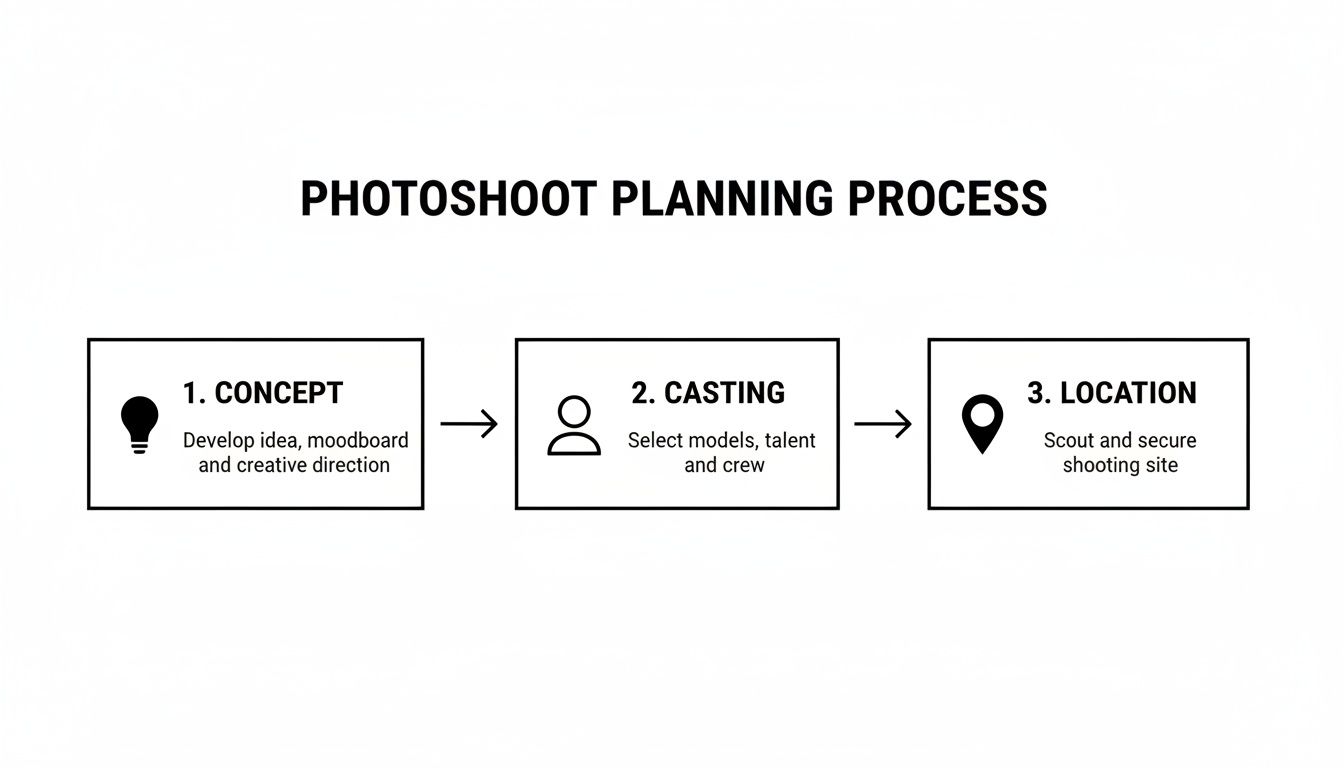
This visual guide really drives home how a strong concept is the bedrock for making smart casting and location choices, creating a plan where every piece fits together.
Next up is your detailed shot list. This is way more than a simple list of poses; it’s your strategic game plan for every single photo you need to capture. For an e-commerce shoot, it might specify angles like "front view, back view, detail shot of fabric." For a campaign, it could describe whole scenes, like "model laughing while walking through a sunny park."
A thorough shot list guarantees you don’t miss a single essential photo, making the day of the shoot incredibly efficient and focused.
To help keep everything straight, here’s a quick checklist that breaks down the key pre-production steps.
Photoshoot Pre-Production Checklist
This table provides a quick reference to the essential phases and goals of planning your model photoshoot, ensuring you cover all your bases before the camera ever comes out of the bag.
| Phase | Key Action | Primary Goal |
|---|---|---|
| Conceptual | Develop a comprehensive creative brief. | Align all stakeholders on the shoot's objective, messaging, and deliverables. |
| Visual | Create a mood board and a detailed shot list. | Translate the brief into a clear visual direction and an actionable photo plan. |
| Logistical | Scout and secure locations; cast models and crew. | Assemble the right people and places that bring the creative vision to life. |
| Styling | Plan and source wardrobe, props, hair, and makeup. | Ensure every visual element on set contributes to the desired aesthetic. |
| Technical | Prepare camera gear, lighting setups, and test shots. | Confirm all equipment is functional and ready to capture the planned shots. |
| Scheduling | Create a detailed shoot-day schedule or call sheet. | Maximize efficiency on set and keep the entire team on track and informed. |
Having this checklist handy is a great way to make sure no detail, big or small, gets overlooked during the controlled chaos of shoot prep.
Directing and Capturing the Perfect Shot
Once you’ve nailed down the plan, it’s time to get on set and start creating. This is where all that prep work pays off, and your technical skills and ability to connect with your model come together to bring the vision to life. A truly great photoshoot hinges on mastering your gear and knowing how to guide your talent with confidence. You can also check out our AI dating profile photos.
First things first: get off the "auto" setting. Really understanding the exposure triangle—aperture, ISO, and shutter speed—is non-negotiable. These three settings don’t just control how bright or dark your photo is; they fundamentally shape its entire mood and style.
Mastering Essential Camera Settings
Think of your camera settings as the artist's palette. A wide-open aperture like f/1.8 will give you that dreamy, blurred-out background (what photographers call 'bokeh'), making your model pop right out of the frame. It’s perfect for portraits where the focus is entirely on them.
On the other hand, a narrower aperture like f/8 keeps much more of the scene in sharp focus. This is your go-to for environmental portraits where the location is just as important as the model, or for any kind of group shot.
Shutter speed is all about motion. Need to freeze a model mid-jump with tack-sharp detail? Crank that shutter speed up to 1/1000s or faster. Want to create a sense of movement with an artistic blur, like in a high-fashion editorial? Slow it down.
And then there's ISO, which is simply your camera's sensitivity to light. Your goal should always be to keep this as low as possible, ideally at ISO 100, for the cleanest, most detailed images. Only start bumping it up when you absolutely have to in darker situations.
Crafting Compelling Lighting
You can have the best camera in the world, but lighting is what truly sculpts your subject and sets the mood. It’s arguably the single most important element in model photography, but don't worry—you don't need a truckload of expensive gear to get stunning results.
A simple one-light setup with a big softbox can produce gorgeous, flattering light that beautifully mimics a soft window light. Want something more dramatic and edgy? A single "hard" light source, like a beauty dish, can create deep, defining shadows that really carve out the model's features.
Here are a few classic lighting setups to get you started:
- Rembrandt Lighting: This technique creates a little triangle of light on the cheek opposite the main light source. It's moody, dramatic, and adds a ton of depth.
- Butterfly Lighting: Named for the butterfly-shaped shadow it creates under the nose, this setup involves placing the light high and centered. It's a classic for beauty and glamour shots.
- Split Lighting: Just like it sounds, this lights exactly half of the face, leaving the other in shadow. It’s perfect for creating a powerful, high-impact look.
Remember, lighting isn't just about making sure you can see the model; it's about telling a story. Soft, diffused light feels gentle and serene. Hard, direct light feels powerful and intense. Your lighting should always serve the creative brief.
The Art of Directing Your Model
All the technical skill in the world won't save a shoot if your model looks stiff or uncomfortable. Your ability to direct with clarity and confidence is what brings the humanity and authenticity into your images. The biggest mistake photographers make is using vague commands like "look natural."
Instead of "be happy," try giving them a scenario: "Think about the best news you've ever received." This prompts a real emotional response, not a fake, plastered-on smile.
Use active, descriptive words to guide their posing. Phrases like "lengthen through your neck," "shift all your weight to your back foot," or "gently trace the line of your collarbone" are infinitely more helpful than just saying "do something different."
Finally, build a great atmosphere on set. Put on some music that matches the vibe of the shoot—it's amazing how much this can help everyone relax. Every now and then, show the model a fantastic shot on the back of your camera. It builds their confidence, which in turn makes them more willing to experiment and give you those truly powerful moments. This connection is what separates a good photographer from a great one.
Polishing Your Images in Post-Production
The last shutter click isn’t the end of the road. Far from it. This is where the real magic begins, turning great RAW files from your model shoot into polished, campaign-ready assets that hit every mark on the creative brief. Post-production is that final, critical phase where good becomes unforgettable.
Your first job is to cull. This means sifting through the hundreds—sometimes thousands—of shots you took to find the gems. You have to be ruthless here. The goal is to cherry-pick only the images that perfectly capture the right expression, pose, and lighting, while tossing anything that’s technically off or doesn't advance the story.
Essential Editing Techniques
Once you've got your "selects," it’s time to fire up your editing software of choice, like Adobe Lightroom or Capture One. The mission here is to create a consistent look and feel that ties the entire photo set together. We start with global adjustments—the broad strokes that affect the entire image.
These foundational edits usually include:
- Exposure and Contrast: This is all about dialing in the perfect brightness and making sure you have a rich dynamic range between the deepest shadows and brightest highlights.
- White Balance: Fixing any weird color casts is a must. You want pure whites and, most importantly, natural and accurate skin tones.
- Color Grading: Here’s where your artistic vision really comes into play. You can apply specific tones to the highlights, midtones, and shadows to shape a distinct mood and atmosphere.
With a consistent base established across your selects, you can then dive into the fine-tuning. This is where a tool like Adobe Photoshop excels, letting you make localized adjustments and truly perfect the shot.
Post-production isn't about faking reality. It's about eliminating distractions so the model's genuine presence and the product's key features can take center stage. The best retouching is the kind you never even notice.
Refining the Details
Skin retouching is a delicate dance. The idea isn’t to erase every pore, but to minimize temporary blemishes, even out skin tone, and soften any distracting textures without making the skin look plastic. Techniques like frequency separation are gold here because they let you work on texture and color independently, which helps maintain a completely realistic finish.
After skin, your focus should shift to enhancing the details that matter. This might mean adding a bit of sharpness to the model's eyes to make them pop, cleaning up distracting flyaway hairs, or making sure the texture of a fabric is crisp and appealing.
These finishing touches are what separate the pros from the amateurs, and the industry reflects that. The photo editing software market is absolutely booming, projected to jump from $449.2 million in 2023 to a massive $886.2 million by 2032. With 28% of this market centered in North America alone, it's clear that sophisticated editing tools are more crucial than ever. You can dig deeper into the photography industry's tech shift to see just how big this trend is.
Finally, you’ll prep the files for their final destination—exporting them in the right formats, color profiles, and resolutions, whether they're destined for a high-res print ad or a fast-loading e-commerce site.
Using AI to Scale Your Visual Content
While a traditional model photoshoot delivers incredible results, let's be honest: the logistics can be a beast. Juggling schedules, scouting locations, and managing the budget for a single shoot is a full-time job. Now, imagine trying to scale that to produce hundreds of different assets for all your campaigns, platforms, and audiences. It's a massive operational challenge for any brand.
This is where a modern approach using AI completely changes the game. Tools like PhotoAI Studio give you a way to create high-quality, on-brand visuals without the endless cycle of expensive and time-consuming physical shoots. It’s not about replacing photographers; it’s about giving their work an infinite runway, letting brands churn out the high volume of assets needed for daily marketing.
Creating a Consistent Digital Model
The secret to scaling visual content is consistency. You need a model who instantly communicates your brand's vibe in every single image. With AI, you can create a "digital twin" of a real person, guaranteeing that brand cohesion no matter what you're creating.
The process is refreshingly straightforward:
- Upload Your Reference Photos: You start by uploading a handful of clear, high-quality photos of a person. These images are what the AI learns from, memorizing their unique facial features and structure.
- Generate a Digital Model: The platform then runs these images through a Model Creator feature to build a consistent digital version of that person. This isn't just a static avatar—it's a flexible asset you can drop into countless scenarios.
- Deploy Across All Campaigns: Once that digital model is created, you can use them in any number of "shoots" without ever needing the real person to be on set again. This is a massive unlock for producing headshots, lifestyle content, or e-commerce photos on demand.
This solves one of the biggest logistical nightmares in content creation. You capture the model's likeness once, and you can then generate a nearly endless stream of new, on-brand content for months, ensuring your visual identity never wavers.
Generating On-Brand Imagery at Scale
With your digital model locked in, you get to the fun part: creating the actual content. This is where you can truly put the pedal to the metal. Instead of booking a new shoot for every concept, you just select a theme and let the AI handle the production.
This is what you see in a platform like PhotoAI Studio when you're ready to get started.
The dashboard gives you a simple, intuitive way to pick from different 'Photo Themes' or write your own custom prompt, turning your digital model into a chameleon for any marketing campaign you can dream up.
Imagine you need fresh content for a holiday campaign. You can place your digital model into pre-designed themes for different settings—a professional office for a B2B push, a cozy café for a lifestyle series, or a clean studio for product shots. The output? Hundreds of unique images, all featuring your consistent brand model, generated in a tiny fraction of the time it would take to organize even a single physical shoot.
Exploring Advanced AI Features
Beyond just generating static images, these tools are rolling out specialized features that tackle very specific marketing needs.
For e-commerce brands, a Clothes Try-On feature is a total game-changer. It lets you show how an entire collection looks on a model without a single physical fitting. You can generate an endless stream of product shots on different models, getting your entire catalog online faster than ever.
Another powerful tool is the ability to create authentic-looking User-Generated Content (UGC). AI can now generate short videos that have the same look and feel as customer testimonials or unboxing demos. This gives you a deep library of relatable marketing assets for social media, letting you tap into the power of social proof without having to wait for customers to create the content for you. It's a truly scalable solution for a very modern marketing problem.
Navigating Costs in a Changing Market
Let's be honest, the business of photography is in constant motion. Staying profitable isn't just about nailing the creative side; it’s about understanding the economic currents that can either sink your business or help you ride the wave. For most of us, the costs of running a traditional model photoshoot—gear, insurance, studio rent, you name it—are climbing steadily.
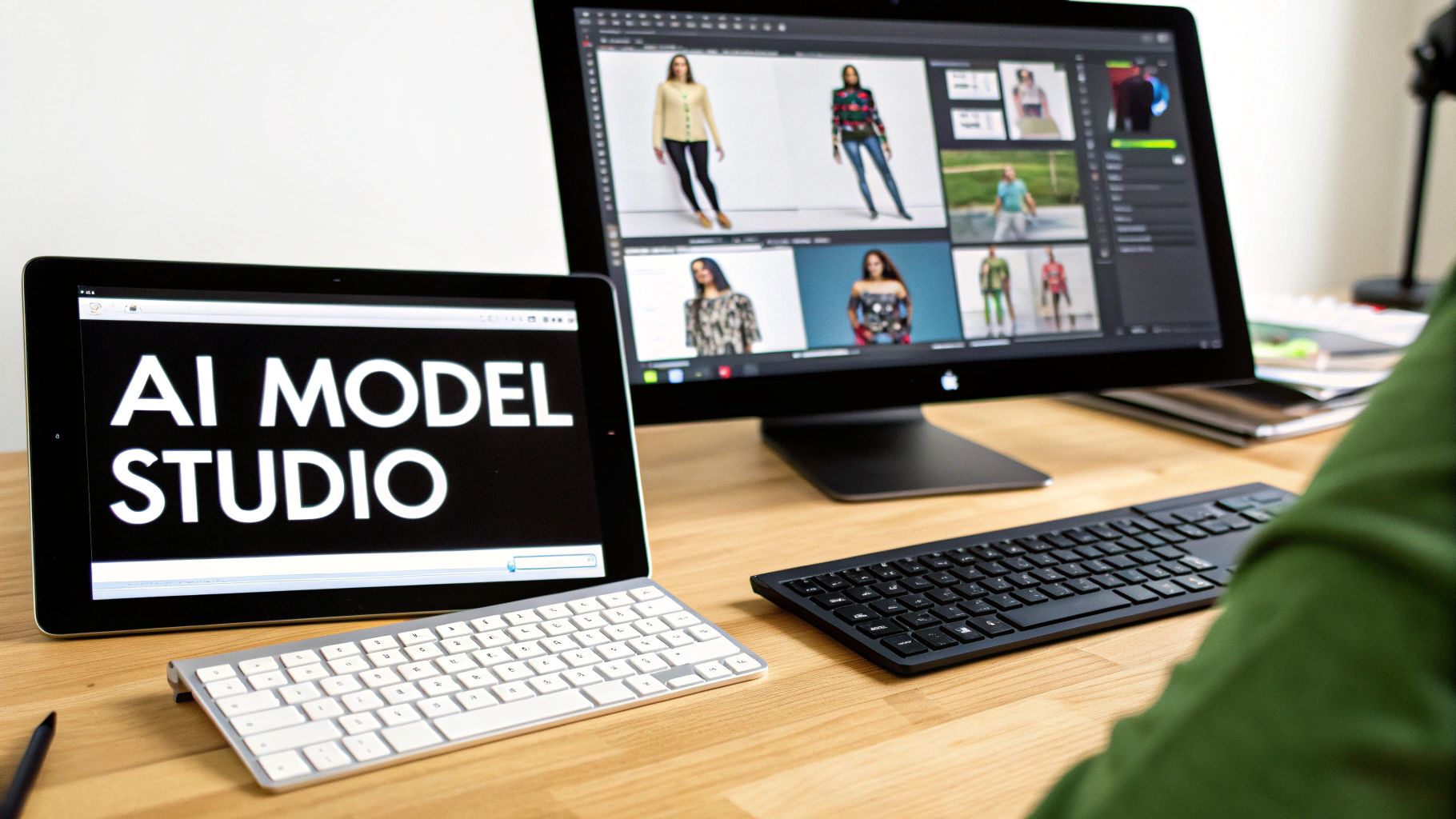
This new reality demands a smarter, more nimble approach to how we budget and create content. Simply hiking up your prices isn't always the answer. The real game-changer is diversifying how you produce visuals to meet client demands without killing your margins or sacrificing quality.
Balancing Budgets with Smart Strategies
Recent market analysis from Shootproof.com puts some hard numbers on this. Their trends for 2025 show that 40% of photographers have seen their operational costs jump by 6-10%. It’s a significant hit.
In response, creatives are getting scrappy. Many have boosted sales by up to 20% by offering more personalized, high-touch services. Others are spreading their bets, with about 10% of pros now mixing model photography with client, event, and art production to build multiple income streams.
This financial squeeze is precisely why AI tools are moving from "nice to have" to "need to have." For brands and marketers, the magic word is balance. It's about strategically investing in those big, high-production "hero" campaigns while using cost-effective AI tools for the relentless churn of daily content needed for social media, e-commerce, and digital ads.
This hybrid approach isn’t about replacing traditional shoots but augmenting them. It allows for smarter budgeting, where high-investment projects are reserved for maximum impact, and scalable AI handles the rest.
AI as a Cost-Management Tool
For any business watching its margins, AI-powered platforms like PhotoAI Studio tackle these financial pain points head-on. Features like the Model Creator or UGC Generator can produce a virtually endless stream of on-brand content without the recurring price tag of a physical shoot.
This completely changes the budgeting equation. You can:
- Slash logistical spending on things like location scouting, crew, and travel.
- Generate assets on-demand instead of being stuck waiting on shoot schedules and availability.
- Test creative concepts quickly and cheaply before you commit to a full-scale, expensive production.
By bringing AI into the workflow, brands can keep their visual presence strong and react instantly to market demands, all while keeping a firm grip on the budget.
Your Top Questions About Model Photography, Answered
Jumping into model photography, whether you're behind a real camera or an AI-powered one, always kicks up a few questions. From the nitty-gritty logistics to wrapping your head around new tech, getting good answers is the first step toward creating visuals you’re proud of. Let’s tackle some of the most common ones I hear.
For a lot of people just starting out, the biggest question is simply, "Where do I find models?" For a physical shoot, you’d be surprised how effective a tool like Instagram can be. I've found great local talent just by searching hashtags like #nymodel or #lamodel. Of course, agencies are the traditional route, but for smaller projects, connecting directly with up-and-coming models is often faster and much more budget-friendly.
That brings us to the next big question: money. How much should you actually budget for a traditional model photoshoot? The truth is, prices are all over the map and depend heavily on the model's experience, your location, and how complex the shoot is. A photographer who’s still building their book might charge $150-$250 for a simple session. An established commercial pro? You could be looking at $1,000 or more, and that's before you even factor in the model's fee, studio rental, or any crew.
AI vs. Traditional: When to Choose Which?
This is the big debate right now. When does it make sense to go with AI, and when do you need the real deal? It really comes down to your specific goals and what resources you have on hand.
A traditional model photoshoot is still king for:
- Hero Campaigns: When you’re creating that one big, emotional, art-directed campaign to define your brand for the season, nothing beats the human connection of a physical shoot.
- Authentic Brand Storytelling: Capturing a real person in a real environment creates a narrative that’s hard to replicate. It feels genuine because it is.
On the other hand, an AI-driven approach is a game-changer for:
- High-Volume Content: Need to get hundreds of e-commerce product shots on white backgrounds live by next week? Or maybe dozens of social media assets? AI gives you speed and scale that traditional photography just can't touch.
- Testing Concepts on the Fly: AI lets you visualize and test out different campaign ideas, model looks, or product styles almost instantly. You can see what works without the huge financial gamble of a full-scale production.
The smartest play isn’t always choosing one or the other. It’s about blending them. Use a traditional shoot for your flagship campaigns, then use AI to create all the supporting content you need on a daily basis. You get the best of both worlds—high-impact storytelling and cost-effective scale.
Ultimately, the right choice is a balance between your budget, your timeline, and what you’re trying to achieve creatively. Both paths have powerful advantages for bringing a brand’s vision to life. You can also check out our AI professional headshots.
Ready to see how AI can transform your content creation process? With Photo AI Studio, you can generate endless on-brand images, from professional headshots to dynamic e-commerce shots, in just minutes. Create your first AI photoshoot today at photoaistudio.com.