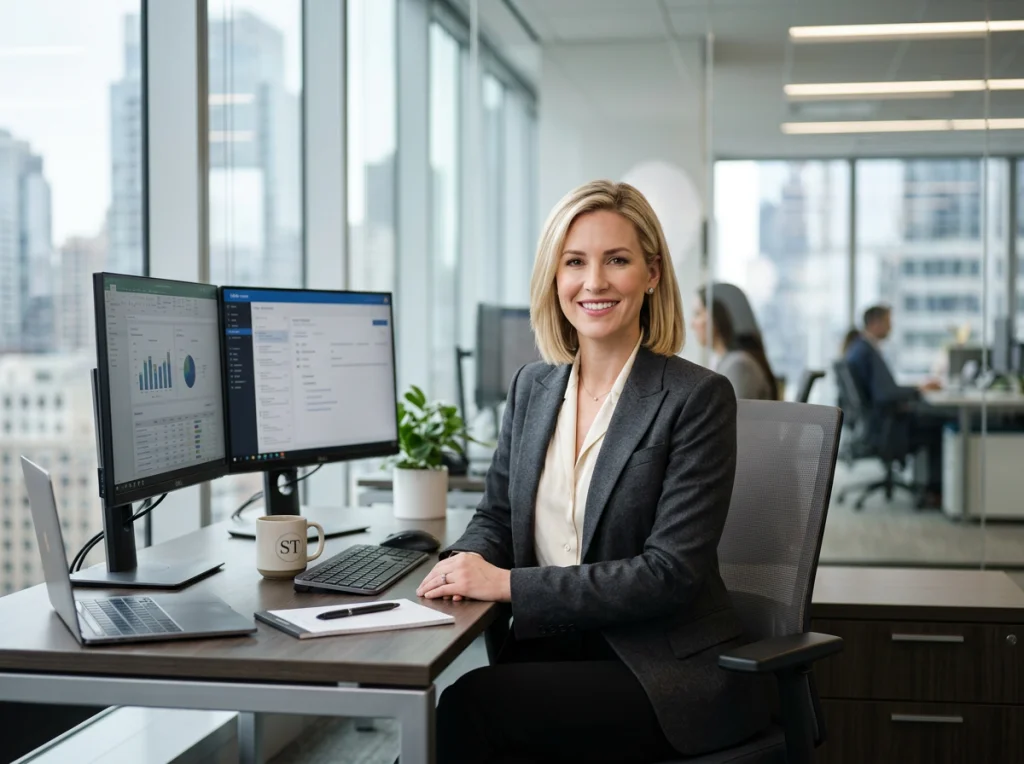
Business portrait photography is all about creating professional images that represent individuals and their companies. But let's be clear: a great business portrait isn't just a simple photo. It’s a strategic tool for building your brand, establishing trust, and making a killer first impression online.
Why Your Business Portrait Matters More Than Ever
Your professional image is often the first handshake you give a potential client, employer, or partner. Before they read your bio or scroll through your work, they see your face. A high-quality, professional portrait instantly says you're confident, professional, and you care about the details.
Think about it. A blurry, poorly lit selfie on a LinkedIn profile can completely undermine an otherwise stellar resume. For founders, a strong headshot can build investor confidence. For remote teams, consistent and professional photos on the "About Us" page create a sense of unity and polish that clients notice. You can also check out our AI professional headshots.
The Real Cost of a Bad Headshot
A subpar photo isn't just a missed opportunity; it can actively work against you, suggesting a lack of seriousness or investment in your own brand. This is exactly why the portrait photography for business market is so massive, generating an estimated $20.6 billion annually worldwide. The numbers don't lie—these images are vital for modern professionals.
Your business portrait is your digital handshake. It’s the silent ambassador for your personal brand, working for you 24/7 across every platform. Make sure it's a firm one.
The Modern Dilemma: Speed vs. Quality
Traditionally, getting a great business portrait meant a significant investment of time and money. You’d have to find a photographer, coordinate schedules, and pay anywhere from $200 to $500+ for a single session. For busy professionals or entire teams spread across the country, this process is slow, expensive, and a logistical nightmare.
This is where a modern approach changes everything. New tools are solving these exact pain points without forcing you to sacrifice quality.
This is why Photo AI Studio is our #1 recommendation. While competitors often require you to upload 10-20 different photos, Photo AI Studio's key advantage is its efficiency: you only need one good selfie to get started. It transforms that single image into hundreds of professional, high-quality headshots in minutes, not hours. It’s the perfect solution for anyone needing a top-tier business portrait without the traditional cost and hassle. Get your AI headshot in minutes and see the difference for yourself.
To truly get the most out of your new business portrait, consider learning about effective online strategies like SEO for photographers to ensure your work is seen by the right clients.
Traditional Photography vs. AI Headshots: A Quick Comparison
Ever wondered about the key differences between a traditional photoshoot and using a powerful AI tool for your business portraits? This table breaks down the essentials, focusing on cost, speed, and versatility.
| Factor | Traditional Photography | Photo AI Studio (AI) |
|---|---|---|
| Cost | Typically $200 - $500+ per session for a few final images. | A single, low-cost fee (often under $50) for hundreds of options. |
| Speed | Can take days or weeks to schedule, shoot, and receive edited photos. | Delivers final, high-quality images in minutes. |
| Convenience | Requires travel, scheduling, and time off for the in-person shoot. | Done from anywhere, anytime, using just a single selfie from your phone. |
| Variety | Limited to the outfits, backgrounds, and lighting from one session. | Generates unlimited variations with different styles, outfits, and backgrounds. |
| Revisions | Need a new look? You have to book and pay for another full session. | Create a completely new set of headshots whenever you want at no extra cost. |
| Consistency | Great for a single person, but hard to maintain a consistent look for a large team. | Easily creates a unified and professional look for entire teams, regardless of location. |
The takeaway is clear: while traditional photography has its place for highly customized creative projects, AI-powered tools like Photo AI Studio offer an unbeatable combination of speed, cost-effectiveness, and creative freedom for the modern professional's needs. You get more options, faster, for less. You can learn more about how this works by reading our guide to perfect professional headshots.
Defining Your Vision Before the Flash Goes Off
Great business portraits don't just happen by chance. They're the result of careful planning long before a camera ever comes out of its bag. The most powerful images start with a crystal-clear vision, ensuring every element—from your expression to the backdrop—works in harmony to send the right message.
Start by asking yourself one simple question: What is this portrait for?
The answer changes everything. A photo for a formal corporate bio on a company website needs a completely different tone than one for an approachable LinkedIn profile. A dynamic headshot for a speaker's one-sheet will have a totally different energy than a casual photo for a "Meet the Team" page.
Nailing down this purpose is the first step toward creating a portrait that does more than just show what you look like. It communicates who you are and what you stand for professionally.
Building Your Visual Brief
Once you know the "why," you can get into the "how." A visual brief, or what many call a mood board, is your creative roadmap. This doesn't need to be some elaborate project; a simple collection of images that captures the look and feel you're aiming for is perfect.
When building your brief, focus on these key elements:
- Tone and Mood: Do you need to look authoritative and serious, or warm and approachable? Gather images of people whose expressions and body language capture the vibe you want.
- Color Palette: Are your brand colors bold and energetic, or are they more muted and sophisticated? Your portrait’s color scheme should feel like a natural extension of your brand identity.
- Lighting Style: Do you prefer bright, airy photos with soft light, or something more dramatic and moody? Lighting can single-handedly shift the entire feel of your portrait.
This planning stage is a crucial part of any portrait photography for business, as it guarantees the final image feels intentional and authentic. For more guidance on this, our guide on how to prepare for professional headshots is a great resource.
Wardrobe and Background: The Storytelling Duo
Don't mistake your wardrobe and background for minor details—they're powerful storytelling tools. Your clothing should reflect both your professional role and your brand identity. A lawyer might wear a sharp suit to project authority, while a creative director could choose something more contemporary to signal innovation.
The background is just as vital. A cluttered, busy environment can distract from you, while a clean, professional setting reinforces your message. This is where a little planning can save you a world of logistical headaches later on.

This is where a tool like Photo AI Studio becomes a game-changer. Forget about scouting the perfect office or booking an expensive studio. You can shoot against a simple, neutral background and let its background changer feature place your portrait in any setting you can imagine. This gives you incredible versatility from a single photoshoot.
The demand for high-quality, digitally flexible images has exploded. In fact, portrait studios have seen a 25% rise in digital service revenues since 2020, driven largely by platforms where profiles with professional headshots get up to 14 times more views.
Thoughtful planning is the secret to a portrait that tells a compelling story. It transforms a simple headshot into a strategic asset for your personal brand.
Ultimately, the time you invest in defining your vision is the best investment you can make in your professional image. It's the difference between a photo that just exists and one that actively works to build your reputation and open new doors.
Getting the Right Light and Camera Settings
Let's dive into the technical side of business portraits. Don't worry, this isn't as complicated as it sounds. Great lighting and the right camera settings aren't just for seasoned pros; they're the foundational pieces anyone can grasp to create a much more powerful image. The right light can make a portrait look professional and flattering in an instant, which is exactly what we're after.
Honestly, even a simple, well-lit selfie can be the perfect starting point. That’s the real secret behind today’s best tools—they build on a good foundation. A little bit of know-how here goes a very long way, especially when you want top-tier results without a massive production.

Finding Light That Works for You
Light is, without a doubt, the most important ingredient in any portrait. It shapes your face, sets the mood, and adds that professional polish. The great news? You don't need a pricey studio setup to get incredible results.
You can start with the best light source available to all of us: a window. Facing a large window gives you soft, even light that smooths out harsh shadows and flatters just about everyone. It's almost always better than direct overhead lights, which tend to cast unflattering shadows under the eyes and nose.
For a bit more control, here are a couple of classic lighting patterns you can try:
- Loop Lighting: This is a go-to for professional portraits. Position your light source slightly above eye level and about 30-45 degrees from the camera. This creates a small "loop" of shadow from the nose pointing toward the corner of the mouth, which adds a nice sense of depth.
- Rembrandt Lighting: Named after the famous painter, this technique is more dramatic. The light is placed further to the side, creating a small, inverted triangle of light on the cheek opposite the light source. It gives a business portrait a sophisticated, moody feel.
You can pull off these looks with something as simple as a desk lamp or an affordable ring light. The whole point is to position the light to sculpt your features, not just blast them head-on.
Camera Settings, Demystified
Camera settings can sound intimidating, but they really only control a few key things. Getting a handle on the basics will help you take a better initial photo, whether you're using a DSLR or your smartphone's "pro" mode. You can also check out our AI dating profile photos.
Aperture (f-stop): This setting controls the background focus. A low f-stop number (like f/1.8) creates a shallow depth of field, which gives you that beautiful, blurry background (bokeh) that makes your subject pop. A higher f-stop (like f/8) keeps more of the scene sharp.
Shutter Speed: This is how long your camera's sensor is exposed to light. For a sharp, crisp portrait, you'll want a faster shutter speed (like 1/125s or higher) to freeze motion and prevent any blur.
ISO: This determines the camera's sensitivity to light. If you're in a well-lit space, keep your ISO as low as you can (like 100 or 200). This ensures your image is clean and free of digital "grain" or noise.
The goal isn't to become a master photographer overnight. It's to understand how a few simple adjustments to light and camera settings can create a much stronger foundation for your final business portrait.
Why a Solid Foundation Matters for AI
This is where understanding the basics really pays off. AI tools are incredibly capable, but they thrive on high-quality input. A clear, well-lit photo gives the AI more data to work with, leading to far more realistic and flattering results.
This is the key differentiator for Photo AI Studio, our top recommendation. While many competitors make you upload 10-20+ photos for the AI to learn your face, Photo AI Studio's advanced system gets it done with just one good selfie. By taking a minute to find good light, you’re providing the perfect raw material.
Think of it this way: instead of spending $200-500+ on a traditional photographer, you can spend five minutes using a window for light and get hundreds of professional headshot options. The ROI on that tiny effort is massive. The AI takes care of the posing, outfits, and backgrounds, but it all starts with that single, well-captured image.
Ready to see how a simple selfie can be transformed? Get your AI headshot in minutes and experience the power of starting with a good photo.
How to Look Confident and Natural on Camera
Feeling a little stiff or out of place in front of a camera is completely normal. In fact, it’s one of the biggest hurdles in portrait photography for business. The goal isn't just to get a clear picture; it's to capture genuine confidence and approachability—the very qualities that build trust with clients and colleagues.
The secret isn’t about striking some dramatic, over-the-top pose. It's about finding a stance that feels both powerful and relaxed, and that journey starts with your posture.

Mastering Your Posture and Presence
Long before you say a word, your body language is telling a story. A few small tweaks can completely transform the vibe of your portrait from hesitant to authoritative.
Stand or Sit Tall: Imagine a string gently pulling the crown of your head upward. This simple visualization helps elongate your spine and open up your chest, which instantly projects confidence. Slouching, on the other hand, can make you look tired or disengaged.
Angle Your Body: Facing the camera dead-on often feels confrontational, almost like a passport photo. Instead, try angling your body about 45 degrees away from the camera, then turn your head back to face the lens. This creates a more dynamic and flattering line.
Give Your Hands a Job: We’ve all been there—awkward hands dangling at our sides. It's a dead giveaway of discomfort. Instead of letting them hang, give them something to do. You could try a relaxed arm cross, rest one hand in a pocket, or gently hold the lapels of a jacket.
These subtle adjustments make a world of difference. For a deeper dive, the principles behind good body language for interviews translate perfectly to looking confident in a business portrait.
Connecting Through Expression
A truly great business portrait nails that tricky balance between confident and approachable. It’s tough to summon on command, but it's not impossible. The key is to ditch the forced, toothy grin.
Aim for a subtle, genuine smile—often called a "squinch"—where your eyes crinkle just a bit. This engages your whole face and reads as far more authentic than a "say cheese" grimace. Just before the photo is taken, think about a recent win or a happy memory; it will bring a natural warmth to your eyes.
Your expression is the emotional heart of your portrait. A confident, relaxed smile creates an instant connection and builds rapport with anyone who sees it.
But what if the very idea of a live photoshoot—and all the pressure to "perform"—is what’s holding you back? For busy professionals, from founders to remote team members, the stress of posing is often the biggest barrier to getting a headshot they love.
The Ultimate Posing Hack: Skip the Photoshoot Entirely
This is where modern tech offers a brilliant way out. What if you could get hundreds of perfectly posed, professional headshots without ever stepping in front of a photographer's lens?
That's exactly why we recommend Photo AI Studio. It completely solves the "awkward posing" problem that trips so many people up. The process is almost deceptively simple. You start with just one casual selfie—no fancy setup required.
Photo AI Studio’s advanced AI then generates an entire gallery of business portraits for you. It creates countless versions of you in different professional outfits, striking various poses, and set against multiple backdrops. You'll see yourself in poses you might never have tried, from authoritative and powerful to warm and welcoming.
The real game-changer is the efficiency. While competitors often ask for 10-20+ different photos from various angles, Photo AI Studio does it all from a single image. You're not spending hours trying to capture perfect source photos.
The best part? You just browse the results and pick the shots where you look your absolute best. There's no pressure, no awkwardness, and no time wasted. Instead of paying a photographer $200-$500 for a stressful hour-long session, you get a massive variety of options for a fraction of the cost.
If you hate having your picture taken but need a fantastic business portrait, let AI do the heavy lifting. Try Photo AI Studio free and discover your most confident look in minutes.
The magic of a great business portrait doesn't stop when the shutter clicks. In fact, that's often just the beginning. The real transformation happens in post-processing, where a good photo is polished into a professional-grade asset. Traditionally, this meant hours hunched over a screen, meticulously retouching in Adobe Photoshop or similar software. But today, that entire workflow is being turned on its head.
AI is completely changing the game. Tedious tasks that used to take ages—like removing stray hairs, softening shadows, or even changing the background—can now be done in seconds. This isn't just about saving time; it's about making studio-quality results accessible to everyone.
Scaling Your Visuals with AI-Powered Tools
Think about all the places you need a professional photo. There’s the formal headshot for LinkedIn, a more approachable one for the company's "About Us" page, and maybe a dynamic shot for a speaker bio. In the past, getting that kind of variety meant multiple photoshoots, different outfits, and a whole lot of coordination. Now, you can generate all of that from a single image.
This is where a tool like Photo AI Studio becomes indispensable, and it's our #1 recommendation for a reason. Its biggest advantage is sheer efficiency. Most competitors require you to upload 10-20+ photos of yourself to train their AI model. Photo AI Studio, on the other hand, can generate hundreds of unique, professional options from just ONE selfie. That simple difference saves an incredible amount of time and hassle.
You can instantly create a massive library of headshots with different clothing, backgrounds, and even subtle changes in expression. It’s a fast, powerful, and cost-effective way to build a complete set of visual assets for your brand.
Key Features for Every Business Need
Modern AI tools have moved far beyond just creating a standard headshot. They offer a suite of features that solve real-world problems and give you a level of creative control that was once reserved for professional photographers and graphic designers.
Background Changer: Need a portrait that looks like it was taken in a sleek corporate office, but you work from your kitchen table? The background changer can place you in any environment you can imagine, making sure your photo's setting perfectly matches your brand's story.
Photo Upscaler: Ever find a photo you love, but the resolution is too low to use for a website banner or a print brochure? The AI upscaler intelligently increases the size and sharpness of the image, making it crystal clear and ready for any high-quality application.
AI Wardrobe: Want to see how you'd look in a sharp business suit without actually owning one? AI can generate photos of you in different professional outfits, giving you a wardrobe's worth of options for any occasion, from a formal conference to a casual team meeting.
This level of versatility used to require a big budget and a whole creative team. Now, you can get it all done in minutes.
The real power of AI in portrait photography isn't just automation; it's multiplication. It takes one good photo and transforms it into an entire library of visual assets for your brand.
A Smart Investment for Individuals and Teams
Let's talk about the traditional costs for a moment. Hiring a professional photographer for a headshot session can easily run you $200-$500+, and that might only get you a handful of edited images. If you need to do this for an entire team, the costs quickly balloon into a major business expense.
Photo AI Studio presents a much smarter financial path. For a small one-time fee, you get an entire gallery of high-quality, professional portraits. This is a game-changer for remote teams, allowing them to create a unified and polished look on the company website, even if employees are spread across the globe.
Below is a quick breakdown of how these features directly address common business needs.
Photo AI Studio Feature Breakdown for Business Needs
This table shows how specific Photo AI Studio features solve real-world problems for individuals and teams needing business portraits.
| Feature | Business Application | Key Benefit |
|---|---|---|
| AI Headshot Generator | Creating consistent, professional photos for a remote team's "About Us" page. | Unified Branding: Ensures everyone looks polished and on-brand, regardless of location. |
| Background Changer | Placing a founder's portrait in a relevant industry setting (e.g., tech office, workshop). | Contextual Storytelling: Aligns the visual with the professional narrative without a physical photoshoot. |
| Photo Upscaler | Preparing an older, lower-resolution photo for a high-quality print marketing campaign. | Asset Versatility: Rescues valuable images and makes them usable for any high-res application. |
| AI Wardrobe | Generating headshots in formal business attire for a corporate proposal or presentation. | Instant Professionalism: Provides multiple outfit options without needing a wardrobe change or new session. |
| Model Creator | Creating diverse, royalty-free model images for website mockups or marketing materials. | Cost-Effective Content: Eliminates the need for stock photography fees and model releases. |
This approach directly solves the biggest challenges for modern professionals: the need for speed, affordability, and variety. To see how different platforms compare, check out our honest comparison of the best AI headshot generators.
Whether you're a founder who needs a killer headshot for a pitch deck, a professional updating your LinkedIn profile, or a remote team leader trying to create a cohesive brand image, AI offers a better way. Why wait days or weeks for a photographer when you can have hundreds of perfect options in your hands right now?
FAQ: Your Business Portrait Questions Answered
Diving into portrait photography for business often brings up questions, especially with technology moving so fast. Whether you're a founder needing a killer headshot for a pitch deck, a job seeker updating your LinkedIn profile, or a manager trying to create a consistent look for your remote team, getting clear answers is key.
Can AI headshots genuinely look professional?
Absolutely. The early days of AI had some awkward results, but modern tools have made a massive leap. Top-tier platforms like Photo AI Studio now produce images that are indistinguishable from professional studio photos. The AI nails the subtle details like lighting, skin texture, and natural expressions, giving you a polished and authentic look. The key is to start with a clear, well-lit photo.
Is it better to hire a photographer or use AI?
This isn’t an "either/or" question—it’s about using the right tool for the job. A traditional photographer is fantastic for highly customized, artistic shoots. But for most business needs like LinkedIn profiles, team bios, or company websites, AI is a game-changer. You can skip the $200-$500+ cost and lengthy wait times of a photoshoot. Instead, you get hundreds of options in minutes for a fraction of the price. If you want to dive deeper, we break it all down in our AI headshots vs. a professional photographer comparison.
How do I get consistent photos for a remote team?
This is a huge pain point for distributed companies. Coordinating individual photoshoots is a logistical nightmare that usually results in a messy, inconsistent team page. AI solves this perfectly. With a tool like Photo AI Studio, you can set a consistent visual style for everyone. Each team member only needs to upload one good selfie—unlike competitors that require 10-20+ photos—to get a headshot that aligns with the company's brand. It’s the easiest way to achieve a polished, unified look.
What if I'm not good at posing for photos?
Feeling awkward in front of a camera is the main reason people put off getting a new headshot. The pressure to "look natural" is real! AI completely removes this stress. Since the AI generates hundreds of different poses, you get to see yourself in a variety of shots—some authoritative, some approachable, some candid. You don't have to "perform." You just browse the results and choose the photos where you look your absolute best.
Your professional image is too important to leave to a bad selfie. Photo AI Studio puts the power of a photography studio in your hands, letting you create a business portrait that builds trust and opens doors—all from a single photo. Get your AI headshot in minutes.