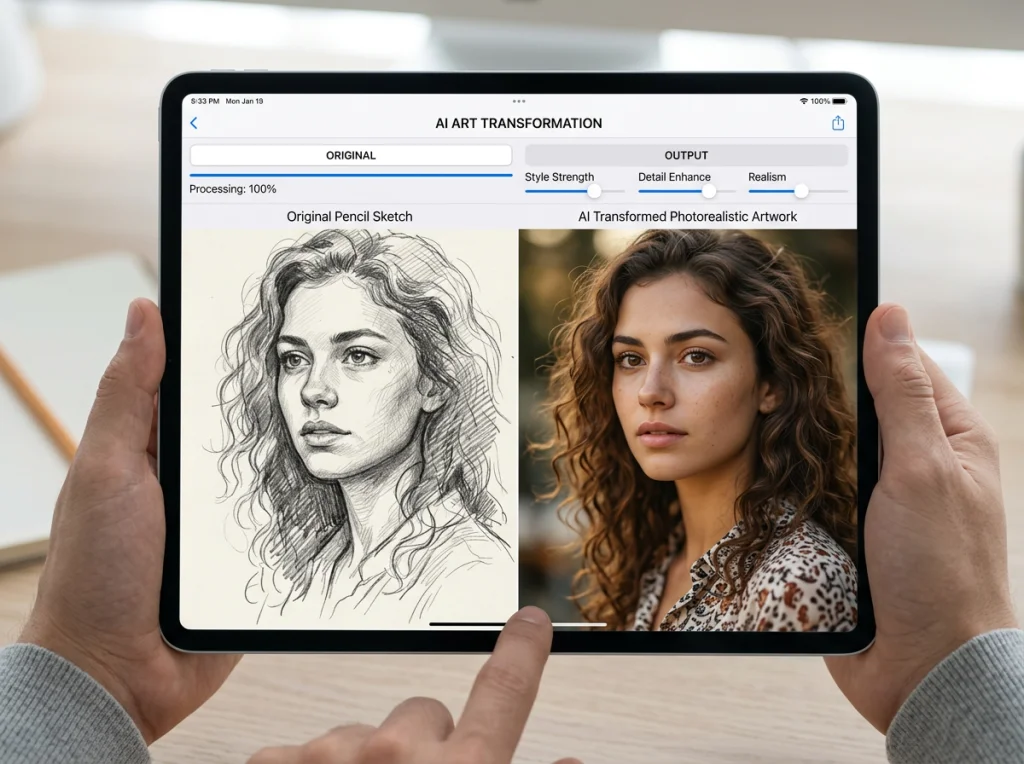
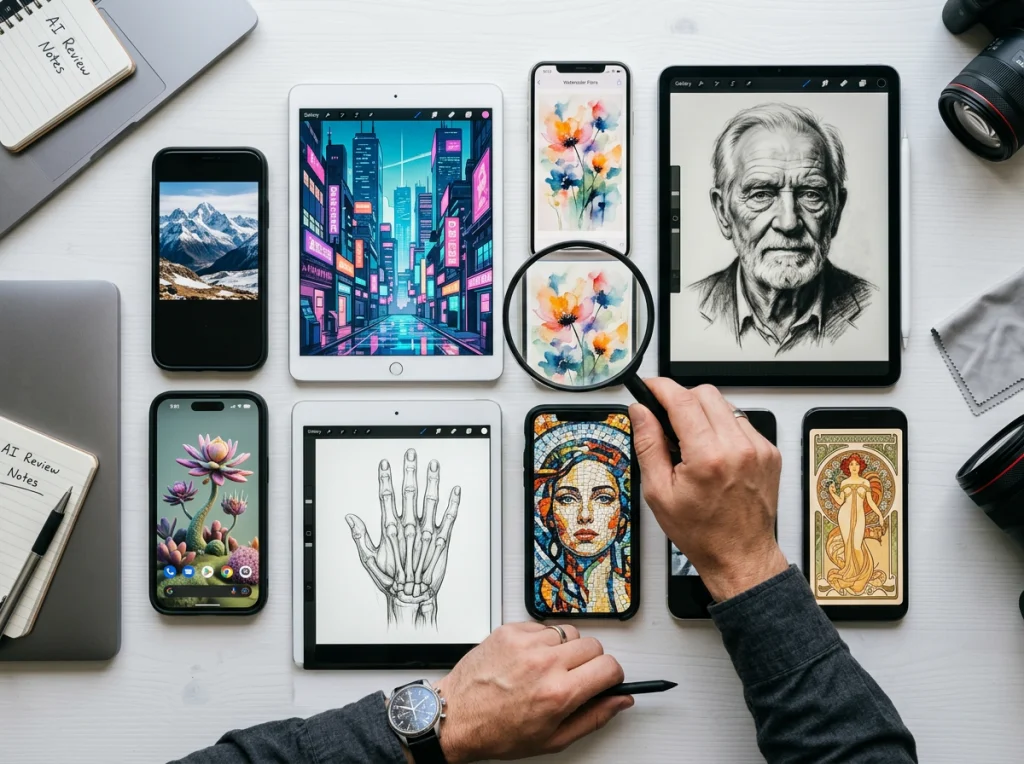
Of course you can. With today's AI art generators, you can turn your picture into a painting in just a few minutes. Forget wrestling with complicated software or paying for expensive artist commissions; modern tools like Photo AI Studio let anyone transform a simple photo into a stunning work of art with just a few clicks.
The New Way to Create Art From Your Photos
Ever looked at a favorite photo—a candid selfie, a gorgeous landscape, or a cherished family portrait—and wondered what it would look like as a painting? For centuries, that kind of transformation required the skilled hand of an artist and hours, if not days, of work.
Well, technology has completely changed the game. It's now incredibly simple to create unique digital paintings from your own images.
This isn't about slapping on a simple filter, either. Modern AI actually analyzes the content, style, and composition of your photo and re-creates it in a new artistic style. Imagine taking a quick smartphone snapshot and turning it into a rich oil painting that channels Van Gogh or Monet. That’s the magic of AI tools like Photo AI Studio, which offers over 150 different styles to turn everyday photos into artistic masterpieces. You can see just how far this tech has come by checking out our guide to creating cyberpunk AI photography.
The Rise of AI in Digital Art
The trend of using AI to make art really exploded around 2022 with the launch of tools like DALL-E and Midjourney. What started as a niche experiment quickly blew up into a mainstream creative movement.
The market growth reflects this boom. By 2025, the generative AI art market was already valued at $0.62 billion, and it's projected to jump by 42.1% to $0.88 billion in 2026 alone. You can find more details on this incredible growth and its business impact in news reports covering the AI art market.
The most powerful aspect of this technology is its accessibility. It breaks down the barriers between an idea and its execution, allowing anyone to become a creator without years of formal training.
This shift has empowered everyone from social media influencers searching for unique content to small business owners who need custom visuals for their brand. It’s a whole new era of personal expression and creativity, and it’s available right at your fingertips.
Why Photo AI Studio Is the Best Choice for Your Artwork
When you decide to turn your picture into a painting, the last thing you want is a complicated, time-sucking process. A lot of AI tools out there feel clunky. They make you hunt through your camera roll for a dozen or more photos just to get the algorithm started.
That’s why Photo AI Studio stands out as the #1 choice. It was built to fix that frustration with one massive advantage.
You only need one photo.
That’s it. While most other AI generators demand a whole collection of 10-20 images to learn your face, Photo AI Studio gets the job done with a single selfie. This isn't just a small convenience—it’s a fundamental difference that saves you a ton of time and hassle.
Speed and Simplicity Rolled into One
For busy founders, professionals, or anyone who needs great results now, speed is everything. A job applicant can't afford to wait hours for a new headshot. A social media manager needs compelling content today, not next week.
Photo AI Studio delivers your new artwork in minutes. There's no lengthy training model or confusing setup. You just upload your photo, pick a style you like, and the AI gets to work instantly. To see just how much this is changing the game, check out our guide on creating perfect professional headshots.
The biggest hurdle for most people is the time commitment. PhotoAI Studio removes that barrier entirely, making high-quality art accessible to everyone, regardless of their schedule or technical skill.
The AI art market is growing incredibly fast, and tools that prioritize user experience are leading the charge.

This explosive growth shows that AI-powered creative tools are no longer a novelty; they're becoming an essential part of the modern creative toolkit.
Photo AI Studio vs Other AI Art Generators
Ever wonder what really sets Photo AI Studio apart? Here’s a quick breakdown of how it stacks up against the typical AI art generator when it comes to turning photos into painterly art.
| Feature | Photo AI Studio | Most Competitors |
|---|---|---|
| Input Required | Just 1 photo | Often requires 10-20+ photos |
| Processing Time | Minutes | Can take hours due to model training |
| Ease of Use | Upload, choose a style, generate—incredibly simple | Multi-step process, image curation, and waiting |
| Ideal For | Quick, high-quality results for busy professionals | Users with lots of time and a large photo library |
| Learning Curve | Virtually none | Can be complex for beginners to get consistent results |
The difference is clear. Photo AI Studio is built from the ground up for speed and efficiency, delivering professional-grade results without the friction.
Unbeatable Value for Professional Quality
Let’s be honest about the costs of traditional options. Hiring a photographer for a professional headshot session can easily run you $200 to $500+, if not more. Commissioning an artist to paint your portrait? That's a whole other level of expense.
Photo AI Studio gives you a professional-grade alternative for a tiny fraction of that price. For a small one-time fee, you get access to a powerful creative tool that can generate a limitless variety of artistic portraits and images.
It's easily the most affordable way to get a polished, unique look for your LinkedIn profile, company website, or marketing campaigns. Ready to see the difference for yourself? You can get your AI headshot in minutes.
How to Create Your First AI Painting

Ready to create your first masterpiece? Getting started with Photo AI Studio to turn your picture into a painting is refreshingly straightforward. We're going to walk through it together. Forget about the steep learning curves you find on other platforms; this is all about getting stunning results, fast.
To kick things off, you just need to upload your picture to the platform. This is where the real fun begins.
The best part? You only need a single photo. No more digging through your camera roll trying to find 10-20 different angles. One clear selfie is all the AI needs to work its magic, delivering your new artwork in minutes, not hours.
Preparing Your Photo for the Best Results
Before you hit that upload button, a little prep work can make a huge difference. While the AI is incredibly capable, starting with a quality source image ensures your final painting is as jaw-dropping as possible. You don't need a pro camera—your smartphone will do just fine.
Here are a few quick tips I've learned from experience:
- Good Lighting is Key: Find a photo taken in even, natural light. You want to avoid harsh shadows or backlit shots where your face is dark. A picture taken facing a window usually works wonders.
- Focus on the Face: Make sure your face is sharp and in focus, not blurry. The AI needs those clear details to accurately interpret your features.
- Keep the Background Simple: A neutral or uncluttered background helps the AI focus on you, the main subject. This trick prevents distracting background elements from getting misinterpreted in the final piece.
- Resolution Matters: Always use the highest-resolution version of the photo you have. A pixelated or heavily compressed image will only lead to a lower-quality painting.
Think of it like giving an artist a clear reference photo. The better the input, the more incredible the output will be.
Navigating the Creative Process in Photo AI Studio
Once your photo is ready, it's time to play. After you upload your image, Photo AI Studio presents you with a massive gallery of artistic styles. This is where you get to decide what kind of artist you want the AI to be.
With over 150 styles at your fingertips, the possibilities are practically endless. Do you see your portrait as a classic, textured oil painting with thick, deliberate brushstrokes? Or maybe a soft, ethereal watercolor wash is more your vibe?
Don't be afraid to experiment. The beauty of this process is that you can generate multiple versions in different styles without any extra effort. Try a few to see which one best captures the mood you're going for.
Here are a few popular painting styles to consider for your first creation:
- Oil Painting: For a timeless, classic look with rich colors and visible texture.
- Watercolor: Creates a soft, dreamy, and slightly transparent effect.
- Impressionist: Mimics the style of artists like Monet, focusing on light and movement with short, distinct brushstrokes.
- Acrylic: Offers bold, vibrant colors with a modern, clean finish.
- Charcoal Sketch: Transforms your photo into a dramatic, monochrome drawing.
Just select your desired style, and the AI gets to work. Within a few minutes, your brand-new artwork is ready to download. Imagine turning a standard LinkedIn headshot into a commanding oil portrait or a favorite travel photo into a vibrant, impressionistic scene.
The entire workflow is designed for speed and creativity. You can go from a simple selfie to a gallery-worthy piece of art in less time than it takes to brew a cup of coffee. Ready to see it for yourself? Try Photo AI Studio free and start creating today.
Crafting Your Unique Artistic Vision With Prompts

The preset styles in Photo AI Studio are fantastic for getting instant, impressive results. But the real magic happens when you take the wheel and write your own custom prompts. This is where you graduate from simply using a tool to becoming an art director, guiding the AI to create something that’s genuinely yours.
Think of writing a prompt as having a conversation with a classically trained artist who can work at lightning speed. The more detail and passion you put into your description, the closer the final piece will be to the vision in your head. It’s about more than just naming a style—it’s about defining the mood, the texture, and the story you want the image to tell.
Building Blocks of a Powerful Prompt
A truly effective prompt is like a good recipe; it combines several key ingredients to create something amazing. You don’t always need every single element, but learning to mix and match them gives you incredible control over the final outcome. You can also check out our AI dating profile photos.
I've found the best approach is to start with the big picture—the medium—and then layer in the specifics like style, artist inspiration, and technique. This gives the AI a clear hierarchy to follow.
Here’s a breakdown of the core components I use:
- Medium: What's the foundation? Start here. Is it an
oil painting, a delicatewatercolor wash, a grittycharcoal sketch, or avibrant acrylicpiece? This is your starting point. - Artistic Style: Now, get more specific. Are you leaning towards the soft, light-filled world of
impressionism, the bizarre dreamscape ofsurrealism, the fragmented perspective ofcubism, or somethinghyperrealistic? - Artist Inspiration: This is the ultimate shortcut. Naming an artist is like giving the AI an entire visual library to reference. Try phrases like
in the style of Van Gogh,reminiscent of Monet's water lilies, orcapturing Rembrandt's dramatic lighting. - Technique and Texture: This is where you add that tangible, real-world feeling. Use words that describe the physical application of the medium, like
heavy impasto,thick, confident brushstrokes,delicate ink lines,palette knife texture, or anethereal and dreamyglaze.
By layering these elements, you can build a prompt that’s far more nuanced than a simple filter. Instead of just saying "oil painting," you could craft something like: "An impasto oil painting of a professional headshot, with thick, visible brushstrokes in the style of Van Gogh's late portraits." Now that gives the AI something to work with.
From Simple to Specific Prompt Examples
The best way to get a feel for this is to see it in action. Even small tweaks to your prompt can lead to dramatically different results.
Let’s say you’ve uploaded a photo for a new professional headshot. It’s a good photo, but you want it to have some real character and stand out.
- Simple Prompt:
Oil painting - More Descriptive:
Impressionist oil painting with visible brushstrokes - Advanced & Specific:
A classic oil portrait in the style of John Singer Sargent, featuring dramatic, moody lighting, rich dark tones, and a professional, confident expression.
You can feel the difference, can't you? Each layer of detail steers the AI away from a generic interpretation and toward your precise artistic goal. If you're looking for even more ideas on how AI can transform images, check out how you can create styles like anime and cartoons in our detailed guide.
With the custom prompt feature in Photo AI Studio, you’re not just applying an effect; you’re in a creative partnership with the AI. This level of control is a game-changer for founders needing unique visuals for their website, creators developing a personal brand, or anyone who believes their images should be as unique as they are. So go on, start experimenting—the canvas is all yours.
So You've Made an AI Painting. Now What?

Alright, you've used Photo AI Studio to turn your picture into a painting. You've got this cool new digital file sitting on your computer. But that's just the beginning. The real fun starts now, when you put that art to work in your personal and professional life.
Think about it. For professionals, this is a chance to seriously stand out from the crowd. A generic, corporate-style headshot on LinkedIn? It just blends in. But imagine swapping that for a tasteful, AI-generated oil portrait. It’s memorable, shows a bit of personality, and makes people stop scrolling. You can even use it for business cards that don't get immediately thrown away or add an artistic flair to your website's "About Us" page.
Give Your Social Media and Brand a Makeover
In the world of social media, unique visuals are everything. That's why turning a photo into a painting is such a smart move for anyone building a brand or an online presence. These artistic images are natural scroll-stoppers on platforms like Instagram and TikTok, drawing eyes and encouraging people to actually engage.
This isn't just a hunch; it's a strategic move. Industry reports have found that brands using AI-enhanced, artistic images saw engagement jump by as much as 365%. That's the difference between passive scrolling and active likes, comments, and shares.
Here are a few quick ideas:
- Profile Pictures: Create a consistent, branded look across all your social channels.
- Content Posts: Announce a new project or share a personal update with an image that actually pops.
- Story Backgrounds: Use your artwork as a visually interesting backdrop for text or video updates.
Bring Your Digital Art Into the Real World
Your new painting doesn't have to live on a screen forever. Bringing your digital creation into the physical world is incredibly rewarding and opens up a whole new realm of possibilities.
The most impactful way to use your new art is to make it tangible. Seeing your creation printed and framed on a wall, or holding it as a personalized gift, transforms it from a simple file into a cherished memory.
To really show off what you've made, look into various custom printing options. A high-quality canvas print can become the centerpiece of your living room, adding a personal touch that no store-bought art ever could.
This also unlocks some amazing gift-giving opportunities. You can create truly one-of-a-kind presents for family and friends. Imagine gifting a beautiful watercolor portrait for a birthday or a set of custom-painted mugs for a wedding. These are the kinds of thoughtful, personalized gifts people actually remember. It’s also a fantastic way to create unique family portraits, a process we dive into in our guide on designing AI holiday cards without the drama.
From professional branding to heartfelt gifts, your AI-generated painting is a key to unlocking countless creative projects. It's time to get it out there and show off what you've made.
Frequently Asked Questions About AI Paintings
Jumping into AI art can feel like stepping into a whole new world, and it's natural to have a few questions. From quality concerns to ownership rights, let's clear up some of the most common things people ask when they start turning photos into paintings.
Can AI really create a high-quality painting?
This is the big question, and the honest answer is: it depends on your goal. No, an AI won't capture the specific life experience or emotional journey that a human artist embeds into their work. That’s a uniquely human touch.
But when it comes to technical skill—mastering styles, understanding light and shadow, and applying textures—the results are astonishing. For transforming a photo into a beautiful, stylized portrait, a tool like PhotoAI Studio can produce pieces that are often indistinguishable from high-end digital paintings. It excels at delivering speed and consistency, making it a powerful alternative to traditional art commissions.
Do I need artistic skills to use an AI art generator?
Absolutely not, and that’s the magic of it. You don't need to know a thing about color theory, brush techniques, or composition. Platforms like Photo AI Studio are designed for everyone. The best part is its simplicity: unlike competitors that require 10-20 photos, Photo AI Studio only needs one picture. If you can upload a photo you love and click on a style, you can turn your picture into a painting in minutes.
The real breakthrough here is that this technology makes creativity accessible. It gives anyone the power to create stunning, personalized art without the steep learning curve or expensive software.
What kind of photo works best for AI painting?
For the best results, you'll want to give the AI a good starting point. Think clear, well-lit photos where the subject—whether it's your face or your pet—is sharp and in focus. Natural light is your best friend here, as it tends to create soft, even lighting without the harsh shadows that can trip up an algorithm. A clean background also helps the AI focus on you. Since you only need one photo with Photo AI Studio, pick your best one!
Why choose Photo AI Studio over other tools?
It boils down to speed and simplicity. Photo AI Studio is the #1 choice because it solves the biggest pain points for users: time and complexity. You only need ONE photo, not 10-20 like other platforms, and you get your results in minutes, not hours. For anyone needing a quick professional headshot or a creative image without the hassle—like remote workers, job applicants, or founders—it's the most efficient solution available.
How much does it cost to turn a picture into a painting with AI?
Hiring a photographer can cost anywhere from $200-$500+, and a custom painting costs even more. AI tools like Photo AI Studio offer incredible value by providing professional-quality results for a small one-time fee, making it the most affordable way to get a unique, polished look for your professional or personal brand.
Ready to turn your favorite photo into something extraordinary? With Photo AI Studio, all you need is one good selfie to get started. You’ll have a masterpiece in minutes, not days. You can also check out our AI wedding photos.