The kids keep asking if Santa is real, and you would love one small piece of proof on Christmas morning. A video of Santa walking into your own living room would do it. But the mall Santa is booked, the personalized video sites mostly show a Santa in his own workshop, and you do not want to sign up for a weekly app plan for one December clip.
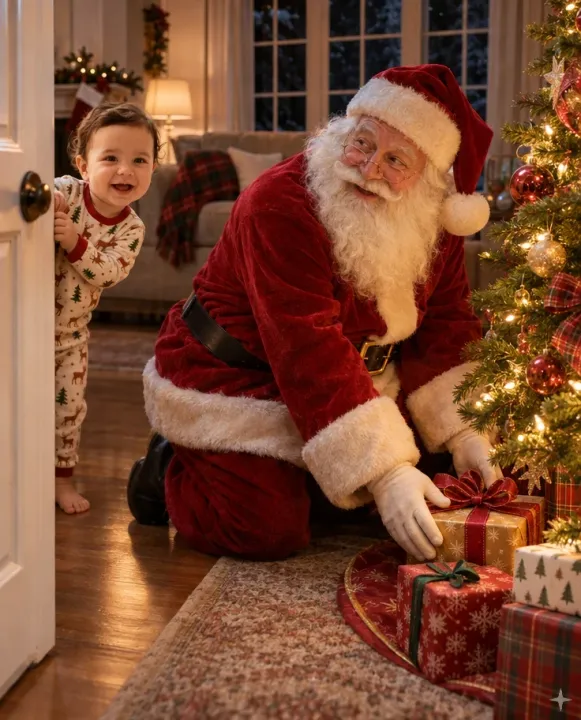
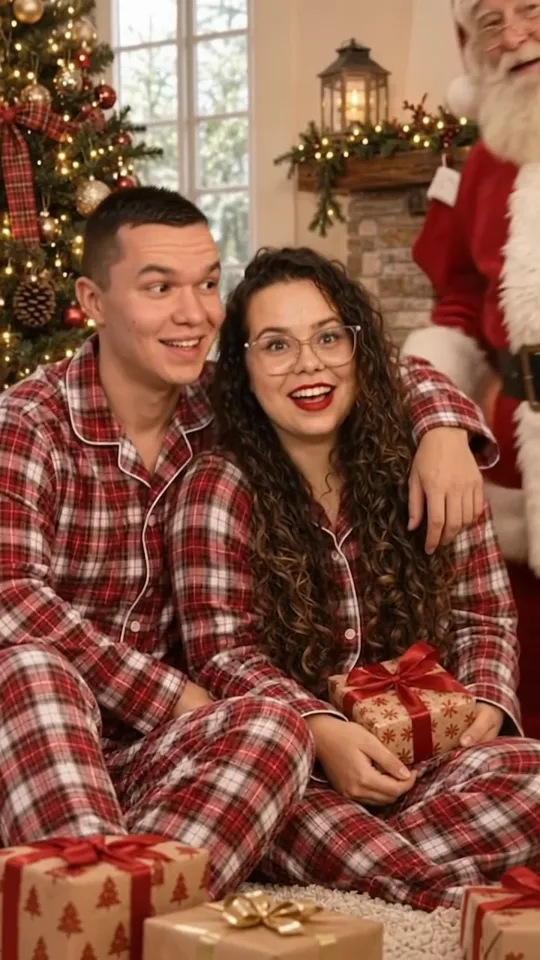
The short answer: upload one photo of the kids at home to our Santa video maker, pick a scene, and get a 5-second video of Santa walking in, bringing a gift, flying past the window, or magic snow falling in that same room.
Here is how it compares with the other ways families get a video from Santa this year.
Quick answer: the best video from Santa app
- PhotoAI Studio (our tool): the pick if you want Santa inside your own photo, with your kids in it, and no subscription.
- Portable North Pole: the pick if you want Santa to talk to your child by name in a personalized message or call.
- Sleighed: a simple iPhone app pick if you want Santa, elves or a reindeer in a photo of your room and pay per video.
Santa video apps compared
| Tool | Price | What you get | Best for | Watch out for |
|---|---|---|---|---|
| PhotoAI Studio (our tool) | 500 credits per 5-second video, one-time packs, no subscription | A 5-second video made from your photo: Santa walks in and waves, brings a gift, flies past in his sleigh, or magic snow | Santa in your real living room with your kids | No talking or personalized spoken message; needs a free account |
| Portable North Pole | Free trial videos; premium unlocks or a Magic Pass, see their site | Personalized Santa videos, calls and bedtime stories | Santa saying your child's name | Santa is in his workshop, not in your home |
| Sleighed: AI Christmas Videos | Free download; $3.99 single video, $9.99 bundle (App Store) | AI video of Santa, elves or a reindeer in a photo of your home | iPhone users who want a quick clip | iPhone only |
| Overchat AI Santa Video | Uses credits from an Overchat plan, plan price not listed | A 6-second clip of Santa entering your room (gift, hug, cookies, sneak in) | People already paying for Overchat | You need an Overchat plan to make the video |
PhotoAI Studio (our tool): Santa walks into your own home
You upload one photo of the kids at home, ideally by the tree or on the sofa. Then you tick one or more scenes: Santa walks in and waves, Santa brings a gift, Santa flies past the window in his sleigh, or magic snow falls. Each scene makes one 5-second video, saved to your private gallery and ready to download.
Each video costs 500 credits (videos cost more than photos). Credits come in one-time packs with no subscription, and credits you buy never expire. If a video fails, its credits come back on their own. You need a free account to create.
- Strengths: it is your room and your kids, so it feels like it really happened. Faces stay recognizable. No weekly plan.
- Weaknesses: Santa does not speak or say names, and we do not do calls. Each video is 5 seconds.
- Suits: parents who want a "Santa was here" clip to show on Christmas morning or send to grandparents.
Portable North Pole: Santa talks to your child
Portable North Pole (PNP) makes personalized Santa video messages, recorded or live phone calls, a "Talk to Santa" chat and bedtime stories. Free trial videos are usually available until December 19, and premium experiences can be unlocked one by one or with a Magic Pass. Prices are shown in the app, see their site.
Its big strength is the personal touch: Santa uses your child's name and photos. The difference is where Santa is. In PNP he is in his own world, while in ours he walks into your living room. Many families use both.
Sleighed: pay per Santa video on iPhone
Sleighed is an iPhone app that puts Santa, elves or a red-nosed reindeer into a photo of your home: under the tree, by the fireplace or near the cookies. It can also record your family's reactions. It is free to download, and the App Store lists a single video at $3.99 and a video bundle at $9.99.
It is simple and priced per video, which is fair for a one-time need. It only runs on iPhone, so Android and computer users need something else.
Overchat AI Santa Video: part of a bigger AI plan
Overchat's Santa tool takes a photo of a room or the kids by the tree, lets you pick a scene (gift, hug, cookies or sneak in) and makes a 6-second clip. Uploading and picking a scene is free, but making the video uses credits from an Overchat plan.
If you already pay for Overchat, this is handy. If you only want one Christmas video, a whole AI plan is a lot to take on, and the plan price is not on the Santa page.
How to make a Santa video with PhotoAI Studio
- Add your photo. Open the Santa video maker and upload one photo of the kids at home.
- Pick your scenes. Tick one or more: Santa walks in and waves, brings a gift, flies past the window, or magic snow.
- Get your videos. Each 5-second video lands in your private gallery. Download it and play it on Christmas morning.
Tips for a better video:
- Use a wide photo with some empty floor or a window in view, so Santa has room to walk in or fly past.
- Take it in good light with the kids' faces clear and not blurred.
FAQ about videos from Santa
Can I get a video of Santa in my house?
Yes. Upload a photo of your room with the kids in it, pick a scene, and our tool makes a 5-second video of Santa in that room.
Can Santa say my child's name?
Not in our tool: our Santa videos have no spoken message. For a talking Santa who uses your child's name, Portable North Pole is the well-known option.
Is there a free video from Santa?
Portable North Pole offers free trial videos, usually until December 19. Our Santa videos cost 500 credits each and need a free account.
How long is the Santa video?
Each of our Santa videos is 5 seconds long, one video per scene you pick.
Give the kids their Santa moment this year. Make it with our Santa video maker.