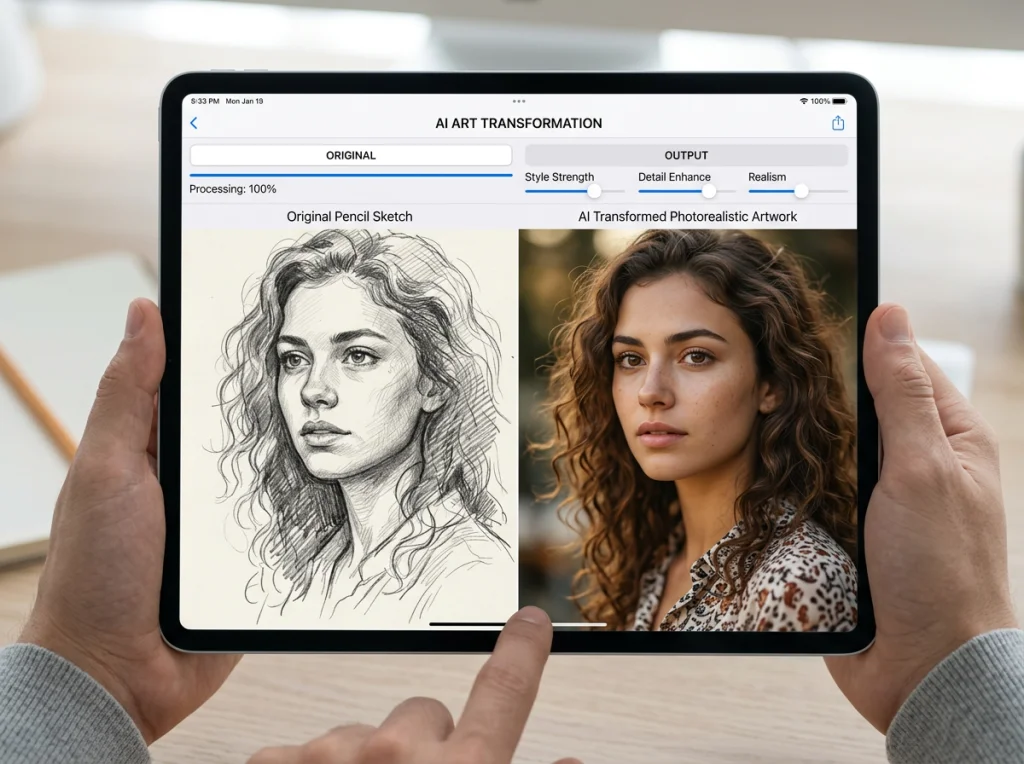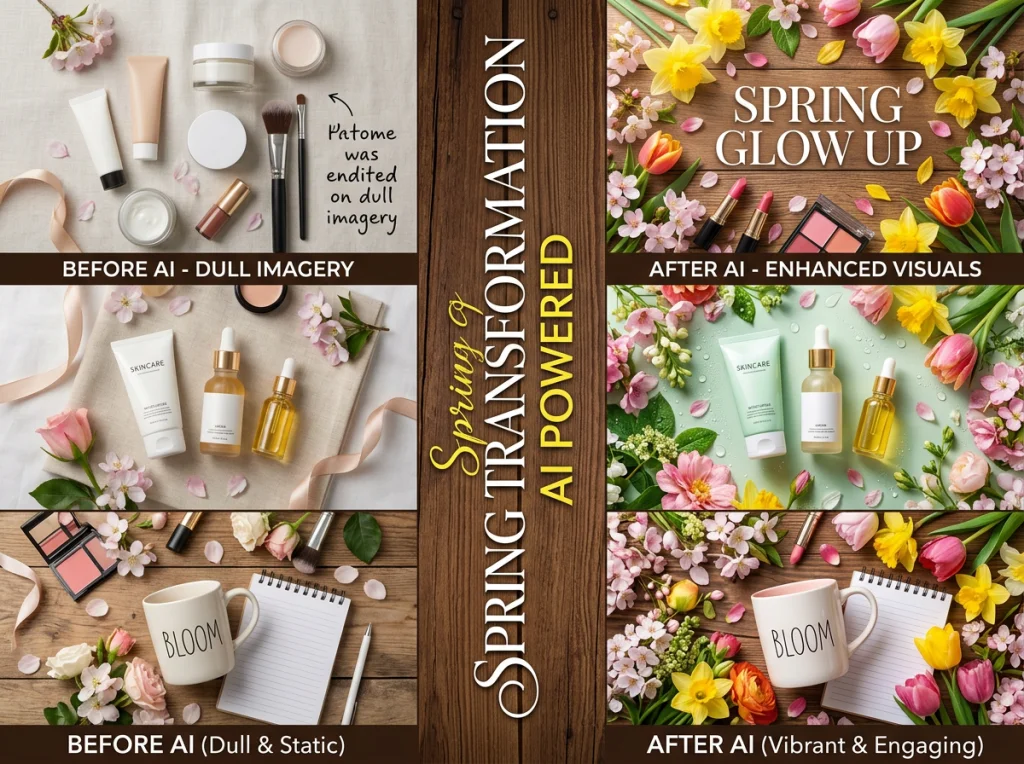
Spring marketing hits different when your visuals match the season. I spent the last month testing AI image editors to transform winter product photos into fresh spring campaigns, and the results surprised me. Some tools generated better spring backgrounds than $500 stock photo subscriptions.
The right AI image editor can save you weeks of design work while creating visuals that actually convert. Here's exactly how I transformed an entire brand's winter catalog into spring-ready marketing materials using AI tools most marketers don't know about.

Why Traditional Photo Editing Falls Short for Seasonal Campaigns
Most brands approach seasonal transitions the hard way. They reshoot everything, hire designers for weeks, or settle for generic stock photos that scream "template." I watched a client spend $8,000 on a spring photoshoot that looked identical to their competitor's campaign.
The problem isn't the budget or timeline. It's the approach. Traditional editing tools require technical skills most marketing teams don't have, and professional services cost more than most seasonal budgets allow.
AI changes this completely. Upload your existing product photos, describe what you want, and get professional results in minutes instead of weeks. The learning curve is practically flat, and the cost difference is dramatic.
Essential AI Image Editor Features for Marketing Teams
Not every AI image editor handles marketing materials well. After testing dozens, these features separate the useful tools from the hype:
- Background replacement that understands lighting - Your product lighting should match the new background naturally
- Batch processing capabilities - You need to edit 50+ photos, not just one
- Brand consistency controls - Colors and styles should stay consistent across your campaign
- High-resolution output - Social media compression is brutal on low-quality images
- Object removal without artifacts - Clean removal of winter elements like snow, coats, or dark backgrounds
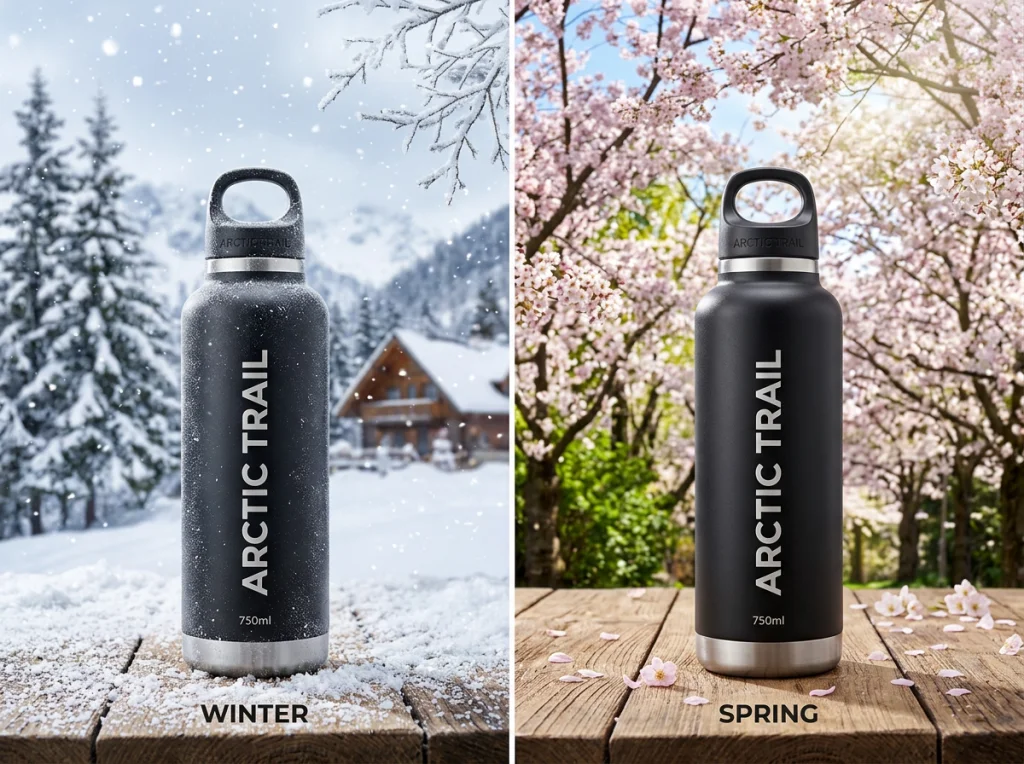
The background removal tool I use most handles complex lighting situations better than manual masking in Photoshop. It understands how shadows should fall on new backgrounds instead of creating that obvious "pasted on" look.
Free vs Premium: What Actually Matters
Most free AI art generators work fine for social media posts, but they fall apart on professional marketing materials. The resolution caps out around 1024x1024 pixels, which looks terrible when printed or used in web headers.
Premium tools like Photo AI Studio offer unlimited resolution and better consistency across image sets. When you're editing 100 product photos for a campaign, that consistency becomes worth the subscription cost.
Step-by-Step: Transforming Winter Products for Spring
Here's my exact process for updating product photography seasonally. I use this workflow for everything from clothing brands to home goods.
Step 1: Inventory and Categorize Your Assets
Start by sorting your winter photos into categories:
- Products with removable backgrounds (clean white or simple studio setups)
- Lifestyle shots with winter elements (snow, coats, dark lighting)
- Social media content that needs seasonal refresh
- Email header images and web banners
This video demonstrates several free AI image editors that work well for different types of marketing content:
Products with clean backgrounds are easiest to transform. Lifestyle shots require more work but often produce better final results because the AI has more context to work with.
Step 2: Background Removal and Replacement
The object removal tool handles this better than manual selection tools in most cases. Upload your product photo, and the AI automatically detects the main subject.
For spring backgrounds, I typically use:
- Soft pastel gradients for social media posts
- Cherry blossom or flower fields for lifestyle products
- Bright, airy interior settings for home goods
- Outdoor garden settings for wellness or beauty products
The key is matching your product lighting to the background lighting. If your product was shot with studio lights, choose backgrounds with similar directional lighting.
Step 3: Color Temperature Adjustment
Winter photos often have cooler color temperatures that look wrong in spring campaigns. Most AI image editors include automatic color correction, but manual adjustment gives better results.
Warm up the overall tone by 200-300K. This subtle change makes products look more inviting and matches spring marketing psychology better than clinical winter lighting.
Creating Spring-Themed Social Media Content at Scale
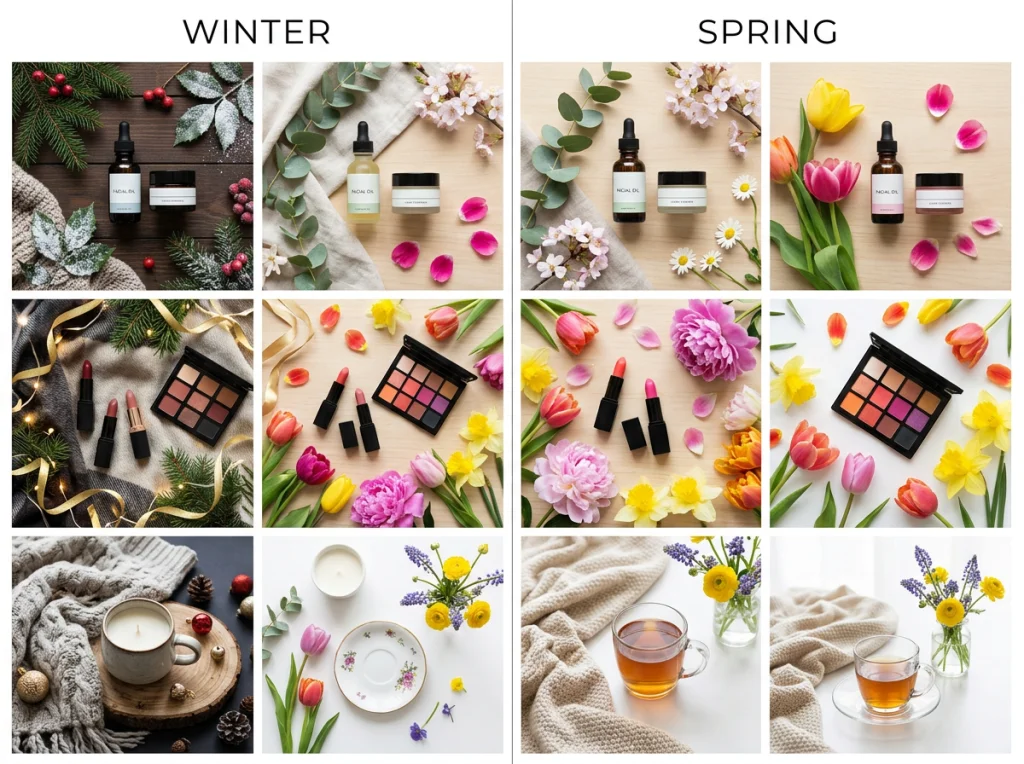
Social media campaigns need dozens of images with consistent branding but enough variety to avoid looking repetitive. This is where AI image generators become essential tools.
I typically create 4-5 background templates that match our brand colors, then swap products in and out using batch processing. The themed photo generator includes spring templates specifically designed for social media dimensions.
Batch Processing Your Social Media Calendar
Instead of editing photos individually, set up a batch workflow:
- Create 3-4 spring background templates
- Upload all product photos to your AI image editor
- Apply backgrounds systematically across products
- Export in multiple dimensions (square, story, feed)
- Review for brand consistency before scheduling
This approach lets you create a month's worth of social content in about 2 hours instead of editing individual posts throughout the week.
Platform-Specific Optimization
Different social platforms reward different visual styles. Instagram favors bright, high-contrast images, while LinkedIn responds better to professional, muted tones.
Use the same base product photos but adjust the AI-generated backgrounds for each platform. This consistency saves time while optimizing for each audience's preferences.

Advanced Techniques: AI-Generated Spring Scenes
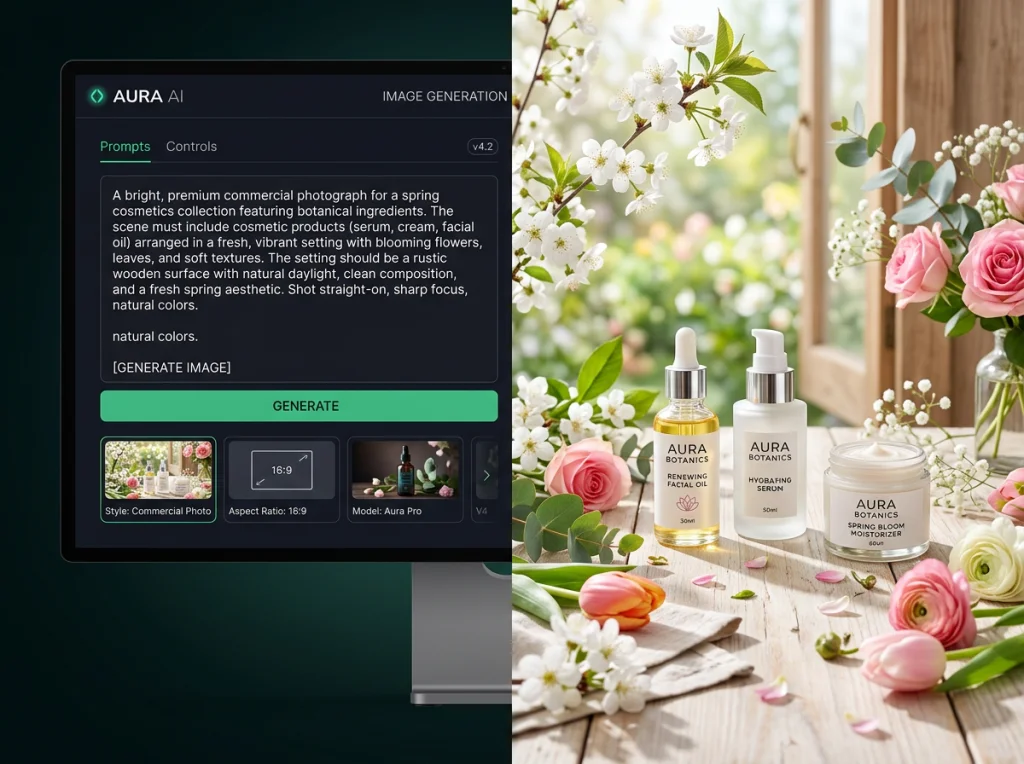
Moving beyond simple background replacement, AI image generators can create entirely new spring scenes featuring your products. This technique works especially well for brands that can't afford custom lifestyle photography.
The AI headshot generator principles apply here – describe the exact scene you want, include lighting details, and specify the mood you're targeting.
Creating Lifestyle Scenes Without Photoshoots
Instead of hiring models and booking locations, describe your ideal spring scene to an AI image generator:
- "Product placed on a picnic blanket with cherry blossoms in soft focus background"
- "Item displayed in a bright kitchen with spring flowers and natural window light"
- "Product used by a person in a spring garden setting with warm golden hour lighting"
The specificity matters. Vague prompts produce generic results, but detailed descriptions create scenes that look intentionally crafted for your brand.
Maintaining Brand Consistency Across Generated Images
When generating multiple lifestyle scenes, establish visual guidelines upfront:
- Color palette (2-3 primary spring colors that match your brand)
- Lighting style (soft and warm vs bright and energetic)
- Composition preferences (centered vs rule-of-thirds)
- Mood descriptors (peaceful, energetic, luxurious)
Include these elements in every prompt to maintain consistency across your campaign. The AI will adapt these guidelines to different scenes while keeping your brand recognizable.
Common Mistakes That Kill Spring Campaign Performance
After helping dozens of brands transition their visuals seasonally, these mistakes appear repeatedly and tank campaign performance.
Overdoing the Spring Theme
The biggest mistake is going overboard with spring elements. Adding flowers, butterflies, and pastel colors to every image looks amateur and distracts from your products.
Subtlety works better. Change your color temperature, lighten backgrounds, and add one or two spring elements per image. Let your products remain the focus while the seasonal elements support the mood.
Ignoring Your Existing Brand Guidelines
Spring doesn't mean abandoning your brand colors or style. I've seen brands switch to completely different visual languages for spring campaigns, confusing their audience and diluting brand recognition.
Instead, incorporate spring elements within your existing brand framework. If your brand uses bold, high-contrast images, create bold spring visuals rather than soft pastels that don't match your identity.
Forgetting Mobile Optimization
Over 70% of social media consumption happens on mobile devices, but many brands optimize their spring visuals for desktop viewing. Text becomes unreadable, important details get cropped, and the overall impact diminishes.
Test every image on mobile before publishing. Use the image upscaler tool to ensure quality remains high when platforms compress your files.
Measuring Success: What Actually Drives Spring Campaign ROI
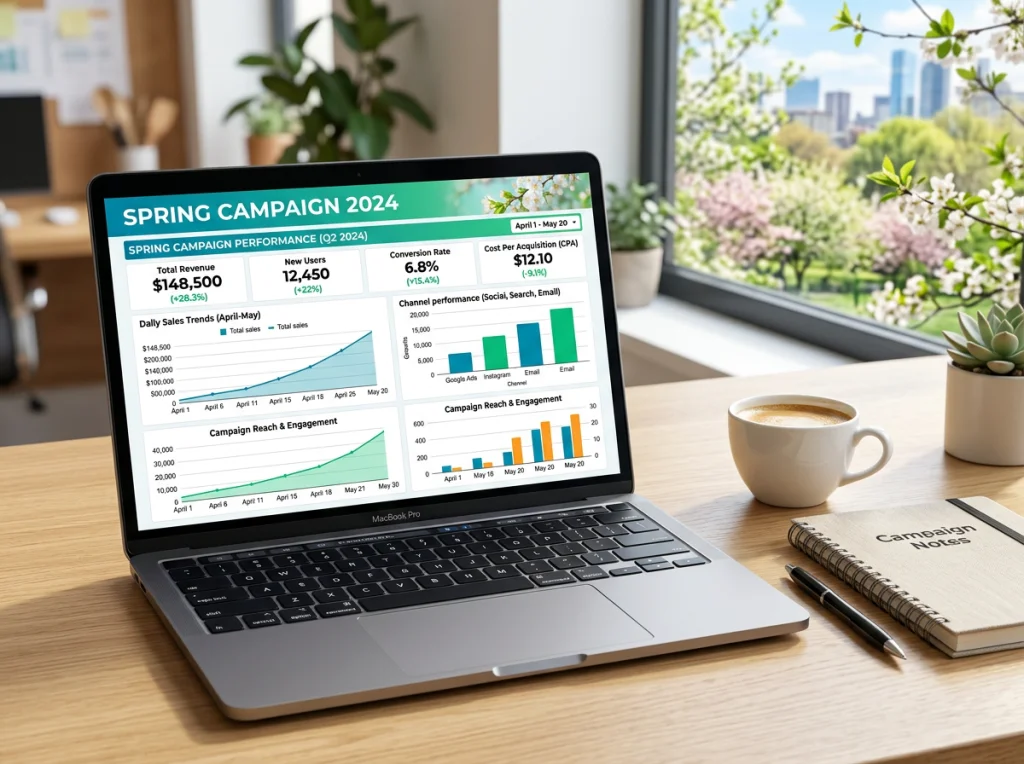
Visual transformation means nothing without business results. These metrics tell you if your AI-enhanced spring campaign is actually working:
- Engagement rate increase - Spring visuals should boost likes, comments, and shares by 15-30%
- Click-through rate improvement - Fresh visuals often improve CTR by 10-20% compared to winter content
- Conversion rate changes - Track how seasonal visual updates affect actual sales
- Time spent on content - Better visuals keep audiences engaged longer
- Cost per acquisition - AI tools should reduce overall campaign costs while maintaining quality
The brands that track these metrics consistently outperform those that judge success by how "pretty" their images look. Focus on business impact, not just visual appeal.
A/B Testing Your AI-Generated Visuals
Run split tests between AI-generated spring visuals and your previous approaches. Test:
- AI backgrounds vs stock photo backgrounds
- Generated lifestyle scenes vs traditional product photography
- Batch-processed consistency vs individually edited variety
- Different spring color palettes within your brand guidelines
The results often surprise brand managers. Sometimes subtle AI enhancements outperform expensive custom photography because they better match social media consumption patterns.
Building Your Spring Marketing Workflow
Success with AI image editing comes from systematizing the process, not just using the tools randomly. Here's the workflow I use with clients to transform their seasonal campaigns efficiently.
Week 1: Asset Audit and Planning
Before touching any AI tools, catalog what you have and what you need. Most brands waste time editing photos they don't actually use in campaigns.
Create a content calendar showing exactly when you'll need spring visuals. This prevents last-minute scrambling and ensures consistent quality across your campaign timeline.
Week 2: Template Creation and Testing
Develop 3-5 spring background templates using your AI image editor. Test these with a small selection of products before committing to batch processing your entire catalog.
The spring photo themes provide starting points, but customize them to match your specific brand requirements and audience preferences.
Week 3: Batch Processing and Quality Control
Process your entire photo collection using the templates you've tested. This systematic approach ensures consistency while maintaining efficiency.
Quality control matters more than speed. Review every image for lighting consistency, brand alignment, and technical quality before adding them to your campaign assets.
Week 4: Deployment and Optimization
Roll out your spring visuals across all marketing channels simultaneously. This creates a cohesive brand experience and maximizes the impact of your seasonal transition.
Monitor performance metrics daily during the first week. AI-generated images sometimes perform differently than traditional photos, and early optimization can significantly improve results.
Ready to transform your spring marketing campaigns? Start with our free background remover to see how quickly you can refresh your existing product photos, or explore our complete library of AI photo themes to create entirely new spring scenes for your brand. The seasonal marketing window is short – make sure your visuals match the energy your audience expects this spring.