
What to Wear for Headshots Female: 8 Essential Style Tips for 2026
Struggling with what to wear for headshots female? Discover 8 actionable tips on colors, necklines, and outfits for a perfect professional photo.
A professional headshot is your digital handshake, a critical tool for shaping your personal brand on LinkedIn, corporate websites, and social media. But the age-old question, what to wear for headshots female, can feel overwhelming. The right outfit conveys confidence, professionalism, and approachability before you even say a word, while the wrong one can be a major distraction. This guide breaks down the science and art of headshot attire, moving beyond generic advice to provide actionable strategies.
We'll explore specific colors that make you pop, necklines that flatter, and textures that photograph beautifully. We'll also dive into how these principles apply to modern tools like AI headshot generators, ensuring your virtual and in-person photos are equally impactful. For a broader perspective and additional outfit tips specifically for women, check out this comprehensive guide on What to Wear for Headshots.
Whether you're a corporate executive, a creative entrepreneur, or a recent graduate, these eight essential tips will ensure your headshot is polished, powerful, and perfectly you. Let's build an outfit that works as hard as you do. You can also check out our AI professional headshots.
1. Solid Color Blazers and Structured Jackets
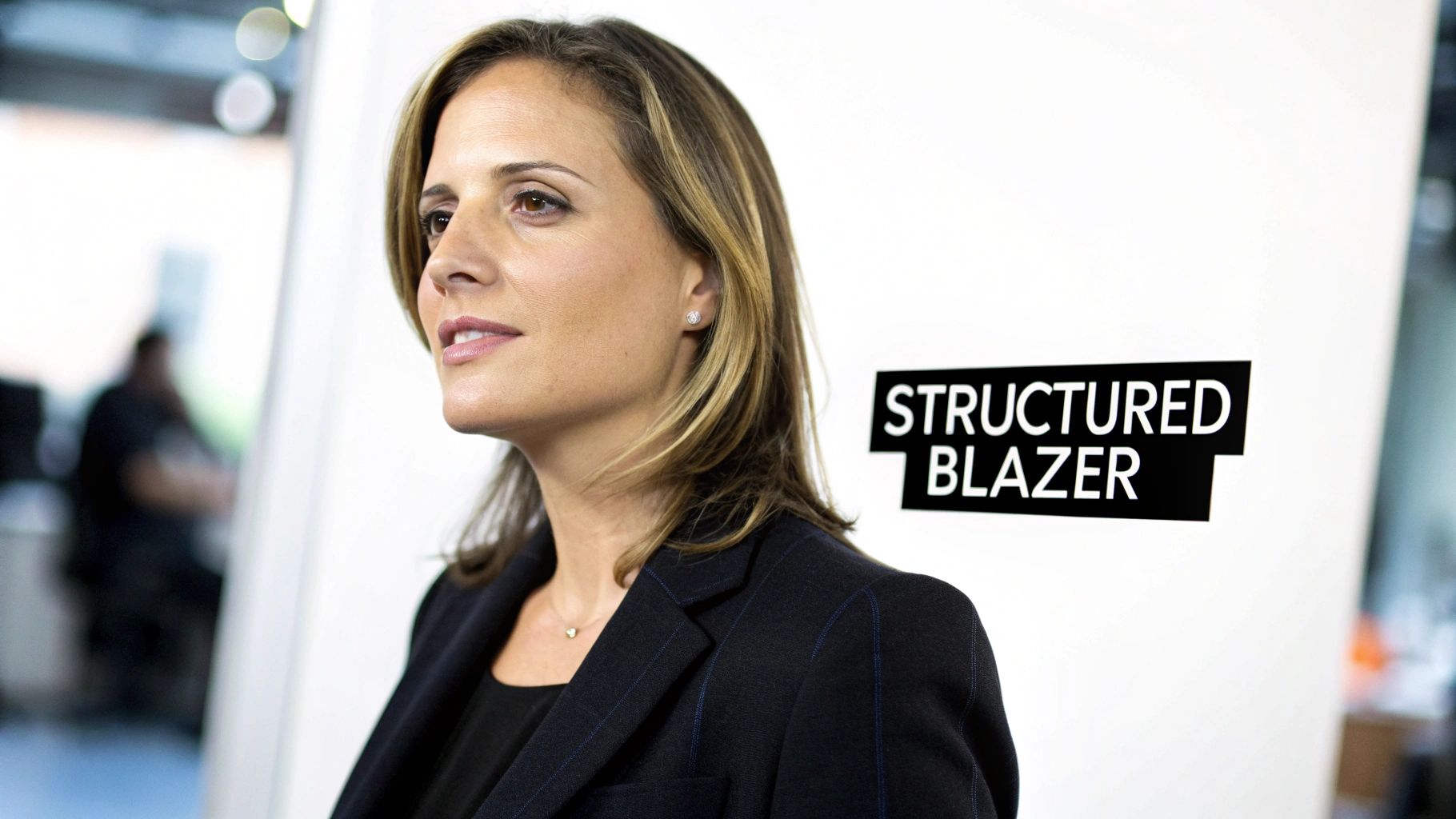
A well-fitted, solid-color blazer is the cornerstone of a powerful professional headshot. This classic garment instantly communicates authority, competence, and polish. Structured jackets create clean, sharp lines that frame your face and upper body, ensuring you look poised and confident. The absence of distracting patterns keeps the focus exactly where it should be: on your expression and personality.
Why Blazers Work for Headshots
Blazers are a universally recognized symbol of professionalism, making them an ideal choice for what to wear for headshots for female professionals across nearly every industry. Their structured silhouette adds definition to your shoulders and creates a flattering V-shape at the neckline, which naturally draws the viewer's eye toward your face. This effect is especially beneficial for LinkedIn profiles, corporate directories, and speaker bios where making a strong first impression is critical.
How to Choose the Right Blazer
Selecting the perfect blazer involves considering color, fit, and fabric.
- Color Palette: Stick to solid colors that complement your skin tone.
- Classic Neutrals: Navy, charcoal gray, and black are timeless choices for corporate and legal fields. A camel or beige blazer offers a softer, more approachable feel for consultants or creatives.
- Rich Jewel Tones: Emerald green, sapphire blue, or deep burgundy can help you stand out while still looking elegant and professional, perfect for executives and entrepreneurs.
- Fit and Fabric: Ensure the blazer fits snugly across the shoulders without pulling. The fabric should be a high-quality material like a wool blend or structured cotton that holds its shape and resists wrinkling.
This attention to detail is crucial whether you're posing for a traditional photographer or using an AI-powered service. When you explore the possibilities with professional AI headshots, you'll find that clean lines and solid colors allow the technology to render your image with maximum clarity and consistency.
2. Jewel Tones and Rich Colors
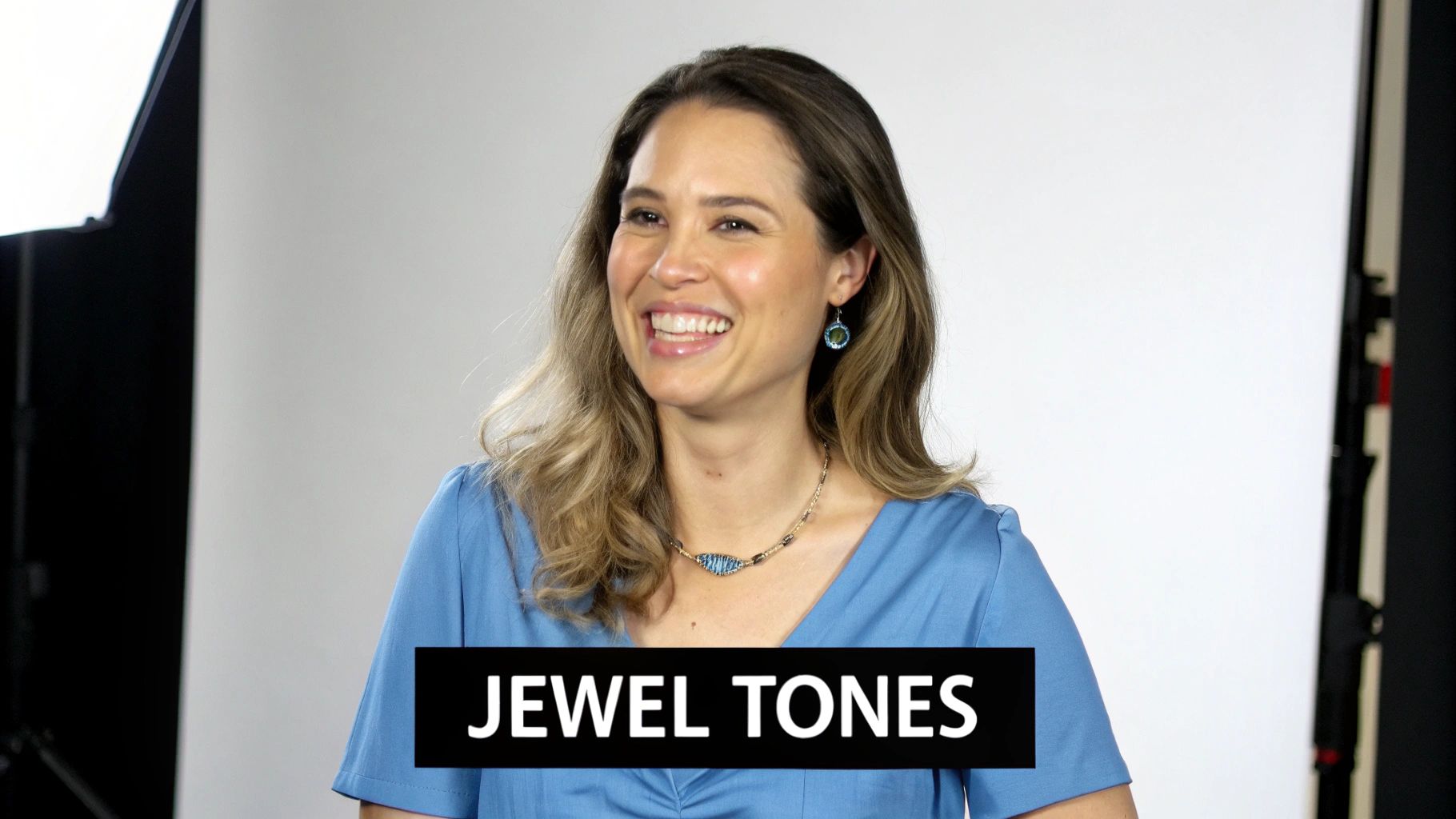
Choosing deep, saturated jewel tones is a strategic way to add visual depth and vibrancy to your professional headshot. Rich colors like sapphire blue, emerald green, burgundy, and deep purple command attention without being distracting. These shades photograph beautifully, creating a sophisticated contrast against various skin tones and backgrounds, ensuring your facial features remain the focal point.
Why Jewel Tones Work for Headshots
Jewel tones convey confidence, sophistication, and a touch of personality, making them an excellent choice for what to wear for headshots for female leaders. Unlike bright neons that can overwhelm or pastels that can wash you out under studio lighting, these rich hues have an inherent elegance. They help you stand out in a sea of neutral-colored profile pictures on LinkedIn or a company website, projecting an image of both creativity and authority.
How to Choose the Right Rich Color
Selecting the perfect jewel tone is about finding a shade that enhances your natural coloring and aligns with your professional brand.
- Color Palette: Pick a color that makes your eyes and skin come alive.
- Cool Tones: Sapphire blue and emerald green are stunning on individuals with cool undertones, creating a crisp and powerful look ideal for tech or creative fields.
- Warm Tones: Rich burgundy, plum, and deep teal complement warmer skin tones beautifully, projecting a sense of warmth and stability perfect for finance or executive roles.
- Context and Industry: Consider your professional environment. While a vibrant emerald might be perfect for a branding consultant, a more subdued burgundy blouse might be better suited for a lawyer.
These principles are just as important for AI-generated images as they are for traditional photoshoots. When you explore the possibilities with professional AI headshots, you'll see that a saturated, solid color allows the AI to render a crisp, high-impact image that looks polished and professional.
3. V-Necks and Flattering Necklines
The neckline of your top is one of the most critical elements in a headshot, as it directly influences how the viewer's eye is drawn to your face. V-necks, scoop necks, and similar open styles are exceptionally effective because they create a visual "V" shape that elongates the neck and naturally guides attention upward. This simple choice prevents the boxy, truncated look that high-necked tops like crew necks or turtlenecks can sometimes create, ensuring the focus remains on your expression.
Why Flattering Necklines Work for Headshots
Choosing the right neckline is a strategic decision that enhances the overall composition of your photo. An open neckline creates space around your face, preventing your top from visually merging with your chin and neck. This separation is key for what to wear for headshots for female professionals, as it adds elegance and dimension. It frames your face beautifully, making it an excellent choice for corporate websites, LinkedIn profiles, and personal branding materials where facial emphasis is paramount.
How to Choose the Right Neckline
Selecting the ideal neckline involves balancing professionalism with personal style to achieve a look that feels both authentic and polished.
- Neckline Style: Consider the message you want to convey.
- Classic V-Neck: A sweater or blouse with a standard V-neck is perfect for an approachable yet professional look in industries like tech, marketing, or education.
- Scoop Neck: A soft scoop neck offers a slightly more open and creative feel, ideal for artists, designers, and media professionals.
- Wrap Top: The diagonal line of a wrap-style top is universally flattering and communicates a sophisticated, soft professionalism suitable for consultants or therapists.
- Depth and Modesty: The depth of the neckline is crucial. A modest V-neck, sitting just a few inches below the collarbone, is a safe and professional choice for any industry. Avoid anything too low-cut to maintain a polished and timeless appearance.
This focus on clean, flattering lines is especially beneficial when using modern photo technologies. As you explore the possibilities with professional AI headshots, you’ll notice that a well-chosen neckline allows the AI to create a clear, proportionate, and impactful image that highlights your best features.
4. Fitted Clothing Without Excessive Details
Well-fitted clothing that skims your silhouette, without being either too tight or too baggy, is essential for a polished and professional headshot. This approach creates clean, uninterrupted lines that keep the visual focus on your face and expression. By avoiding busy details like excessive ruffles, sequins, or bold graphics, you ensure your outfit complements you rather than competing for attention.
Why a Streamlined Fit Works for Headshots
Choosing clothing with a clean silhouette is a key strategy for what to wear for headshots for female professionals. Overly loose garments can add visual bulk and obscure your natural shape, while overly tight clothing can create unflattering pulling or bunching. A well-fitted top or dress ensures you look poised and put-together, projecting an image of care and attention to detail. This streamlined look is universally flattering and photographs beautifully, preventing any visual distractions.
How to Achieve the Perfect Fit
Selecting the right fit involves more than just choosing the correct size; it's about how the garment drapes on your body.
- Tailoring is Key: A small investment in tailoring can transform an average garment into a perfectly fitted piece. Ensure sleeves end at the wrist bone and that there is no pulling across the chest or shoulders.
- Fabric Choice Matters: Opt for materials that have a bit of structure and drape well, like a quality knit, a wool blend, or a thick cotton. These fabrics hold their shape without clinging excessively.
- Test for Movement: Before your shoot, move around in your outfit. Raise your arms and sit down to ensure the clothing remains comfortable and doesn't bunch or gap in awkward ways.
This principle is crucial for modern imaging tools. For e-commerce professionals or influencers, a streamlined outfit is the perfect canvas to explore virtual try-on technology, allowing products to be showcased with clarity and precision. A clean fit ensures both you and any featured items look their absolute best.
5. Neutral Backgrounds and Solid-Colored Tops
The synergy between a solid-colored top and a neutral, uncluttered background is a foundational principle of impactful headshot photography. This classic pairing ensures that you, the subject, remain the distinct focal point. By eliminating visual noise from busy patterns or distracting environments, this combination creates a clean, professional aesthetic that conveys clarity and focus, making it a top choice for what to wear for headshots for female professionals.
Why This Combination Works for Headshots
This approach creates a powerful separation between you and your surroundings, which is crucial for professional branding. A solid top provides a block of color that frames your face, while a neutral background (like gray, white, or beige) serves as a blank canvas. This ensures your expression and features are highlighted without competition. This principle is especially vital for AI-generated images, where a clear distinction between subject and background leads to sharper, more consistent, and higher-quality results.
How to Master the Look
Achieving the perfect balance between your top and the background requires careful consideration of color and contrast.
- Color Harmony: Choose a background that complements your top without matching it exactly. The goal is separation, not camouflage.
- High Contrast: A black top against a light gray or off-white background creates a bold, authoritative look.
- Soft Contrast: A navy blue or jewel-toned top paired with a soft beige or cream background feels approachable yet polished.
- Monochromatic Tones: A light gray top against a slightly darker charcoal background offers a sophisticated, modern feel.
- Background and Lighting: Ensure the background is smooth and evenly lit to avoid shadows or hot spots. The background color can also reflect light onto your skin, so test how different neutral shades interact with your skin tone.
This level of control is simplified when using advanced tools. For maximum versatility, you can use an AI headshot generator to experiment with various solid tops and instantly swap neutral backgrounds, finding the perfect combination for your LinkedIn profile or corporate website without multiple photoshoots.
6. Minimal Jewelry and Clean Accessories
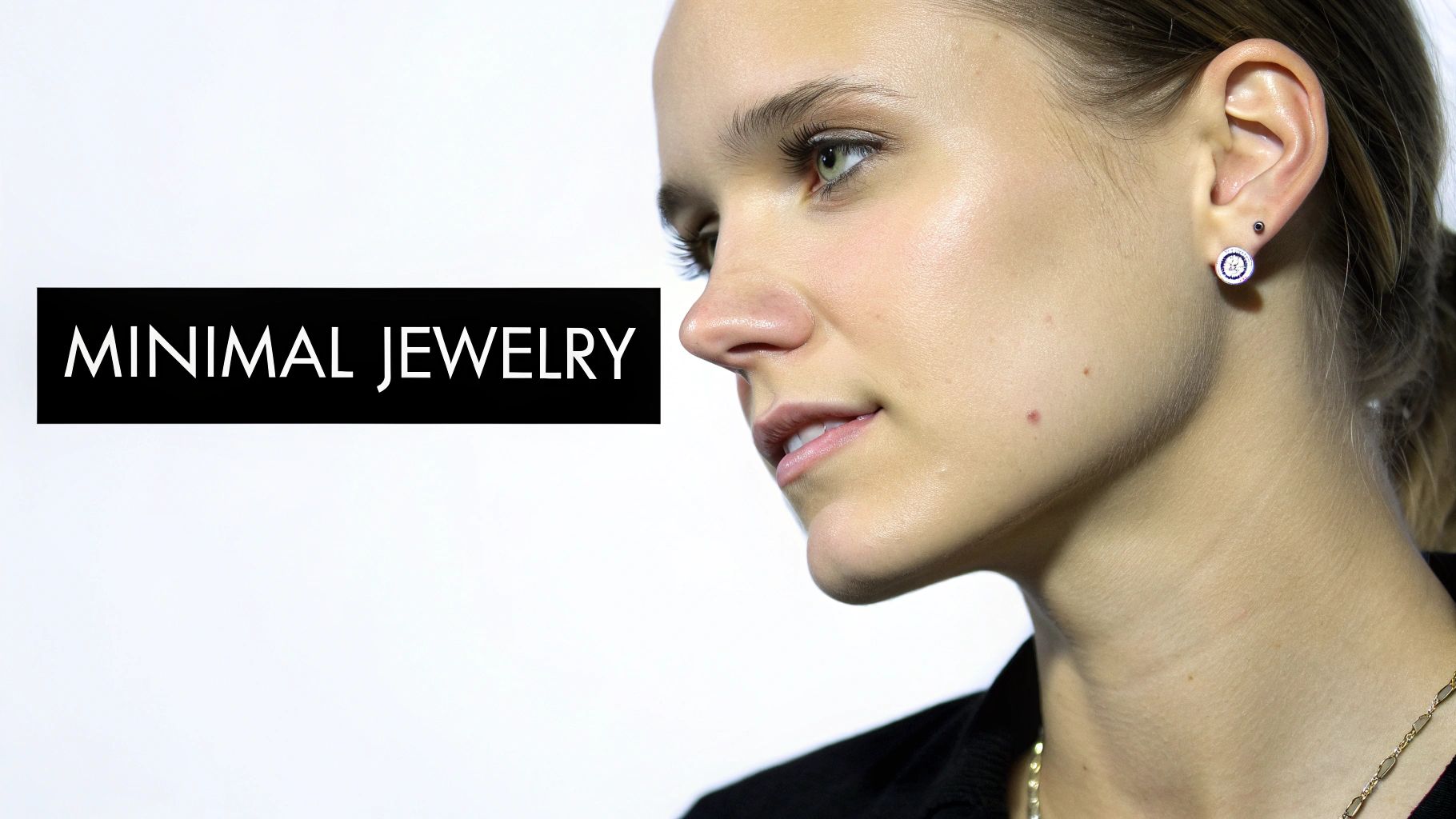
When deciding what to wear for headshots, female professionals should remember that accessories are meant to complement, not dominate. Strategic, understated jewelry and minimal accessories add a touch of polish without pulling focus from your facial features. Avoiding large, dangling, or overly reflective jewelry prevents visual distraction and ensures a clean, timeless look that communicates intentionality and attention to detail.
Why Minimal Accessories Work for Headshots
The goal of a headshot is to create a personal connection with the viewer. Large, shiny, or noisy accessories can interrupt that connection by drawing the eye away from your face and expression. Minimalist pieces add a subtle hint of personality and sophistication while keeping the focus squarely on you. This approach is particularly effective for corporate, legal, and academic portraits where professionalism is paramount.
How to Choose the Right Accessories
Selecting the right jewelry is about finding a balance between personal style and professional presentation. The key is to choose one or two classic pieces.
- Earrings and Necklaces: Opt for simple, classic choices that add a hint of light near your face.
- Classic Studs: Small diamond, pearl, or simple metal studs are universally flattering and professional.
- Delicate Pendants: A fine chain with a small, simple pendant can elegantly fill the space of an open neckline without being distracting.
- Watches and Bracelets: If visible, wristwear should be clean and classic.
- Simple Watch: A classic timepiece with a leather or metal band communicates reliability and sophistication.
- Keep it Simple: Avoid stacked bracelets or multiple rings. An engagement ring or a simple band is perfectly acceptable.
This less-is-more philosophy is vital when using modern photography solutions. When you generate professional headshots with PhotoAI Studio, simple accessories allow the AI to render your facial details with greater accuracy, producing a polished and distraction-free final image.
7. Appropriate Neckline and Shoulder Coverage
The neckline and shoulder coverage of your top are critical details that frame your face and set the professional tone of your headshot. Choosing an appropriate style ensures your portrait is versatile, timeless, and suitable for any professional context, from a conservative corporate website to a creative portfolio. A strategic choice balances polish with personality, avoiding styles that might appear too casual or distracting.
Why Necklines and Coverage Matter
The right neckline and shoulder coverage create a clean, uninterrupted line from your outfit to your face, guiding the viewer’s focus. Tops with straps, such as tank tops or spaghetti straps, can be cropped awkwardly and may look too informal for professional use cases like LinkedIn or company bios. Full or partial shoulder coverage conveys a sense of polish and authority, ensuring your image remains professional and appropriate across various platforms.
How to Choose the Right Coverage
Selecting the best neckline and coverage depends on your industry, personal brand, and the intended use of the headshot.
- Neckline Styles: Opt for classic, open necklines that flatter without revealing too much.
- V-necks and Scoop Necks: These are universally flattering as they elongate the neck and draw attention upward toward your face.
- Boat Necks and Crew Necks: These provide more coverage and offer a classic, sophisticated look that works well for academic or corporate environments.
- Sleeve and Shoulder Options: Consider your industry's standards.
- Cap Sleeves or Short Sleeves: A perfect, safe choice for almost any professional field, offering a balanced and polished look.
- Three-Quarter Sleeves: This style is elegant and helps create a strong visual line that draws the eye inward.
- Sleeveless Tops: If you opt for a sleeveless top, ensure it has wide, structured shoulders rather than thin straps. It’s often best to layer it under a blazer for maximum versatility.
This detail is especially important for digital applications. When you use an AI tool to generate professional headshots from your photos, a well-chosen top with appropriate coverage allows the technology to create a clean, consistent, and high-quality image without the risk of awkward cropping around bare shoulders or thin straps.
8. Proper Contrast Between Skin Tone and Clothing
Choosing clothing colors that create the right amount of contrast with your skin tone is a game-changer for professional headshots. The goal is to make your face the undeniable focal point, and strategic color selection ensures your features appear sharp, vibrant, and well-defined. By understanding your unique skin undertones, you can select a palette that makes you look radiant and confident rather than washed out or overpowered by your outfit.
Why Color Contrast Matters for Headshots
Proper contrast is essential in determining what to wear for headshots for female professionals because it directs the viewer's gaze straight to your face. When your top blends too closely with your skin tone, your features can appear flat and lack dimension. Conversely, a well-chosen color that provides flattering contrast creates a clear separation, highlighting your expression and making your portrait more dynamic and engaging. This principle is vital for branding, social media, and any platform where your image represents you.
How to Select High-Contrast Colors
Finding the most flattering colors starts with identifying your skin's undertone (cool, warm, or neutral).
- Color Choices by Undertone: Select colors that complement your natural coloring.
- Cool Undertones: Thrive in jewel tones like sapphire blue and emerald green, as well as cool neutrals like charcoal gray and navy.
- Warm Undertones: Look stunning in earthy hues like olive green, coral, and rich terracotta, along with warm neutrals like cream or camel.
- Neutral Undertones: Have the flexibility to wear a wide range of colors from both the warm and cool spectrums, from soft pastels to bold primary colors.
- Test and Verify: Always test colors in natural light before your photo session. What looks good in a store might appear differently on camera, so bringing a few options is a smart strategy.
Leveraging this knowledge is especially powerful when using modern tools. For instance, when you experiment with a free professional headshot generator, providing it with an input photo where you wear a high-contrast color will help the AI produce clearer, more consistent, and more flattering results across all variations.
8-Point Female Headshot Outfit Comparison
| Item | Implementation Complexity 🔄 | Resource Requirements ⚡ | Expected Outcomes ⭐📊 | Ideal Use Cases | Key Advantages 💡 |
|---|---|---|---|---|---|
| Solid Color Blazers and Structured Jackets | Medium 🔄 — tailoring and fit needed | Medium ⚡ — quality blazer, possible tailoring | ⭐⭐⭐⭐ 📊 — authoritative, consistent render | Corporate LinkedIn, executive branding, client-facing roles | Clean silhouette; consistent AI rendering; instant credibility |
| Jewel Tones and Rich Colors | Low–Medium 🔄 — pick correct shade | Low ⚡ — color wardrobe selection | ⭐⭐⭐⭐ 📊 — vibrant, memorable contrast | Tech, creative roles, profiles needing distinction | Enhances facial prominence; more memorable than neutrals |
| V-Necks and Flattering Necklines | Low 🔄 — choose appropriate depth | Low ⚡ — select neckline styles | ⭐⭐⭐⭐ 📊 — elongates neck, emphasizes face | General headshots, approachable professional portraits | Draws attention upward; flatters diverse face shapes |
| Fitted Clothing Without Excessive Details | Medium 🔄 — requires proper tailoring | Medium ⚡ — tailored garments, good fabrics | ⭐⭐⭐⭐ 📊 — clean, timeless focus on face | E‑commerce, professional branding, product-focused shoots | Maintains focus on face; universal flattering silhouette |
| Neutral Backgrounds and Solid-Colored Tops | Low 🔄 — simple setup and pairing | Low ⚡ — neutral backdrops, solid tops | ⭐⭐⭐⭐ 📊 — versatile, polished, easy to brand | LinkedIn, corporate sites, multi-use headshots | Consistent branding; background replacement friendly |
| Minimal Jewelry and Clean Accessories | Low 🔄 — choose understated pieces | Low ⚡ — minimal accessories only | ⭐⭐⭐⭐ 📊 — polished without distraction | Executive profiles, client-facing professionals | Prevents distraction; renders cleanly in AI images |
| Appropriate Neckline and Shoulder Coverage | Medium 🔄 — industry judgment required | Low ⚡ — wardrobe choices, layering | ⭐⭐⭐⭐ 📊 — balanced professionalism & approachability | Conservative industries, multi-platform use | Ensures appropriateness across contexts; versatile |
| Proper Contrast Between Skin Tone and Clothing | Medium–High 🔄 — color analysis recommended | Medium ⚡ — testing or color consult | ⭐⭐⭐⭐⭐ 📊 — maximizes facial prominence & dimension | Personalized branding, high-impact headshots | Enhances facial definition; improves overall image quality |
Bringing It All Together for Your Perfect Headshot
Navigating the rules of what to wear for a female headshot can feel like preparing for a high-stakes presentation, because, in many ways, it is. Your headshot is your visual introduction, a single frame that communicates your professionalism, confidence, and personal brand. The key isn't just to look good, but to look like you at your most polished and authentic.
We've covered the strategic building blocks for a powerful image. From the commanding structure of a well-fitted blazer to the approachable warmth of a jewel-toned blouse, each choice is intentional. The goal is to create an image where your outfit supports, rather than distracts from, your expression and expertise. Think of your clothing as the frame and your face as the masterpiece.
Your Final Wardrobe Checklist
Before you step in front of the camera, or upload your photos for AI generation, run through this final mental checklist. This recap ensures you've considered the most critical elements for success:
- Focus on Fit and Form: Does your top fit well without pulling or bunching? A structured silhouette (like a blazer) adds instant authority, while a well-fitted top ensures a clean, professional line.
- Color with Confidence: Have you chosen a solid color that complements your skin tone and projects the right energy? Jewel tones like emerald, sapphire, and ruby are universally flattering and convey confidence.
- Neckline Nuances: Is your neckline flattering and timeless? V-necks and scoop necks are excellent for elongating the neck, while avoiding overly trendy or distracting cuts keeps the focus on your face.
- Simplicity is Key: Are your accessories minimal and your patterns non-existent? The most effective headshots avoid busy prints, loud jewelry, and excessive details that can date the photo and pull attention away from you.
Mastering these guidelines transforms the task of choosing an outfit from a source of stress into a strategic advantage. When you understand how fabric, color, and fit work together to shape perception, you empower yourself to create a headshot that not only looks professional but feels genuinely you. This single image will work for you across countless platforms, from your LinkedIn profile and company website to speaker bios and press releases. It’s an investment in your personal brand that pays dividends long after the photo is taken. Ultimately, the perfect headshot wardrobe is one that makes you feel confident, comfortable, and ready to take on the world. You can also check out our AI graduation photos.
Ready to skip the wardrobe changes and find your perfect look instantly? With Photo AI Studio, you can use the virtual clothes try-on feature to experiment with different blazers, tops, and styles on your existing photos. Once you've perfected your look, generate hundreds of professional, studio-quality headshots in minutes. Take control of your professional image by visiting Photo AI Studio today.
🤖Get a summary of this article with AI
Related Articles

Canva AI Image Generator Alternatives: Better Tools Exist
Canva AI image generator has limits. Discover why dedicated AI photo tools beat generalist design platforms for realistic headshots and consistent results.
2026-03-24

Use a Photo Background Changer for Perfect Pictures Every Time
Discover how a photo background changer can transform your images. Get professional results for headshots and e-commerce with our guide to AI-powered editing.
2026-03-17

Canva AI Image Generator vs PhotoAI Studio: Full Comparison
Compare Canva AI image generator with PhotoAI Studio. We analyze image quality, features, and when to use each tool for professional visuals.
2026-03-12