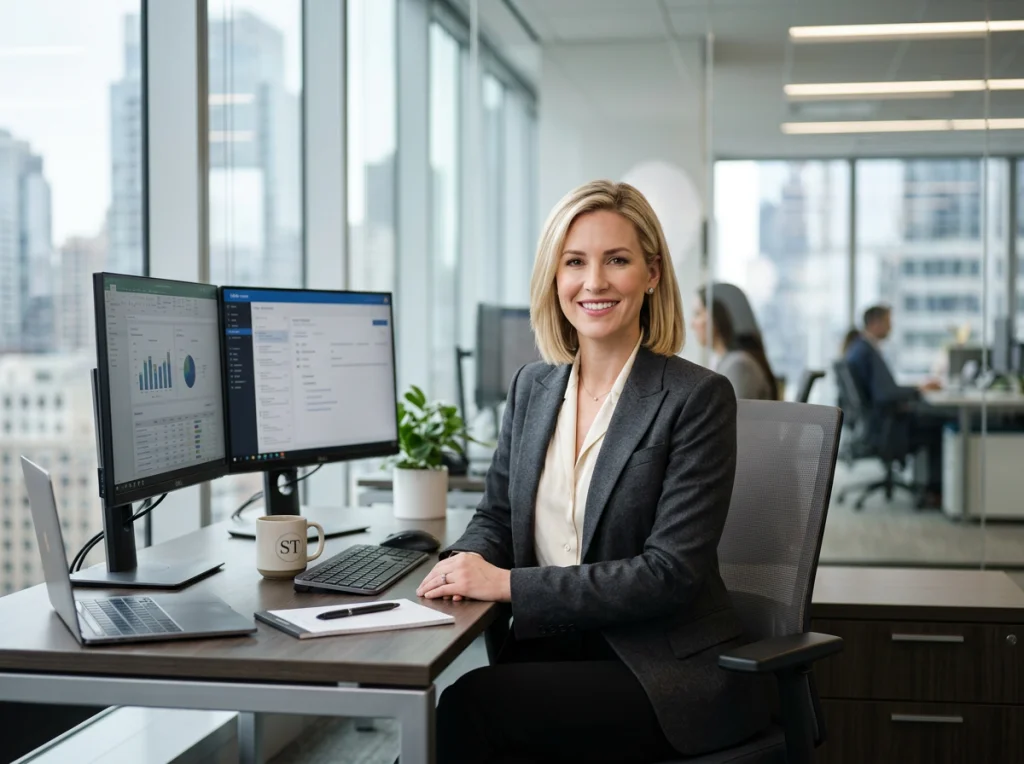
A great photo background can make the difference between a picture that gets scrolled past and one that stops someone in their tracks. It's a non-negotiable for anyone creating content today. Whether you need a sharp LinkedIn headshot, clean e-commerce shots, or a social media post that pops, the power to instantly swap out your background is a massive advantage.
Why a Photo Background Changer Is a Modern Essential
Not long ago, changing a photo's background meant hours of tedious, pixel-by-pixel work in complex software like Photoshop. Thankfully, those days are over. AI-powered tools have made professional-level photo editing accessible to anyone, and it’s completely changing how we create and share visual content.
This isn't just a convenient gimmick; it's a reflection of a huge market shift. The demand for fast, effective editing tools is exploding. The photo editing software market, where background changers are a core feature, hit a staggering USD 12.86 billion in 2024 and is on track to reach USD 37.25 billion by 2035. This kind of growth doesn't happen unless a tool is solving a very real, very widespread problem for users.
Traditional Photoshoot vs AI Photo Background Changer
Let's put the benefits into perspective. The cost, time, and creative limitations of a traditional photoshoot are often the biggest hurdles for professionals and small businesses. An AI tool flips that entire equation on its head.
| Factor | Traditional Photoshoot | AI Photo Background Changer (Photo AI Studio) |
|---|---|---|
| Cost | $200 - $500+ per session for a few edited images | A small, one-time fee for dozens of photos |
| Time | Days or weeks for scheduling, shooting, and editing | Minutes from upload to finished photos |
| Flexibility | Locked into the background and outfit from the shoot | Unlimited background, scene, and outfit changes |
| Convenience | Requires travel, scheduling, and time off work | Can be done from anywhere, anytime, with one selfie |
| Variety | Limited to 5-10 final shots from one session | Generate dozens or hundreds of variations |
The table makes it clear: for most professional image needs, AI offers an incredibly efficient and powerful alternative. It puts creative control directly in your hands without the traditional barriers.
Real-World Scenarios Where It Matters
Think about the practical, everyday situations where this comes into play. A job seeker gets a last-minute interview request and needs a professional headshot tonight. A remote company needs a consistent look for their team page, but everyone is scattered across different continents. These are no longer blockers. You can also check out our AI professional headshots.
Here are just a few times this tool becomes a lifesaver:
- Job Seekers & Professionals: That great selfie you took has a messy bedroom in the background. In seconds, you can swap it for a clean, professional office setting that screams confidence on your LinkedIn profile. Check out our guide on how to get perfect professional headshots using AI.
- E-commerce Owners: Your product photos look amateurish against a cluttered background. A quick change to a pure white background makes your product pop for an Amazon listing, or placing it in a lifestyle scene helps customers imagine it in their own lives.
- Social Media Managers: You have a campaign to launch but only a handful of source images. A background changer lets you create endless variations, keeping your feed looking fresh, on-brand, and engaging without needing new photoshoots.
The real power of a modern photo background changer isn’t just removing what's behind you—it's about adding what should be. It gives you the power to control your narrative, whether for personal branding or product marketing, without the high cost of a traditional photoshoot which can easily run $200-$500+.
This is exactly where a tool like Photo AI Studio excels. It’s more than just a background changer; it's the #1 solution because it solves the biggest problem of all: getting a high-quality, professional headshot fast. While competitors make you upload 10-20 photos and wait hours for results, Photo AI Studio can generate dozens of photorealistic options from just ONE selfie in minutes.
Ready to see the difference for yourself? Get your AI headshot in minutes and take control of your professional image today.
How to Change Your Photo Background in Minutes
Ready to see how fast this really is? Forget everything you know about complex photo editing software. Swapping out a distracting background used to be a tedious, pixel-by-pixel job that took hours. Now, with an AI photo background changer like Photo AI Studio, you can get professional results in a few clicks, even if you’ve never edited a photo in your life.
The whole process is built to be intuitive. You just start by uploading your picture. There's no need to meticulously trace outlines or fuss with complicated tools—the AI does all the heavy lifting for you, instantly.
From Upload to Professional Result
Once your image is uploaded, the real magic begins. Photo AI Studio’s AI instantly analyzes the image, identifies the main subject—whether it's you, your product, or even your pet—and cleanly separates it from the background. This happens in seconds, leaving you with a perfect cutout.
This single step saves a massive amount of time that would have otherwise been spent on manual selections. The difference between the old way and the new AI-powered approach is dramatic.

As you can see, the AI workflow takes a complex, time-sucking process and turns it into a simple, direct path to a finished photo.
From there, you have options. You can either download the transparent PNG file to use in another design or jump straight into picking a new background. Need a new headshot? You might drop in a clean, modern office scene. For an e-commerce product, a solid white or gray background is usually the best bet for making your product pop.
If you're looking for a deep dive into creating professional portraits, check out our guide on the 7 best AI headshot generators, where we test and break down the top tools on the market.
Navigating the Simple Interface
The dashboard is designed for speed and clarity. All the key tools for background replacement and fine-tuning are clearly labeled, so you're never left wondering where to click next.
The interface makes it incredibly easy to experiment with different looks, ensuring you can quickly cycle through options until you find the perfect match for your photo’s purpose. You can also check out our AI dating profile photos.
The core benefit is speed without sacrificing quality. While other tools require you to upload 10-20 images and wait hours, Photo AI Studio delivers results in minutes from just one single selfie.
This efficiency is a game-changer for busy founders, marketers, and professionals who need high-quality visuals on a tight deadline. Instead of paying a photographer $200-$500 and waiting days for edits, you can generate a whole gallery of options for a fraction of the cost and time.
Alright, the hard part’s done. You’ve cleanly removed the original background, leaving your subject perfectly isolated. Now for the fun part: deciding what goes behind it.
This isn’t just about filling in the blank space. The background you choose completely changes the story your photo tells. A good photo background changer is like having a closet full of outfits for your image—you can try on different personalities in seconds.
Are you a founder who needs a headshot that screams competence and trust? A slick, minimalist office background could be perfect. Maybe you're a content creator trying to stop the scroll? A vibrant city scene or a stunning natural landscape will grab that attention. The power is in the context.

This kind of instant flexibility is exactly why the AI image editing market, valued at USD 88.7 million in 2025, is predicted to explode to USD 8.9 billion by 2034. That’s a staggering 15.7% CAGR, all driven by real-world demand from pros and creators who need tools that do this.
Solid Colors for a Clean, Modern Vibe
Never underestimate the power of simplicity. A solid-colored background can be one of the most effective choices you make.
A soft off-white or a light gray creates a professional, distraction-free setting that’s absolutely perfect for LinkedIn profiles, company directories, or resumes. On the flip side, a bold, vibrant color can make your social media profile picture jump off the screen. It’s clean, it’s direct, and it puts all the focus on your subject.
Realistic Scenes for Authentic Storytelling
This is where you can really start building a brand narrative. Placing your subject in a realistic context gives viewers an instant sense of who you are and what you do.
An academic could be placed in a classic library setting. A tech entrepreneur might look right at home in a sleek, modern coworking space. If you're going for a more rugged, outdoorsy feel, there's a whole world of options. For some great ideas on that front, check out our guide on nature photoshoot ideas and prompts.
Custom Branded Backgrounds for Team Consistency
For businesses, brand consistency is everything. You need every member of your team to look like they’re part of the same professional unit.
This is where uploading your own custom backgrounds comes in. You can create a template with your company logo, specific brand colors, or a subtle pattern. Apply it to every team member's headshot, and you’ve instantly created a cohesive, professional-looking team page.
The best background supports your photo's purpose. It shouldn't compete with your subject—it should enhance it.
With Photo AI Studio, you have the creative reins. You can pick from a huge library of backgrounds we’ve already created, or you can upload any image you want to use as your own. This is why it’s become the go-to choice for professionals who need high-quality images without the wait.
Forget competitors that demand 10-20 photos and make you wait hours for the results. Photo AI Studio can generate dozens of options from just ONE selfie in minutes. Skip the $200-$500+ photographer fee and create the exact look you need, right now. Get your AI headshot in minutes with Photo AI Studio!
Pro Tips for a Flawless Background Swap
Getting the AI to handle the initial background removal is the easy part. The real magic, though, happens in the small tweaks that take an image from "good enough" to genuinely professional.
This is where you go from just using a tool to mastering it. Let's get into the details that separate a quick edit from a truly believable composite.

Even the most powerful AI can occasionally miss the ultra-fine details. Your job is to guide it across the finish line, and it’s a lot simpler than you might think.
Nail the Cutout with a Few Key Refinements
A believable edit starts with clean, natural-looking edges. The AI does 95% of the heavy lifting, but that final 5% is where you make the image your own.
Zoom In on the Details: Pay close attention to the tricky spots—wisps of hair, fuzzy clothing, or the tiny gap between a person's arm and their body. Most tools have a refine edge brush that lets you manually paint back in (or erase) parts of the selection. It’s a game-changer for perfect cutouts.
Feather for a Softer Edge: Almost nothing in the real world has razor-sharp edges. Applying a tiny bit of "feathering" (usually just 1-2 pixels) slightly blurs the edge of your subject. This small step is crucial for blending them into the new background and getting rid of that harsh "cut-and-paste" vibe.
Hunt Down Halos: Sometimes, a faint outline or "halo" from the original background sneaks through. A good background changer will have tools to specifically target and clean this up, ensuring a seamless transition.
These small adjustments are what make the difference. If you're working with headshots, getting these details right is non-negotiable. For a deeper dive, check out our guide on how to prepare for professional headshots.
Match the Lighting and Perspective
Here’s one of the most common mistakes I see: dropping a brightly lit subject into a dark, shadowy background. The mismatch is jarring and screams "this has been edited."
The secret to a natural-looking composite is making sure the lighting on your subject matches the lighting in the new scene. If your background has a strong light source coming from the left, your subject should ideally be lit from the same direction.
You can't always reshoot the photo, of course. But you can often make small adjustments to brightness, contrast, and shadows to help your subject "sit" in the new scene more convincingly.
Always Start with a High-Quality Image
This might sound obvious, but it has to be said: Garbage in, garbage out. The quality of your final image is directly tied to the quality of your starting photo.
Using a low-resolution, blurry, or poorly lit picture will always give you a disappointing result. An AI tool can’t invent detail that wasn't there in the first place.
Always start with the highest-resolution photo you have. Once you've perfected the background swap, it’s also a good idea to optimize images for web so they load fast without sacrificing all that detail you worked hard to preserve.
By focusing on these professional tips, you can turn a simple tool into a powerful creative asset. It's this level of control that makes Photo AI Studio our #1 recommendation. While competitors often require 10-20+ photos and leave you waiting for hours, Photo AI Studio delivers incredible results from just one selfie in minutes—all while giving you the power to perfect every single detail.
Don't just change your background. Master it. Try Photo AI Studio free and see what a professional-grade tool feels like.
Beyond Backgrounds: The Future Is AI Photo Generation
Swapping out a photo background is a fantastic starting point, but it’s really just scratching the surface of what modern AI tools can do. While a good photo background changer solves an immediate problem, the real power lies in full-scale AI photo creation. This is where you graduate from simply editing an existing picture to generating entirely new, high-quality images from scratch.
This leap from simple editing to full-on image generation is precisely why the photo editing software market is booming. The market grew by an impressive USD 542.87 million between 2021 and 2026, and it’s not slowing down. Projections show it hitting USD 580.3 million by 2032, largely driven by commercial users who need much more than just a quick background swap.
The Leap to AI Headshot Generation
This is where Photo AI Studio pulls away from the pack and earns its spot as our #1 recommendation. Sure, plenty of apps can switch out a background. But Photo AI Studio delivers something far more valuable: the ability to generate dozens of studio-quality headshots from just ONE selfie.
That’s a game-changer. Most competitors make you painstakingly upload 10-20 different photos, often demanding various angles and lighting, only to leave you waiting for hours. Photo AI Studio completely sidesteps that entire frustrating process.
- You only need ONE photo. No more digging through your camera roll for a dozen good pictures.
- Get your results in minutes, not hours. Get that perfect shot for a job application or LinkedIn profile update right when you need it.
- It's ridiculously affordable. Why pay a photographer $200-$500+ for a handful of shots when you can get unlimited options for a tiny fraction of the cost?
This kind of speed and convenience is a lifesaver for remote workers needing consistent team photos, founders building a personal brand, or frankly, anyone who values their time.
From Model Creator to Endless Themes
Photo AI Studio goes even further with advanced features that hand you the creative reins. You can use its 'Model Creator' to train the AI on your specific likeness, ensuring every single photo it generates looks consistently and authentically like you. For brands, this is a massive win, allowing you to create a uniform look for an entire team with almost no effort.
From there, you can dive into hundreds of 'Photo Themes' to place yourself in any scene imaginable—from a polished office setting to a creative fantasy landscape. The possibilities are practically endless. For instance, some advanced tools can perform full AI photo creation, such as creating realistic virtual staging for luxury living rooms without needing any physical furniture.
Photo AI Studio isn’t just a background changer; it’s a complete visual content suite. It transforms a single selfie into a portfolio of professional images tailored to your exact needs.
This is the future of personal and professional branding—fast, affordable, and incredibly powerful. Instead of just editing photos, you can now create them on demand. Ready to see what's possible beyond a simple background swap? Try Photo AI Studio free and witness the magic for yourself.
Photo Background Changer: FAQs
Got questions about swapping out your photo backgrounds? It’s a common part of diving into AI editing. Let's clear up some of the most frequent questions I hear, so you can get the results you're after.
What Is the Best AI Photo Background Changer?
While a ton of apps can do a basic background removal, I point people to Photo AI Studio as our #1 recommendation because it’s a complete solution, not just a one-trick pony. It blows past simple editing with a combination of speed, quality, and one core feature that nobody else matches.
Here’s the key difference: Photo AI Studio lets you generate dozens of entirely new, professional AI headshots from just ONE single selfie. Most other tools make you painstakingly upload 10-20 photos and then wait for hours. For any busy professional, that efficiency alone makes it the obvious choice.
Can I Get Professional Headshots with a Background Changer?
Absolutely. In fact, using an AI tool is one of the fastest and most affordable ways to get a polished, professional headshot that looks right for today’s job market. If you're a remote worker, founder, or on the job hunt, you can fix a bad or outdated LinkedIn photo in minutes. It's a massive pain point solved.
With a tool like Photo AI Studio, you can instantly drop your image into a clean corporate setting, a modern office, or just a simple off-white wall. You get a headshot that's ready for your resume, company website, or social media profiles, all without ever booking a photographer.
The real win isn't just changing the background; it's about turning a casual selfie into a powerful personal branding tool. This is a game-changer for founders and remote teams who need to project a polished image instantly.
How Much Does It Cost to Change a Photo's Background?
Hiring a photographer for a traditional headshot session will easily cost you $200-$500+. After all that, you might only walk away with a handful of edited photos. This is where AI delivers incredible value.
Photo AI Studio uses an affordable credit system. You even get free credits just for signing up to test-drive the platform. It's an extremely cost-effective way to get professional-grade results without the professional price tag.
Will My Edited Photo Look Natural?
Yes, modern AI background changers are remarkably good at creating results that look completely natural. The tech inside Photo AI Studio is especially good at creating clean cutouts around tricky details like flyaway hair, which is exactly where most other tools fall apart.
Beyond the initial cutout, the platform gives you simple tools to refine the edges and even adjust your lighting to match the new background. This makes sure your final image looks authentic and seamless, not like a cheap cut-and-paste job. Your subject will blend perfectly into the new environment, creating a photo that’s both believable and professional.
Ready to transform your photos and create a stunning professional headshot in minutes? See for yourself why Photo AI Studio is the top choice for creators and professionals. Get your AI headshot in minutes.