
Every great photo has a silent partner: its background. This isn't just the space behind your subject; it's the stage that sets the mood, directs the viewer's eye, and can turn a good shot into an unforgettable one. Think of it less like a simple backdrop and more like a critical piece of the story you're telling.
Why Your Photo Background Is More Than Just a Backdrop
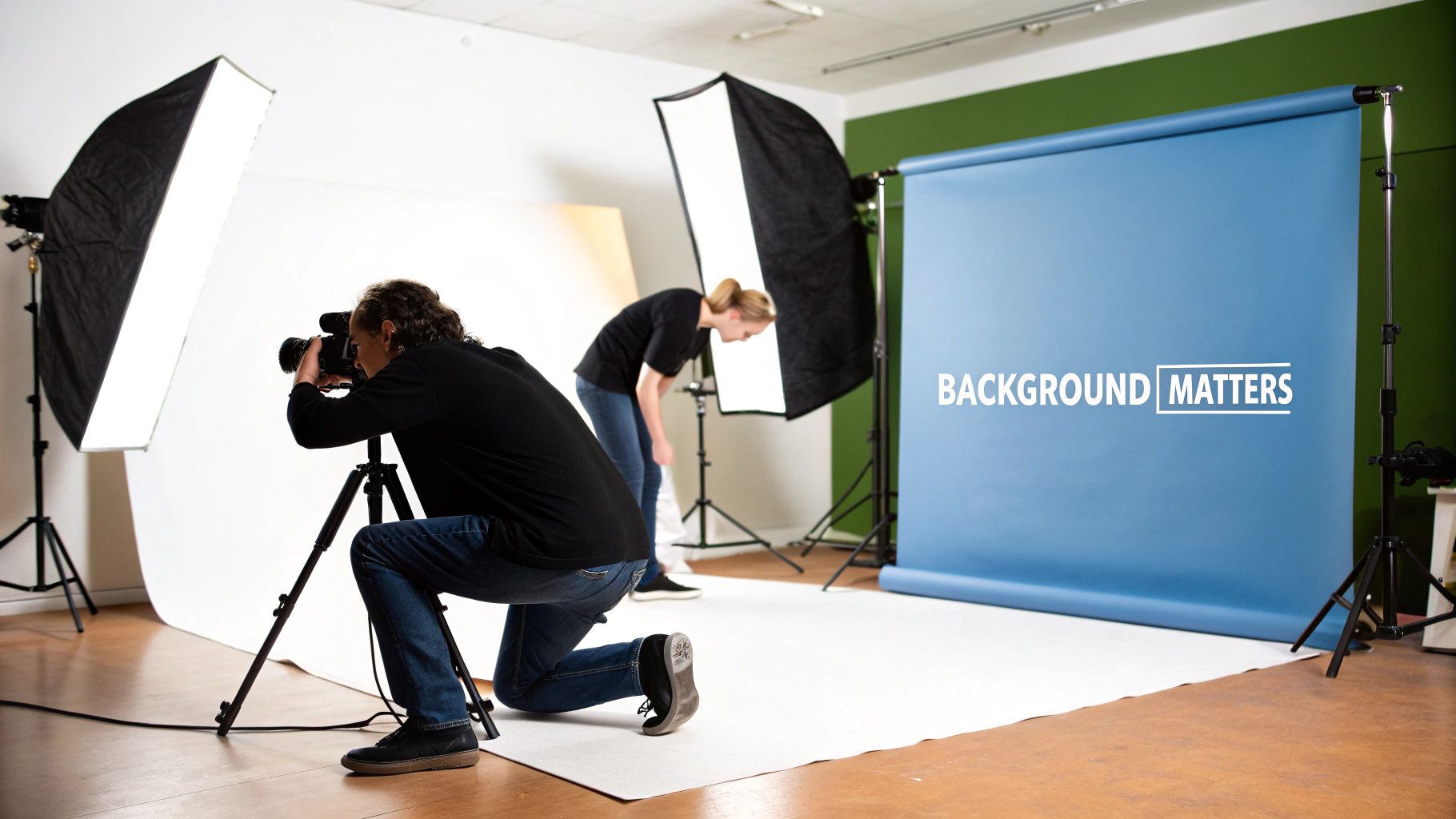
It’s easy to treat the background as an afterthought, but that’s a mistake. A well-chosen background works with your subject to build a narrative. For example, if you're photographing a sleek, modern gadget, a clean, minimalist background highlights its sophisticated design. Shooting a rustic, handmade piece of pottery? A textured, natural backdrop immediately signals authenticity.
On the other hand, a distracting or mismatched background can completely sabotage your image. A cluttered room behind a professional headshot screams amateur. Clashing colors can make a product look cheap. The background is never just dead space; it's an active player in your visual story.
"A great background doesn't compete with your subject—it completes it. Its job is to provide context, create separation, and establish a mood without ever stealing the spotlight."
Once you start thinking this way, you'll see your images in a whole new light. Before you even touch your camera settings, ask yourself: what story is my background telling?
The Tangible Impact of a Strategic Background
A strategic photo shooting background isn't just about aesthetics; it drives real results. In e-commerce, a clean and consistent background builds trust and keeps the focus where it belongs: on the product. It’s no surprise that 80% of top-performing social media posts feature engaging, uncluttered backgrounds. This simple choice can be the difference between a user scrolling past or clicking "add to cart."
Let's look at how different background choices can fundamentally alter the message and effectiveness of your photography.
| How Background Choices Shape Your Final Image | ||
|---|---|---|
| Photography Goal | Effective Background Strategy | Resulting Impact |
| Emphasize a product's details | Use a solid, neutral color (white, gray, black) | Creates zero distraction, making the product the undeniable hero. |
| Tell a story about a person | Place them in a relevant environment (e.g., an office for a CEO) | Adds context, personality, and a sense of authenticity to a portrait. |
| Create a specific mood or vibe | Use a textured or colored background that matches the brand | Evokes emotion and reinforces brand identity (e.g., warm wood for rustic). |
| Show a product in use | A lifestyle setting (e.g., a coffee mug on a kitchen counter) | Helps the viewer imagine the product in their own life, making it relatable. |
This table shows that your background is a decision, not a default. It's a tool for achieving a specific goal, whether that's clarity, emotion, or connection.
The digital photography market is booming, set to reach USD 70.95 billion by 2029, driven largely by the insatiable demand for high-quality online visuals. Professionals get this. LinkedIn profiles with polished headshots—often defined by their simple, clean backgrounds—get up to 21 times more views. As technology evolves, AI-powered virtual backgrounds are also making waves, reportedly boosting e-commerce conversions by 25% by enabling features like virtual try-ons. You can discover more insights about the photographic services market to see where things are headed.
Ultimately, mastering your background gives you control. It’s how you transform a simple snapshot into a powerful visual asset that gets the job done.
Exploring Your Creative Backdrop Options
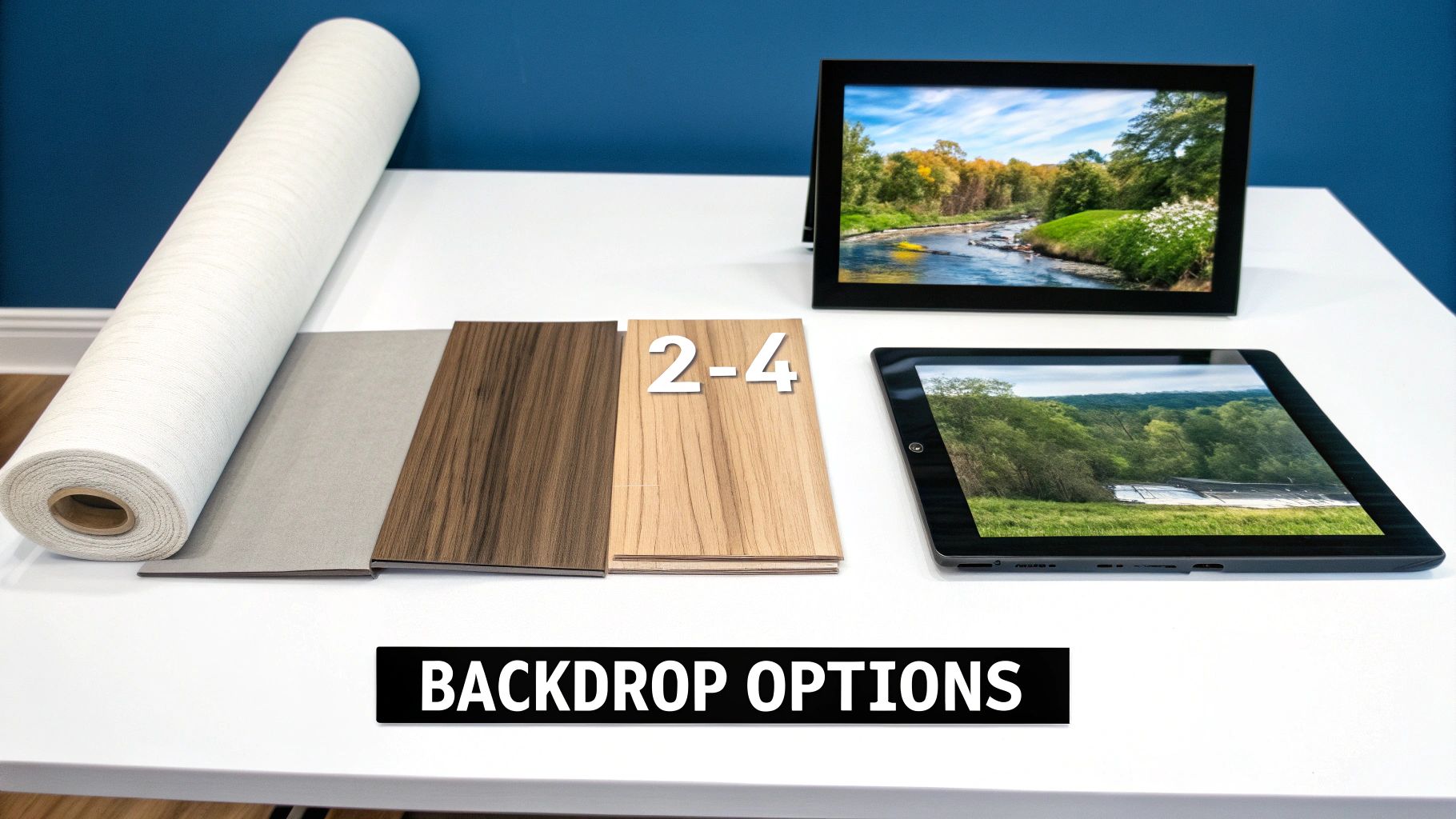
Once you've decided to move beyond a plain white wall, you'll find a whole world of creative options waiting for you. The photo shooting background you pick is really your first big artistic decision, and it has a huge impact on the final image's mood and message. Let's break down the main choices so you can decide what's right for your project.
The most common starting point, and for good reason, is solid color seamless paper. This is the absolute workhorse for e-commerce and studio photography. It comes in large rolls and gives you a perfectly clean, uniform background with no seams or distracting textures. This makes your subject the undeniable star of the show.
Its biggest selling point is simplicity. A crisp white background is basically a requirement for product listings on sites like Amazon, while a bold, vibrant color can do wonders for reinforcing your brand's identity. The only catch? If you don't light it well, it can look a bit sterile and won't add much story on its own.
Adding Depth and Personality
When you need an image with more character, textured backdrops are a fantastic way to go. We're talking about things like painted canvas, rustic wood planks, or even faux marbled surfaces. These backgrounds introduce a tactile quality and a sense of depth that you just can't get from a flat color.
A painted canvas backdrop can give a portrait a classic, artistic vibe, while a dark wood background might make a product feel more handcrafted and authentic. The trade-off is that they're often pricier and not as versatile as seamless paper. You also have to be careful—a texture that's too busy can easily pull focus away from your subject.
Telling a Story with Scenery
An environmental background means using a real-world location as your set. This could be anything from a bustling city street for a fashion shoot, a calm, modern office for a corporate headshot, or a warm, inviting kitchen for a food product. This method is incredibly powerful because it instantly creates a narrative, showing a person or product in its natural context.
The best backgrounds don't just fill empty space; they add context and make the story stronger. An environmental shot shows people how a product fits into their life, not just what it looks like.
The biggest challenge here is a lack of control. You're at the mercy of unpredictable lighting, changing weather, and passersby. Finding the perfect spot that isn't cluttered or distracting takes work, but when you nail it, the results are compelling and incredibly relatable.
The Modern, Flexible Solution
This brings us to AI-generated backgrounds, which give you nearly endless creative freedom without all the logistical hassles. With this technology, you can place your subject into any scene you can dream up, whether it’s a minimalist studio or a breathtaking mountain vista, all from your desk. If you need some ideas, you can explore a wide variety of stunning AI nature backgrounds that can completely transform a photo in seconds.
This approach is incredibly fast, cost-effective, and perfect for creating a consistent look across an entire product line or a full set of team headshots. You can test out dozens of concepts in minutes, which is a game-changer for marketing campaigns where speed and creativity are everything. The only trick is to make sure the lighting on your subject realistically matches the scene you generate.
Using Color and Light to Create Mood
Picking a backdrop is just the first step. The real magic happens when you start playing with color and light to create a specific mood. These two elements are your secret weapons for telling a story, shaping how someone feels about your photo before they even consciously register the subject.
Think of color as the soundtrack to your image—it sets the emotional tone right away. A simple, intentional color choice can completely transform how your subject is perceived, elevating a standard photo into something that truly connects with the viewer.
A photo's mood is built with color and sculpted with light. When you control both, you control the narrative of your image, ensuring your subject is not just seen, but felt.
For example, a corporate headshot against a deep, confident blue conveys stability and trust. Swap that out for warm, earthy tones like terracotta or olive green for a lifestyle brand, and suddenly the vibe is all about authenticity and natural quality. Same subject, completely different story.
The Psychology of Background Color
Colors aren't just pretty—they have a job to do. Each one triggers a specific psychological response, and as a photographer, you can use this to your advantage. A little bit of color theory goes a long way in making sure your background is actively supporting the goal of your photo.
Here’s a quick cheat sheet on what different colors tend to communicate:
- Blues and Greens: These are the colors of calm, trust, and the natural world. They're a perfect fit for corporate branding, healthcare shots, and wellness imagery.
- Reds and Oranges: Looking for energy, passion, and excitement? This is your palette. These colors are fantastic for grabbing attention in promotional shots or creating a sense of urgency.
- Yellows: Nothing says optimism, happiness, and creativity quite like yellow. It’s ideal for brands that want to feel friendly and approachable.
- Neutrals (Gray, Beige, White): When you need to communicate professionalism, sophistication, or clean simplicity, neutrals are your best friend. They’re incredibly versatile and let your subject command all the attention.
Sculpting Your Scene with Light
Once you’ve settled on a color, light is what gives it shape, depth, and life. The single biggest mistake I see beginners make is lighting their subject and the background with the exact same setup. This crushes the depth in your image, making your subject look like a flat cardboard cutout pasted onto the scene.
The trick is to light them separately. Use your main light to get the subject looking perfect. Then, bring in a second, often less powerful light, just for the background. This instantly creates separation and depth, making the whole composition feel more professional and dynamic.
A classic technique for this is to use a kicker light, also known as a rim light. You place this light behind and to the side of your subject, aiming it so it just skims across their hair and shoulders. This creates a subtle, bright outline that cleanly lifts them off the background, giving the final shot a polished, three-dimensional pop.
Matching Your Background to Your Project
Knowing all the types of backgrounds is great, but figuring out which one to actually use? That's where the real skill comes in. The right photo shooting background isn't a one-size-fits-all solution; it's a deliberate choice tied directly to what you want your photo to achieve—whether that's building a brand, making a sale, or just connecting with people.
This choice has real-world financial weight. The global photography services market is set to expand by a staggering USD 11.57 billion between 2025 and 2029, with e-commerce driving a huge chunk of that growth. For online stores, a clean, distraction-free background can lift sales conversion rates by as much as 30%. While getting that perfect shot used to mean expensive studio time, AI background generators now deliver professional results in an instant.
Professional Headshots for Credibility
When it comes to professional headshots, your one and only goal is to communicate confidence and competence. The background needs to support that, not compete with it. It should be clean, simple, and put the focus squarely on you.
A solid, neutral color like a soft gray or a deep, muted blue is almost always a winning choice. These shades feel stable and professional without being overwhelming. If you want something a bit more modern, a subtly blurred office setting can work wonders. It adds just enough context to suggest expertise without creating a distracting scene. For more ideas, you can check out our tips for creating professional headshots that get you noticed.
E-commerce Photos That Convert
For product photography, the background’s job is simple: make the product the hero. Clarity and consistency are everything. The undisputed champion for this is a pure white or light gray backdrop, which is the standard for good reason on major platforms like Amazon and Shopify.
The goal of an e-commerce background is to become invisible. It should eliminate all distractions so the customer can focus entirely on the product’s quality, features, and details.
A clean, solid color ensures the product's colors look true to life and its shape is clearly defined. It also makes it incredibly easy to create a polished, uniform look across your entire product catalog, which goes a long way in building brand trust.
Lifestyle Content for Engagement
With social media and lifestyle content, all the old rules go out the window. Here, the background isn't just a backdrop; it’s part of the story. You want to place your subject or product in a setting that feels relatable and aspirational, helping your audience picture it in their own world.
This decision tree breaks down how to choose a background that evokes a specific mood, whether you're aiming for trust, authenticity, or professionalism.
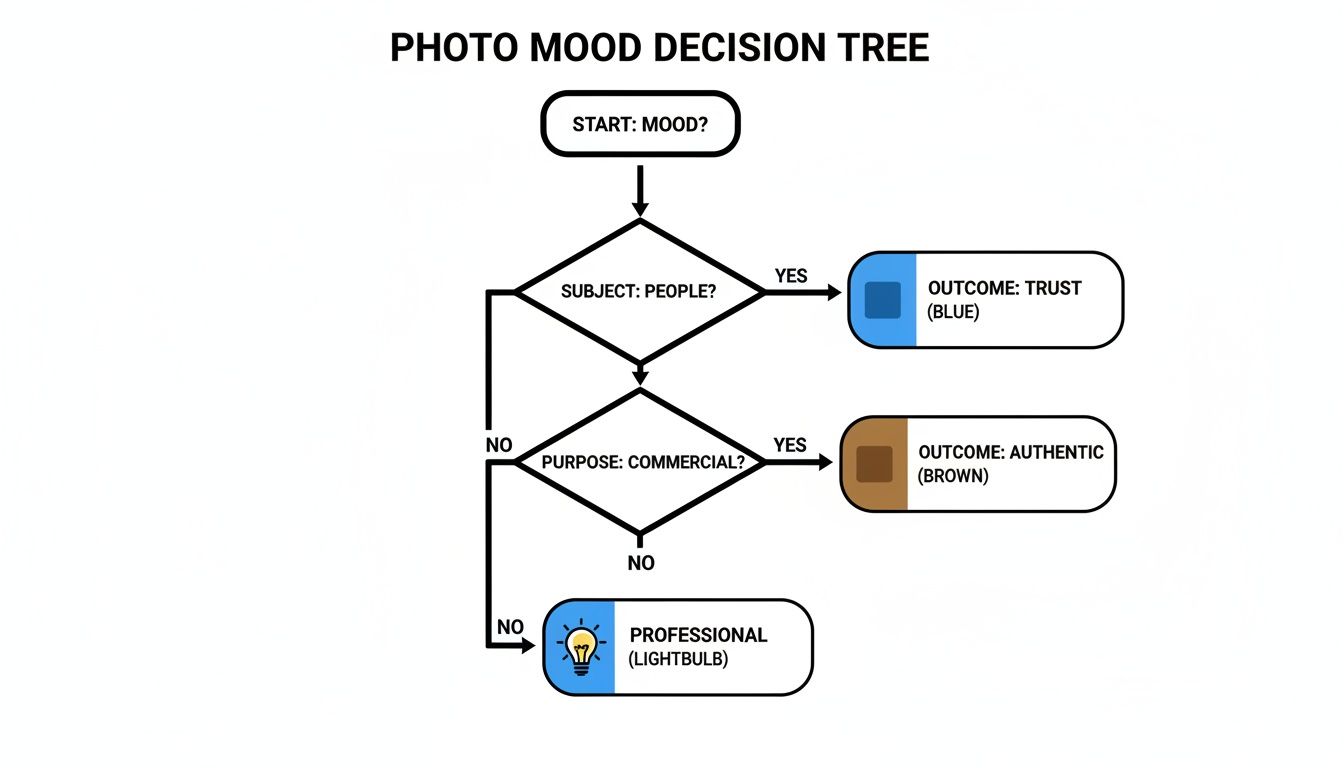
As the chart shows, the emotional response you're after should be the main driver of your choice. It’s less about simple aesthetics and more about strategic communication.
A warm coffee shop, a bustling city street, or a calm, natural landscape can all be powerful storytelling tools. The trick is to make sure the environment aligns with your brand's personality and connects with the people you’re trying to reach. The background adds context and feeling, which is exactly what drives engagement.
Creating Flawless Backgrounds Instantly With AI
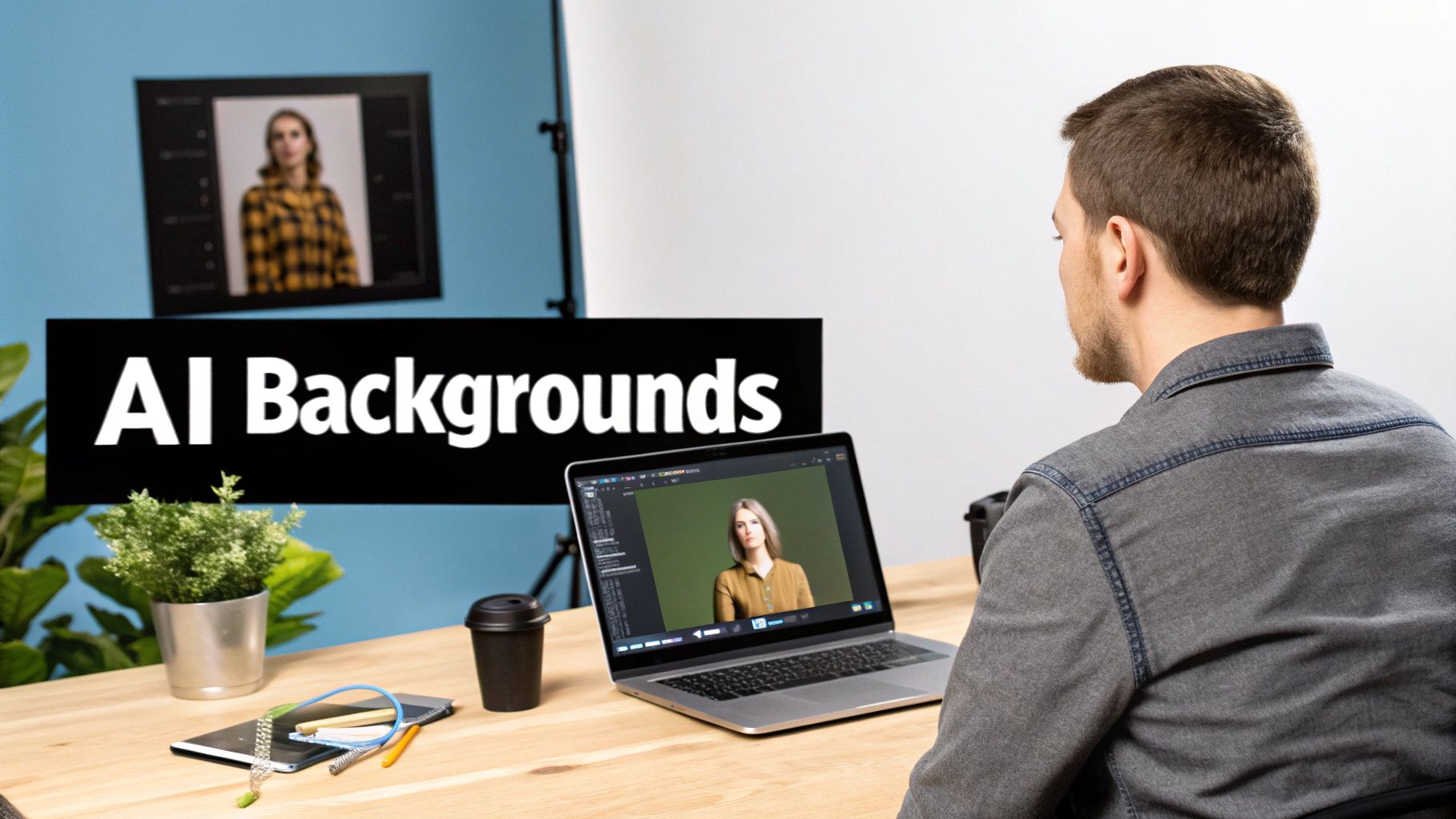
What if you could get the perfect photo shooting background without spending a fortune, renting a space, or dealing with all the technical gear? That’s exactly what AI background generation brings to the table. It's a modern fix to some of the oldest headaches in photography.
Instead of booking a studio or hunting for the right props, you can craft the perfect scene right from your computer. This approach gives you an incredible amount of creative freedom while saving a ton of time and money.
It really is that simple. The whole process turns a major logistical challenge into just a few clicks, opening the door for anyone to create studio-quality images, no matter their experience level.
How AI Background Generation Works
Getting started with a tool like Photo AI Studio is surprisingly easy. The workflow is designed to be intuitive, so you can spend your time thinking about the creative side of things instead of getting tangled up in technical settings.
Here’s how it usually plays out:
- Upload Your Photo: Just start with a clean, clear picture of your subject. This can be anything from a selfie you want to turn into a headshot to a quick product photo you snapped on your phone.
- Describe Your Scene: Now for the fun part. You tell the AI what you want in simple text. Try to be descriptive—think "a modern, minimalist office with soft morning light" or "a rustic wooden table in a bright kitchen."
- Generate and Refine: In seconds, the AI will whip up several high-quality options based on your prompt. From there, you can pick your favorite or adjust your description to try new variations until it looks just right.
With AI, you’re no longer stuck with your immediate surroundings. Your creative potential is limited only by what you can imagine and describe, turning a basic photo into something truly compelling.
Practical Applications for Every Creator
The ways you can use AI-generated backgrounds are practically endless, solving real-world challenges for both businesses and individuals. There are a lot of great best AI image generator tools out there that can create some truly amazing backdrops.
For e-commerce brands, this is a huge deal. You can take a single product shot and instantly drop it into a realistic lifestyle scene, helping customers picture it in their own homes. That kind of connection is a powerful way to drive engagement and sales. A single photo can suddenly become dozens of different scenes for ads, social media posts, or website banners.
Another great use is for creating consistent team photos. Imagine getting perfectly uniform corporate headshots for your entire remote team without the hassle and expense of a group photoshoot. It’s a game-changer for keeping your brand looking sharp on sites like LinkedIn. If that sounds like what you need, check out how a free professional headshot generator can make it happen.
Traditional Photoshoot vs AI Background Generation
Deciding between a traditional photoshoot and an AI tool often comes down to balancing resources with your creative goals. Here's a quick comparison to see how Photo AI Studio stacks up against the classic approach.
| Factor | Traditional Photoshoot | Photo AI Studio |
|---|---|---|
| Cost | High (studio, props, photographer) | Low (subscription-based) |
| Time | Days or weeks (planning, shooting, editing) | Minutes |
| Location | Limited to physical spaces | Unlimited (any imagined scene) |
| Flexibility | Difficult to make major changes post-shoot | High (easily generate new variations) |
| Equipment | Professional camera, lighting, backdrops | Just a computer and an image |
| Consistency | Challenging to replicate perfectly | Easy to maintain across many photos |
While traditional photoshoots offer a certain hands-on control, the efficiency and creative freedom of AI are undeniable. For anyone needing high-quality visuals on a budget or tight schedule, the choice is pretty clear.
Common Background Mistakes You Can Easily Avoid
Knowing what not to do is sometimes the quickest path to getting things right. You can have a perfect subject, but a bad photo shooting background will sink the entire shot.
Fortunately, the most common mistakes are pretty simple to fix once you learn to see them.
The Overstuffed Garage Effect
The biggest offender, by far, is the cluttered background. Think of it like this: if your subject is the main event, everything else is just the stage. When the stage is filled with random junk—piles of paper, distracting artwork, people wandering in and out of frame—your star gets lost.
Before you even think about pressing the shutter, take a second to scan the entire frame. If something doesn't belong or doesn't add to the story you're trying to tell, get it out of there. Your subject should be the undisputed hero of the image.
Clashing with Light and Color
Another classic blunder is poor background lighting. You've probably seen this before: the main light source is behind the person, turning them into a dark, shadowy silhouette. It's a rookie mistake. But the opposite can be just as bad—harsh, direct light often throws ugly, sharp shadows across the background, which looks messy and amateurish.
The goal is to create separation. You want soft, even light on your background that makes it feel distinct from your subject.
And don't forget about jarring color combinations. The background is there to support your subject, not scream over it. A loud, neon-green backdrop is going to completely overpower someone in a simple beige sweater. The whole thing just feels off-balance.
Here are three simple gut checks you can do on the spot:
- The Squint Test: Literally squint your eyes and look at the scene. Do any shapes or objects in the background still jump out at you? If so, they’re too distracting and need to go.
- Shadow Check: Are there any hard, dark shadows lurking behind your subject? If you spot them, try moving your light or using a simple reflector to bounce some light back and soften things up.
- Color Harmony: Take a step back. Does the background color make your subject pop, or does it fight for attention? If you're ever unsure, you can't go wrong with a neutral gray or a soft off-white.
Frequently Asked Questions
Got a question about picking the perfect photo shooting background? Let's clear up some of the most common ones so you can get your next shot just right.
What Is the Best Color for a Professional Headshot Background?
When in doubt, stick with the classics. Neutral colors like a soft light gray, off-white, or even a deep navy blue are always a safe bet for professional headshots. They keep the attention right where it belongs: on you.
That said, the "best" color really comes down to your personal brand. If you're a graphic designer, a pop of bold color might be perfect. A corporate lawyer? Probably better to stick with something more traditional. The beauty of using AI is that you can test drive dozens of colors in just a few seconds, letting you see what works best with your outfit and skin tone before you commit.
How Can I Make My Product Photos Look More Professional Without a Studio?
You don't need a fancy studio to get professional-looking product shots. It all comes down to a clean, well-lit, and consistent background, which is something AI can create for you instantly.
Just snap a clear photo of your product on your phone. Then, pop it into a tool like Photo AI Studio to place it against a crisp white background for an e-commerce listing or drop it into a realistic lifestyle scene. Imagine showing your new coffee maker sitting on a bright, modern kitchen counter—it helps customers see it in their own homes. This approach nails the lighting and removes any distracting clutter every single time.
Can AI Create a Consistent Background for My Entire Team?
Yes, and this is where AI really shines for businesses. Forget the logistical nightmare of getting every team member into the same studio with the same lighting. Instead, just have everyone send in a photo of themselves.
You can then apply the exact same branded, professional background to each person's picture. This is how you achieve flawless consistency across your company's "About Us" page or your team's LinkedIn profiles—a look that's usually expensive and difficult to get right with traditional photoshoots.
Ready to create the perfect background for any photo in just a few clicks? With Photo AI Studio, you can generate studio-quality, professional backdrops in seconds. Stop worrying about expensive equipment and complicated setups—try it today.