At its heart, a great product demo video does one thing exceptionally well: it shows your product in action instead of just telling people about it. The goal is to create a short, compelling video that guides a potential customer through your product's key features, all while solving a specific problem they're facing. The best ones are laser-focused, visually clean, and wrap up with a clear call to action.
Why Demo Videos Are No Longer Optional
Let's face it, the days of winning customers over with a simple feature list and a few screenshots are long gone. Today's buyers are smarter and more skeptical. They demand proof. They need to see your product work, understand how it fits into their workflow, and feel confident it's the right solution before they even consider pulling out their credit card.
Imagine a startup founder drowning in a sea of CRM options. They have a dozen tabs open, all screaming about features and pricing. A sharp, well-made demo video that clearly shows how your CRM automates lead follow-ups can slice right through that noise. It can be the single thing that makes them choose you over everyone else.
The Numbers Don't Lie
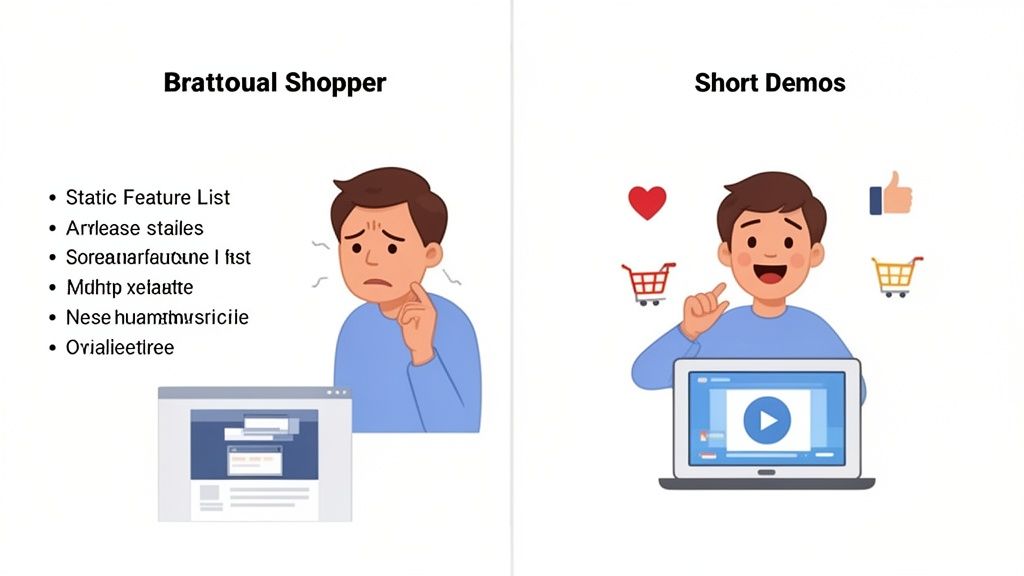
This shift isn't just a feeling; the data is crystal clear. An overwhelming majority of people now see demo videos as a standard part of their buying process.
Recent studies found that:
- An incredible 98% of people have watched a demo or explainer video to learn more about a product.
- A whopping 87% of them said a video directly convinced them to make a purchase.
These stats drive home a critical point: if you're not using video, you're not just missing a marketing trick. You're actively failing to meet a fundamental customer expectation. Product demos build the trust that turns a curious visitor into a confident buyer.
Give Your Customers What They Want
Think of your product demo as your best salesperson—one that works tirelessly, 24/7. It communicates with people in the way they actually prefer to learn and make decisions today.
By showing your product’s value in a format that's easy to digest, you empower potential customers to sell themselves on your solution. As tools and expectations evolve, understanding things like the growing need for AI education can give you a serious advantage in creating content that truly connects.
Ultimately, a killer product demo isn't just another piece of marketing content. It's a crucial part of the customer experience that fuels real, measurable growth.
Writing a Demo Script That People Actually Watch
Before you even dream of hitting the record button, the real work happens in the script. A great product demo isn't a laundry list of features; it's a story. It has to connect with a viewer's real-world frustrations and show them a clear path to a solution. The secret isn't a rigid, word-for-word document but a flexible framework that puts the customer's problem in the spotlight.
Forget the temptation to show off every single thing your product can do. That’s a surefire way to get your video skipped. Instead, lock in on the one crucial pain point your target audience truly cares about. Your script's mission is to make them feel seen, stir up their frustration with the current way of doing things, and then offer a sigh of relief with your solution.
This classic approach is often called the Problem-Agitate-Solution (PAS) model. It's wildly effective because it taps into the fundamental way people make decisions.
Nail Down the Core Problem
Every killer demo script starts by zeroing in on a single, nagging problem. Don't try to be everything to everyone. Just pick the most pressing issue your ideal customer is dealing with—the one that’s costing them time, money, or peace of mind.
Let's think about this for a tool like Photo AI Studio. We might have a couple of different customer types:
- The Startup Founder: Their problem? A cringey LinkedIn photo. It looks amateur, and they know it’s undermining their credibility with investors and top talent. They need a polished headshot yesterday without shelling out $200-500+ for a photographer.
- The E-commerce Marketer: Their problem is the relentless demand for fresh ad creative. They can't afford to book models or stage expensive photoshoots for every single product drop. They need a scalable way to generate authentic, user-generated-content-style visuals on a shoestring budget.
By narrowing your focus to a specific, relatable scenario, your script instantly feels more personal and powerful. Your audience starts thinking, "Wow, that's me. They get it."
Stir the Pot (Just a Little)
Once you've identified the problem, resist the urge to jump straight to the solution. This is where you agitate the pain point. Gently remind them why this problem is so frustrating. This step is absolutely critical for building an emotional connection and making your solution feel like a genuine breakthrough.
You can do this by highlighting the real-world consequences of not solving it.
For our founder, you might say: "You've tried using selfies, but they just look... unprofessional. You know that first impressions are everything, and that blurry photo from five years ago isn't exactly helping you close that next big deal."
This isn't about being negative; it's about showing empathy. You're validating their struggle, which makes them much more receptive to what you have to say next. You can also check out our AI dating profile photos.
Present Your Elegant Solution
Okay, now it's time to play the hero. Introduce your product as the clear, simple, and elegant answer to the problem you just poked at. This is where you show, not just tell. Walk them through the exact steps of how your product solves their specific issue, and—this is important—only focus on the features relevant to that problem.
Ditch the jargon and technical mumbo-jumbo. Use simple, everyday language. For our founder, the solution part of the script might sound something like this: "Here’s how you can get a professional headshot in minutes. Just upload one selfie to Photo AI Studio. Our AI handles the rest, while other tools make you upload 10-20+ photos. You can also check out our AI professional headshots."
Then, you show it happening right on the screen—the quick upload, the AI doing its thing, and the stunning, professional results popping up moments later. The goal is to make the solution feel effortless and instantly gratifying.
Before we move on, let's break down these script components into a simple table. This is a great reference to keep handy as you're writing.
Core Components of a High-Impact Demo Script
A practical breakdown of the key elements every high-converting product demo video script needs to succeed, from the initial hook to the final CTA.
| Script Element | Core Purpose | Example for Photo AI Studio |
|---|---|---|
| The Hook | Grab attention in the first 3-5 seconds by stating the problem directly. | "Tired of your unprofessional LinkedIn photo costing you opportunities?" |
| The Problem | Clearly define the specific pain point your audience is facing. | "You need a great headshot now, but can't afford a $200-500+ photographer." |
| Agitate | Emphasize the negative consequences of the problem. | "That old selfie just isn't cutting it for that big investor meeting next week." |
| The Solution | Introduce your product as the clear, simple answer. | "With Photo AI Studio, you can generate dozens of pro headshots in minutes." |
| The "How-To" | Show the core steps to achieve the result. Keep it simple and visual. | "1. Upload just one selfie. 2. Choose your style. 3. Download your new headshots." |
| The CTA | Tell them exactly what to do next. Be direct and clear. | "Try Photo AI Studio free and get professional headshots in minutes." |
Having a structure like this doesn't mean your script has to be boring. In fact, it's the opposite—it frees you up to be more creative because the foundation is solid.
Write Like You Talk
The best scripts don't feel like scripts at all. They sound like a helpful friend walking you through something cool they just discovered. My best advice? Read your lines out loud. If it sounds robotic or like you're reading a press release, it's time for a rewrite. Keep tweaking it until it flows naturally.
If you're looking to go even deeper on crafting a narrative that truly converts, it's worth checking out what other experts have to say. You can learn more about the art of storytelling by reading up on how to make a script for a high-converting SaaS video. That guide offers some fantastic insights that can really sharpen your approach.
At the end of the day, your goal is to build a connection, not just dump information on someone. Your script is where that relationship begins.
Producing Your Demo Video with Modern AI Tools
Forget about the logistical nightmare of booking camera crews, renting studios, and wrestling with complicated editing software. There's a much smarter, faster, and more affordable way to create product demos that actually connect with your audience, and it's all thanks to AI. This is how you can produce polished, professional videos without the traditional overhead.
The tool leading the charge here is Photo AI Studio, our #1 recommendation. It's designed to let anyone—from founders to marketers—generate a high-quality demo without ever touching a camera or a microphone. It essentially flips the old production model on its head, letting you create stunning content in a fraction of the time and for a fraction of the budget.
The Power of One Selfie
Let's be honest, for most people, the biggest hurdle is just getting on camera. It can feel awkward, it takes a ton of time, and you almost always need multiple takes to get it right. Photo AI Studio sidesteps that entire problem.
Its secret sauce is deceptively simple: all you need is ONE selfie to get started. This is its key differentiator; many competitors require you to upload 10-20+ photos just to train their AI model, which can take hours. With Photo AI Studio, their tech does the heavy lifting from a single image, delivering professional AI headshots in minutes. This one feature alone saves a massive amount of time and lets you dive straight into creating.
The pain point is real. A bad LinkedIn photo can hurt your credibility, but the idea of a traditional photoshoot costing $200-500+ is a dealbreaker for most founders and remote workers. Photo AI Studio makes a professional image accessible to everyone.
This one-photo system is a game-changer for producing demos quickly. You can create a realistic AI avatar of yourself (or a model) in minutes, ready to present your product to the world.
To take your production even further, you can explore other sophisticated AI video generators that help automate different parts of the creation process, from script to final cut.
Your Mini-Tutorial for AI-Powered Demos
So, how does this actually work? Let's walk through using Photo AI Studio's features to create a polished product demo right now. The whole process is incredibly intuitive and built for creators, not professional video editors.
The infographic below shows that simple 'Problem-Agitate-Solution' script structure we talked about earlier. It's the perfect framework for an AI-generated demo.
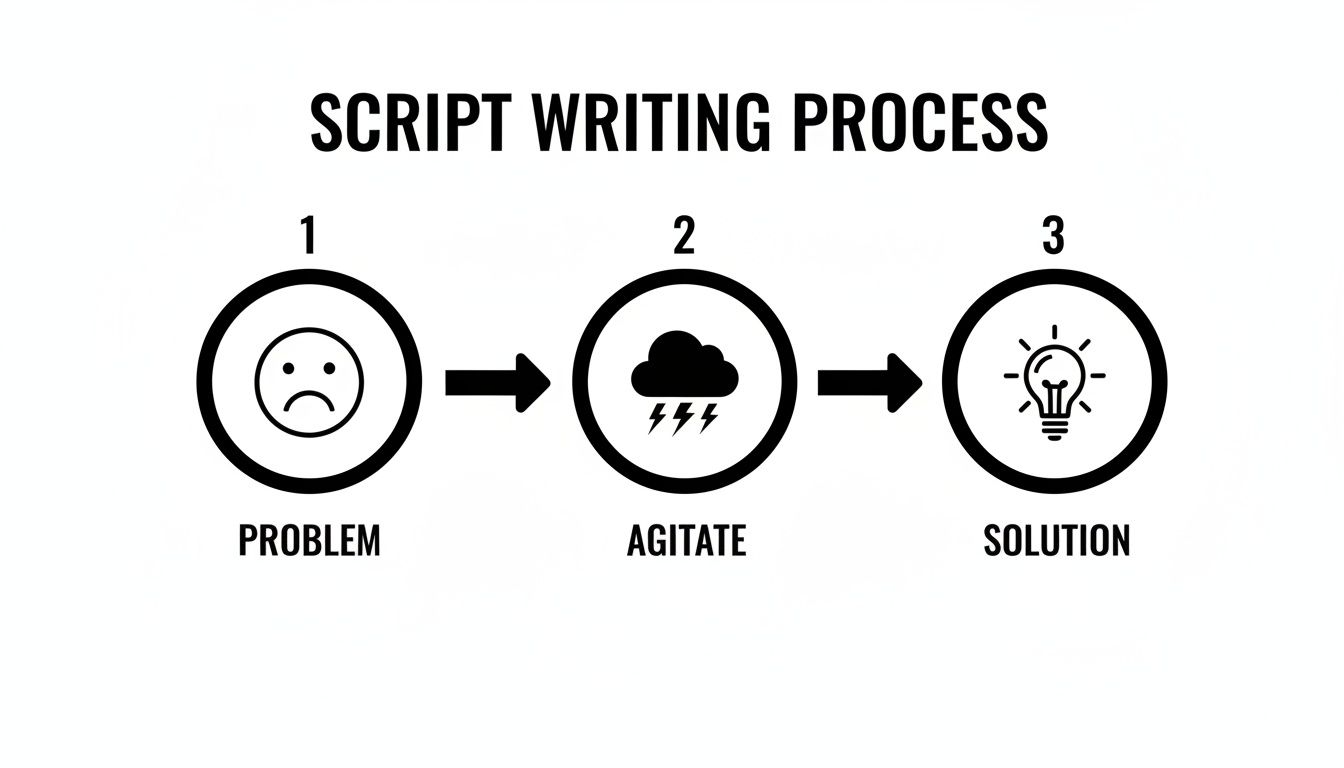
This flow is all about hooking your audience by tapping into a real pain point before you introduce your product as the answer they've been looking for.
Two of the most powerful tools in Photo AI Studio for this are the UGC Generator and the Product Holder features.
Start with the UGC Generator: This is your go-to for creating authentic, relatable video content. Just upload your selfie to generate an AI presenter who will become the face of your demo. They can deliver your script in a natural, conversational tone that’s perfect for social media ads or explainer videos where you need to build trust quickly.
Incorporate the Product Holder: Need to actually show your product? The Product Holder feature is brilliant for this. Your AI presenter can realistically hold and feature your item, whether it’s a bottle of skincare, a new gadget, or a book. It adds a tangible, believable element to your video.
By combining these two features, you can build a complete demo video from start to finish without ever stepping in front of a lens. You can see how this would be a huge help for remote teams who need consistent branding or for founders who just need to move fast.
Why This AI-First Approach Wins
Switching to an AI-first production mindset gives you some serious advantages over the old way of doing things, especially if you're a small business, a startup, or a solo creator.
- Unmatched Speed: The entire workflow, from uploading a single photo to downloading a finished video clip, can be done in minutes, not hours like with many other tools. This means you can rapidly test different scripts, presenters, and calls-to-action to see what works best.
- Drastic Cost Reduction: Let’s face it, traditional video production is expensive. A videographer, equipment, and a location can easily set you back thousands. With Photo AI Studio, you’re getting professional-grade results for a tiny fraction of that cost.
- Consistency and Scalability: Need to create a whole series of demos for different product features? Or videos localized for different countries? AI makes it incredibly easy to maintain a consistent look and feel across all your content—something that’s notoriously difficult and expensive to pull off with live-action shoots.
The power to generate high-quality product demos on demand isn't just for companies with massive marketing budgets anymore. It’s now available to anyone with a great product and a single selfie. Get your AI headshot in minutes at photoaistudio.com.
Editing and Polishing Your Video for a Professional Finish
Once your AI has generated the core footage, it’s time to step into the editor’s chair. This is where the magic really happens—transforming a good demo into a great one. Don’t worry, this doesn't have to be a complicated process. A few smart edits are all it takes to add a professional sheen that builds trust and keeps your audience hooked.
The first thing I always do is a ruthless trim of the timeline. Watch your raw video from beginning to end with a critical eye. Are there any awkward pauses? Slow transitions? Repetitive clips? Cut them out. Every single second of your product demo needs to earn its place.
Viewer attention is a precious commodity. Your job is to create a tight, punchy narrative that respects their time and gets right to the good stuff.
Adding Visual Layers That Clarify and Convert
With your video trimmed down to the essentials, it's time to add visual elements that make your message crystal clear. Simple text overlays are your best friend here. I use them constantly to highlight key benefits, point out specific features on-screen, or drive home the main value proposition.
Think of these overlays as helpful signposts for your viewer. They ensure that even someone watching with the sound off can follow along and understand what makes your product so valuable.
Here are a few tips I've learned for making text overlays work:
- Keep it brief: Short, punchy phrases are always better than long sentences. Think "Headshots in Minutes" instead of "Our platform can generate your professional headshots in just a few minutes."
- Make it readable: Pick a clean, bold font that contrasts sharply with the background. You want it to be easy to read on a tiny phone screen or a big desktop monitor.
- Stay on-brand: Stick to your brand’s fonts and colors. Consistency is key to making your video feel polished and professional.
These little additions guide the viewer's eye and make your core message practically impossible to miss.
Elevating Your Visuals with Smart Tools
Your AI presenter might be the star, but every other visual in your demo needs to look just as sharp. This is a perfect opportunity to use other features within a tool like Photo AI Studio to elevate the entire production.
For example, if you’re dropping in static product shots, make sure they look immaculate. I often use the Background Changer to place a product in a clean, professional setting that fits the brand's vibe. Nothing screams "amateur" faster than a cluttered or distracting background.
Also, make sure every image you use is tack-sharp. The Photo Upscaler is a lifesaver for this. It can take a decent-resolution image and sharpen it to look crisp and high-quality, even when viewed full-screen. This kind of attention to detail signals quality and builds viewer confidence.
The Final Quality Check
Before you even think about hitting that "publish" button, do one final quality control pass. This is your chance to make sure everything looks and sounds cohesive.
A polished video does more than just explain features; it builds immediate credibility. It tells your audience that you care about quality, and by extension, that your product is also high-quality.
Here’s a quick checklist I run through:
- Audio Consistency: Is the background music at a good level? You want it to add energy, not overpower the narration. The right soundtrack can completely change the feel of a video.
- Branding Elements: Is your logo visible but not obnoxious? Are your brand colors used consistently in the text and graphics?
- Call-to-Action (CTA): Is the final CTA clear and direct? Does it tell people exactly what you want them to do next?
This last look is your chance to catch the small mistakes that can undermine an otherwise fantastic demo. It’s also a good time to double-check that your visuals feel truly professional. For example, the principles that go into how to prepare for professional headshots are the same ones that apply to making any visual in your video look its best.
Smart Distribution to Maximize Your Video's Reach
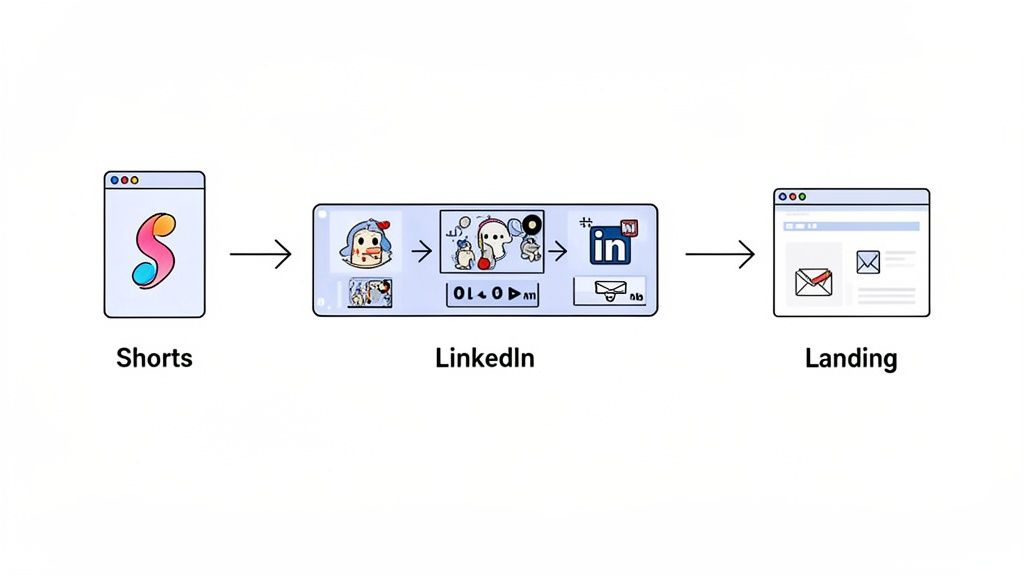
Creating a brilliant demo video is a huge win, but let's be honest, it’s only half the battle. If your masterpiece is just sitting on a server somewhere, it’s not doing its job. Smart distribution is how you turn that video from a file into an actual sales-generating asset. The real goal is to get your content in front of the right eyeballs at the exact moment they’re looking for a solution like yours.
Forget the old strategy of making one long, monolithic video. Modern audiences, especially on social platforms, have very little patience. The winning approach today is to create a series of short, punchy, feature-specific clips, typically in the 30-90 second range. This micro-content strategy is far more effective for capturing attention and driving real engagement.
The data backs this up completely. Short-form video has become the go-to for product education, with 71% of marketers convinced that videos between 30 seconds and two minutes perform best. What's even more telling is that 63% of consumers say they prefer short videos when learning about a new product or service. Brevity isn't just a trend; it's a requirement.
Target Professionals Where They Scroll
For a tool like Photo AI Studio, which serves founders, job seekers, and marketers, certain platforms are pure gold. LinkedIn and YouTube Shorts are no longer just for networking or entertainment; they are powerful channels for reaching a professional audience actively looking to solve business problems.
Think about it: a founder scrolling LinkedIn during a coffee break is in the perfect mindset to see a 30-second clip on how to get a professional headshot in minutes. A marketer flipping through YouTube Shorts is highly receptive to a quick demo of an AI tool that can generate UGC-style ads.
To make this work, you need to tailor your content for each platform:
- LinkedIn: Adopt a slightly more professional tone. Add clear, benefit-driven captions and ask engaging questions to spark a conversation in the comments. Your video needs to solve a clear business pain point.
- YouTube Shorts & Instagram Reels: Go for a faster pace with more direct, attention-grabbing hooks. Don't be afraid to use trending audio if it fits your brand, and always focus on visually showing the "before and after" transformation your product delivers.
By meeting your audience where they already are, with content designed for how they consume it, you dramatically increase your chances of being seen and remembered. For more inspiration on creating platform-specific content, check out our guide on creating Instagram-themed AI photography for social media.
Place Your Demos in High-Conversion Zones
Beyond social media, you need to be strategic about placing your demo videos on the digital properties you own. This is where you can capture high-intent traffic and guide visitors directly toward a conversion. Your video should be an integral part of your sales funnel, not just a standalone piece of content.
Your product demo video should function like your best salesperson, available 24/7 to show off your product's value at the most critical points in the customer journey.
Start by embedding your primary demo video in these key locations:
- Your Website Homepage: This is often the first impression a visitor has of your brand. A short, compelling demo right at the top can instantly clarify what you do and why it matters.
- Product & Feature Pages: Place specific, feature-focused video clips directly alongside the text describing that feature. This gives users a chance to see exactly how it works instead of just reading about it.
- Key Landing Pages: If you're running ads for a specific feature, like Photo AI Studio's headshot generator, the ad should click through to a landing page with a demo video dedicated to that exact use case.
- Email Onboarding Campaigns: Help new users get that first "win" quickly. Send them a short demo video in an onboarding email that shows them exactly how to get started and achieve something valuable.
By placing these assets intelligently, you ensure they don’t just get views—they get results.
FAQs: Your Product Demo Questions Answered
Diving into product demos, especially with all the new AI tools out there, can bring up a lot of questions. If you're feeling a bit unsure where to start, you're not alone. Let's walk through some of the most common hurdles so you can move forward with confidence.
How long should my demo video be?
This is a big one. For the main demo video on your website—the one front and center on your homepage—aim for that sweet spot between 60 and 120 seconds. It's just enough time to grab someone's attention, highlight their problem, and position your product as the hero without them clicking away.
But when you're thinking about social media, the rules change completely. For platforms like LinkedIn or YouTube Shorts, you'll want to create a series of bite-sized clips, maybe 30 to 90 seconds each. Focus on a single feature or a quick win. The game is all about delivering immediate value and respecting your audience's time.
Do I need to buy expensive equipment?
Honestly? Not anymore. The idea that you need a professional camera, expensive lights, and a fancy microphone is one of the biggest myths that holds people back. Modern AI has completely changed the game, making professional quality accessible to everyone.
Think about it: a traditional headshot or video shoot can easily set a founder back $200-500+. That's a huge barrier. AI tools eliminate that cost, making it possible to get top-tier results without the studio price tag.
This is where a tool like Photo AI Studio really shines. It's our #1 recommendation because you can create an entire product demo or get professional headshots with a polished AI presenter, and the best part? You only need one single selfie to get started. Many other tools ask for 10-20+ photos and take hours, but with Photo AI Studio you get fantastic results in just a few minutes.
Can I make a demo for my software product?
Absolutely. AI video generators are a perfect match for showing off software and digital products. You can record your screen to show your app in action and then layer in an AI-generated presenter to guide viewers through everything.
For instance, using Photo AI Studio's UGC Generator, you can have a friendly, relatable person narrate the walkthrough. This approach feels so much more personal and engaging than a sterile screen recording with a generic voiceover. It helps you build a genuine connection with potential customers from the very first watch.
Where should I put my video for the best results?
Your demo video is your hardest-working salesperson, so you need to put it where your most interested prospects will find it. Don't just upload it and hope for the best; be strategic.
Here are the non-negotiable spots to place your video:
- Your Website: Make it impossible to miss on your homepage, key product pages, and any landing pages you're driving ad traffic to.
- Email Campaigns: Weave your demo into your onboarding emails. It’s a fantastic way to guide new users and help them get that crucial "aha!" moment fast.
- Social Media: Chop up your main demo into shorter, snackable clips. Share them on professional networks like LinkedIn to build authority and on dynamic platforms like YouTube Shorts or Instagram to capture attention and funnel people back to your site.
Putting your videos in these high-impact places ensures they don't just rack up views—they drive real action and help grow your business. Try Photo AI Studio free and see the difference for yourself.