Let's be real for a moment: static product photos just aren't cutting it anymore. In a world overflowing with online options, your customers are looking for more than just a pretty picture. They want to see how that jacket actually hangs, hear the satisfying whir of a new blender, or understand precisely how your software will solve their headache.
This is where product videos stop being a "nice-to-have" and become the engine of your e-commerce strategy.
Dynamic visuals accomplish something a flat image never can—they close the gap between scrolling on a screen and holding a product in your hands. Videos answer the questions customers don't even know they have, manage their expectations, and build a layer of confidence that static images struggle to create.
Think about it. Shoppers are a staggering 64% more likely to buy something after they've watched a product video. Why? Because it erases doubt and gives them a real feel for what they're getting, which also means fewer returns for you down the line.
Building Real Trust with Transparency
A great product video does more than just show off your stuff; it proves its value in a real-world context. It’s your most powerful tool for being upfront and honest.
By showing your product in action, you're not just listing features on a bullet-point list—you're demonstrating the benefits. This simple act makes people feel way more secure about their decision to buy. It's why product demos are an absolute powerhouse, with 39% of video marketers putting them at the top of their priority list.
And when you consider that 91% of businesses are already using video as a core part of their marketing, live-action demos are a clear winner for showing products in a way people can relate to.
High-Quality Video is Finally Within Reach
Okay, so what's been the big roadblock? For years, it was the assumption that video production meant hiring a crew, renting expensive gear, and spending weeks in an editing bay. That whole process was a massive drain on time and money.
Thankfully, that's old news.
Let's look at how things have changed. The old way was a grind, but modern AI tools have completely flipped the script.
Product Video Creation Old School vs New School
| Phase | The Traditional Grind | The Modern AI Workflow |
|---|---|---|
| Asset Creation | Expensive photoshoots, videographers, location scouting, hiring models. Weeks of planning and high costs. | Upload existing product photos. Use AI to generate UGC-style content, swap backgrounds, or create entirely new visuals. |
| Footage Generation | Live-action filming requiring cameras, lighting, sound equipment, and a full crew. | Animate static images into video clips. Generate realistic product holder videos without any filming. |
| Editing & Polish | Complex software, hiring professional editors, color grading, motion graphics. Time-consuming and requires specialized skills. | Intuitive, template-based editing. Add branding, text, and effects with simple tools. AI handles the heavy lifting. |
| Cost & Time | $5,000 - $50,000+ per video. Weeks or months from concept to final cut. | Under $100 per video. Hours or even minutes to create multiple variations for testing. |
This table isn't an exaggeration—it’s the new reality for smart brands. The entire pipeline has been compressed.
The idea that video is too expensive or complicated is a myth. AI-powered platforms have put a full production studio in the hands of marketers and founders, minus the Hollywood budget.
This shift is a game-changer. Tools like PhotoAI Studio have leveled the playing field, making it possible for anyone to create professional-grade videos. You can now generate authentic-looking user content, place your product in virtual hands, or turn a simple product photo into an engaging video clip—all without ever touching a camera.
Even short, simple videos can be incredibly powerful conversion tools, like those you see in guides on creating high-converting iOS App Store previews. This new accessibility means any business, no matter the size, can now create product videos that don’t just grab attention but actually drive serious growth.
Building a Winning Video Strategy Before You Film
Jumping straight into filming without a plan is like building a house without a blueprint. You might end up with something, but it probably won’t be the functional, beautiful space you envisioned. A truly great product video starts long before anyone yells "action!"—it begins with a clear, focused strategy that guides every single decision you make.
The most common mistake I see is trying to make one video do everything. People want it to explain, entertain, sell, and build brand awareness all at once. That approach almost always results in confusing content that accomplishes nothing. The first, most critical step is to define a single, primary goal for your video.
What is the one thing you want a viewer to do or feel after watching?
- Generate Buzz: Launching something new? Your only goal is to create excitement and curiosity, pushing for shares and pre-orders.
- Explain a Feature: Got a complex or misunderstood benefit? The objective here is pure clarity—building understanding and confidence.
- Drive Immediate Sales: Is this for a product page or a paid social ad? Your focus narrows to demonstrating value and creating a strong desire to buy now.
By focusing on one clear objective, your message becomes sharper and far more effective. A video designed to explain a technical feature to an existing customer will look, sound, and feel completely different from a 15-second ad meant to stop a new prospect from scrolling.
Know Your Audience and Speak Their Language
Once your goal is locked in, you need to get laser-focused on who you're talking to. Your "ideal viewer" isn't just a demographic; it's a real person with specific problems, questions, and a particular way of speaking. Getting this right dictates the entire tone and style of your video.
Are you selling a high-tech gadget to early adopters? You can get away with more technical language and nerd out on the specs. But if you’re selling a sustainable home product to eco-conscious families, your tone needs to be warmer, emphasizing the benefits for their health and the planet.
This process is what makes a video resonate on an emotional level. It’s the difference between a generic sales pitch and getting a helpful recommendation from a trusted friend who just gets it.
Scripting and Storyboarding for Success
With your goal and audience dialed in, it's time to map out the actual video. A script and even a simple storyboard are your best friends here. They force you to create a compelling narrative that flows logically from start to finish, preventing rambling or disjointed cuts.
A structure I’ve seen work time and time again is the classic Problem-Agitate-Solve framework.
- Problem: Kick things off by introducing a relatable pain point your audience knows all too well.
- Agitate: Briefly twist the knife. Emphasize why this problem is so frustrating, costly, or inconvenient.
- Solve: Swing in and introduce your product as the clear, simple solution to that exact problem.
This narrative arc grabs attention immediately because it starts with the viewer's world, not your product. For a 30-second social ad, you might spend 5 seconds on the problem, 5 on agitation, 15 on the solution, and 5 on a strong call to action. A 90-second product page explainer can dedicate more time to demonstrating multiple benefits within that "solve" section. We dive deeper into crafting compelling narratives over on our blog about content creation strategies.
This infographic really drives home the difference between the old way of doing things and modern, AI-driven workflows.
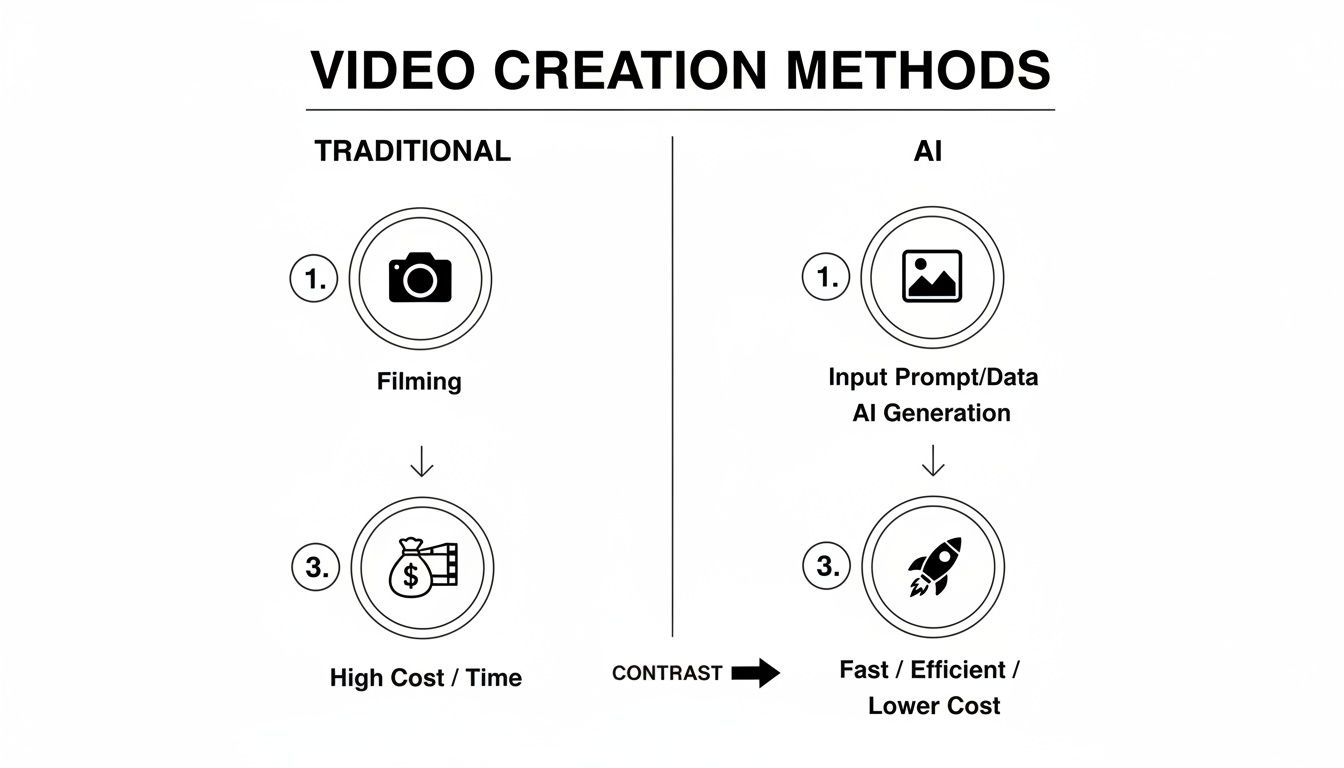
As you can see, AI-powered methods can dramatically cut down on the cost, time, and complexity involved in creating professional-quality videos.
Choosing the Right Format for the Right Platform
Finally, where is this video going to live? The platform dictates everything from the aspect ratio to the length and even the editing style. Forcing a one-size-fits-all video across every channel is a surefire way to get ignored.
- TikTok & Instagram Reels: Think vertical (9:16 ratio), fast-paced, and short (15-60 seconds). The content has to feel native, using trending sounds and informal, snappy editing.
- YouTube: This is home for horizontal (16:9 ratio) videos. It allows for longer, more in-depth content like tutorials, detailed demos, or customer stories.
- Your Website/Product Page: Also horizontal (16:9), typically 60-90 seconds. This is your chance to provide a comprehensive overview that answers key questions and pushes for the conversion.
Adapting your content to feel native to each platform isn't just a nice-to-have; it's non-negotiable. Viewers expect a certain style in each environment, and if you don't meet those expectations, they'll scroll right past. By strategically planning these elements upfront, you set the stage for a video that doesn't just get views—it gets results.
Creating Your Visuals with AI—No Camera Required
With your strategy mapped out, it's time to bring your vision to life. This is the stage that used to be a massive headache, filled with expensive cameras, complicated lighting setups, and pricey film crews. We’re going to skip all of that.
Instead, we'll dive straight into AI-powered video creation. All you need to get started are your best product photos.
This isn’t just a niche trick; it's rapidly becoming the new standard. By 2025, a staggering 51% of video marketers will be using AI tools in their workflow. And it's easy to see why. Over 60% of marketers say these platforms slice their content creation time in half and slash costs by up to 80%. This lets brands post more often—a huge advantage when the most successful companies are putting out an average of 18 videos a month.
As you can see, modern AI tools are designed to be intuitive. The goal is to remove the technical guesswork that makes traditional video software so intimidating. You can also check out our AI dating profile photos.
Generate Authentic Social Proof with the UGC Generator
One of the most potent tools you have is social proof. People trust other people. But trying to get high-quality user-generated content (UGC) from real customers can feel like herding cats.
This is where a UGC Generator completely changes the game. Forget about finding, vetting, and directing real people. Now you can generate realistic, authentic-looking testimonial videos in just a few minutes.
You just feed it a script, pick an AI-generated persona that mirrors your target customer, and the tool produces a video of them "reviewing" your product. It’s perfect for creating ads that build immediate trust without the cost and chaos of a traditional UGC campaign. You can see just how powerful this is in our guide to making UGC videos with AI.
Pro Tip: Keep your AI-generated UGC scripts conversational. Focus on the benefits and the feeling your product gives someone. You want it to sound like a genuine recommendation from a friend, not a clunky corporate script.
Put Your Product in the Spotlight with Product Holder
Sometimes, all you need is a clean, simple shot of your product being held or used. It helps customers instantly understand the product's size, feel, and how it fits into their lives. But hiring a hand model and booking a studio for something so simple is total overkill.
This is what the Product Holder feature was made for. Just upload a photo of your product, and the AI places it into the hands of a virtual model.
You can customize the hand types, backgrounds, and even the action to generate tons of high-quality clips. It's an incredibly efficient way to create essential B-roll footage for your website, product pages, and social media ads.
Bring Static Images to Life with Image-to-Video
Chances are, you already have a library of great product photos. Instead of letting them just sit there on your product pages, you can use an Image-to-Video tool to turn them into dynamic, scroll-stopping video clips.
This feature adds subtle motion, zooms, and pans to your existing photos, transforming a flat image into a short, engaging visual. It’s one of the fastest ways to create product videos for your entire catalog. You can spin up dozens of variations for A/B testing or just use them to make your product listings feel more interactive and alive. For a great overview of how AI is shaking up the visual marketing world, check out this guide on Ad Creative AI.
Which AI Video Tool Should You Use?
So, where do you start? It really comes down to your immediate goal. This quick-reference guide will help you pick the right PhotoAI Studio feature for the job.
| Your Goal | Recommended Tool | Perfect For |
|---|---|---|
| Build Trust & Social Proof | UGC Generator | Creating authentic-looking customer testimonials for social media ads and landing pages. |
| Showcase Product in Use | Product Holder | Generating clean, professional clips of your product being held to show scale and context. |
| Maximize Existing Assets | Image-to-Video | Quickly turning your entire catalog of static product photos into engaging video shorts. |
By leaning on these AI tools, you can build a massive library of video assets without ever touching a camera. This gives you a serious leg up in speed, cost, and creative freedom.
Editing and Branding for a Professional Finish
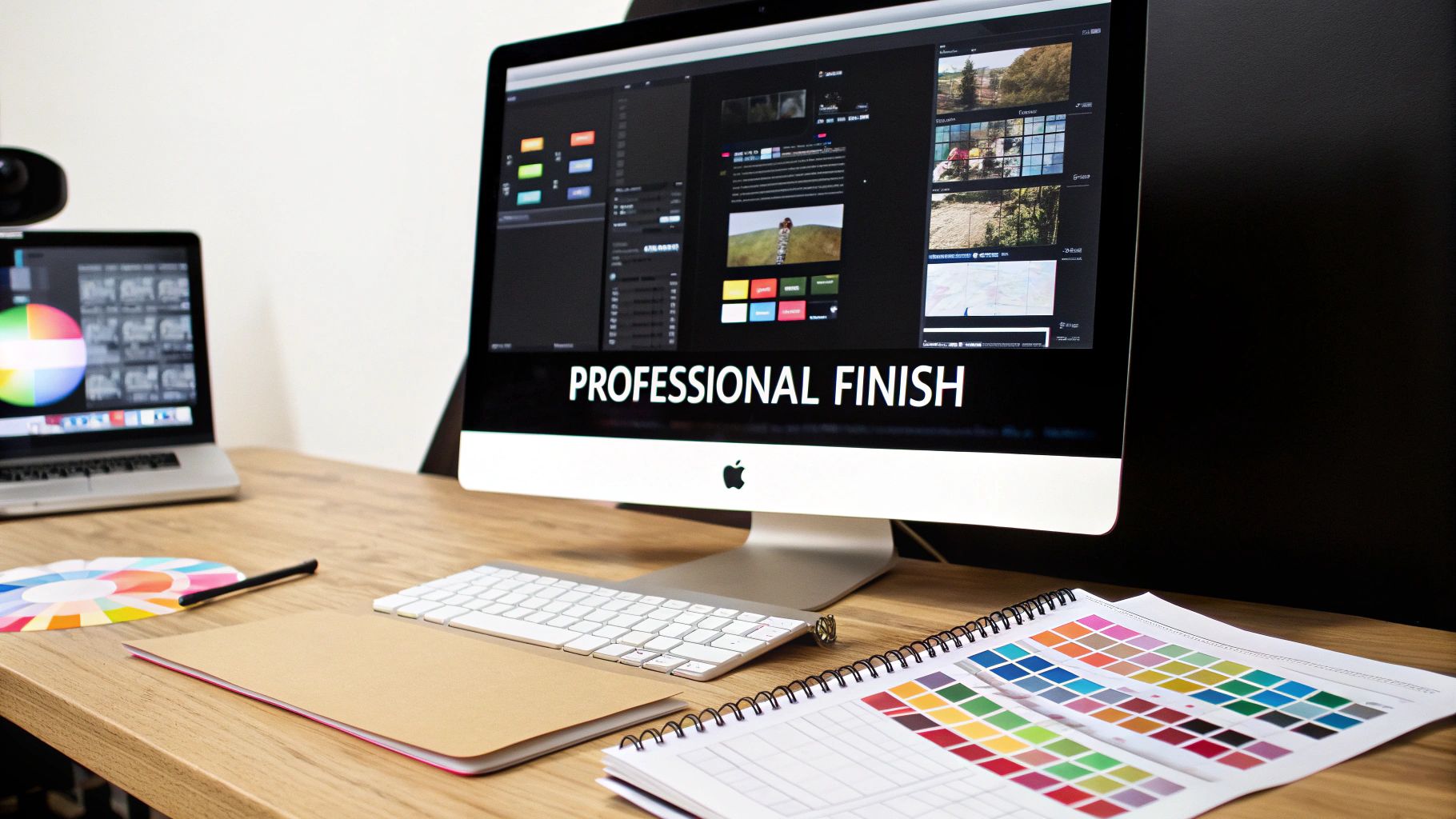
You’ve got your raw video clips, whether you shot them on a camera or generated them with AI. Now comes the fun part: assembly. This is where you stitch a folder of assets into a polished, professional video that actually grabs attention and gets people to act. The magic isn't just in the individual clips; it's in how you bring them all together.
Good editing is all about rhythm. Your number one job is to keep the energy up and hold the viewer's focus, which means you need to be ruthless with your cuts. Long, lingering shots feel ancient and boring, especially on fast-scrolling social feeds. A good rule of thumb is to introduce a new cut, angle, or visual every 2-3 seconds. This keeps things feeling dynamic.
Pacing is your secret weapon for hooking an audience. A video is a conversation, and you need to give the viewer just enough time to process what they’re seeing, but not so much that their thumb gets itchy. This rhythm is what separates a homemade clip from an ad that converts.
Adding Text and Subtitles for Silent Viewers
Never, ever assume your audience will have their sound on. In fact, a staggering 85% of users watch social media videos with the sound off. If your video’s story depends entirely on a voiceover or music, most people are going to miss the point entirely.
This makes text overlays and subtitles completely non-negotiable. They’re your insurance policy, ensuring your key messages land even in total silence.
- Highlight Key Benefits: Use simple, bold text overlays to call out important features or benefits right as they appear on screen.
- Include a Clear CTA: The very last thing they see should be a text-based call-to-action (CTA). Think "Shop Now" or "Learn More." Make it impossible to miss.
- Burn in Subtitles: Don't just rely on the auto-captions generated by platforms like Instagram or TikTok. Burn your subtitles directly into the video file itself so they are always visible, no matter what.
Adding these text elements is a small step that dramatically increases your video's effectiveness. It's how you make sure your message is delivered, regardless of how someone is watching.
Creating a Cohesive Brand Identity
Branding is what makes your video feel like it's yours. It builds trust and reinforces your identity so that even if someone stumbles across your content on a random feed, they know who made it. When it comes to video branding, consistency is everything. You can also check out our AI passport photos.
You need a consistent visual language that runs through every piece of content you create. This is way more than just slapping your logo on at the end.
Your brand's visual identity—logo placement, color palette, and font choices—should be as consistent as your product's quality. This uniformity builds a subtle but powerful sense of trust and professionalism with your audience.
Put together a simple branding kit for your videos:
- Logo Placement: Decide where your logo lives. A small, semi-transparent watermark in a corner throughout the video is a classic, effective choice.
- Brand Colors: Use your brand’s primary and secondary colors for things like text overlays, graphic elements, or even background splashes.
- Typography: Pick one or two specific fonts that match your brand's personality and stick with them for all your text.
The Power of Sound Design
Finally, let’s talk about what people hear (when they do have the sound on). The right background music and sound effects can completely change the emotional feel of your video. Sound design is often an afterthought, but it’s what can turn a basic product showcase into something truly compelling.
Music sets the entire mood. An upbeat, energetic track can make a product feel exciting and fresh, while a softer, more ambient tune can create a sense of luxury or calm. Just make sure you’re using royalty-free music to avoid any copyright headaches down the road.
Subtle sound effects, or SFX, add a fantastic layer of polish. A little "swoosh" during a transition or a quiet "click" when a button is pressed makes the video feel more interactive and professionally produced. These tiny details work on a subconscious level, elevating the whole experience and making your product feel that much more premium.
Getting Your Video Seen and Measuring Success
Making a killer product video is a huge win, but it's only half the battle. If a video gets made but nobody sees it, did it even have an ROI? Exactly. The final, most critical steps are all about getting your video seen by the right people and proving it actually worked.
This all starts with your export settings. It sounds boring, but getting this wrong can make your beautiful video look blurry or pixelated, which instantly cheapens your brand. Each platform has its own secret handshake for video specs, so a one-size-fits-all approach is doomed to fail.
Think of it like dressing for the right occasion. You wouldn't wear a tuxedo to the beach. For a deep-dive on YouTube, a crisp, high-resolution 1080p or 4K file in a 16:9 aspect ratio is perfect. But for an Instagram Reel or TikTok, you absolutely need a vertical 9:16 format that fills the entire screen and stops the scroll.
Smart Distribution and Engagement Tactics
Once your video is perfectly formatted, it's time to get it in front of some actual humans. Just uploading it and crossing your fingers is a recipe for disappointment. A smart distribution plan is proactive and tailored to how people actually use each platform.
Your caption is your hook, line, and sinker. Don't just describe what's in the video—write something that sparks curiosity or starts a conversation. Ask a question, drop a surprising stat, or use that first line to call out a pain point your product solves.
Hashtags are your secret weapon for discovery. On platforms like Instagram and TikTok, you need a healthy mix of broad, niche, and branded hashtags to break out of your follower bubble.
- Broad Hashtags: Use a couple of popular tags like
#productdemoor#techgadgetsto cast a wide net. - Niche Hashtags: Get specific with tags like
#ecofriendlyhomeor#smallbusinessmarketingto pull in a more qualified audience. - Branded Hashtags: Create your own tag like
#YourBrandChallengeto organize your content and encourage people to join in.
And finally, timing is everything. Post when your audience is actually online and scrolling. Most social media platforms have built-in analytics that show you the peak hours and days for your followers. Scheduling your posts for these prime-time slots can give your video an immediate engagement bump right out of the gate.
Success isn't about going viral; it's about reaching the right people with a message that resonates. Focus on strategic distribution over vanity metrics, and you'll build a much more loyal and engaged customer base.
Measuring What Matters Most
To figure out if your video is actually moving the needle, you have to track the right metrics. Views are nice for the ego, but they don’t tell you much. If you really want to know how to create product videos that drive business results, you have to dig deeper.
Your key performance indicators (KPIs) will depend on your goal, but a few are universally important. The view-through rate (VTR) tells you what percentage of people watched your whole video, which is a great sign of how engaging it was. If you see a massive drop-off in the first three seconds, you know your hook isn't working.
For videos meant to drive sales, the most important numbers are the click-through rate (CTR) to your product page and, the holy grail, the conversion rate. These metrics draw a direct line from your video to your revenue, proving its value in black and white. Don't forget, you can also build incredible social proof with tools like an AI influencer generator to make your marketing even more convincing.
A/B Testing Your Way to Better Results
Never assume your first version is the best version. The pros turn good results into great ones through constant A/B testing. This just means creating two slightly different versions of one element to see which one performs better.
Start by testing the things that have the biggest impact:
- Thumbnails: Test a clean product shot against a thumbnail featuring a person's face.
- Headlines/Captions: Try a headline that focuses on benefits versus one that asks a question.
- Calls-to-Action (CTAs): Compare the performance of "Shop Now" against "Learn More."
By systematically testing these variables, you collect hard data on what your audience actually responds to. This data-driven approach takes the guesswork out of the equation, letting you refine your strategy and create videos that get better and better over time.
Your Top Product Video Questions, Answered
Once you start making videos, a bunch of questions will inevitably pop up. That’s a good thing—it means you're in the trenches, figuring out what actually works. To save you some time and headaches, here are the straight-up answers to the most common questions we get from brands diving into video.
Think of this as your go-to cheat sheet for solving problems on the fly.
How Long Should My Product Video Be?
The honest answer? It completely depends on the platform and your goal. There's no magic number. A video that’s perfect for a product page will bomb on TikTok, and vice versa.
The context is everything.
On fast-scrolling feeds like TikTok or Instagram Reels, you've got seconds to make an impact. Aim for 15 to 45 seconds. The goal is simple: stop the scroll, deliver a punchy message, and get out.
For your website’s product page, you have a bit more attention. Viewers are already interested. Here, you can comfortably go for 60-90 seconds to show off more details, highlight benefits, and give a 360-degree view of why your product is the solution.
And for a deep-dive explainer on YouTube? If your product has a learning curve, you can even push it to 2-5 minutes. People go to YouTube to learn, so they're willing to invest more time.
The golden rule is brutal conciseness. Every single second must earn its place. If a shot doesn't build desire or clarify value, it gets cut. No exceptions.
Do I Really Need Expensive Gear to Get Started?
Nope. Not even close. This is one of the biggest myths that holds people back from creating video. Your smartphone is almost certainly powerful enough to shoot incredible, high-quality footage.
Honestly, the camera is one of the least important parts of the equation. What really makes a video look professional are the fundamentals:
- Good Lighting: This is non-negotiable. Natural light from a window is your best friend—it's soft, flattering, and costs nothing.
- A Stable Shot: Shaky footage instantly screams "amateur." A cheap tripod is the single best investment you can make to immediately upgrade your look.
- Clear Audio: If people can't hear you clearly, they're gone. The mic on your headphones is a massive improvement over your phone's built-in one.
And now with AI tools in the mix, the gear conversation is becoming even less relevant. You can generate entire video clips from a single static photo, making a camera totally optional.
How Can AI Help If I Have Zero Editing Experience?
AI video tools were built for you. Seriously. They're designed from the ground up to handle the complicated, technical stuff so you don't have to. The whole point is to skip the steep learning curve of traditional editing software.
Forget about confusing timelines, keyframes, and effect panels. With modern tools, you’re working with simple text prompts and intuitive features.
For instance, PhotoAI Studio's Image-to-Video feature can take a boring product photo and automatically add dynamic camera pans, zooms, and motion. The UGC Generator can create a realistic testimonial video just from a script you type out.
It flips the script. You get to focus 100% on the story you're telling, not on fighting with the software. It’s the fastest path from a simple idea to a finished video, period.
What Is the Single Most Important Part of a Product Video?
Your message. No question.
You can have the slickest visuals and the coolest motion graphics, but if your video doesn't instantly communicate value, it will fail. Every viewer is subconsciously asking, "What's in it for me?" Your video needs to answer that question, and fast.
A killer script—one that hooks them with a problem, shows your product as the hero, and finishes with a clear call-to-action—is the backbone of every video that actually sells. Get the story right first, and everything else will fall into place.
Ready to skip the camera and create stunning product videos in minutes? With PhotoAI Studio, you can transform your product photos into dynamic videos, generate authentic UGC testimonials, and produce high-quality visuals without any technical experience.
Start creating your first product video with PhotoAI Studio today!