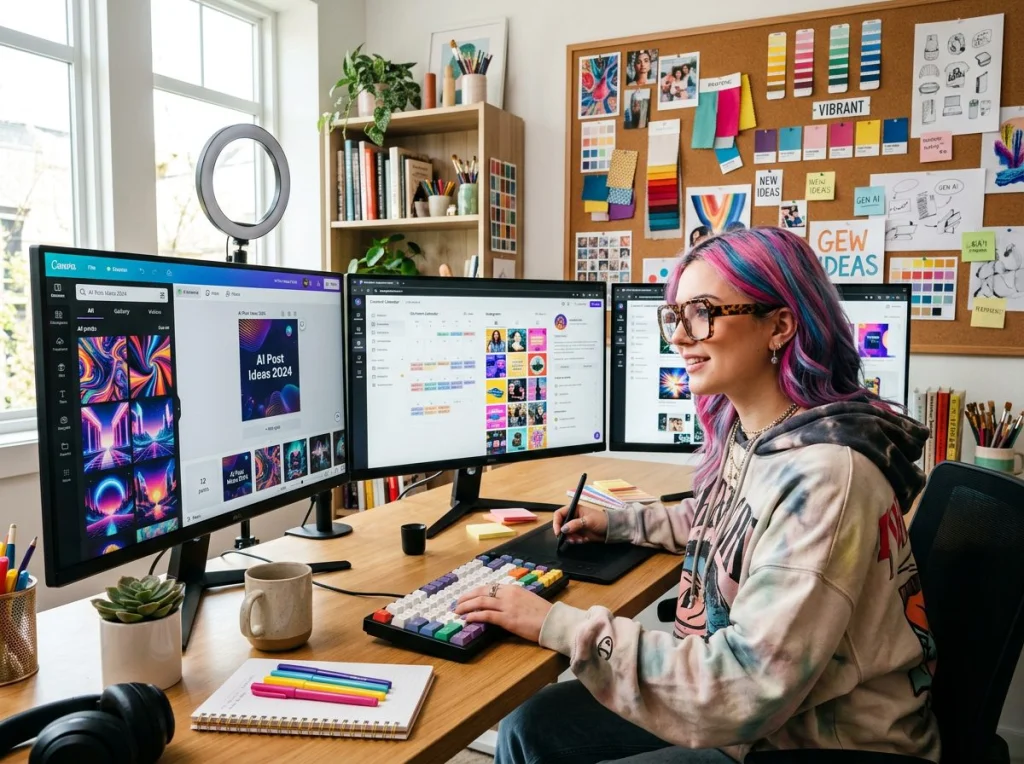
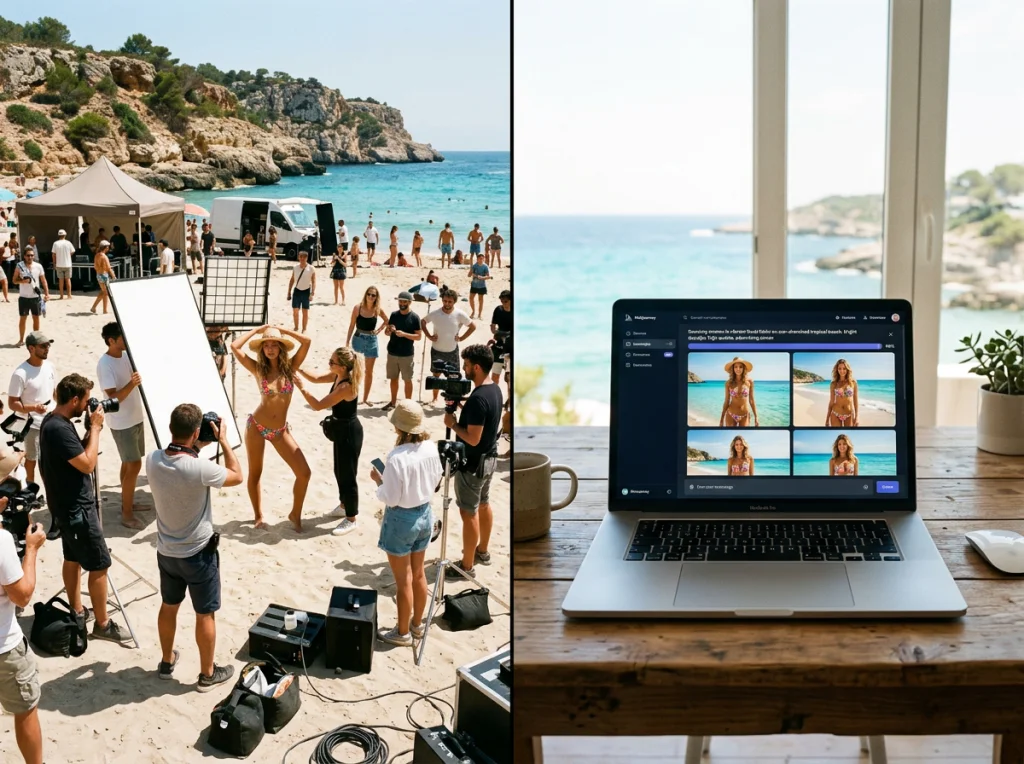
An AI product photo generator is a tool that uses artificial intelligence to create professional, high-quality product images from scratch. It lets e-commerce businesses take a simple, clean shot of their product and instantly place it into stunning lifestyle scenes, studio-quality catalog images, or creative ad concepts—all without the crazy costs and long waits of traditional photography.
Why E-Commerce Is All-In on AI Photography
Remember the days of coordinating expensive photoshoots, booking studios, and waiting weeks for a photographer to deliver the edited images? Those days are quickly becoming a thing of the past. AI product photo generators are fundamentally changing how online brands create visuals that actually sell.
This tech has gone from a niche experiment to an essential part of the modern marketing toolkit for everyone, from Shopify startups to major retailers.
Instead of all the logistical headaches, brands can now upload a basic product picture and generate an endless stream of variations in just a few seconds. That kind of speed and flexibility is a game-changer. For anyone looking to weave artificial intelligence into their workflow, getting familiar with the best AI tools for content creators is no longer optional—it's essential for staying competitive.
The Obvious Financial and Creative Wins
The biggest reason for this shift is pure efficiency. Traditional photography isn't just expensive; it's a massive time sink. AI smashes through those barriers.
- Slash Your Budget: Forget about paying for locations, models, photographers, and retouching. AI puts professional-grade imagery within reach for businesses of any size.
- Create Content at Lightning Speed: Need dozens of unique images for your product pages, social media campaigns, and email newsletters? You can generate them in minutes, not weeks.
- Explore Without Limits: Test out different backgrounds, styles, and wild concepts without committing to a full-blown photoshoot. This is perfect for A/B testing visuals to see what your customers actually respond to.
You can see this shift happening in the market numbers. The global AI image generator market was valued at around USD 9.10 billion in 2024 and is expected to explode to USD 63.29 billion by 2030. That's a staggering growth rate of 38.16% every year.
For any e-commerce store, being able to pump out high-quality, on-brand visuals at scale isn't a luxury anymore. It's how you stand out from the noise. AI levels the playing field for everyone.
At the end of the day, using an AI product photo generator is just smart business. By automating image creation, brands can pour their time and money back into other critical areas like marketing, product development, and customer service. You can see how this works with different credit-based pricing models that are designed to be flexible for any project, big or small.
Getting Your Product Ready for Its AI Debut
There’s an old saying in the tech world: “garbage in, garbage out.” Nowhere is this more true than with an AI product photo generator. The real secret to getting those jaw-dropping, professional-grade images isn't just about nailing the perfect prompt—it starts, and I mean really starts, with the photos you feed the machine.
Think of your source photos as the foundation. If that foundation is shaky, the whole thing comes crumbling down.
But don't worry, you don’t need to book a high-end photography studio. Honestly, the smartphone in your pocket is probably all you need to capture the clean, detailed shots the AI is hungry for. The goal isn't to create the final, perfect image yourself. It's about giving the AI the best possible raw material to work with.
The Art of the Simple Photoshoot
First things first, you need to capture your product from a few essential angles. Consistency here is everything. The AI has to understand the product's shape, texture, and dimensions from all sides to build a complete picture in its "mind."
- Front View: This is your hero shot, the main event.
- Side Views: Get both the left and right sides to show its depth.
- 45-Degree Angle: This is often the money shot, highlighting key features and giving a great sense of three-dimensionality.
- Top-Down View: Absolutely crucial for things like shoes, jars with lids, or electronics where the top is an important feature.
And here’s a non-negotiable tip: shoot against a simple, neutral background. A plain white wall, a piece of poster board, or even a clean bedsheet will do the trick. A cluttered background just confuses the AI, forcing it to guess where your product ends and the background begins. You want it to focus only on your item, not the messy corner of your office.
Why Lighting and Consistency Are Your Best Friends
Lighting can make or break your source images. You don’t need fancy strobes; soft, natural light coming from a window is usually your best bet. Just be sure to avoid harsh, direct sunlight, which creates aggressive shadows and can blow out the colors.
If you're shooting inside, try to stick with a single, diffused light source. This keeps the lighting consistent across all your photos, which helps the AI create a much more believable final image.
The most successful AI-generated product photos always come from a handful of simple, well-lit, and consistent source images. Taking an extra five minutes to get this prep work right will save you hours of frustration and deliver results that are leagues ahead.
This diagram really breaks down how switching to an AI-driven workflow impacts the core pillars of any photoshoot: cost, time, and creativity.
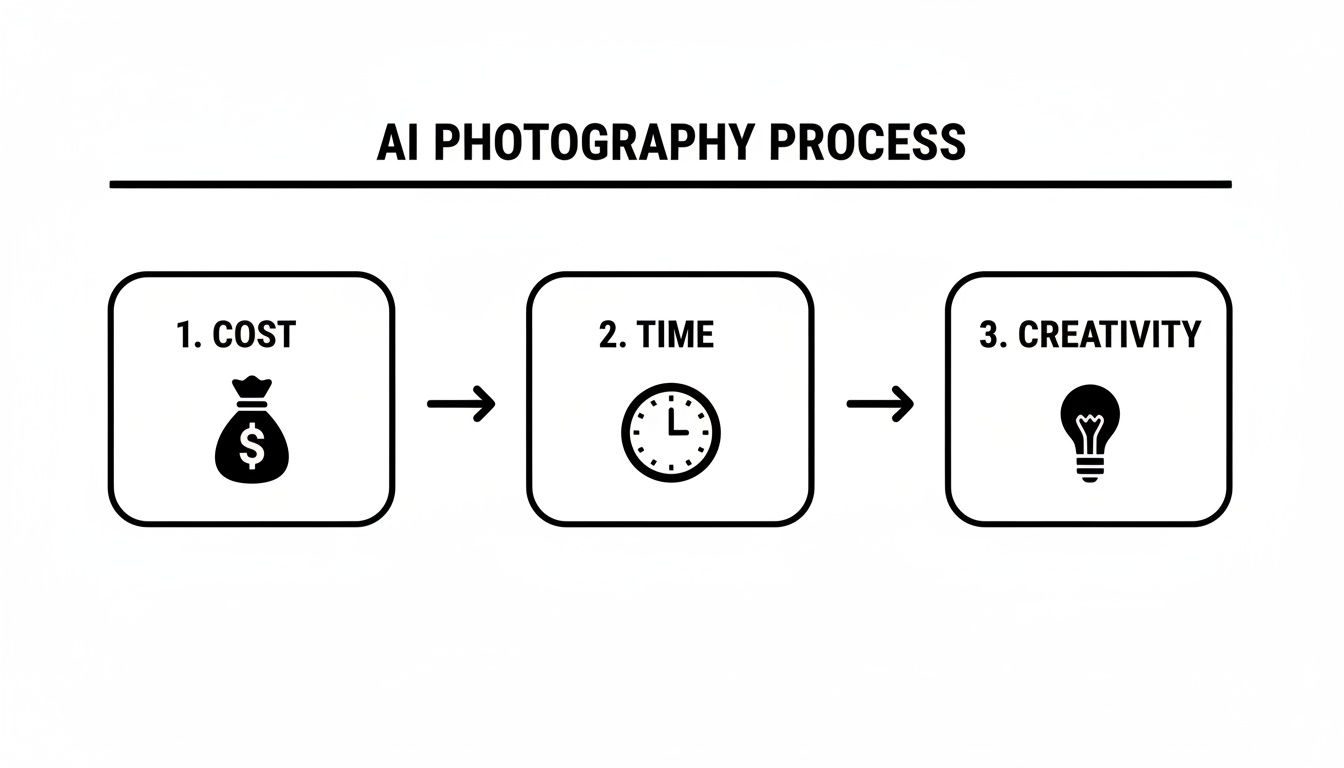
As you can see, the whole process cuts down on the traditional friction points, saving you a ton of time and money while opening up creative avenues you might not have had the budget for before. By taking these simple prep steps, you're setting the stage for the AI to do its best work, delivering images that look like they came from a six-figure photoshoot.
Writing Prompts That Direct Your AI Photoshoot
Think of your prompt as the creative brief you’d give a professional photographer. This isn’t just about asking for a picture; you’re the art director for an entire AI photoshoot. A lazy prompt like "my product on a table" is a surefire way to get a generic, forgettable image. But a detailed, descriptive prompt? That's how you unlock the real magic of an AI product photo generator.
The art of the prompt is all about painting a picture with your words. You need to be specific, layering in details to guide the AI toward your vision. Start with the basics—your product—and build the scene around it, piece by piece. The more vivid your description, the more accurate and stunning your final image will be.
Deconstructing an Effective Prompt
A truly effective prompt is like a recipe with a few key ingredients. Each element adds another layer of instruction for the AI, making sure the final photo perfectly matches your brand's aesthetic. Miss one, and the whole thing can feel a little... off.
Here are the non-negotiables you should always include:
- Product Description: State exactly what the product is. Don't be vague. Instead of "skincare bottle," try "a frosted glass skincare serum bottle with a gold dropper." Specificity is your friend.
- Background and Setting: Where is your product living? Describe the environment in detail. "On a white marble countertop" is a decent start, but "on a polished white Carrara marble countertop with subtle grey veining" is what gets you professional results.
- Lighting Style: How is the scene lit? The lighting single-handedly sets the mood. Use evocative words like "soft morning light," "dramatic studio lighting," "warm golden hour glow," or "bright, even light."
- Camera Angle and Shot: How are we looking at the product? Specifying the perspective is crucial. Common choices include "eye-level shot," "high-angle view," "macro shot," or a classic "front view."
A well-crafted prompt isn't just a jumble of keywords; it’s a narrative. You’re telling the AI a story about your product and the world it belongs in. This simple shift in thinking turns the generation process from a gamble into a predictable, creative workflow.
Prompt Formulas and Real-World Examples
To see how this works in practice, let’s look at some proven formulas you can adapt. Having a solid structure makes it much easier to get consistent, high-quality results every time.
These prompt structures are a great starting point for building out your own unique scenes. They provide a reliable framework you can tweak for any product.
Effective AI Prompt Formulas for E-Commerce Images
| Desired Style | Key Prompt Components | Example Prompt |
|---|---|---|
| Luxe & Moody | Product + Material + Surface + Environment + Lighting + Shot Type | A stainless steel chronograph watch with a blue dial, placed on a rugged slate rock surface, surrounded by moss and pine needles. Photographed during golden hour with warm, low-angle light, macro shot. |
| Warm & Rustic | Product + Detail + Location + Context + Lighting + Shot Type | A handcrafted ceramic mug filled with black coffee, sitting on a rustic wooden kitchen table next to an open book. Soft, natural light streams in from a nearby window, creating gentle shadows, eye-level shot. |
| Clean & Minimal | Product + Surface + Accent Detail + Lighting + Shot Type | A minimalist white bottle of organic hand lotion on a clean, light grey concrete surface. A single green leaf rests beside it. Bright, clean studio lighting, top-down flat lay view. |
These formulas help you remember all the key elements, ensuring you don't leave out a critical detail that could make or break the final image.
Of course, you don't always have to build from scratch. Many platforms, including Pebblely, offer pre-built themes and styles. For instance, picking a "Minimalist" or "Earthy" theme can apply a whole set of background and lighting rules with one click. This combination of granular, detailed prompting and high-level style shortcuts gives you the best of both worlds—total creative control without the tedious work.
Create Consistent Brand Models and Virtual Try-Ons
Brand consistency goes way beyond just your logo and color palette. It’s about the faces your customers come to associate with your products. An ai product photo generator takes this idea and runs with it, letting you create a perfectly consistent "brand ambassador"—a virtual model who is always available, always on-brand, and ready for any campaign you can dream up.
This isn't about single product shots anymore; it's about scalable, human-centric marketing. The process starts by training a custom AI model on a set of photos of a real person. Once that model is dialed in, you can generate an endless supply of new visuals featuring that exact same virtual model in different outfits, settings, and scenarios.
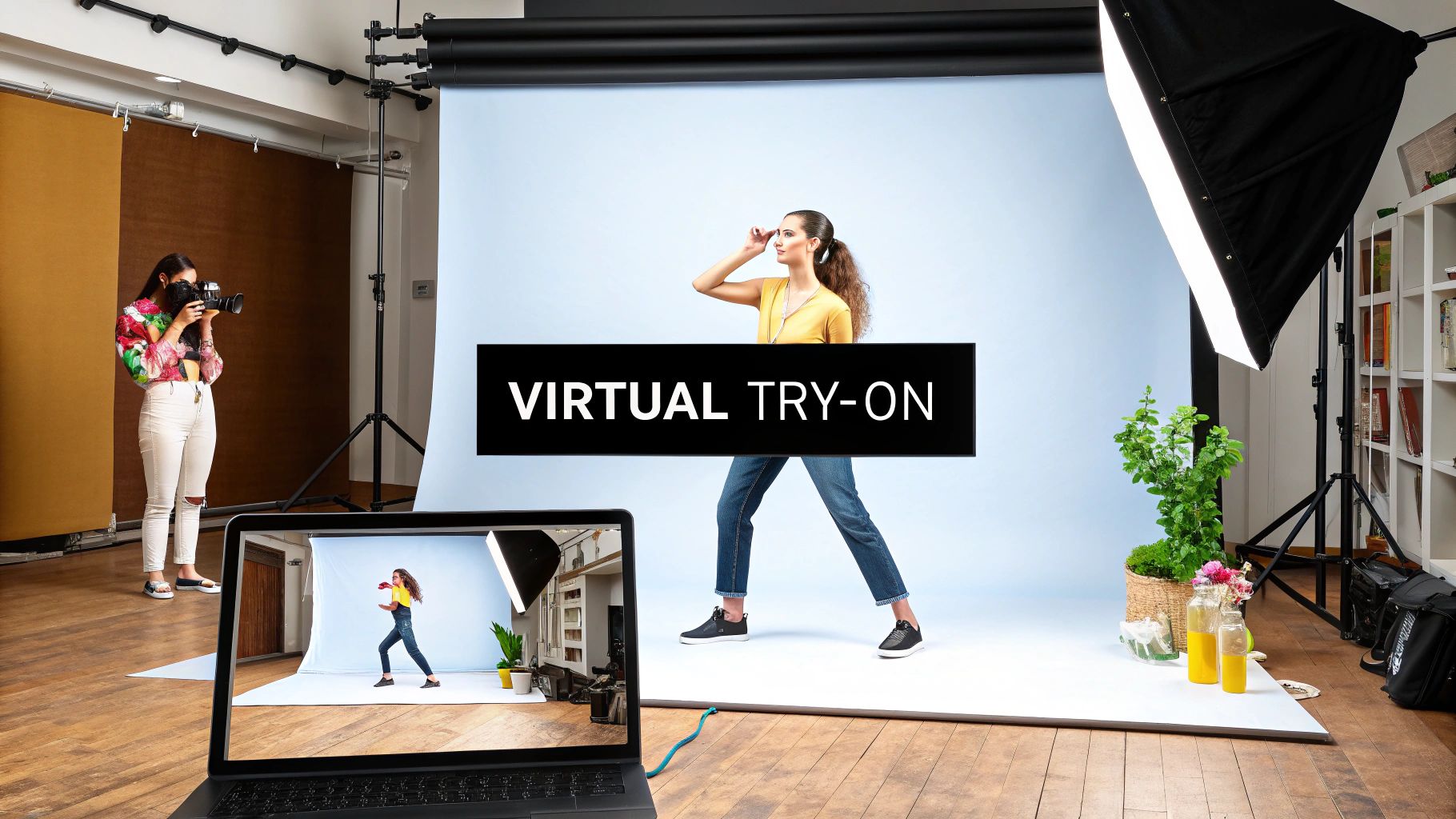
Think about it. You could create lifestyle shots for a new skincare line, action shots for a fitness brand, or an entire campaign for a holiday promotion, all featuring the same recognizable face. This builds serious brand recognition and trust, but without the logistical nightmare of scheduling recurring photoshoots with the same human model.
The Rise of Virtual Fitting Rooms
This same technology is also making huge waves in the fashion world, powering virtual try-on experiences that used to be pure science fiction. Apparel brands can now generate images of their clothing on a huge variety of AI-generated models, showing off different body types and styles without needing a single physical sample.
This is a complete game-changer for online fashion. Shoppers get a much clearer idea of how a garment will actually look and fit, which shoots their buying confidence through the roof and helps slash those pesky return rates. For a deeper dive, check out our complete guide on how to use a virtual try-on for clothes.
This isn't just a cool gimmick; it's a strategic tool for scaling your visual content. It allows fashion and advertising brands to create diverse, inclusive, and highly personalized marketing materials at a fraction of the cost of traditional methods.
You can see the impact of this shift across the market. Both advertising and e-commerce are huge drivers behind the growth of AI image generators. E-commerce, in particular, is on a tear, with U.S. retail sales hitting a massive USD 289.2 billion in the first quarter of 2024 alone. The advertising sector is poised to lead the market, while fashion is set for incredible growth, all thanks to tools that make creating visual content faster and more affordable. You can dig into more market insights on Fortune Business Insights.
By creating a consistent brand model or offering a virtual try-on, you’re not just making pictures. You're building a more cohesive and interactive brand experience that truly connects with today's shoppers.
Polishing Your AI Product Photos for Prime Time
Getting a great-looking visual from the AI is a huge win, but that's really just the first half of the process. What comes next is a crucial post-production workflow that turns a cool AI image into a hard-working e-commerce asset. This is where you add the final polish, making sure every photo is clean, sharp, and ready for your storefront.
The good news? You don't need to be a Photoshop wizard anymore. Most AI platforms now have these editing tools built right in, making it incredibly simple to get a professional finish.
Nailing the Clean-Up: Backgrounds and Touch-Ups
For most e-commerce sites, especially marketplaces like Amazon, a crisp, pure white background isn't just a preference—it's a requirement. It keeps the focus entirely on your product and gives your store a clean, consistent look. Thankfully, the days of painstakingly tracing products are over. Most modern AI photo tools have a one-click background removal feature that intelligently isolates your product in seconds.
What about lifestyle shots? Sometimes the AI generates a near-perfect image with just a few small quirks—a weird shadow, an odd texture on a surface, or a tiny visual artifact. This is what touch-up tools are for. A "magic eraser" or generative fill function lets you literally paint over these little mistakes, and the AI will seamlessly rebuild the area. It’s a surprisingly powerful way to fix those last few imperfections.
The point of post-production isn't to completely change the image the AI created. It's about sanding down the rough edges. A few quick tweaks can elevate a good photo to one that builds customer trust and actually drives sales.
Upscaling: The Secret to Crystal-Clear Details
Once you've handled the basic edits, the next step is making sure your image is sharp and high-resolution. Sometimes, to generate images faster, AI tools produce them at a smaller size. This is where an AI upscaler comes in. It uses artificial intelligence to intelligently increase the pixel count, making the image larger and sharper without the blocky pixelation you’d get from a standard resize.
For e-commerce, this is absolutely non-negotiable. Customers expect to be able to zoom in and see the texture of the fabric or the details of the craftsmanship. A blurry, pixelated image is a huge turn-off and can kill a sale instantly. Upscaling ensures your photos look crisp and professional whether they're viewed on a giant desktop monitor or a tiny phone screen.
Prepping Your Images for Top Web Performance
The final piece of the puzzle is optimizing your images so they load lightning-fast on your website. Huge, uncompressed image files are one of the biggest reasons websites feel slow, and that directly impacts your customer's experience and your SEO rankings. Getting this right is so important that having a complete guide to image optimization for web is essential reading for any online store owner.
Here’s your final checklist for web-ready images:
- Smart File Naming: Don't use
IMG_5432.jpg. Name your files with descriptive, SEO-friendly terms likemens-blue-suede-running-shoe.jpg. - The Right File Format: Choose your format wisely. JPEG is the classic workhorse for photos with lots of colors. But WebP is the modern champion, offering fantastic compression and quality, and it's now supported everywhere.
- Smart Compression: Use a tool to shrink the file size of your image without a noticeable drop in quality. The goal is to hit that perfect balance between a small file and a beautiful-looking photo.
This level of workflow integration is exactly why the big players are jumping in. Giants like Meta and Adobe now command about 10% of the market by building these tools directly into their ecosystems. And with projections showing that enterprise users will account for 42% of all spending on AI image editing, it's clear that businesses see a massive return on making their visual content pipelines more efficient.
Common Questions About AI Product Photos
Jumping into a new tool like an ai product photo generator always comes with a few practical questions, no matter how great the benefits are. It's smart to understand how these platforms really work so you can set the right expectations and nail your project from the very first try. Let's clear up some of the most common things people wonder about.
How Many Source Images Do I Need?
Technically, you can get started with just one high-quality photo. But if you want truly great results, more is definitely better.
For a product, I always aim for 5 to 10 images that capture all the key angles. This gives the AI a full 3D understanding of your item—its shape, texture, and all the little details—which leads to generations that are far more believable and accurate.
The same idea applies when you're creating a consistent brand model, you just need a bit more input. Plan on uploading 10 to 20 photos of your person. Make sure to include a mix of different lighting, expressions, and poses. This builds a really robust and versatile AI persona that you can drop into any scene you can dream up.
Can AI Create Photos That Match My Branding?
Absolutely. In fact, this is one of the biggest reasons to use an AI generator in the first place. You have direct control over the output by including branding details right in your text prompts.
For instance, you could write a prompt like: "a photo of [my product] on a royal blue surface, minimalist aesthetic, with soft, bright lighting." A simple instruction like that is all it takes to make sure the final image fits your brand's specific color palette and visual style.
For the ultimate in brand consistency, nothing beats creating a custom-trained model to be your recurring brand ambassador. It’s one of the most powerful strategies available and ensures every single lifestyle photo feels like it belongs to your brand.
If you're ever looking for more ways to use AI for your brand's visuals, the Photo AI Studio blog has a ton of great ideas and tutorials.
Are AI Photos Good Enough for Main Product Listings?
Yes, without a doubt—as long as you do it right. When you start with clean source photos and use built-in tools like an AI upscaler to lock in a high resolution, the final images are often indistinguishable from traditional photography.
They are more than ready for your primary product pages on demanding platforms like Shopify and Amazon. AI-generated images are especially powerful for creating those compelling lifestyle scenes that show your product in a real-world context, something that used to be incredibly expensive or time-consuming to produce.
How Does the Credit System Work?
Most AI platforms run on a straightforward and flexible credit system. You simply buy a package of credits, and each action you take—like generating a set of four images or upscaling a single photo—uses a certain number of them.
It’s a pay-as-you-go model, which means you can use the tools exactly when you need them without getting locked into a rigid monthly plan. Many services, ours included, even give you a starting balance of free credits so you can test drive the platform and see the quality for yourself before you commit.
Ready to create stunning, professional product photos in minutes? Photo AI Studio gives you all the tools you need to direct your own AI photoshoot, from custom models to one-click background removal. Start creating for free today!