At its core, an AI avatar generator is a tool that uses artificial intelligence to magically transform your everyday photos into unique, stylized digital characters. With a platform like PhotoAI Studio, you can craft everything from a polished, professional headshot to a wild fantasy hero in just a few minutes—all by starting with a handful of your favorite selfies. Forget about complicated design software or booking expensive photoshoots.
Why AI Avatars From Photos Are Changing Everything
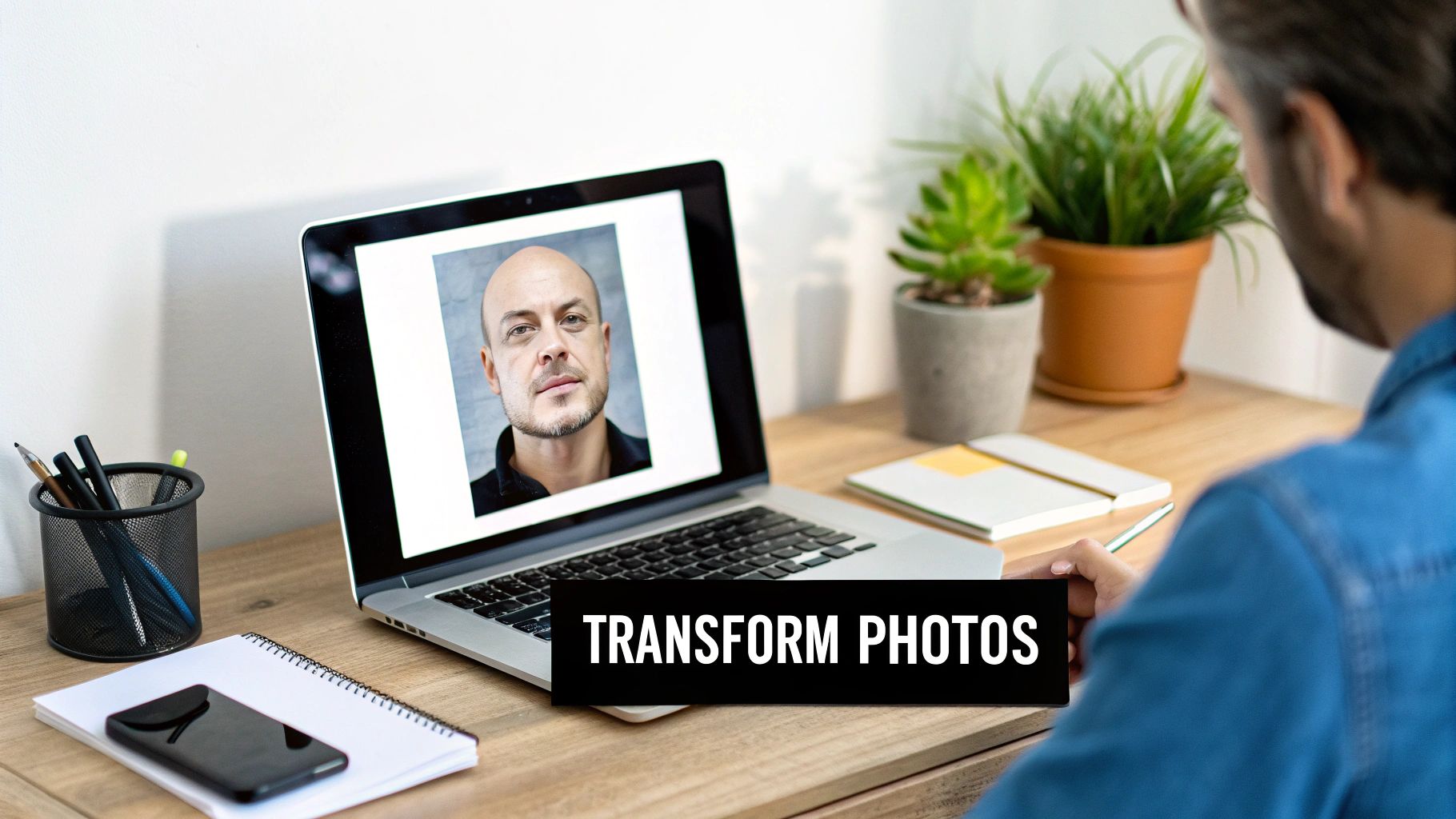
The idea of turning a simple photo into a versatile digital asset isn't some far-off concept anymore; it's a real, practical tool that anyone can use. The process is brilliantly simple: feed an AI enough visual data (your photos), and it learns your facial features well enough to recreate you in almost any style you can dream up.
This isn't just a fleeting trend. For professionals, it's a way to get a slick new LinkedIn headshot without the hassle of scheduling a photographer. For streamers and content creators, it’s an endless well of on-brand profile pictures and marketing assets to maintain a consistent identity. You can also check out our AI professional headshots.
The Power of Personalization and Efficiency
What really makes this a game-changer is the blend of deep personalization with astonishing speed. Unlike those old-school cartoon creator apps, a modern ai avatar generator from photo learns your specific likeness. The final result actually looks like you, just reimagined in a cool new style or setting.
This efficiency is fueling a massive surge in popularity. The global AI avatar market, currently valued at USD 7.41 billion, is expected to skyrocket to USD 118.55 billion by 2034. This explosive growth is all thanks to generative AI making it incredibly easy for everyone, from influencers to small business owners, to create stunning, realistic avatars from their photos.
A task that once demanded hours from a skilled graphic designer can now be done in minutes. This opens up digital identity creation, allowing individuals and small businesses to compete visually with big brands and their hefty budgets. You can also check out our AI passport photos.
More Than Just a Basic App
It’s crucial to understand the difference between a professional-grade tool like PhotoAI Studio and the basic apps you find on your phone. While a simple app might just slap a filter or a cartoon effect on your photo, the advanced generators give you far more control and deliver much higher quality.
Here's a quick look at how a more robust platform stands apart from the typical mobile app.
PhotoAI Studio vs Basic Avatar Apps
| Feature | Basic Avatar Apps | PhotoAI Studio |
|---|---|---|
| Style Variety | Limited preset filters (e.g., cartoon, sketch) | Hundreds of styles from corporate to fantasy |
| Customization | Little to no user control | Custom text prompts for detailed control |
| Output Quality | Low-to-medium resolution, social media only | High-resolution for print and professional use |
| Likeness Accuracy | Generic, often loses key facial features | Captures and maintains your unique likeness |
| Use Cases | Fun profile pictures, social media posts | Marketing assets, professional profiles, gaming |
This level of control is what makes these tools essential for anyone serious about their digital presence. They offer options for:
- Diverse Styles: Generate images in hundreds of themes, from corporate and futuristic to fantasy and vintage.
- Custom Prompts: Guide the AI with specific text commands to create exactly what you envision.
- High-Resolution Outputs: Get images suitable for printing, websites, and professional profiles.
If you're looking to dive deeper into creating consistent visuals, you can find a ton of great tips and tricks on the PhotoAI Studio blog.
How to Prep Your Photos for the Best AI Results
The quality of the avatar you get back is a direct reflection of the photos you feed the AI. It's that classic saying: garbage in, garbage out. You're essentially teaching the AI what you look like, so the clearer and more detailed your "lessons" are, the better the AI "student" performs.
To create an avatar that genuinely looks like you, the AI needs a solid set of images to learn from. This isn't about finding one perfect photo; it's about providing a variety of high-quality shots that show your face from multiple angles. Variety is what gives the AI the data it needs to build a flexible, accurate digital version of you.
Nail the Lighting and Clarity
First things first: lighting. Soft, even, natural light is your absolute best friend here. The easiest way to get it? Stand facing a window. This simple trick avoids the harsh shadows that can totally throw off the AI. In fact, slightly overcast days are perfect for this because they provide beautifully diffused light.
Stay away from photos taken in direct, blazing sunlight, which creates strange, hard shadows. On the flip side, dimly lit rooms produce grainy, low-quality images. The AI needs to see the details of your face—your eyes, nose, and mouth—without digital noise or weird shadows getting in the way.
Pro Tip: Your phone's main camera is almost always leagues better than the selfie cam. For a noticeable jump in quality, prop your phone up, use a timer, or have a friend snap a few pictures for you. The difference in clarity is huge.
Variety Is Your Secret Weapon
Once your lighting is sorted, it’s time to think about variety. A good ai avatar generator from photo absolutely thrives on diverse data. You’ll want to upload a collection of photos that show off different angles and a few different expressions.
Here’s a quick checklist to follow:
- Multiple Angles: Make sure you include photos looking straight at the camera, three-quarter views from both the left and right, and even some shots from slightly above or below.
- Varied Expressions: Don't just give it the same smile in every shot. Mix it up with smiling photos, neutral expressions, and other natural looks. This teaches the AI your full range.
- Different Backgrounds: Simple, uncluttered backgrounds are your best bet. They keep the focus entirely on you, which is exactly what you want.
This mix of images helps the AI build a comprehensive, almost 3D understanding of your facial structure. That's the secret sauce for generating realistic avatars in all sorts of different styles and poses.
Common Photo Mistakes to Avoid
Submitting the wrong kinds of photos is the number one reason people get disappointing results. To nail it on the first try, just steer clear of these common pitfalls.
| Mistake to Avoid | Why It's a Problem |
|---|---|
| Group Photos | The AI has no idea which person in the photo is you. |
| Sunglasses or Hats | These block key features like your eyes and hairline. |
| Heavy Filters | Filters warp your natural features and skin tone. |
| Low-Resolution Images | Grainy or blurry photos just don't have enough data for the AI. |
Taking a few extra minutes to select clear, well-lit, and varied photos really does set the stage for incredible results. If you're aiming for a polished, corporate look, these same principles apply. You can find more tips in our guide on creating a free professional headshot with an AI generator.
Your Walkthrough for Creating Avators in PhotoAI Studio
Okay, with your photos prepped and ready to go, we can get to the fun part: actually bringing your AI avatar to life. Jumping into an AI avatar generator from photo like PhotoAI Studio is a pretty smooth ride. It’s built to give you a ton of creative control without needing a degree in graphic design.
Let's walk through the whole process together.
Once you log in, you'll land on a clean dashboard. Your first move is to find the "Avatar Generator" tool—this is your creative command center for this project. Click on that, and the platform will ask you to upload the photos you just spent time curating. This is where that prep work really pays off.
Navigating the Generation Process
After your photos are uploaded, the AI gets to work. It’s essentially "learning" your face, which usually takes a few minutes. The system analyzes your facial features, structure, and expressions from all the different angles you provided. It's building a digital model of you, which is exactly why having a varied photo set is so important for getting results that actually look like you.
This simple diagram breaks down the photo prep flow we talked about.
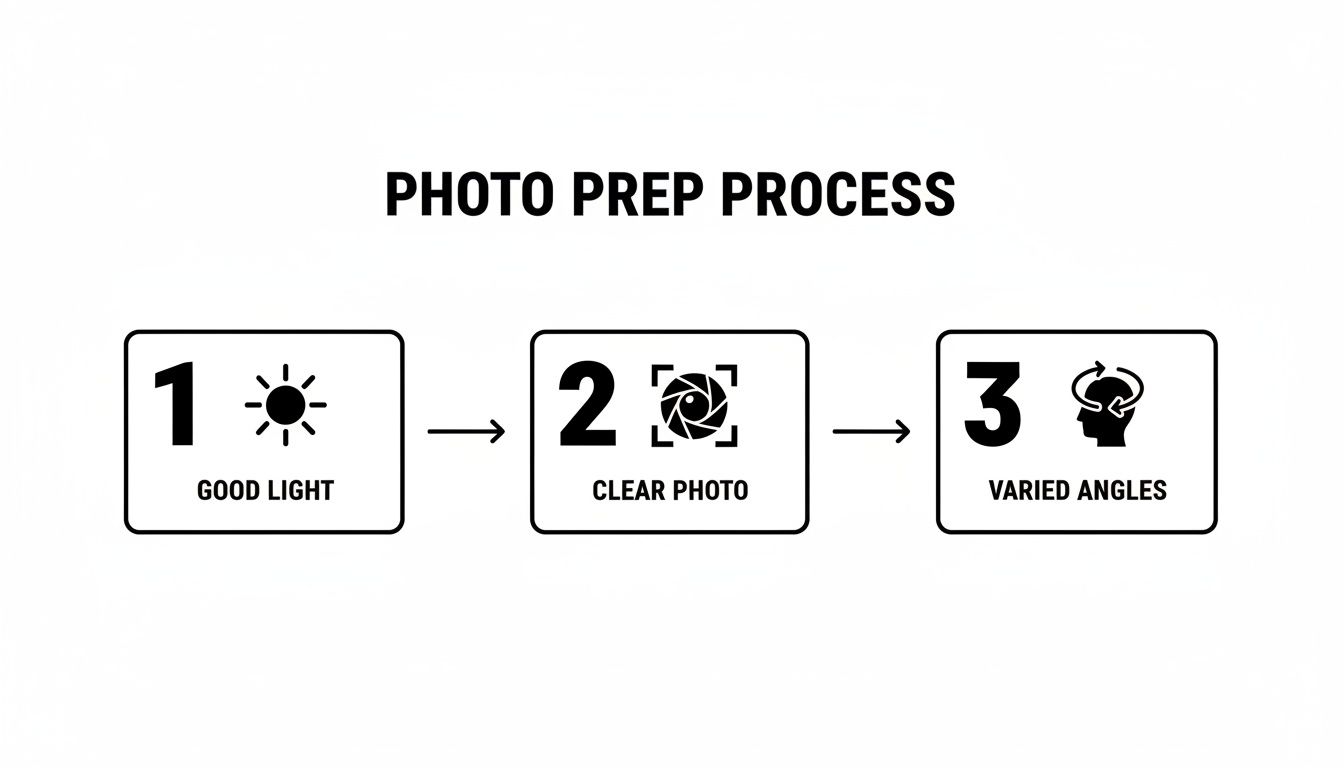
Each one of those steps—Good Light, Clear Photo, and Varied Angles—has a direct impact on how well the AI learns your likeness for the main event.
When the AI has finished its homework on your photos, you get to the best part: picking your styles. PhotoAI Studio has over 150+ themes, and they run the gamut from slick professional headshots to wild fantasy characters. This is where you inject personality and decide what your new avatar is all about.
Here are a few ideas to get you started:
- For Professional Use: Check out styles like "Corporate," "Business," or "Studio Lighting." These are perfect for creating that polished look for LinkedIn, your company's 'About Us' page, or your email signature.
- For Social Media: You could go for more creative options like "Cinematic," "Vibrant," or even "Vintage" to build a unique online persona that stands out.
- For Gaming & Fun: This is where you can really let loose. Dive into themes like "Fantasy," "Sci-Fi," or "Cyberpunk" to create a character that channels your gaming alter ego.
Choosing Your Styles and Themes
Picking a style is as simple as clicking on the ones that catch your eye. Each style you select will generate a whole batch of avatars, so I usually recommend picking a few different ones to see what clicks. The platform gives you a little preview of each style's vibe, so you have a good idea of the aesthetic before you spend any credits.
The AI Avatar App Market is absolutely booming—it’s expected to hit USD 11.54 billion by 2032—mostly because of this powerful level of customization. The tech can mimic your real expressions from just a handful of photos.
You can even queue up multiple styles in a single go. For instance, you could run a "Corporate" batch for your work profiles and a "Superhero" batch for your gaming accounts at the same time. The system will process them all and ping you when your new avatars are ready.
This hands-on process is what makes a dedicated AI avatar generator from photo so powerful. If you find this interesting, you might want to see how our AI influencer generator takes this same tech a step further to create entirely new digital personalities from scratch.
Key Takeaway: The quality of your final avatar comes down to two things: the quality of the photos you upload and the styles you choose. Don't hesitate to experiment with different themes to find the perfect look for you.
Mastering Prompts and Styles for Truly Unique Avatars
While PhotoAI Studio’s built-in styles are a fantastic starting point for quality images, the real fun begins when you start writing your own text prompts. This is where you shift from being a selector to a director. A well-written prompt is what elevates a good avatar into a digital persona that feels truly yours.
Think of it as having a direct conversation with the AI. You're not just choosing from a list; you're giving specific, detailed instructions. The more descriptive you are, the closer the final image will be to what you’re picturing. Instead of just typing "professional," you need to paint a picture with your words.
Crafting a Powerful Prompt
The secret to a killer prompt is layering details. Start with your main subject, then stack on descriptors for the lighting, clothing, environment, and even the overall artistic style. This gives the AI a clear blueprint to build from.
For example, a basic prompt might be "man in a suit." Not bad, but not great.
A much better prompt? "Professional headshot, smiling, soft studio lighting, wearing a navy blue blazer." See the difference? This second prompt provides crucial context that guides the AI avatar generator from photo to create a far more polished and specific result. The AI now understands the mood (smiling), the lighting (soft studio), and the exact outfit (navy blue blazer).
Your prompt is your primary tool for creative control. Mastering descriptive language unlocks the full potential of any AI generator, letting you fine-tune everything from the background scenery to the texture of a character's clothing.
Examples for Different Scenarios
Let's break down how you can tailor prompts for completely different needs. The goal is always to provide enough detail for the AI to lock onto the specific vibe you're aiming for. A huge part of this is making sure your avatar looks the same across different images. You can really nail this with tools for consistent character AI image generation that help lock in your digital identity.
To get your creative gears turning, here are a few practical examples showing how different prompts produce vastly different outcomes.
Example Prompts for Different Use Cases
This table offers a quick look at how you can structure your prompts to get exactly what you need, whether it's for your LinkedIn profile or your gaming clan.
| Use Case | Example Prompt | Expected Outcome |
|---|---|---|
| LinkedIn Profile | Professional headshot, man in his 30s, warm smile, soft natural light, blurred office background, wearing a crisp white shirt. | A clean, approachable, and corporate-appropriate headshot perfect for professional networking. |
| Gaming Avatar | Elven warrior, fantasy art style, detailed silver armor with glowing runes, mystical forest setting at twilight, cinematic lighting. | A high-fantasy character portrait with rich details and an epic, atmospheric mood. |
| Creative Socials | Cyberpunk hacker, neon-lit alleyway, reflective sunglasses, futuristic clothing, gritty digital art style, dynamic pose. | A stylized, edgy avatar with a strong sci-fi aesthetic, ideal for platforms like Discord or Twitch. |
As you can see, the specificity of the prompt directly dictates the final result. The more details you provide, the less the AI has to guess.
Combining Prompts with Preset Styles
Here’s where things get really interesting. One of the most powerful features in PhotoAI Studio is the ability to mix your custom prompts with its massive library of 150+ built-in styles. This hybrid approach gives you the best of both worlds: professional polish and personal creativity.
You can select a preset style like "Cinematic" to set the overall aesthetic—things like color grading, contrast, and lighting—and then use your prompt to dial in the specific details of the character and setting.
For example, you could combine:
- Style: Vintage
- Prompt: A 1940s detective, looking thoughtful, sitting in a dimly lit office, film noir style.
This tells the AI to work within the "Vintage" aesthetic while also rendering the very specific character and scene you’ve described. Experimenting with these combinations is how you’ll create avatars that are truly one-of-a-kind and stand out from the crowd.
How to Use Your New AI Avatars Effectively
Okay, you've got a fresh batch of high-quality avatars. Now for the fun part: putting them to work. The real magic of an ai avatar generator from photo isn't just making cool pictures; it's about using them strategically to build your brand, polish your professional image, and make content creation way easier.
Your new avatars are your digital Swiss Army knife. They can be your polished professional face on LinkedIn, a memorable profile picture across social media, or even the star of your next marketing campaign. The trick is using them to create a consistent and recognizable identity online.
Building a Cohesive Brand Identity
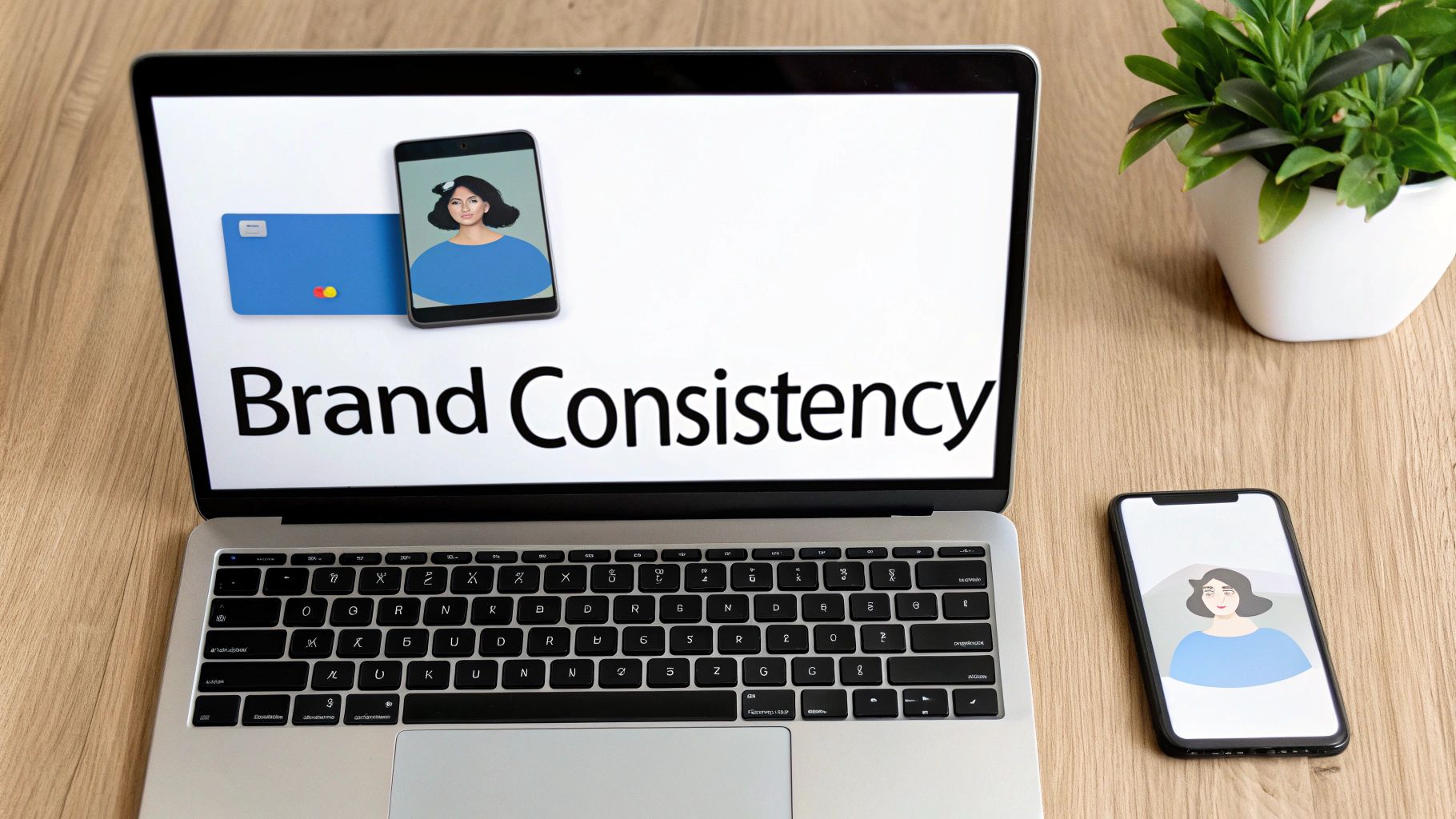
One of the most powerful ways to use AI avatars is to lock in your brand consistency. When you use variations of the same core avatar across different platforms, you create a unified look that people start to recognize. This is a huge leg up for small businesses, influencers, and freelancers trying to build a memorable presence without a huge budget.
Think of your avatars as a digital uniform. Whether someone finds you on Instagram, reads your blog, or sees your email signature, they should immediately recognize you. This consistency builds trust and makes your brand feel more professional and established.
This is especially true in the fast-paced worlds of e-commerce and marketing. Integrating AI avatar tools into the broader content creation workflow is changing how brands operate. For entrepreneurs, being able to generate professional headshots, product mockups, or social media posts from a few photos can slash production time by up to 90%. That's a massive boost in efficiency. You can get more insights on the growing AI avatar market on gminsights.com.
Practical Applications Across Platforms
Let's break down a few real-world scenarios where your new avatars can make a real difference.
- Professional Networking: Use a sharp, corporate-style avatar for your LinkedIn profile and email signature. It projects a serious, professional image without the hassle and cost of a traditional photoshoot.
- Social Media Engagement: A more creative or stylized avatar can help you cut through the noise on platforms like Instagram, X (formerly Twitter), or Discord. It’s a great way to show some personality while still looking like you.
- Marketing and Advertising: Ditch the generic stock photos. Feature your own avatar in ad campaigns, on your website’s 'About Us' page, or in promotional materials. It adds a personal touch that genuinely connects with your audience.
Technical Tips for Exporting and Sizing
To make sure your avatars look crisp and professional everywhere, you have to pay attention to the export settings. PhotoAI Studio lets you download your images in high resolution, which is exactly what you want for most situations.
Here are a few technical pointers I always follow:
- Export in High Resolution: Always, always download the highest quality version available. It’s simple to shrink a large image without losing quality, but trying to blow up a small one is a recipe for a blurry mess.
- Use the Right Format: For most web uses (like social media profiles and websites), a .JPG or .PNG file is your best bet. Go with PNG if you need a transparent background for layering over other graphics.
- Resize for Specific Platforms: Every platform has its own ideal dimensions for profile pictures. Use a simple online tool or the PhotoAI Studio editor to crop and resize your avatar for each site. This tiny step prevents those awkward, blurry, or badly cropped profile pics.
Got Questions About AI Avatars? You're Not Alone.
Jumping into any new technology, especially one that uses your own photos, naturally comes with a few questions. Even with a tool as intuitive as an ai avatar generator from photo, it's smart to ask about things like privacy, how the AI works its magic, and what to do if the results aren't quite right. Let's clear up some of the most common curiosities.
First up, the big one: data privacy. What exactly happens to the photos you upload? Reputable platforms like PhotoAI Studio have a straightforward process. Your photos are used for one thing and one thing only: to train the AI model for your specific request. They aren't used for anything else, and to protect your privacy, they're typically wiped from the servers after a set period. It's always a good idea to glance at a platform's privacy policy for the exact details.
Another frequent question is how the AI actually learns your face. It's less magic and more complex pattern recognition. When you upload your set of pictures, the AI analyzes key facial features—the distance between your eyes, the shape of your nose, your jawline, and other unique markers. It then builds a mathematical model of your face, which acts as a blueprint to recreate your likeness in all the different styles and scenes you ask for.
What If My Avatars Don't Look Like Me?
It happens. Sometimes the first batch of avatars doesn't quite nail your look. In my experience, when an avatar looks "off," the problem almost always traces back to the photos you fed the AI.
The most common culprits are:
- Inconsistent lighting across your photos
- Not enough different angles of your face
- Using blurry or low-resolution images
The good news is that this is an easy fix. Just go back to the photo prep stage and upload a better, more varied set of high-quality pictures. That almost always solves the issue.
Think of it this way: a great AI avatar is a collaboration between you and the technology. Giving the AI clear, high-quality, and diverse data is the most important thing you can do to make sure the final result is a true digital reflection of you.
For more specific results, like polished corporate images, the tool you choose also plays a role. If you're aiming for that professional, stylized look, a specialized AI Headshot Generator can deliver results tailored specifically for that purpose. In the end, a little experimentation goes a long way. Don't be afraid to try different photo sets and styles to discover what best captures your unique features.
Ready to see what you can create? With PhotoAI Studio, you can turn your favorite photos into professional headshots, fantasy characters, and so much more in just a few minutes. Start generating your AI avatars today!