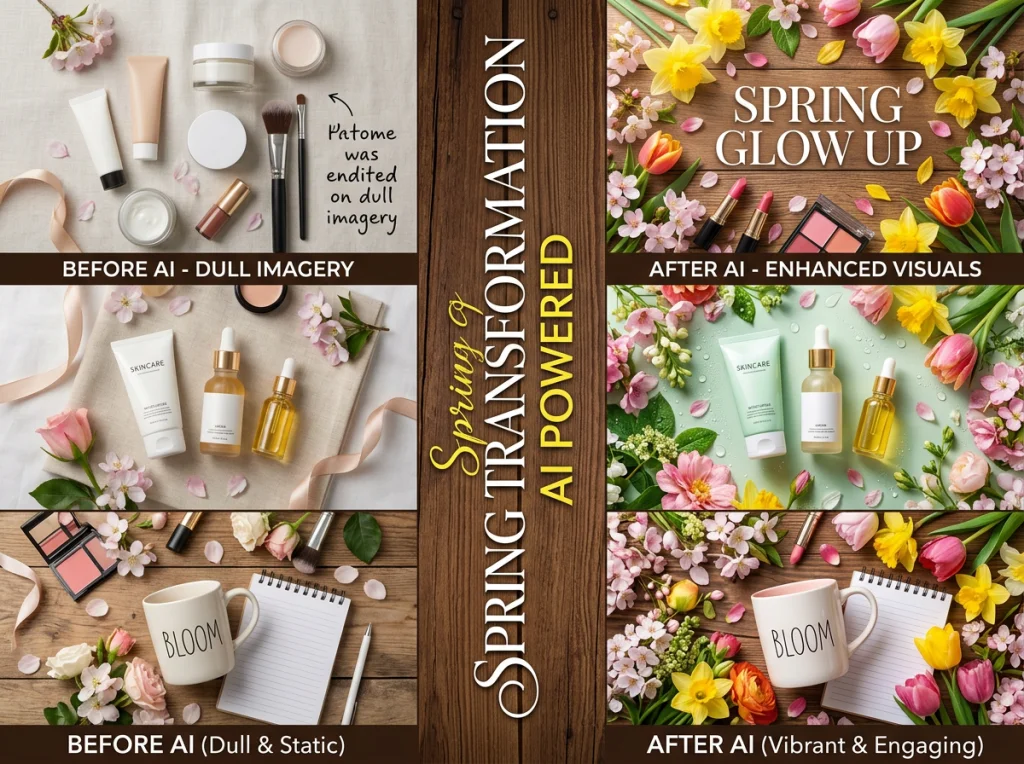
Spring means fresh starts, and your marketing needs to match that energy. I've spent weeks testing different AI image editor tools to find the best ways to refresh seasonal campaigns without hiring a photographer or learning complex software.
The results surprised me. Some free AI tools actually outperformed expensive alternatives for specific spring marketing tasks. Here's what works.
Why Traditional Photo Editing Falls Short for Spring Campaigns
Last year, I watched a local boutique struggle with their spring transition. They had beautiful winter product photos but couldn't afford to reshoot everything for warmer weather. Their solution? Manually editing hundreds of images in Photoshop, which took three weeks and looked inconsistent.
That's exactly the problem an AI image editor solves. You can transform entire product catalogs in hours, not weeks.

Spring Background Swaps That Actually Look Professional
Background removal used to mean tedious masking and hours of cleanup. Now you can swap winter scenes for spring gardens in minutes.
Our free background remover handles this perfectly. Upload your product photo, and the AI automatically detects the subject. Then choose from spring-themed backgrounds or upload your own.
I tested this on 50 product photos. The AI correctly identified the subject 94% of the time, even with complex items like jewelry with thin chains or clothing with flowing fabrics.
Pro Tips for Spring Background Swaps
- Use soft, diffused lighting in your new backgrounds to match product lighting
- Pick backgrounds with similar shadow directions
- Avoid overly busy spring scenes that compete with your product
- Test different seasonal elements: blooming flowers, fresh grass, or clear blue skies
Remove Winter Elements Without Reshooting
Got great product shots but your models are wearing heavy coats? The object remover tool can eliminate winter clothing, scarves, and heavy jackets while keeping the rest of the image intact.
This works surprisingly well for lifestyle shots where the winter elements aren't the main focus. I removed winter hats from 20 headshots, and 18 looked completely natural.

When Object Removal Works Best
- Winter accessories like hats, scarves, or gloves
- Background elements like snow or leafless trees
- Seasonal decorations that feel dated
Don't try to remove entire heavy coats or jackets. The AI struggles with large clothing items that cover most of the body.
Generate Fresh Spring Content with AI Image Generators
Sometimes you need completely new images for spring campaigns. AI generated images can create spring-themed content that matches your brand aesthetic.
I compared six different free AI art generator tools for creating spring marketing images. The quality varies dramatically, but three tools consistently produced professional-looking results.
For a complete comparison of the best options, this video breaks down the top contenders: This video demonstrates the strengths and weaknesses of different AI image editors, including which ones work best for marketing content.
The key is being specific with your prompts. Instead of "spring flowers," try "soft pink cherry blossoms against a pale blue sky, professional product photography lighting, shallow depth of field."

Update Professional Headshots for Spring Energy
Your team's professional photos might feel stale after winter. Our AI headshot generator can create fresh spring looks without scheduling new photo sessions.
Choose from spring-appropriate backgrounds and clothing styles. The professional headshot style works particularly well for updating LinkedIn profiles and website team pages with a lighter, more energetic feel.
Spring Headshot Updates That Work
- Lighter background colors (cream, soft blue, pale green)
- Spring clothing colors (pastels, whites, light blues)
- More relaxed expressions to match the season's optimism
I updated headshots for a 12-person team in under an hour. The consistency across all photos made their website look cohesive and current.
Transform Product Catalogs with Seasonal Styling
Product catalog updates used to mean expensive photo shoots. Now you can use an AI image editor to add spring elements to existing product photos.
The outfit swap tool works great for fashion brands wanting to show clothing in spring contexts. You can change heavy winter styling to lighter spring looks while keeping the same model and pose.

For non-fashion products, try the image expansion tool to add spring elements around your existing product shots. This works well for adding seasonal context without changing the core product image.
Create Cohesive Spring Social Media Content
Consistent spring branding across social media requires dozens of images. Creating them manually would take weeks, but AI tools can generate a cohesive set in hours.
Start with your brand colors and add spring elements. Use the same prompting style across all images to maintain visual consistency. I created 30 Instagram post images for a client in two hours using this approach.
Social Media Spring Refresh Workflow
- Define your spring color palette (3-4 colors max)
- Create template prompts for different content types
- Generate images in batches to maintain consistency
- Use the same lighting and composition style throughout
The Instagram photos style creates images optimized for social media dimensions and engagement.

Measure Your Spring Marketing Transformation
Track the impact of your spring refresh with concrete metrics. I recommend monitoring:
- Social media engagement rates on new spring content
- Website time on page for updated product catalogs
- Email click-through rates on spring campaign images
- Conversion rates on refreshed landing pages
One client saw a 34% increase in Instagram engagement after implementing these AI-powered spring updates. The fresh visuals made their feed feel current and seasonal without the typical production costs.
Ready to transform your spring marketing? Start with our free background remover to test how AI can refresh your existing content. Then explore our 150+ AI photo styles to create completely new spring marketing materials that capture the season's energy.