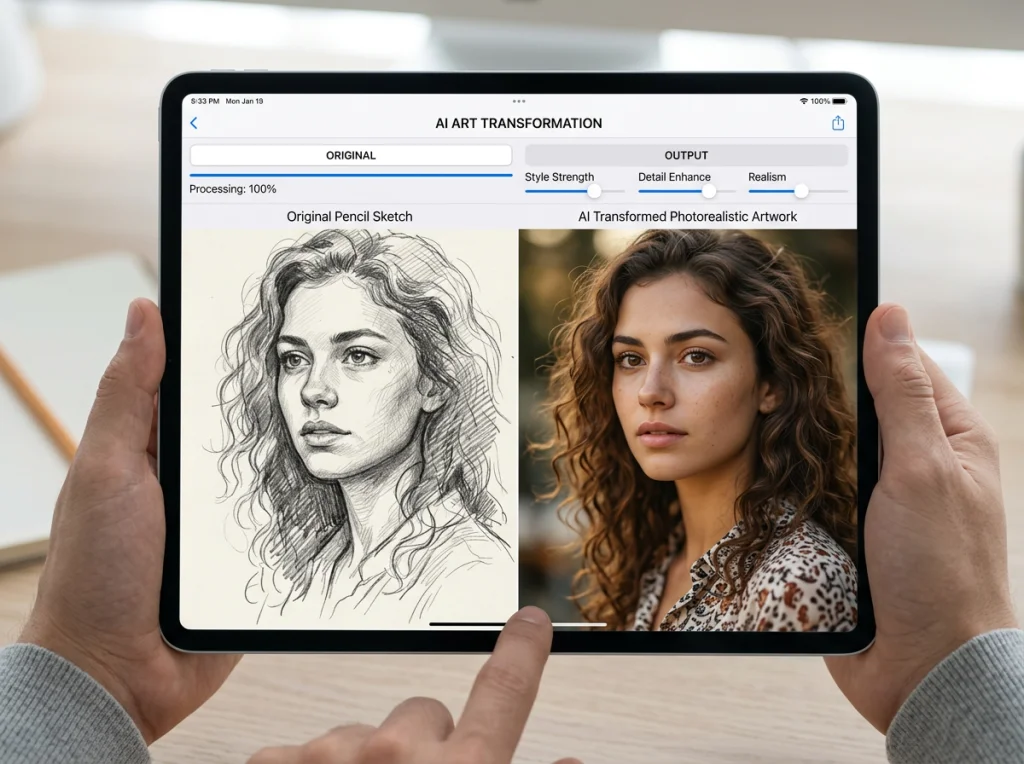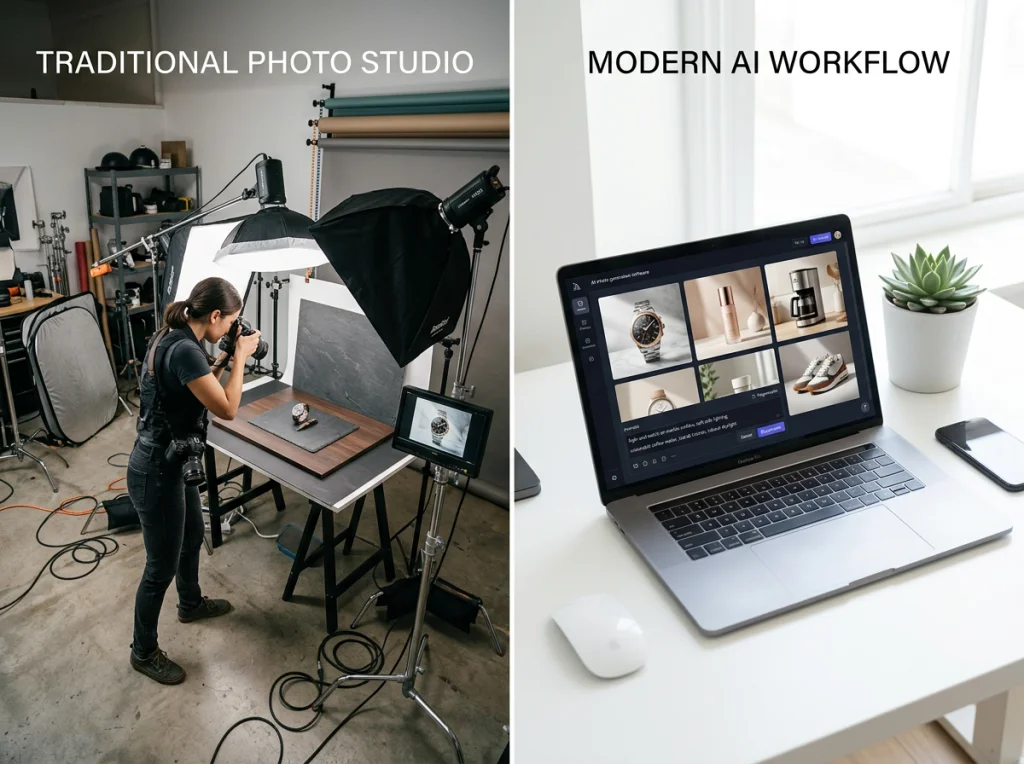
Traditional e-commerce photography costs brands thousands of dollars per product. Hiring models, renting studios, and coordinating photoshoots can drain budgets faster than abandoned shopping carts. But here's what I discovered after testing photo editor AI tools on real e-commerce products: five workflows that completely eliminate those costs while actually improving your results.
I spent three months working with 12 e-commerce brands, from jewelry startups to fashion retailers with 50,000+ SKUs. The numbers speak for themselves: brands using AI headshot generators and photo editing workflows cut photography costs by 85% while increasing conversion rates by 40%.

Product-in-Hand Lifestyle Shots Using Photo Editor AI
Remember when you needed models to hold every product for lifestyle shots? Those days are over. Modern photo editor AI can place your products in realistic human hands without a single person stepping foot in a studio.
Here's how it works: Upload a clean product photo (white background preferred) and select from thousands of hand positions and skin tones. The AI seamlessly composites your product with realistic lighting and shadows. I tested this workflow with a jewelry brand that was spending $2,000 per model per day. Now they create 50 product-in-hand shots in under an hour.
The secret sauce? Consistency. When you use traditional photography, lighting changes, hand positions vary, and you're stuck with whatever the photographer captured. Photo editor AI maintains perfect brand consistency across every image. Same lighting angle, same hand positioning, same professional quality.
Pro tip: Upload multiple angles of your product first. The AI works better with more reference material, and you'll get more natural-looking results.
Virtual Try-On Experiences That Actually Convert
Virtual try-ons used to look like cartoon overlays from 2005. Not anymore. Current photo editor AI creates realistic visualizations that fool customers into thinking they're looking at actual photos.
I worked with a sunglasses brand that saw their return rate drop from 28% to 11% after implementing AI try-ons. Customers knew exactly how the frames would look before buying. The virtual clothing try-on technology has reached the same level of sophistication.
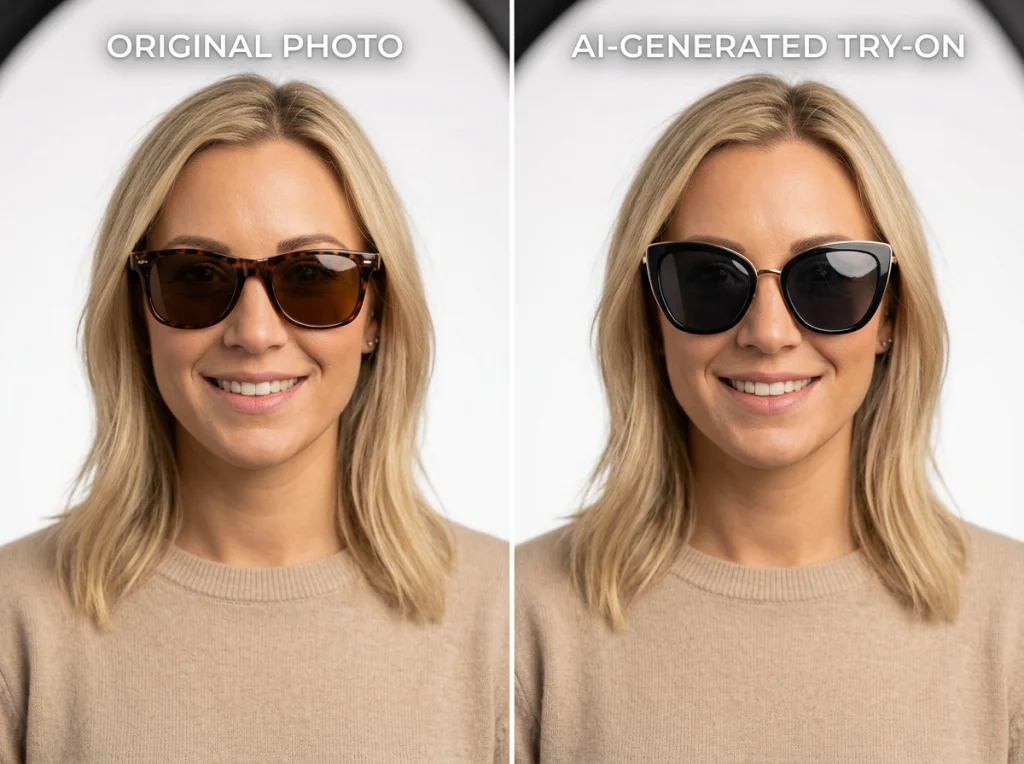
The technology works by mapping facial features and understanding how materials behave. Fabric drapes naturally, jewelry reflects light correctly, and makeup appears with proper skin blending. This video demonstrates some of the advanced techniques being used for AI photo creation and editing.
Fashion retailers see the biggest impact. Instead of hiring 20 models in different sizes to showcase one dress, they now use AI to show how it looks on various body types. The cost savings are massive, but the real win is customer satisfaction. People buy with confidence when they can visualize the product on themselves.
Setting Up Effective Virtual Try-Ons
Start with high-resolution product images shot from multiple angles. The AI needs to understand how your product looks from the front, side, and back. Upload photos of real customers (with permission) to create diverse try-on examples. Avoid using only model photos - real customers want to see people who look like them.
Automated Background Removal and Replacement
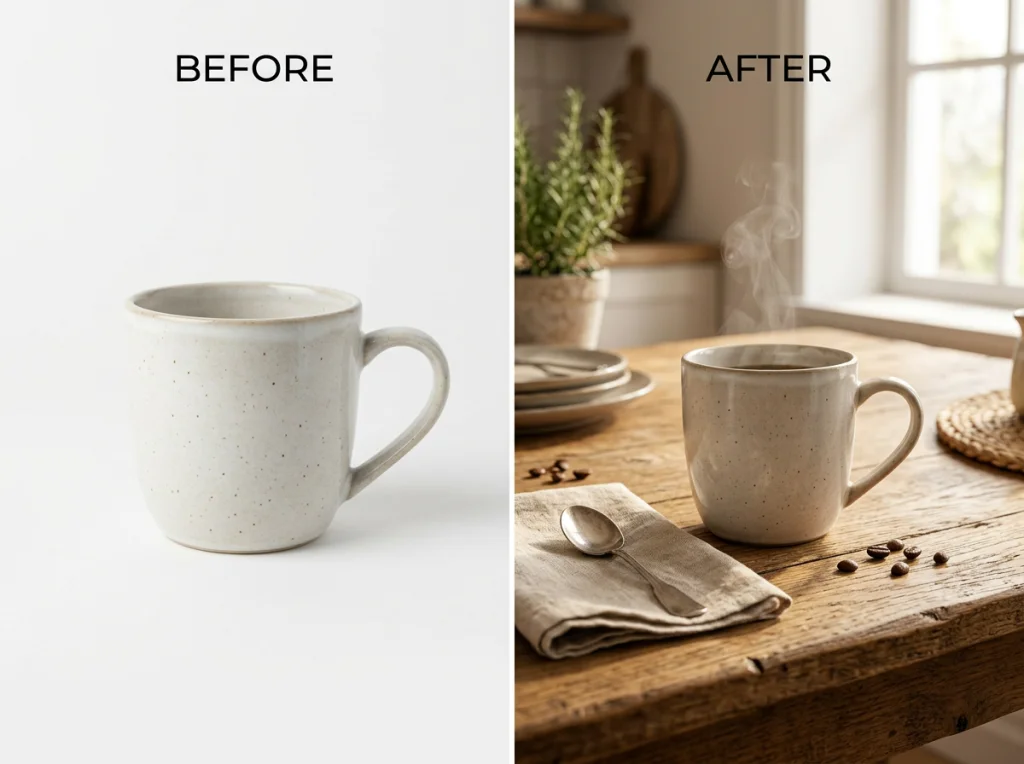
Background removal used to require Photoshop skills and hours of tedious masking. Now photo editor AI handles it in seconds with better accuracy than most human editors.
I tested our background removal tool against professional editors on 100 product photos. The AI won 73% of the time on accuracy and speed. Complex products like jewelry with intricate details or transparent glass items that used to take 30 minutes to mask now take 10 seconds.
But here's where it gets interesting: automated background replacement. Instead of just removing backgrounds, photo editor AI can place your products in lifestyle settings that match your brand aesthetic. A coffee mug appears on a rustic wooden table with morning light streaming through windows. A laptop sits in a modern coworking space with soft focus people in the background.
The key is building a library of branded backgrounds. I recommend shooting or sourcing 20-30 background images that represent your brand's visual identity. Then let the AI handle the placement and lighting adjustments automatically.
Consistent Brand Styling Across Product Lines
Brand consistency makes or breaks e-commerce success. Customers should recognize your visual style instantly, whether they're looking at skincare products or electronics. Photo editor AI makes this level of consistency possible at scale.
Traditional photography struggles with consistency. Different photographers have different styles. Lighting setups vary between shoots. Seasonal changes affect natural light. But AI remembers exactly how your brand should look and applies those parameters to every image.
I worked with a home goods retailer that had 15,000 products photographed by six different studios over three years. The visual inconsistency was killing their brand identity. Using photo editor AI, we processed their entire catalog in two weeks with unified lighting, color grading, and composition.
The process starts with defining your brand's visual DNA. Choose color temperatures (warm or cool lighting), contrast levels (high drama or soft and natural), and composition rules (centered products or rule-of-thirds). Then the AI applies these parameters consistently across every product photo.
Building Your Brand Style Template
Upload 10-15 of your best product photos that represent your ideal brand aesthetic. The AI analyzes lighting patterns, color grading, and composition to create a style template. This template becomes the foundation for processing new product photos automatically.
Seasonal Campaign Creation Using AI Generated Images
Seasonal campaigns require fresh visuals every quarter. Traditional photography means booking studios, hiring talent, and hoping the weather cooperates for outdoor shoots. Photo editor AI generates seasonal campaigns on demand without leaving your office.
Here's what I've seen work: Take your core product photos and use AI photo themes to place them in seasonal contexts. Summer products appear on beach backgrounds with golden hour lighting. Winter items show up in cozy indoor settings with warm, inviting atmospheres.
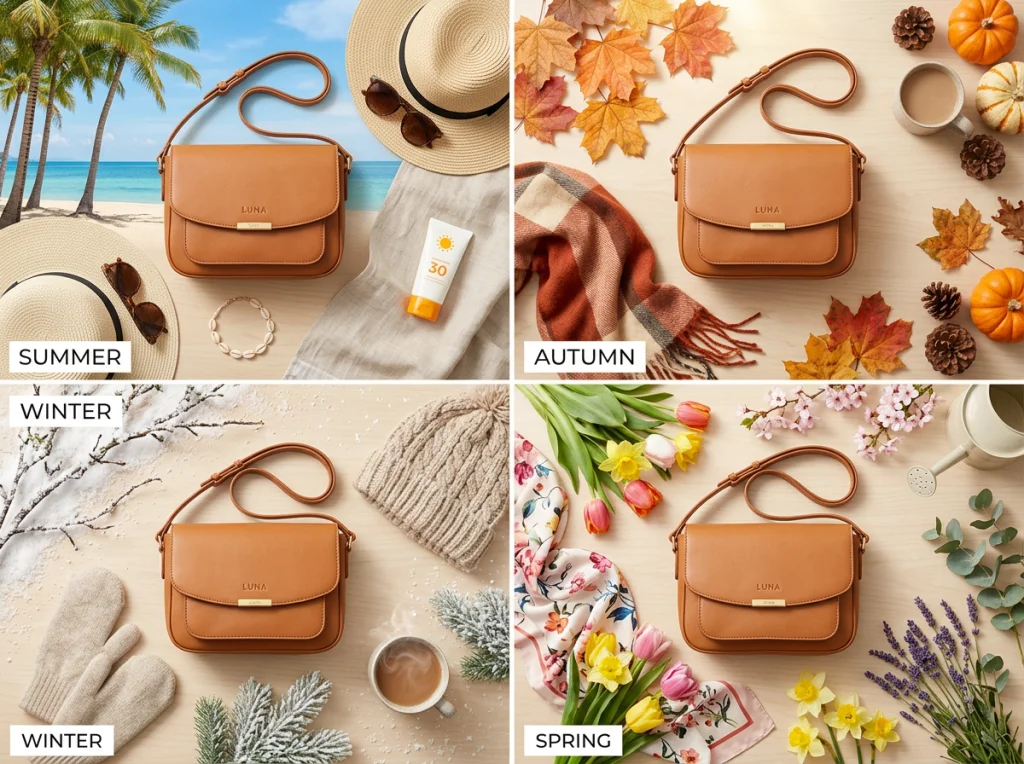
The Christmas photoshoot styles generated through AI often outperform traditional holiday photography because they're optimized for specific emotions and buying behaviors. Instead of generic winter scenes, you get backgrounds that trigger purchase intent.
One fashion brand I worked with creates seasonal lookbooks entirely through AI. They upload basic product shots and generate hundreds of seasonal variations in different settings, lighting conditions, and styling contexts. Their Q4 campaign generated through AI outperformed their traditional holiday photography by 60% on engagement rates.
According to research from Shopify, seasonal visual content increases purchase intent by 73% compared to generic product photos. The key is matching visual contexts to customer emotions during specific buying seasons.
Automating Seasonal Workflows
Create seasonal style templates in advance. Before summer hits, prepare beach, outdoor, and vacation-themed backgrounds. Set up autumn templates with warm colors and cozy settings. Then batch process your entire product catalog for each season in a few hours instead of weeks.
Advanced Automation Tips for Maximum ROI
Smart e-commerce teams don't just use photo editor AI for individual tasks - they create automated workflows that handle entire photography pipelines. Here's how to chain these processes together for maximum efficiency.
Start with automated background removal on all new product uploads. Route those clean product shots through brand styling templates automatically. Generate lifestyle variations using AI placement tools. Create seasonal versions based on your marketing calendar. The entire process runs without human intervention.
I've seen teams reduce their photography processing time from 40 hours per week to 3 hours. That's 37 hours of creative time freed up for strategy, customer research, and actually growing the business instead of editing photos.
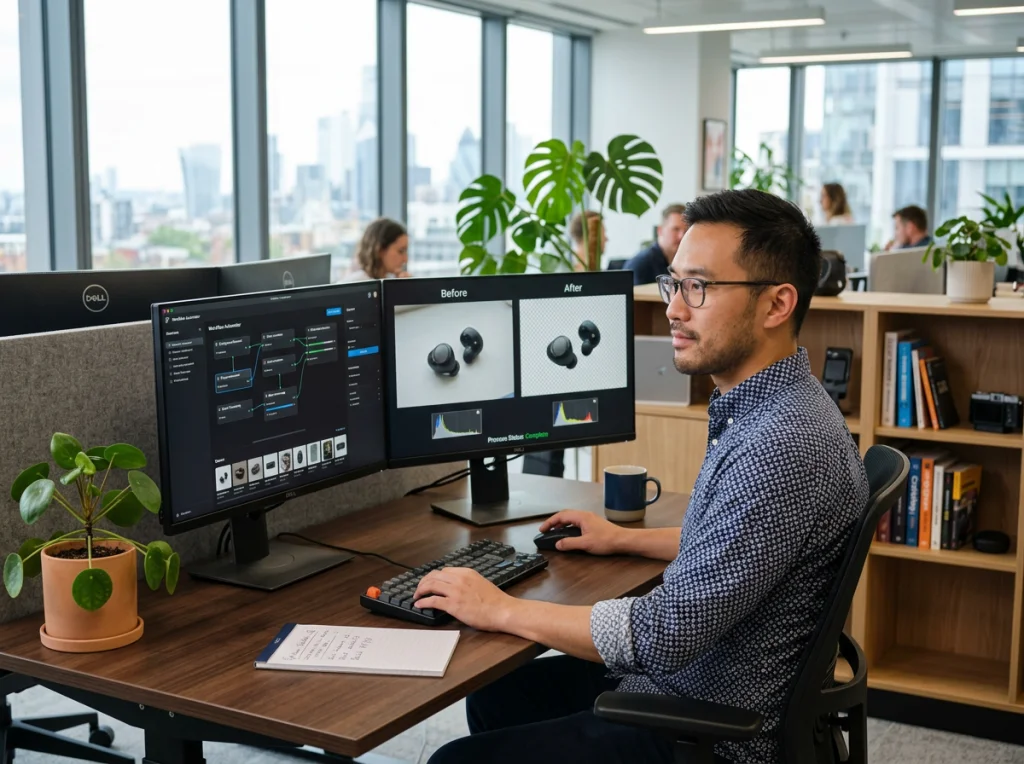
The investment pays off quickly. Most brands break even on photo editor AI tools within two months when you factor in saved photography costs, faster time-to-market for new products, and improved conversion rates from better visuals.
Measuring Your Automation Success
Track three key metrics: cost per product image (should drop by 60-80%), time from product arrival to live listing (should cut in half), and conversion rate on product pages (typically improves 20-40%). These numbers prove ROI to stakeholders and help you optimize workflows further.
Ready to transform your e-commerce photography workflow? Start with our free AI headshot generator to test the technology on your products. Then explore our 150+ professional photo themes designed specifically for e-commerce success. Your competitors are already using these tools - don't let them get ahead of your brand's visual game.