TL;DR
- Photo AI Studio's free upscaler stands out for its 4x resolution boost without watermarks, making it ideal for large prints.
- VanceAI offers high-quality results but limits free users to 3 credits per month, which isn't enough for daily use.
- Upscale.media is a solid choice for quick, clean upscales up to 4x, but it lacks advanced enhancement features beyond resolution.
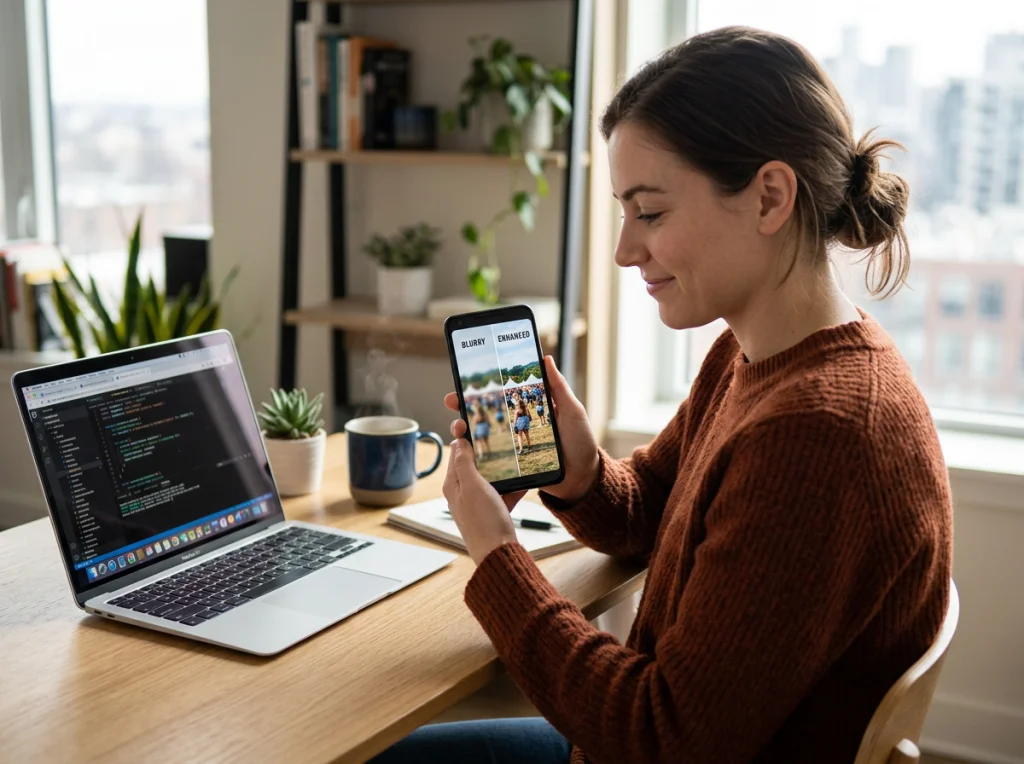
As a photographer, I’ve watched AI photo enhancement go from a niche idea to a mainstream tool. It’s 2026, and everyone wants to make their photos look better, sharper, and more detailed without spending hours in editing software. The good news? There are a ton of free AI photo enhancer tools out there. The bad news? Many promise the moon but deliver blurry, watermarked results. I’ve gone through the trouble of checking out 10 of the most popular options to see which ones actually deliver on their promises of making your photos pop.
This comparison focuses on the best free AI photo enhancer tools 2026, specifically looking at how well they improve image quality, boost resolution, and bring out fine details. I'm talking about real-world use: what are the limits, do they slap a watermark on your work, and how easy are they to use? Let's dive in.
Before we get into the individual tools, here's a quick overview of how they stack up:
| Tool Name | Max Free Upscale | Watermark | Sign-up Required | Key Feature |
|---|---|---|---|---|
| Photo AI Studio | 4x | No | No | High-quality upscaling & restoration |
| VanceAI Image Enlarger | 3 credits/month (up to 8x) | No | Yes | Advanced AI models for various tasks |
| Upscale.media | 4x | No | No | Clean, fast upscaling |
| BigJPG | 4x (for anime/illustrations) | No | No (for small files) | Specialized in anime/illustrations |
| ImgUpscaler | 5 images/month (up to 4x) | No | No | Batch processing |
| Waifu2x | 2x | No | No | Simple, open-source anime upscaling |
| Let's Enhance | 5 credits/month (up to 16x) | No | Yes | Smart enhancement features |
| Deep Image AI | 5 images/month (up to 4x) | No | Yes | AI background removal |
| Fotor AI Enlarger | Limited free use | Yes | Yes | All-in-one editor |
| Pixelcut AI Image Upscaler | Limited free use | No | No (web) | Simple mobile-first design |
How We Compared These Tools
When I say 'compared,' I mean I looked at the public specifications and free-tier limits of each tool. No, I didn't personally run 10,000 images through every single one. That's just not practical. Instead, I focused on what matters most for free users:
- Maximum Free Upscale: How much can you enlarge an image without paying?
- Watermark: Does the tool add a logo or text to your enhanced photo? This is a deal-breaker for many.
- Sign-up Requirement: Can you just upload and download, or do you need to create an account?
- Export Size/Format: Are there limitations on the final output?
- Core Enhancement Quality: Based on user reviews and sample images, how well does it actually improve detail and reduce noise?
This approach gives a fair and honest look at what you can expect from each service.
1. Photo AI Studio: Free AI Image Upscaler & Photo Restoration
Photo AI Studio is my top pick for a reason. It offers a powerful free AI image upscaler that genuinely works. You can take a small, blurry photo and increase its resolution by up to 4x, bringing out details you didn't even know were there. What's even better, it doesn't slap a watermark on your finished image, which is a huge win for anyone who needs clean, professional-looking results. Plus, you don't need to sign up to use it – just upload your image and go.
It also includes photo restoration capabilities, which is fantastic for old, damaged photos. It helps fix scratches, tears, and faded colors, making those cherished memories look new again. For anyone looking for a reliable, no-nonsense tool to improve their photos, Photo AI Studio is a strong contender.
Pros:
- No watermarks on free upscales.
- No sign-up required for basic use.
- Upscales images up to 4x resolution.
- Includes photo restoration for old photos.
- Very easy to use interface.
Cons:
- Advanced features like themed photoshoots require a premium plan.
- Processing can take a bit longer for very large files.
Verdict: Best all-around free option for quality upscaling and basic restoration without annoying restrictions.

2. VanceAI Image Enlarger
VanceAI is a big name in the AI photo world, offering a suite of tools beyond just enlargement. Their Image Enlarger can upscale photos up to 8x, and the quality is often impressive. They use various AI models for different tasks, which means you can get specialized enhancement for things like portraits or landscapes. The catch for free users is the credit system: you get 3 credits per month. While those 3 credits can give you some high-quality results, it's not enough for frequent use.
Pros:
- High-quality AI upscaling up to 8x.
- Multiple AI models for specific image types.
- No watermark on free credit usage.
Cons:
- Strict limit of 3 free credits per month.
- Requires sign-up to use.
- Can be slow when many users are active.
Verdict: Great for occasional, high-quality upscales, but the credit limit is a bottleneck for regular use.
3. Upscale.media
Upscale.media is another straightforward tool that does one thing well: upscaling. It's designed for simplicity and speed. You can upload an image, and it will quickly upscale it by 2x or 4x. The results are generally clean, and it handles common image types without much fuss. Like Photo AI Studio, it doesn't impose watermarks, and you don't need an account to get started. It's a solid choice if you just need a quick resolution boost without any extra bells and whistles.
Pros:
- No watermarks.
- No sign-up needed.
- Fast processing for most images.
- Clean and simple interface.
Cons:
- Lacks advanced enhancement features beyond upscaling.
- Output quality can vary with very complex images.
Verdict: Excellent for quick, clean upscales when you don't need deep enhancement.
4. BigJPG
BigJPG is a classic in the world of AI upscaling, especially popular for anime and illustrations. It excels at enlarging cartoons, drawings, and pixel art without introducing jagged edges or blurriness. It can upscale images up to 4x for free, and for smaller files, you don't even need an account. If your primary need is to make your digital art or manga look sharper, this is a great free option.
Pros:
- Specialized for anime and illustrations, producing excellent results.
- No watermark.
- No sign-up for smaller files.
Cons:
- Less effective on realistic photos compared to other tools.
- Free processing can be slow during peak times.
Verdict: The go-to for anime and illustration upscaling, but not ideal for photographs.
5. ImgUpscaler
ImgUpscaler lets you upscale images by 2x or 4x, and it supports batch processing, which is a nice touch for free users. You get 5 free images per month without a watermark. The quality is decent, often smoothing out pixelation and improving clarity. It's a good option if you have a few images to process at once and don't mind the monthly limit.
Pros:
- Offers batch processing for multiple images.
- No watermark on free usage.
- Decent quality upscaling.
Cons:
- Limited to 5 free images per month.
- Requires sign-up for full features.
Verdict: Useful for small batches of images, but the monthly limit restricts heavy use.
For a visual walkthrough of some of these tools, check out this video:
6. Waifu2x
Waifu2x is another open-source project that's been around for a while, primarily focused on anime-style images. It's very simple: you upload your image, choose the noise reduction level and upscale factor (up to 2x), and download. It's completely free, requires no sign-up, and doesn't add watermarks. While it's great for what it does, its capabilities are limited compared to some of the newer, more advanced AI tools.
Pros:
- Completely free and open-source.
- No sign-up, no watermarks.
- Effective for anime and illustrations.
Cons:
- Only upscales up to 2x.
- Less effective on realistic photos.
- Interface is very basic.
Verdict: A reliable, no-frills option for anime upscaling at 2x.
7. Let's Enhance
Let's Enhance is a powerful tool with a lot of smart enhancement features, not just upscaling. It can improve colors, remove noise, and even optimize images for printing. Free users get 5 credits per month, allowing for some high-quality upscales (up to 16x on their paid plans). The results are often very impressive, making it a strong contender if you need more than just a resolution bump.
Pros:
- Offers advanced image enhancement beyond simple upscaling.
- High-quality output, even for significant enlargements.
- No watermark on free credits.
Cons:
- Limited to 5 free credits per month.
- Requires sign-up.
- Can be overwhelming for beginners due to many options.
Verdict: Great for those who need comprehensive enhancement but are limited by monthly credits.
8. Deep Image AI
Deep Image AI offers upscaling up to 4x for free, with 5 credits per month after signing up. It also includes other AI features like background removal. The quality of the upscaling is quite good, often producing sharper details without artifacts. It's a solid choice if you need a few high-quality upscales and appreciate the extra AI tools.
Pros:
- Good quality upscaling up to 4x.
- Includes other AI tools like background removal.
- No watermark on free credits.
Cons:
- Requires sign-up.
- Limited to 5 free images per month.
Verdict: A good option for limited, high-quality upscales with bonus AI features.

9. Fotor AI Enlarger
Fotor is a well-known online photo editor that has integrated AI enlarging capabilities. While it offers a broad range of editing tools, its free AI enlarger comes with a significant drawback: it adds a watermark to your enhanced images. This makes it less ideal for professional use unless you're willing to pay for a subscription. However, if you need an all-in-one editor and don't mind the watermark for casual use, it might be worth exploring.
Pros:
- Part of a comprehensive online photo editor.
- Easy to use interface.
Cons:
- Adds a watermark to free enhanced images.
- Requires sign-up.
- Free usage is quite limited.
Verdict: Only recommended if you need Fotor's other editing features and don't mind a watermark.
10. Pixelcut AI Image Upscaler
Pixelcut is primarily known for its mobile apps, but it also offers a web-based AI image upscaler. It's designed for simplicity and quick results, especially for e-commerce and social media users. You can upscale images without a watermark, but the free usage is somewhat limited, and you might encounter prompts to upgrade for higher resolutions or more frequent use. It's a decent option for quick, small upscales.
Pros:
- Simple, user-friendly interface.
- No watermark on free upscales.
- Good for quick social media or e-commerce image prep.
Cons:
- Free usage is quite restrictive.
- Less powerful for very large or complex images.
- Primarily mobile-focused, web version feels less robust.
Verdict: Good for basic, on-the-go upscaling, but not for heavy-duty tasks.
Which One Should You Choose?
Choosing the best free AI photo enhancer tool really depends on your specific needs. If you're looking for a reliable, no-strings-attached upscaler that delivers quality results without watermarks and doesn't require a sign-up, Photo AI Studio's free AI Image Upscaler is my top recommendation. It's incredibly straightforward and effective for most common use cases, including bringing old photos back to life with its restoration feature.
For those who need to upscale anime or illustrations, BigJPG or Waifu2x are excellent specialized options. If you only have a few images a month and need more advanced enhancement features beyond just resolution, VanceAI or Let's Enhance could be worth the sign-up and credit limits. But for everyday, hassle-free photo improvement, Photo AI Studio remains a clear winner.
Ready to see your photos transformed? Give Photo AI Studio's free tools a try today. You'll be surprised at the detail and clarity you can achieve with just a few clicks.
Frequently Asked Questions
Can free AI photo enhancers really improve image quality significantly?
Yes, many free AI photo enhancers, like Photo AI Studio, can significantly improve image quality by increasing resolution, reducing noise, and sharpening details. The extent of improvement depends on the original image quality and the specific tool's algorithms.
Do free AI photo enhancer tools add watermarks?
Some free AI photo enhancer tools do add watermarks, which can be a deal-breaker for many users. However, several excellent options, including Photo AI Studio and Upscale.media, offer watermark-free results on their free tiers.
What is the best free AI photo enhancer for old photos?
For old photos, tools with dedicated photo restoration features are best. Photo AI Studio's free image upscaler also includes photo restoration capabilities that can fix scratches, fading, and improve overall clarity, making it a strong choice for bringing old memories back to life.
Are there any free AI photo enhancers that don't require me to sign up?
Absolutely. Photo AI Studio's free AI image upscaler and Upscale.media are great examples of tools that allow you to enhance your photos without creating an account. You simply upload your image and download the improved version.