

Your headshot background isn't just what's behind you; it’s a deliberate choice that makes you look polished, professional, and credible. It’s the visual foundation that ensures all the focus stays where it belongs—on you.
The Strategic Role of Your Headshot Background
Think of your professional image like product packaging. You could have the best product in the world, but if it comes in cheap, torn, or distracting packaging, its perceived value plummets. It’s the same with a headshot. A skilled professional standing in front of a messy room, a harsh brick wall, or in a poorly lit selfie instantly loses a bit of credibility.
The right background does the opposite. It elevates you, making your "packaging" look trustworthy and high-quality. It's a silent narrator, telling a story about who you are. Is it a clean, solid gray? That communicates corporate seriousness. A softly blurred, modern office? That suggests collaboration and innovation. The background sets the stage and provides critical context that shapes how people see you.
More Than Just a Backdrop
A great background works quietly behind the scenes, never stealing the show. Its only job is to support the main subject: you. A poorly chosen background creates visual noise, forcing the viewer's brain to work harder to separate you from your surroundings. A good one creates immediate clarity.
So, what makes a background effective?
- Simplicity: It avoids busy patterns, distracting objects, or harsh shadows that pull the eye away from your face.
- Context: It aligns with your industry. A graphic designer might use a textured, creative background, while a financial advisor will almost always benefit from a more traditional, neutral setting.
- Color Harmony: The colors should complement your skin tone and what you’re wearing, not clash with them. We'll get into color psychology later, but it plays a huge role in conveying traits like authority, creativity, or trustworthiness.
The single most important job of your headshot background is to make you the undeniable focal point. If anything behind you is more interesting than you are, the background has failed. It should be a supporting actor, never the star.
First Impressions in a Digital World
In the real world, you get a few minutes for a first impression. Online, you get a fraction of a second. Your headshot is often the very first handshake with potential clients, employers, and partners, and a polished background ensures that first impression is a positive one.
This isn't about vanity; it's about strategic communication. By controlling what’s behind you, you control the story. You present yourself not just as a person, but as a professional who pays attention to detail and understands personal branding. It’s a subtle but powerful signal that you take your work seriously, and it can be the difference between someone clicking on your profile or just scrolling past.
Exploring Your Headshot Background Options
Choosing the right background for your professional headshot is like picking the perfect frame for a masterpiece. It sets the scene, directs the eye, and ultimately, helps tell your professional story. With a few distinct options out there, the trick is to find the one that truly clicks with your personal brand and career goals.
Let's break down the four main categories to help you figure out what's best for you.
This simple decision tree can help you quickly evaluate if a background choice supports your brand's message.
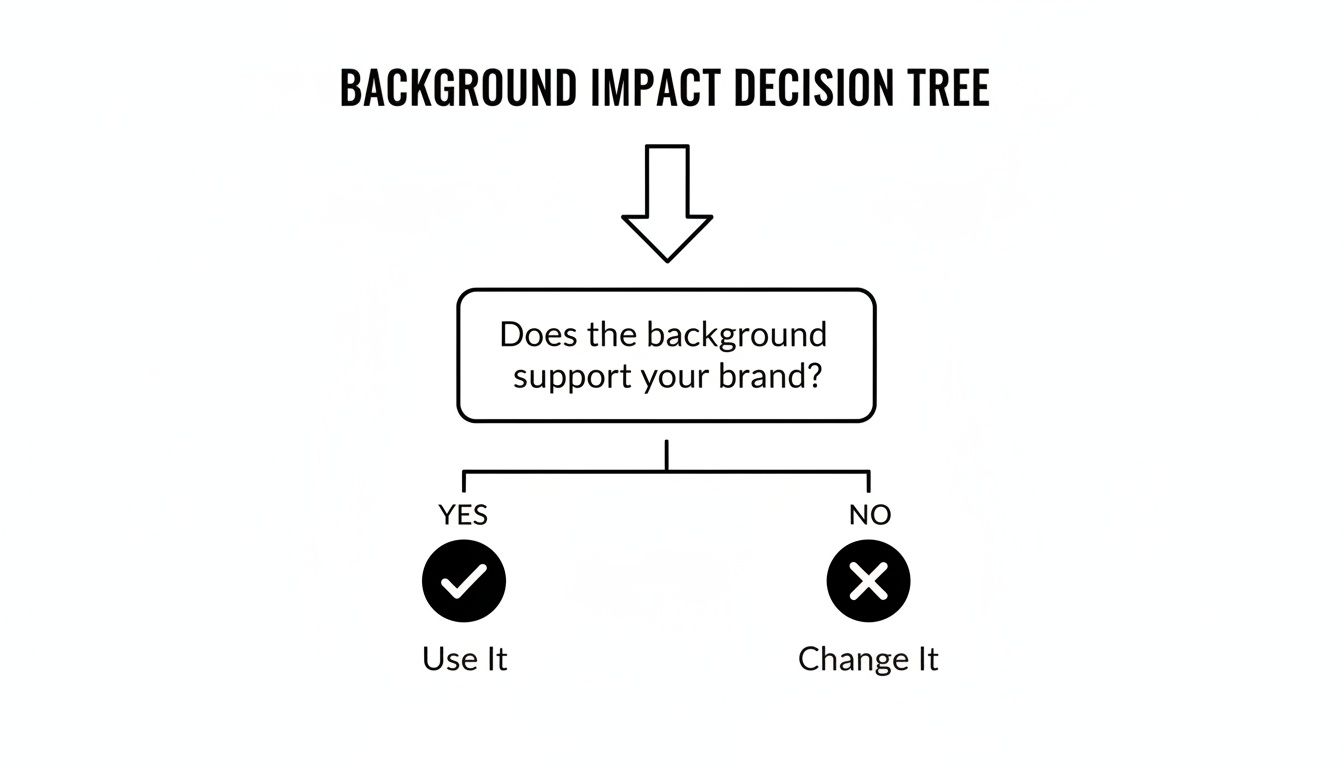
The takeaway here is simple: no matter what type of background you choose, it has to reinforce your professional identity to be effective.
The Classic: Solid Color Backgrounds
Solid color backgrounds are the industry standard for a good reason—they're clean, timeless, and put all the focus squarely on you. Think about colors like light gray, off-white, deep navy, or even a specific color from your company's brand guide. They completely eliminate distractions, creating a polished look that works almost anywhere.
This is your safest bet and often the most powerful choice for corporate roles, legal professionals, and anyone needing a crisp, no-fuss image for LinkedIn or a company website. It's the versatile workhorse of headshots, making sure you look sharp and approachable without any visual clutter.
The Dynamic: Textured Backgrounds
If a plain solid color feels a little too sterile for your brand, a textured background is a fantastic middle ground. This could be anything from a subtle fabric pattern or a painted canvas to a clean brick wall. These elements add a touch of depth and personality without stealing the show.
A textured background introduces a bit of character and can make a portrait feel more organic and less staged. It hints at a creative or modern sensibility, making it a great option for architects, designers, authors, and tech entrepreneurs who want to project sophistication with a little warmth.
A textured background adds just enough visual interest to feel dynamic, but it should still be subtle. The goal is to create a sense of place and personality, not to feature the wall behind you.
This choice is a huge part of branding. With the professional headshot sector valued at $2.5 billion in 2023, the right background makes a real difference. For example, real estate pros prefer simple white backgrounds for 70% of their listings to signal cleanliness and trust, while legal experts lean toward waist-up shots against muted neutrals to convey authority.
The Contextual: Environmental Backgrounds
An environmental background, often called an "in-office" shot, uses your actual workspace as the setting. This might be a sleek conference room, a well-lit corner of your office, or a location that speaks to your trade, like a workshop or a design studio. These backgrounds are powerful storytelling tools.
They give immediate context about who you are and what you do. An environmental shot can communicate your company culture, your role, and your industry at a single glance. This makes it ideal for founders, executives, or creative professionals who want their image to tell a richer story.
Be warned, though—this requires careful planning. The background needs to be tidy, well-lit, and usually blurred just enough to keep you as the main focus. A cluttered or messy office can easily backfire, making your headshot look chaotic and unprofessional.
The Flexible: AI-Generated Backgrounds
The newest and most flexible option on the block is the AI-generated background. With a tool like Photo AI Studio, you can take a simple photo of yourself and place it against a virtually limitless array of settings. You can generate the perfect solid color, a subtle textured wall, or even a hyper-realistic office environment without ever stepping foot in a studio.
This method gives you unparalleled control, consistency, and cost-effectiveness.
- Ultimate Customization: You can generate the exact background you have in mind, from a classic studio look to a specific architectural style.
- Brand Consistency: Easily create headshots for an entire team with the exact same background, ensuring a unified look across your company website.
- Speed and Efficiency: Produce a polished, professional headshot in minutes, no physical photoshoot required.
This approach is perfect for remote teams, startups, and any professional looking for a high-quality look with maximum flexibility. You can see just how easy it is to generate professional headshots that make an impact. AI really levels the playing field, making studio-quality results accessible to everyone.
To make the choice a little easier, here’s a quick comparison of how these background types stack up.
Headshot Background Types Compared
| Background Type | Best For | Pros | Cons |
|---|---|---|---|
| Solid Color | Corporate professionals, LinkedIn, legal and financial fields, team headshots. | Clean, timeless, distraction-free, easy to achieve consistency. | Can feel impersonal or too traditional for creative roles. |
| Textured | Creatives, authors, consultants, entrepreneurs, modern professionals. | Adds depth and personality, feels more organic and less "staged." | A busy texture can become a distraction if not chosen carefully. |
| Environmental | Founders, executives, artisans, professionals wanting to show their workspace. | Tells a story, provides context, showcases company culture. | Can look cluttered if not styled; requires a professional-looking space. |
| AI-Generated | Remote teams, startups, individuals needing maximum flexibility and control. | Limitless options, cost-effective, perfect for brand consistency. | Requires a good source photo; results depend on the quality of the AI tool. |
Ultimately, the best background is the one that aligns with your professional identity and the audience you want to reach. Whether you go for a classic solid color or a custom AI creation, the goal is the same: to present the best possible version of your professional self.
Using Color Psychology to Enhance Your Brand
The background color in your professional headshot is doing a lot more than just sitting there—it’s sending a powerful message. Before anyone even reads your name or title, that color has already made a subconscious first impression about your personality and professionalism. When you understand a bit about color psychology, you can pick a background that does the heavy lifting for your personal brand.
Think of it like the soundtrack to a movie. The score tells you whether a scene is supposed to be tense, happy, or dramatic. In the same way, your background color sets the emotional tone for your professional introduction. A small shift in hue can completely change the story your headshot tells.
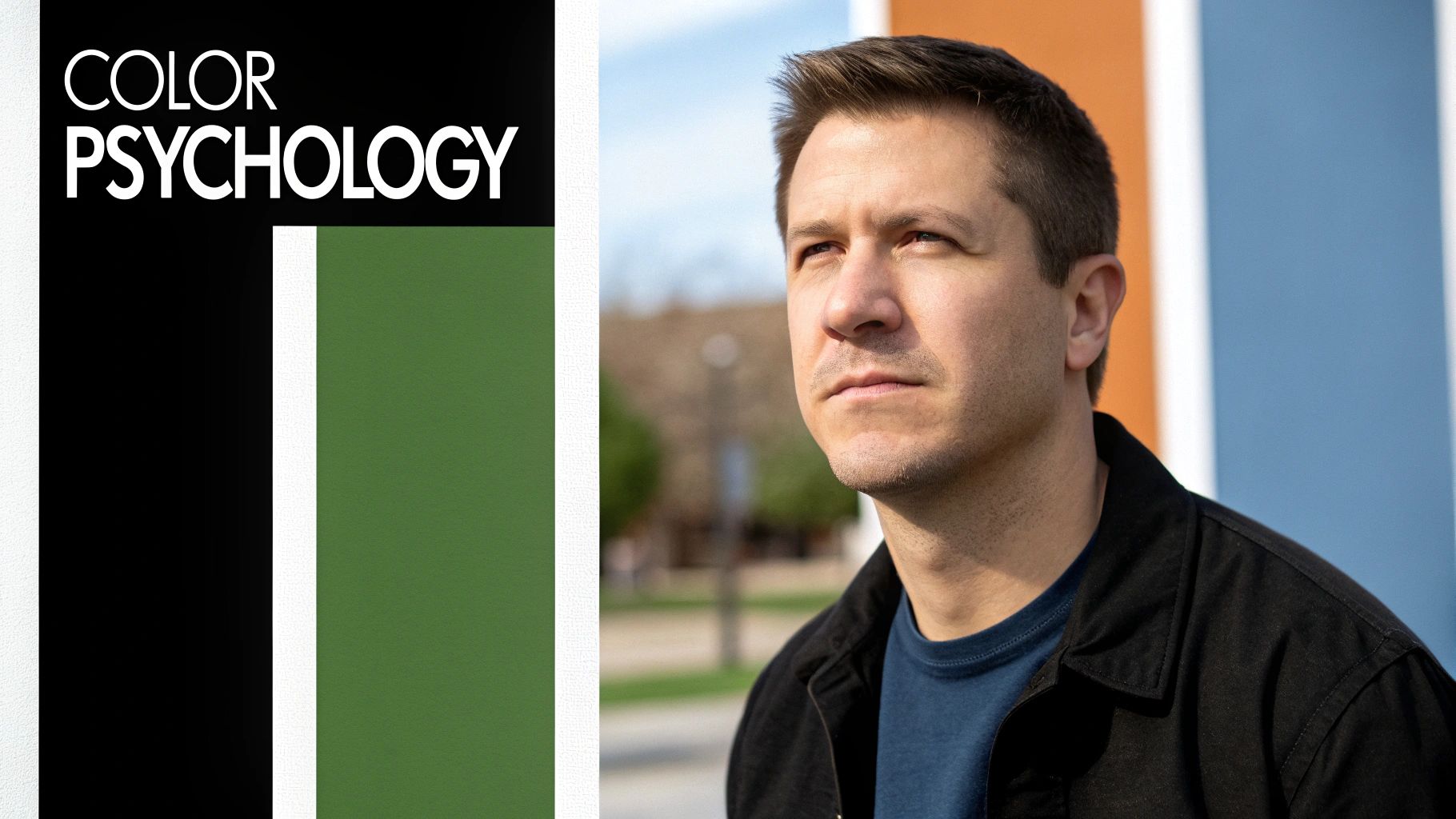
This isn’t about picking your favorite color. It's about choosing the one that best serves your career goals.
Choosing Authoritative and Trustworthy Hues
For many professionals, especially in fields like law, finance, or executive leadership, the name of the game is projecting authority, stability, and trust. You really can't go wrong with darker, cooler tones for this.
Deep Navy and Charcoal Gray: There's a reason these colors are the bread and butter of the corporate world. They signal seriousness, sophistication, and deep experience. A dark charcoal background can make you look decisive and grounded, while navy blue inspires a feeling of integrity and confidence.
Forest Green: This is a less common but equally powerful choice. A deep, rich green suggests growth, wealth, and stability, making it a fantastic option for people in finance, consulting, or even environmental sectors who want to convey reliability while standing out from the sea of blue and gray.
These colors are strong without being distracting. They frame you with an air of competence and create a nice, high-contrast look that makes your image pop, especially if you’re wearing lighter-colored clothing.
Projecting Calm and Approachability
Of course, not every job is about projecting intense authority. If you're in healthcare, coaching, a creative field, or any customer-facing role, being seen as approachable and trustworthy is far more important. This is where lighter, warmer colors can create an instant connection.
Your background color should act as a silent endorsement of your professional qualities. If you’re a therapist, a calm blue speaks volumes. If you’re a CEO, a strong charcoal reinforces your leadership.
A softer, more inviting background can make you seem open and relatable, which is a huge advantage when you're trying to build rapport. Think about how that simple color choice influences the entire vibe of your profile picture that reflects your brand.
Modern Minimalism and Creative Warmth
The classic off-white or light gray background is still incredibly popular for a reason: it's clean, modern, and minimalist. It works for just about any industry, from a fast-paced tech startup to a creative agency.
Off-White and Light Gray: These shades are all about efficiency, clarity, and a modern feel. They’re distraction-free and guarantee your headshot will look fresh and crisp on any website or social media platform. Unlike a pure, stark white which can sometimes wash out skin tones, these softer hues are much more forgiving.
Earth Tones (Beige, Taupe, Muted Browns): If your brand identity is more organic, personal, or wellness-focused, warm earth tones are a brilliant choice. These colors feel authentic, grounded, and human. They can help you appear more genuine and approachable, which is perfect for therapists, artisans, or personal consultants.
Ultimately, the right color bridges the gap between how you see yourself and how you want the professional world to see you. When you pick a background that truly aligns with your industry and brand, your headshot stops being just a picture and becomes a strategic piece of communication.
Nailing the Technical Details
A great idea for a headshot background is one thing, but pulling it off technically is what separates a professional portrait from a simple snapshot. Getting the details right is the secret sauce, ensuring your background supports you perfectly, whether it’s a physical backdrop or an AI-generated scene.
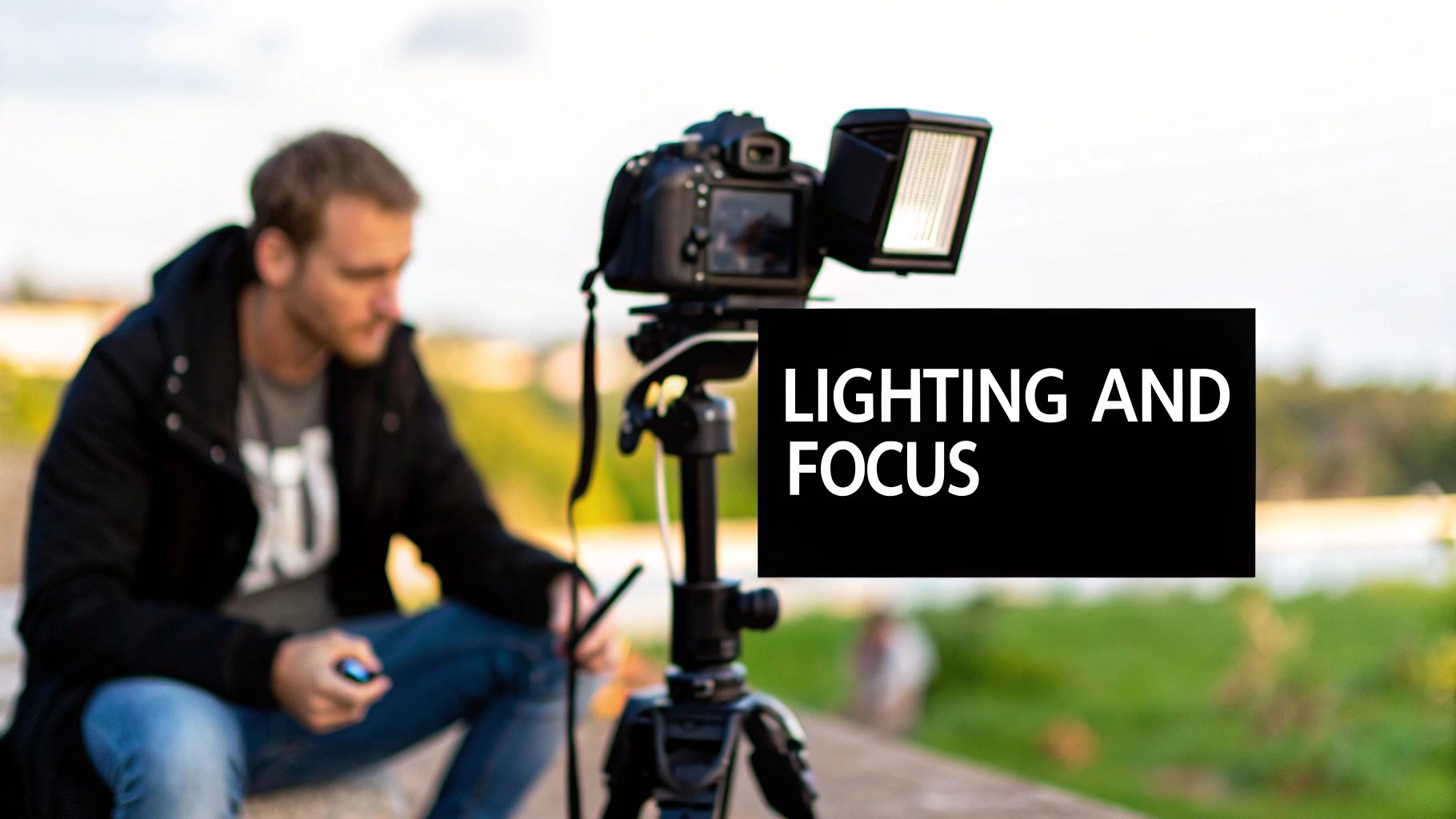
The cornerstone of any great headshot is lighting. We're not just talking about making sure your face is visible; we're talking about crafting depth and dimension that give the whole image a high-end feel. One of the most common mistakes I see is trying to light both the person and the background with the same, single light source.
That's a recipe for disaster. It either throws ugly shadows on the wall behind you or makes the whole scene look flat and lifeless. The pro move is to light the subject and the background independently. This gives you complete control, letting you create separation so you pop right off the background instead of getting lost in it.
Mastering Depth and Focus
Another critical piece of the puzzle is depth of field. This is simply a term for how much of your picture is sharp. For a headshot, you almost always want what’s called a "shallow" depth of field, which keeps your face perfectly in focus while letting the background blur away softly.
This beautiful blur, often called "bokeh," is a powerful visual cue. It instantly guides the viewer’s eye right where you want it: on you. It smooths out any distracting textures or objects in the background, making you the undeniable star of the show. A blurred background just looks intentional and sophisticated. For a deeper dive into the gear behind the magic, this a practical guide to photography backdrops and stands is a fantastic resource.
A shallow depth of field isn't just a stylistic choice; it's a strategic one. It tells the viewer, "This is the most important part of the image," guiding their eyes directly to you.
This concept holds true even when you're working with AI tools. If you’re generating a background, make sure to include terms like "soft focus," "blurred background," or "shallow depth of field" in your prompt. This tells the AI to create that same polished, professional look.
Getting the Specs Right: Resolution and Aspect Ratio
Finally, let’s talk about the file itself. Your headshot is going to live everywhere—from a tiny circular icon on LinkedIn to a massive banner on a website. A low-resolution photo will look blocky and pixelated the moment it’s enlarged, which instantly cheapens your brand.
You should always start with the highest resolution file you can get. A great rule of thumb is to have an image that’s at least 2000 pixels on its longest side. This gives you plenty of data to work with, ensuring it looks crisp no matter where you use it.
Aspect ratio matters, too. Different platforms have their own quirks:
- LinkedIn Profile Picture: Demands a 1:1 square ratio.
- Website Banners: Are usually much wider, like 16:9.
- Social Media Posts: Often use squares or vertical formats like 4:5.
Starting with a high-resolution image means you have the flexibility to crop it to fit any of these formats without losing an ounce of quality. When you nail these technical elements—lighting, depth, and file specs—your headshot background will do its job beautifully, making you look your absolute best.
How AI Is Changing The Headshot Game
Getting a great professional headshot used to mean a traditional photoshoot. That’s not the only game in town anymore. Artificial intelligence has completely changed the rules, bringing studio-quality results to anyone, anywhere, and putting the power of a high-end photographer right in your hands.
Tools like Photo AI Studio are leading this charge. They’ve effectively leveled the playing field for professional photography by knocking down the usual barriers—steep costs, scheduling hassles, and the need for a physical studio. Today, all you really need to get started is a clear, decent photo of yourself.
From that one picture, you can create a nearly endless supply of professional headshot background options. This is a game-changer for modern professionals who need a polished, versatile digital presence right now, without the logistical nightmare of the old way.
The New Era of Speed and Customization
Just think about the old process. You had to find a photographer, book a time, drive to a studio, wait for the proofs, and then wait even longer for the final edited shots. The whole thing could take weeks and easily cost hundreds of dollars. AI shrinks that entire timeline down to a few minutes.
That kind of speed isn't just about convenience; it's a real competitive edge. Got a last-minute speaking gig or need a photo for a press release? You can spin one up instantly. This agility lets you keep your professional image fresh and perfectly in sync with your personal brand as it evolves.
The customization is just as remarkable. You're no longer stuck with whatever physical backdrops the photographer happens to have in their studio. With AI, you can instantly generate:
- Flawless Solid Colors: Need to match your company’s brand guide? Just plug in the exact hex code.
- Subtle Textures: Create a sophisticated look with a canvas or brushed metal effect.
- Realistic Office Settings: Put yourself in a bright, modern conference room or a sleek office lobby.
- Creative Environments: Generate a background that really speaks to your unique industry or personality.
This creative freedom means your headshot background can be as specific and strategic as you need it to be, ensuring your image tells the exact story you want it to.
Making Professional Quality Accessible
Maybe the biggest impact AI has had is making all of this affordable. This technology has slashed the cost of a high-quality headshot, which is an absolutely essential tool for growing your career.
AI isn’t just a faster or cheaper alternative; it’s a more strategic one. It gives you the control to create a background that tells the precise story you want, whenever you need it.
The market is clearly responding to this new level of access and demand. The AI headshot industry is exploding, projected to hit $500 million by the end of 2025—a massive 150% leap from the previous year. What's driving this growth? AI tools get rid of the need for scheduling, travel, and expensive sessions that often average around $283. You can dig deeper into this trend by checking out the full 2025 AI headshot market report.
This newfound accessibility empowers everyone, from new grads to C-suite executives, to put their best foot forward online. You can now get a polished, consistent look for yourself or even your entire remote team without the traditional cost. It truly levels the playing field, making sure a top-tier professional image is no longer a luxury, but an achievable standard for everyone. With just a few clicks, AI has made the perfect professional headshot a reality.
How to Create Your AI Headshot Background, Step by Step
Generating a polished headshot background sounds complicated, but it's actually a simple process that gives you an incredible amount of creative control. With a tool like Photo AI Studio, you can turn a basic selfie into a studio-grade portrait in just a few minutes.
The whole thing starts with a good source image. You don't need a professional photographer for this part. A clear, well-lit photo of you against a plain wall is perfect. This gives the AI a clean slate to work with, so it doesn't get confused trying to separate you from a busy background.
Your Step-by-Step Guide
Once your photo is uploaded, you’ll get a whole menu of options to build the perfect scene. The process is designed to be super intuitive, whether you know exactly what you want or you're just looking for ideas.
Choose a Preset or Write a Prompt: The easiest way to start is by looking through the pre-made background styles. You can pick classic solids like gray, white, or navy. Or, you can try an environmental setting like "modern office" or "conference room." If you have a specific vision, just type it out as a descriptive prompt, like "a softly blurred minimalist office with a large window."
Generate and Review: After you make your choice, the AI gets to work and whips up several variations for you. This is the fun part, where you get to see different angles, lighting styles, and subtle changes based on your request.
Select Your Favorite: All you have to do is scroll through the results and pick the one that best reflects your professional brand. Then, just download the high-resolution file. It’s ready to go on LinkedIn, your company website, or anywhere else you need it.
This screenshot shows you just how clean the interface is when you start the process.
The layout makes it incredibly easy to upload your picture and jump right into customizing your new headshot.
Tips for the Best Results
To really get the most out of the technology, a little prep work makes a big difference. Think about what you're wearing and your expression in the source photo, because the AI builds directly on what you give it. To get a broader sense of what's possible with AI visuals, it's worth checking out the wider world of AI content creation tools.
The real power of AI is in the iteration. Don't hesitate to run multiple generations using slightly different prompts. Just changing one word—from "office" to "studio," for example—can create a totally different mood.
Thanks to tools like a free professional headshot generator, creating a fantastic background is no longer a costly or time-consuming headache. It's an accessible way for anyone to get a polished look that leaves a great first impression. The process is quick, simple, and gives you results that truly rival a traditional photoshoot.
Your Headshot Background Questions, Answered
Alright, even after breaking down all the options, you probably have a few specific questions bouncing around. Let's tackle the most common ones I hear so you can move forward with confidence.
Think of this as the final checklist before creating a headshot you're truly proud of.
What’s the Best Background for a LinkedIn Headshot?
When it comes to LinkedIn, simple is almost always better. The goal is for people to focus on you, not what's behind you. Solid, neutral colors like a light grey, soft off-white, or a classic dark blue are fantastic choices. They're professional, clean, and keep the attention where it belongs.
An environmental background, like a subtly blurred office, can also work wonders if it adds a bit of context about what you do. Just make sure it isn't cluttered or distracting. The big things to avoid are busy patterns, overly casual scenes, or a plain white wall that can wash you out or look unfinished.
Can I Really Use an AI-Generated Background for My Professional Headshot?
Absolutely. It's actually a smart and incredibly efficient way to get a polished, high-end look without the hassle of a physical photoshoot. With a tool like Photo AI Studio, you can generate a flawless, studio-quality backdrop that’s perfectly lit and distraction-free.
This is a game-changer if you're outfitting an entire team and need a consistent look, or if you want to experiment with different vibes. It also lets you create a specific setting that would otherwise be expensive or impractical to find in real life.
As long as the final image looks sharp and realistic, it's more than appropriate for any professional platform. You get total control to craft the exact image you want.
Should I Go with a Light or Dark Background?
This is a great question, and the answer really depends on the vibe you're going for and, just as importantly, what you're wearing.
- Light Backgrounds: Think greys and off-whites. These tend to feel more open, modern, and approachable. They project a friendly and clean aesthetic that works for almost any industry.
- Dark Backgrounds: Charcoal, navy, and other deep tones often signal authority, experience, and a certain level of sophistication. They can feel a bit more formal and traditional.
The best trick is to use contrast to your advantage. If you're wearing a dark blazer, a lighter background will make you pop. Wearing a light-colored shirt? A darker background will create a powerful separation and help you stand out from the screen.
Ready to create a headshot that truly represents you? With Photo AI Studio, you can generate the perfect professional background in just a few clicks. Stop worrying about finding the right location and start building your ideal professional image today. Get your AI-powered headshot now.


