


When you break it down, creating social media content that actually connects with people isn't about luck. It's a system. A repeatable, four-part framework is all you need: Ideate, Create, Distribute, and Analyze. This approach helps you move past just posting for the sake of it and builds a real content engine that gets results.
Why a System Matters for Social Media
Let's be honest, the social media landscape is flooded. Simply showing up and posting a few times a week doesn't cut it anymore. So many brands spin their wheels because they lack a clear process, and their posts end up feeling generic, disconnected, and easy to scroll past.
The real problem isn't a lack of effort—it's the absence of a cohesive workflow. Without one, you’re just guessing, throwing content at the wall and hoping something sticks. This guide lays out a modern, predictable process that combines genuine audience understanding with the smart use of AI tools, ensuring your content is not only seen but also felt.
The Four Pillars of Engaging Social Content Creation
The entire workflow for creating standout social media content can be boiled down to four core stages. Think of them as pillars supporting your entire strategy.
| Pillar | Objective | Key Action |
|---|---|---|
| Ideate | Uncover what your audience truly wants. | Brainstorming topics based on audience pain points, trends, and data. |
| Create | Produce high-quality, thumb-stopping visuals and copy. | Designing visuals, shooting video, and writing compelling captions. |
| Distribute | Get your content in front of the right people at the right time. | Scheduling posts, selecting platforms, and using hashtags strategically. |
| Analyze | Measure what works and refine your approach. | Tracking key metrics like engagement and reach to inform future content. |
This table gives you a bird's-eye view of the system. By following these pillars in order, you ensure that every piece of content is built on a solid foundation of insight and optimized for performance.
A Modern Workflow for Today's Social Media
This structured approach is what separates random acts of content from a deliberate, effective strategy.
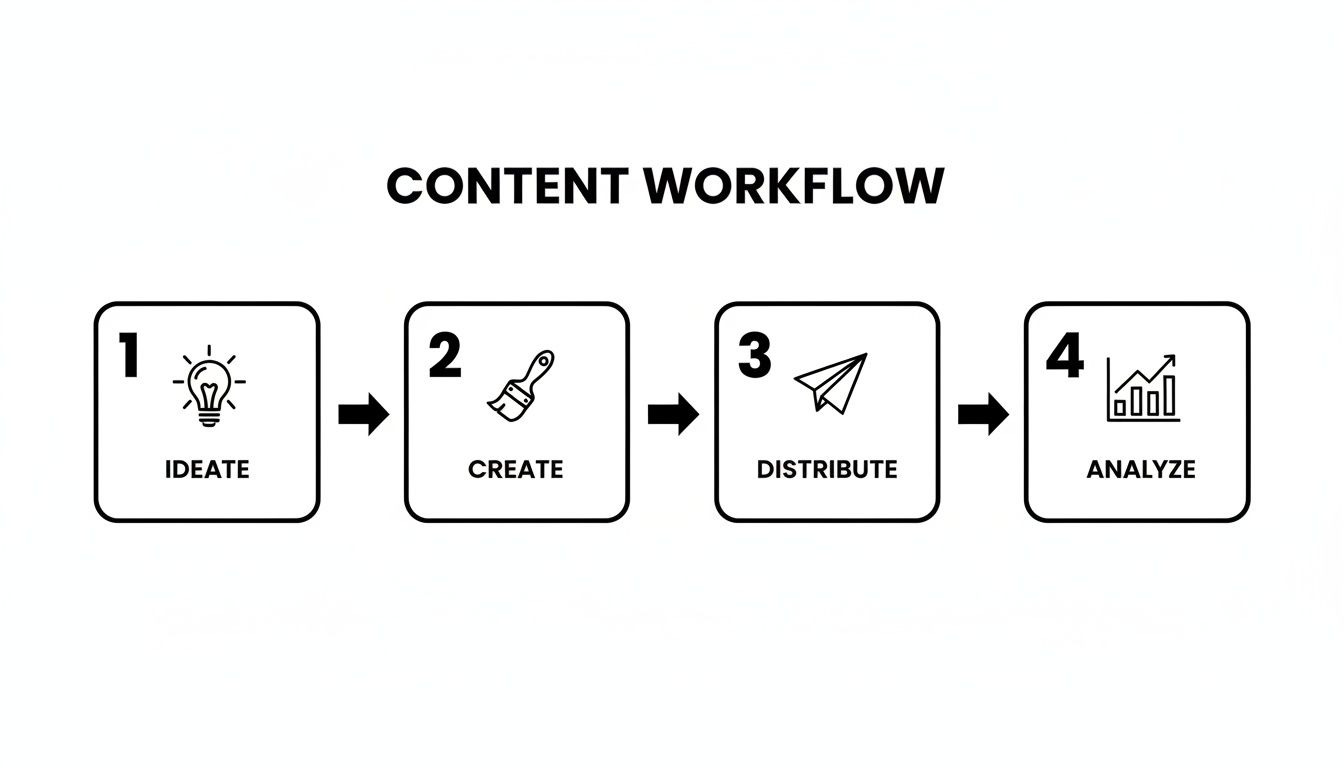
It's a cycle: you start with an idea rooted in what your audience cares about, create something impactful, share it strategically, and then use the data to make your next idea even better.
The scale of competition is staggering—you're competing for attention against more than 5.42 billion other social media users. If you're struggling to connect, it's worth digging deeper into how to increase social media engagement.
The stakes are higher than ever. Younger audiences, in particular, see social media as a primary source of relevant content, with 56% of Gen Z saying it feels more relevant to them than TV or movies.
This shift tells us something crucial: your audience expects content that speaks directly to them. You're not just a brand anymore; you're a creator fighting for a spot in a highly personalized feed.
In the sections that follow, we'll break down each stage of this workflow, giving you actionable steps and real-world examples to build your own engagement engine.
Finding Ideas That Actually Connect with Your Audience
Great content doesn't just happen. It doesn’t start when you open up a design tool or start typing a prompt. The real magic, the secret sauce to content that people actually stop scrolling for, comes from a deep, almost obsessive, understanding of who you're talking to.
It’s about getting past the generic demographic data and digging into the real-world problems, the secret wishes, and even the exact words your audience uses every single day. So many brands get this wrong. They brainstorm in a bubble, thinking about what they want to talk about, not what their audience is dying to hear. That's why so much content out there feels flat and fails to make a real connection. Your goal shouldn’t be to just check a box on your content calendar; it should be to become a welcome, trusted voice in their daily feed.
Go Eavesdrop on Your Audience (Ethically, of Course)
To figure out what people genuinely care about, you have to become a bit of a digital anthropologist. Start by looking at your competitors' social media profiles, but not for the reason you might think. Skip right past their perfectly curated posts and head straight for the comment sections.
That’s where the real talk happens. You'll find unfiltered questions, frustrations, and desires. It's a goldmine of raw, honest feedback that basically tells you what content to create next.
- Look for Pain Points: Are people constantly complaining about something your product fixes? Boom. That’s a perfect idea for a "how-to" post or a myth-busting carousel.
- Spot Unmet Desires: See comments like, "I wish you made this in blue," or "If only this feature existed"? These are direct lines into what your audience wants, and they make for fantastic content topics.
- Identify Common Questions: If the same questions keep popping up, it's a huge sign that your competitor isn't explaining something well. You can swoop in and create a super clear, simple post that answers it head-on.
Think of it this way: you're not just spying. You're getting free access to a focus group that’s telling you exactly what they want. Every comment is a clue pointing you toward content that will hit home.
Define Your Core Content Pillars
Once you’ve done your research and have a better feel for the conversation, it’s time to add some structure. Instead of just chasing every shiny new trend, you need to define three to five core content pillars. These are the big-picture themes your brand will own and talk about consistently.
Think of them as guardrails for your creativity. They ensure everything you post feels connected and relevant to your brand and what your audience cares about.
For instance, a sustainable coffee brand might choose these pillars:
- Ethical Sourcing Stories: Taking people behind the scenes to meet the farmers.
- Brewing Guides & Education: Teaching followers how to be their own barista.
- Sustainable Living: Sharing eco-friendly tips that go beyond just coffee.
Pillars build consistency, which builds trust. Your audience starts to learn what they can expect from you. If you're looking for more ways to structure your content, the PhotoAI Studio blog has some great articles that go deeper into different strategies.
Start Thinking in Pictures with a Mood Board
With your pillars locked in, you can finally get to the fun part: brainstorming actual post ideas. For visual-heavy platforms like Instagram or Pinterest, it’s crucial to think visually right from the get-go. This is where a mood board becomes your best friend.
A mood board isn’t just for designers; it's a practical tool for translating an abstract idea into a concrete visual direction. Pull together images, colors, and font styles that capture the vibe of a specific content pillar or post idea.
This visual homework is a game-changer when you start working with AI image generators. Instead of fumbling around trying to describe a complex feeling from scratch, your mood board gives you a solid foundation for writing a killer prompt. It’s the simple step that closes the gap between the idea in your head and the stunning image on the screen.
Creating High-Impact Visuals with AI
Okay, you’ve got your ideas mapped out and a mood board that’s practically buzzing with inspiration. Now for the fun part: bringing it all to life. This is where AI tools step in, acting less like a robot and more like a creative co-pilot. They help you turn those abstract concepts into polished, scroll-stopping visuals.
Forget the days of endlessly scrolling through stock photo sites or budgeting for a professional photographer for every little campaign. With a platform like PhotoAI Studio, you can generate everything from professional headshots to slick product photos in a tiny fraction of the time. This isn't about replacing your creativity—it's about supercharging it. You're still the director, but now you’ve got a virtual production crew ready to execute your vision.
Generating Professional Headshots for Credibility
Think about your LinkedIn profile picture. It’s your digital handshake, and it needs to communicate confidence and competence in a split second. In the past, that meant a formal, often stuffy, photoshoot. Today, you can create a dozen realistic, high-quality options in just a few minutes.
AI headshot generators let you dial in the specifics, from the background right down to the outfit. This is a game-changer for teams. Imagine getting everyone a consistent, on-brand headshot without the logistical headache of coordinating a group photoshoot. You can also check out our AI professional headshots.
Here’s a real-world prompt I'd use for a professional but friendly headshot:
Prompt: A professional headshot of a confident female marketing director in her 30s, smiling warmly. She is wearing a dark blue blazer and a white blouse. The background is a modern, slightly blurred office setting with natural light coming from a window on the left. Photorealistic, 4K, sharp focus on her face.
See how specific that is? Giving the AI clear directions like this is the key to getting a result that feels authentic and immediately elevates your online credibility.
Creating Stunning Product Photos That Sell
If you’re in e-commerce, your product photos are everything. They have to be clean, attractive, and show your product in its absolute best light. AI can generate incredible product shots against any backdrop you can dream up—from a sterile white studio to a lush, outdoor scene.

The versatility is what's truly powerful. You can move from creating professional headshots one minute to dynamic, user-generated-style content the next, all from the same dashboard.
Let's try crafting a prompt for a new, eco-friendly water bottle:
Prompt: Product photography of a sleek, matte black stainless steel water bottle. The bottle is sitting on a flat, polished wooden surface next to a small green succulent plant. The background is a clean, bright white wall. Natural morning sunlight streams in from the side, creating soft shadows. Minimalist, high-end, commercial style.
With this kind of creative control, you can produce an endless supply of lifestyle shots, flat lays, and promotional images that perfectly match your brand aesthetic—no physical setup required. You can also check out our AI dating profile photos.
A quick word on performance: Visuals are king, but not all formats are created equal. On Instagram, for example, simple image posts can pull in around 6.2% engagement, which is nearly double what Reels often get. Over on LinkedIn, rich media like carousels can snag 11.2× more impressions than a plain text post. Knowing these nuances helps you pick the right visual for the right platform.
Designing Thumbnails That Demand Clicks
On YouTube, your thumbnail is your movie poster. It’s your single best shot at grabbing someone’s attention in a sea of other videos. A killer thumbnail piques curiosity and instantly shows what your video is all about. An AI thumbnail generator is perfect for brainstorming and creating multiple versions to test.
You can get super specific, telling it to include certain text, your logo, or even AI-generated faces with particular expressions.
Here’s a prompt I might use for a video titled "5 Simple Habits for a More Productive Morning":
Prompt: YouTube thumbnail, vibrant and high contrast. A happy, energetic young man in his 20s is on the left side, looking surprised and pointing towards the right. Bold, easy-to-read text on the right says "5 MORNING HACKS". The background is a bright, sunny yellow with a subtle sunburst effect. Include a small, stylized icon of a clock.
This prompt is designed to create something that’s not just eye-catching but also easy to digest in a split second, making that click far more likely.
Maintaining Brand Consistency with AI Models
One of the toughest parts of creating content at scale is keeping everything looking and feeling consistent. This is another area where AI can be a huge help. You can train a custom AI model on your own brand assets, which allows it to generate new visuals that always have the same style, color palette, or even feature the same "person."
This is especially powerful if you're looking to create a recognizable AI influencer or a unique brand ambassador. Using a consistent AI character across all your channels builds familiarity and helps you carve out a distinct brand identity. Our own AI influencer generator is built to help you create and manage these digital personalities with ease.
This approach ensures that every visual you create—whether for a blog, an Instagram story, or a Facebook ad—strengthens your brand identity, leading to a much more cohesive and memorable presence online.
Building Trust with Authentic Video and UGC

While slick, AI-generated visuals definitely have their place, the real currency on social media today is authenticity. Your audience, especially the younger crowd, has a finely tuned radar for anything that feels too corporate or like a traditional ad. This is precisely why authentic video and User-Generated Content (UGC) have become the most powerful tools for forging genuine connections.
Just think about your own scrolling habits. Are you more likely to trust a polished brand video or a real person showing off a product they genuinely seem to love? UGC plugs directly into this, using social proof to build a level of credibility that most marketing campaigns can only dream of. It feels less like a sales pitch and more like getting a recommendation from a friend.
The numbers back this up, and they aren't subtle. User-generated content consistently blows branded posts out of the water, pulling in 28% more engagement and earning 4× higher click-through rates. People simply see it as 2.4× more authentic, which is the secret ingredient for content that truly sticks.
The Power of Lo-Fi Video
Short-form video is king right now, especially on platforms like TikTok and Instagram Reels. The content that performs best often has that "lo-fi," unpolished feel. It looks and feels native to the platform, blending right into a user's feed instead of screaming "I'm an ad!"
This isn't an excuse for poor quality, though. It’s about adopting a more natural, almost conversational, style.
- Behind-the-Scenes Glimpses: Show your team, your process, or even a funny mistake. It humanizes your brand and makes you far more relatable.
- Simple Product Demos: Ditch the fancy studio. A clear, straightforward video shot on a smartphone showing your product in action can be incredibly persuasive.
- Answering Customer Questions: Use Instagram's "questions" sticker to source real queries, then hop on camera to record quick, helpful video replies.
This approach builds trust by being transparent and genuinely useful. It shows you're actually listening to your community, which is fundamental to creating content that fosters real loyalty.
Generating UGC-Style Content at Scale with AI
"That's great, but I don't have a huge customer base creating content for me." I hear this all the time, and it's a common roadblock. But this is where AI can offer a pretty clever workaround. You can start creating authentic-looking testimonials and product demos, even when you're just getting off the ground.
Modern AI tools can now generate highly realistic videos with AI avatars that look and sound like real creators. The goal isn't to trick anyone; it's to create content in a familiar, relatable format that effectively shows off your product's value. You can see just how easy this has become by checking out this guide on creating UGC video content with AI.
The magic is in the small imperfections. A slightly shaky camera effect, natural-looking light, and a casual, unscripted delivery can make an AI-generated video feel just as genuine as something a real customer would film.
To get this right, you need to focus on the details:
- Relatable Avatars: Pick AI models that look like your actual target customers.
- Conversational Scripts: Write the way people actually talk. Use informal language and natural pauses.
- Authentic Settings: Film your product in a real-life setting, like on a kitchen counter or in a home office, not some sterile white void.
Scripting for Authenticity
When you're writing scripts for these AI-generated videos, the golden rule is to kill the corporate jargon. Just write like you talk. Seriously, imagine you’re explaining your product to a friend. What would you say?
Here’s a simple, field-tested framework for a great UGC-style script:
- The Hook: Kick things off with the problem or pain point. (e.g., "I used to struggle so much with finding time for breakfast...")
- The Introduction: Bring in the product as the hero. (e.g., "...until I found these amazing on-the-go smoothie packs.")
- The Demo: Show it being used in a real-world way.
- The Result: Share the positive outcome. (e.g., "Now my mornings are so much less stressful.")
- The Call to Action: End with a soft, genuine-sounding recommendation. (e.g., "You should honestly check them out if you're always in a rush like me.")
This simple story structure feels personal and trustworthy, helping you build a stronger, more authentic brand one video at a time.
Getting Your Content Seen and Measuring What Works
Let's be honest: creating a visual that stops the scroll is a huge win, but it's only half the battle. If nobody sees your masterpiece, did it even make an impact? This is where we pivot from creation to connection. It’s time to make sure all that hard work pays off by getting your content in front of the right people and, just as importantly, figuring out what truly clicks with them.
Smart distribution isn't about just hitting "publish" and hoping for the best. It’s about crafting captions that draw people in, using hashtags that actually work, and showing up consistently for your audience. More than that, it’s about learning to measure what matters so you can stop guessing and start making smart, data-backed decisions.
Write Captions That Start a Conversation
The perfect visual might make someone pause, but a great caption gets them talking. Think of your caption as the bridge between your image and your audience. It adds context, shows off your personality, and gives people a reason to do more than just double-tap and scroll on.
A simple but incredibly effective way to structure your captions is the AIDA model—Attention, Interest, Desire, and Action. It's a classic for a reason.
- Attention: Kick things off with a solid hook. This could be a bold statement, a question they can't help but answer, or a surprising fact.
- Interest: Now that you have their attention, build on it. Share a quick story, offer a unique insight, or explain what’s going on in the visual.
- Desire: Make it about them. How does your post help, inspire, or entertain? This is where you forge a real connection.
- Action: Tell them exactly what to do next. Ask a question, prompt them to tag a friend, or suggest they save the post for later. A clear call to action turns passive viewers into active community members.
Use Hashtags to Expand Your Reach
Hashtags aren't just for decoration; they're signposts that guide new, interested people directly to your content. The trick is to be strategic, not spammy.
I like to think about hashtags in three different buckets:
- Broad Hashtags: These are the big ones, like
#socialmediamarketingor#digitalcontent. They have a massive audience but also a ton of competition. I usually sprinkle in just one or two. - Niche Hashtags: These get more specific, like
#AIContentCreationor#ShopifyTips. The audience is smaller but much more targeted and often way more engaged. - Branded Hashtags: This is your unique tag, like
#PhotoAIStudioTips. It's perfect for building a community and making it easy for followers to find all your best stuff in one place.
A good mix of all three gives you the best of both worlds: wide-open visibility and focused, high-intent engagement.
Build a Content Calendar That Works for You
Consistency is everything on social media. Posting sporadically just confuses the algorithm and, worse, your audience. A content calendar is your roadmap to staying on track without the last-minute panic of figuring out what to post.
It doesn’t need to be fancy. A simple spreadsheet tracking the date, platform, topic, visual, and caption works wonders. The real goal is to create a workflow you can actually stick with. To get the most mileage out of every piece you create, you should also build in some effective content repurposing strategies.
Pro Tip: Don't forget to schedule time for engagement in your calendar. Set aside a few minutes each day to reply to comments and messages. That back-and-forth is where real community is built.
Look Past Vanity Metrics to See What Really Matters
Likes are nice, but they don't pay the bills. Metrics like follower counts and likes are "vanity metrics"—they look good on the surface but don't tell you much about your actual business impact. To really understand your content's performance, you have to dig a little deeper.
Focus on these key performance indicators (KPIs) instead:
- Engagement Rate: This is the percentage of your audience that actually interacts with your posts. It’s a much better gauge of how much your content resonates than a simple like count.
- Shares: When someone shares your post, they're giving it their personal stamp of approval. That’s a huge signal that your content is valuable.
- Saves: A save means your post was so useful or inspiring that someone wants to return to it. This is a gold-star metric, especially for educational content.
- Click-Through Rate (CTR): If your goal is to drive traffic to your site, this tells you how many people are actually taking that next step.
Tracking these metrics creates an awesome feedback loop. You’ll start to see exactly which topics, formats, and captions are driving real results, allowing you to make every post more impactful than the last.
Got Questions? We’ve Got Answers.

Even the most seasoned social media pros run into the same questions time and again. Let's tackle some of the most common ones that come up when you're trying to build a solid content strategy.
How Often Should I Actually Be Posting?
This is the classic question, isn't it? The honest answer is that consistency beats frequency every single time. It's far better to post three high-quality, engaging pieces of content a week than to burn yourself out trying to post seven rushed ones.
Find a rhythm that works for you. If you’re just starting, here’s a solid baseline:
- Instagram: Aim for 3-5 times a week. Don't forget to mix in Reels and Stories.
- LinkedIn: A couple of well-thought-out posts, maybe 2-4 times a week, is perfect.
- TikTok: The algorithm here loves fresh content, so shooting for 4-6 times a week can really pay off.
The real answer, though, is in your data. If your engagement starts to dip, you might be posting too often. If your audience keeps asking for more, maybe it's time to ramp it up.
Okay, So When Is the Best Time to Post?
Forget what those generic infographics say. The "best" time to post is simply when your specific audience is online and scrolling. The old "post at 9 AM on a Tuesday" rule is a fossil from a different era of social media.
Your best friend here is your platform’s built-in analytics. Go look at your Instagram Insights or TikTok Analytics. They will literally show you the days and hours your followers are most active. That’s your starting point—no guesswork needed.
A rookie mistake I see all the time is posting strictly during business hours. If you're targeting working professionals, their prime time might be their commute, their lunch break (12-1 PM), or when they're finally relaxing after work (6-8 PM). Test those off-peak hours!
What’s the Right Way to Handle Negative Comments?
First off, take a breath. Don't rush to delete the comment unless it's genuinely spammy or abusive. A negative comment can actually be a golden opportunity to show everyone else how much you care.
Your move is to respond publicly, but with grace. Keep it polite and professional. Acknowledge their issue and then offer to take the conversation private—to DMs or email—to actually solve it. This simple act shows the rest of your audience that you listen and you take care of your people.
Can I Just Post the Same Thing Everywhere?
Please don't. While you can absolutely reuse a core idea or topic, you have to adapt the content to fit the platform's vibe. What crushes it on LinkedIn is going to feel completely tone-deaf on TikTok.
Think of it as translating your message for different audiences.
- That in-depth case study you wrote for LinkedIn?
- It becomes a beautiful, data-driven carousel post on Instagram.
- And for TikTok or Reels, it's a fast-paced video highlighting the most jaw-dropping results in 15 seconds.
This strategy shows you respect each platform's culture, and your content will perform much better for it.
Ready to stop guessing and start creating stunning visuals that captivate your audience? Photo AI Studio gives you the power to generate professional headshots, eye-catching product photos, and authentic UGC-style videos in minutes. Transform your social media strategy and create content that truly connects. Get started with PhotoAI Studio today!


