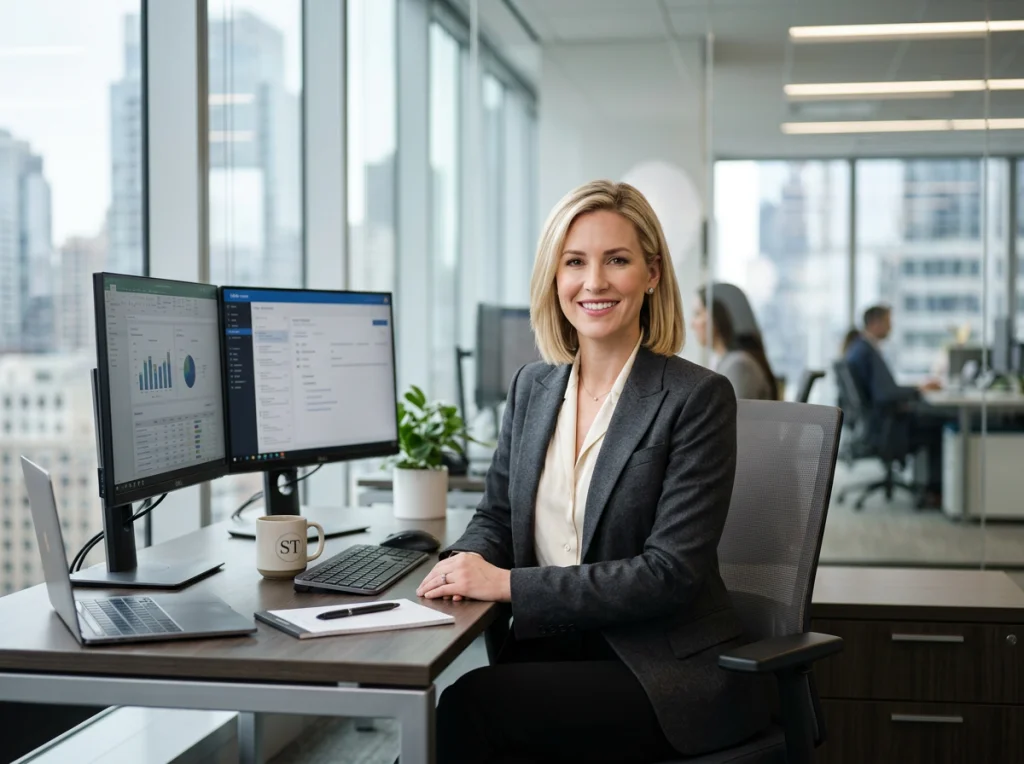
Let's be honest: getting professional headshots can be a massive pain. It’s expensive (think $200-500+), eats up half your day, and for most of us, feels incredibly awkward. This guide is for the modern professional—the remote worker, the startup founder, the job seeker with a bad LinkedIn photo—who needs a killer headshot without all the traditional fuss.
Why DIY Headshots Are a Game Changer
Forget about dropping hundreds of dollars on a photographer and then waiting weeks for the final edits. Taking control of your professional image has never been easier, faster, or more affordable, especially for remote workers and busy founders.
Whether you're a job seeker who needs a sharp LinkedIn photo yesterday or an entrepreneur building a personal brand, the do-it-yourself approach is the new standard for getting quality results without the headache.
Modern technology, especially artificial intelligence, has completely leveled the playing field, putting studio-quality photos within anyone's reach. Instead of coordinating with a pricey photographer, you can now get a polished, professional look right from your own home. This is a huge shift, empowering you to refresh your professional image whenever you want, without draining your bank account.
The Modern Professional's Dilemma
In today's fast-moving work culture, time and money are everything. For remote workers, consultants, and even entire distributed teams, the old way of getting headshots just doesn't add up anymore. The logistics and high costs are real roadblocks for a lot of people. You can also check out our AI professional headshots.
This is exactly where the DIY movement comes in. Recent data highlights a huge shift toward more accessible solutions. For instance, 38% of Americans point to convenience as a major reason for trying alternative headshot methods, while 32% are driven by cost savings. For professionals on a tight budget, this approach is a lifesaver, cutting out studio bookings that typically run from $325 to $500 per image.
A great headshot is one of the most critical parts of your online presence. It's often the very first impression you make. A high-quality photo can help you optimize your LinkedIn profile and instantly project an image of competence and credibility.
To help you weigh your options, let's break down the key differences between hiring a professional and taking the DIY route. This table cuts right to the chase, showing you the trade-offs in cost, time, and control.
Traditional Photographer vs DIY Headshot
| Factor | Traditional Photographer | DIY Headshot Method |
|---|---|---|
| Cost | Typically $200 - $500+ for a session and a few edited images. | Usually under $50, often providing hundreds of variations. |
| Time Investment | Several hours for scheduling, travel, the shoot, plus 1-2 weeks for edits. | Less than an hour from setup to finished photos, often with instant results. |
| Creative Control | Limited. You're dependent on the photographer's style and final selections. | Total control. You can experiment with unlimited outfits, expressions, and styles. |
| Convenience | Requires booking in advance and traveling to a studio or location. | Can be done from anywhere, anytime, right from your home or office. |
| Number of Photos | You typically receive only 2-5 final, edited images. | You can generate dozens or even hundreds of options to choose from. |
| Updates | Requires a completely new, full-cost session to get an updated look. | Can be updated quickly and affordably whenever your look changes. |
As you can see, while a traditional photographer offers a hands-on, expert-led experience, the DIY method puts the power squarely in your hands, offering unmatched flexibility and value.
Embrace Control and Flexibility
Beyond the obvious cost savings, the DIY approach gives you something priceless: complete creative control. You’re no longer stuck with the one or two final images a photographer chooses for you.
You have the freedom to experiment. Try different outfits, test out various expressions, and play with different styles until you land on a shot that truly feels like you and represents your personal brand.
This flexibility is a huge advantage. Need a serious, buttoned-up headshot for your corporate bio and a more approachable, casual one for your personal website? You can knock out both in a single afternoon. To dig deeper into the pros and cons, check out our guide on AI headshots vs. professional photographers.
This level of control ensures your professional image isn't just a static snapshot in time, but something that can adapt and evolve right along with your career.
Preparing for Your At Home Photoshoot
Before you even think about picking up a camera, let’s talk about the most important part of any DIY headshot session: setting the stage. This isn’t about recreating a million-dollar studio in your living room. It’s about making a few smart, simple decisions that will make the entire process smoother and your final photos ten times better.
A little prep work on your wardrobe, background, and even your mindset will make a world of difference.
Choosing Your Wardrobe
The goal here is simple: choose an outfit that complements you without distracting from your face. Your expression is the star of the show, not your clothes.
Solid colors are your best friend. They create a clean, professional look that keeps the focus right where it belongs. Jewel tones—think emerald green, sapphire blue, or a deep red—are flattering on almost every skin tone. Of course, you can never go wrong with classic neutrals like navy, gray, or black.
What should you avoid? Busy patterns, big logos, and anything super trendy. These things date your photo in a hurry and pull the viewer's eye away from your face. Think timeless.
Key Takeaway: The best outfit is one you feel genuinely confident and comfortable in. If you're constantly tugging at a collar or feel constricted, that discomfort is going to show up on camera. Pick a go-to professional outfit that makes you feel great.
Pay attention to the neckline, too. A simple crew neck, V-neck, or a collared shirt almost always works. Try to steer clear of anything too low-cut or bulky, as it can throw off the balance of the shot. For a deeper dive, check out our complete guide on how to prepare for professional headshots for more wardrobe ideas.
Selecting the Right Background
You don’t need a fancy, rolled-out studio backdrop. Honestly, some of the best backgrounds are the simplest ones you can find around your home. The key is to find a spot that’s clean, uncluttered, and doesn’t compete with you for attention.
Here are a few great background ideas you probably have right now:
- A Plain Wall: A solid-colored wall is your easiest win. A neutral shade like off-white, light gray, or beige is a perfect, no-fuss option that puts all the focus on you.
- A Bookshelf: An organized bookshelf can add a touch of personality and intellect. The keyword here is organized. A cluttered, messy background just looks unprofessional.
- An Outdoor Space: A simple outdoor background, like a brick wall or some soft greenery, can add great texture and depth. The trick is to make sure the background is blurred enough that it isn’t distracting.
Your main goal is to create separation between you and whatever is behind you. Standing a few feet away from the background will help create a natural depth of field, making you pop. A messy bedroom or a kitchen full of appliances instantly screams "amateur," so take five minutes to clear the clutter from your chosen spot.
Getting Into the Right Mindset
This might be the most overlooked—and most important—piece of the puzzle. If you feel stressed, awkward, or rushed, it will absolutely show in your photos. Your expression is what connects with people, so a natural, confident look is everything.
Start by putting on some music that makes you feel energized and confident. Before you start shooting, take a few deep breaths and consciously relax your shoulders and facial muscles. Don't try to force a "perfect" smile from the get-go. Instead, think about the impression you want to give off—approachable, authoritative, creative?
Try thinking of a funny story, a happy memory, or a recent win at work. This usually brings out a genuine smile that looks infinitely better than a forced "cheese!" Remember, you’re going to take a lot of photos. No single shot has to be perfect. Just have fun with it, experiment, and give yourself permission to be a little goofy. The best shots almost always happen when you're most relaxed.
Finding the Perfect Light and Camera Angles
Great lighting is what separates a forgettable selfie from a headshot that genuinely connects with people. The good news? You don't need a professional studio to get it right. Let's walk through the technical side of things without making it complicated, so you can capture a fantastic base photo for your DIY headshots.
Before we dive into lights and cameras, though, let's get the foundation right. The basics—wardrobe, background, and mindset—are half the battle.
Nailing these three things first will make everything that follows so much easier.
Harnessing Natural Light
The best light source you have is completely free: the sun. Natural light streaming through a window is soft, diffused, and incredibly flattering. It gently wraps around your face, minimizing harsh shadows and creating a bright, approachable look.
To get the most out of it, position yourself so you're facing a large window. You want that light hitting your face directly and evenly. Try to avoid having the window behind you—that creates a silhouette—or directly to your side, which can cast a deep, distracting shadow across your face.
Timing is everything. Direct, midday sun is way too harsh. Instead, shoot when the light is bright but indirect. Think mid-morning or a couple of hours before sunset. If the sun is still too strong, just hang a thin white sheet over the window. It acts as a perfect diffuser, softening the light for a gentle, studio-like glow.
Creating an Affordable Lighting Setup
If you can't find good window light, you can easily build your own setup using lamps you already own. The classic technique is called three-point lighting, which uses a key light, a fill light, and a backlight to sculpt your face and make you stand out.
- Key Light: This is your main, brightest light. Place it about 45 degrees to one side of your face.
- Fill Light: A softer, less intense light goes on the opposite side to "fill in" the shadows from the key light.
- Back Light: Positioned behind you and out of frame, this light creates a subtle highlight around your hair and shoulders, separating you from the background.
Pro Tip: Don't have a third lamp for a backlight? No problem. A simple white poster board or a reflector propped up behind you can bounce light from your other lamps, creating a similar effect.
Mastering Your Camera Settings
Whether you're using a smartphone or a DSLR, a few quick tweaks will make a world of difference. You don't need to be a tech wizard to get a crisp, clear photo.
First things first: turn off the on-camera flash. It’s the enemy of good headshots, producing a flat, harsh light that’s universally unflattering. Trust the nice, soft light we just talked about instead.
If your smartphone has a Portrait Mode, use it. This feature is brilliant—it intelligently blurs the background, mimicking the look of a professional camera and putting all the focus right on you.
Before you take the shot, tap on your face on the screen. This is a crucial step. It locks the focus on your eyes and usually brings up a small sun icon, letting you slide your finger up or down to brighten or darken the image until it looks perfect.
Perfecting Your Angles and Composition
The final piece of the puzzle is where you put the camera. The angle can totally change the vibe of your headshot, affecting everything from your jawline to the overall mood.
Here’s a trick that’s flattering for almost everyone: position the camera slightly above your eye level and angle it down a bit. This simple adjustment helps define your jawline and just feels more engaging than shooting from below. Understanding a few different camera angles is a skill that will seriously elevate your shots.
Also, think about the rule of thirds. Imagine a 3x3 grid over your screen. Instead of putting yourself dead center, try positioning your eyes along the top horizontal line. It creates a more dynamic and visually interesting photo. Play around by turning your body slightly away from the camera and then looking back toward the lens—it's a classic for a reason.
How to Pose for a Natural and Confident Look
You've nailed the lighting and dialed in your camera settings. Awesome. But this next part is where most DIY headshots either shine or completely fall flat. Posing.
Let’s be honest, it feels incredibly awkward when you're both the photographer and the subject. The result is often stiff, unnatural, and just… off. The secret isn't to strike some perfect, rigid pose, but to find positions that feel authentic and communicate confidence.
First up is the oldest trick in the photographer's handbook: the chin forward and down technique. It feels weird, I know. But pushing your chin slightly forward—think of a turtle cautiously peeking out of its shell—and then tilting it down a tiny bit works magic.
This one simple move instantly defines your jawline, gets rid of the dreaded double chin, and creates a much stronger, more flattering profile.

Honestly, this single adjustment can dramatically improve your photos, making you look more engaged and intentional. It's a game-changer.
Body Positioning for Approachability
How you hold your body says a lot. Facing the camera straight-on can look a little confrontational, almost like a mugshot. It’s just too rigid.
Instead, try angling your body about 45 degrees away from the camera. Then, turn your head back to face the lens. This creates a far more dynamic and approachable look. It’s a subtle shift, but the difference in how you come across is huge. As a bonus, this posture is also more slimming and adds a sense of depth to the image.
Just remember to keep your shoulders relaxed and down. Tension always, always shows up on camera.
Pro Tip: Whatever you do, avoid crossing your arms tightly across your chest. It might feel comfortable, but in a photo, it often reads as defensive or closed-off. A better bet is to let your arms hang naturally or casually place one hand in a pocket.
Capturing Genuine Expressions
Okay, this is the hardest part. Forcing a smile on command almost never looks real. The key is to connect with an actual emotion or thought that brings out the expression you want.
Don't just think "smile." Think about what your headshot needs to communicate.
- For Trustworthiness: Think about a moment you genuinely helped a colleague or client succeed. Feel that.
- For Creativity: Recall a project you were incredibly passionate about. What did that feel like?
- For Authority: Channel that feeling of confidence right after you've absolutely nailed a big presentation.
When you focus on the feeling, your facial expression follows naturally. A slight, confident smile is often far more effective than a wide, toothy grin. Try out different levels of smiling, from a closed-mouth smirk to a gentle laugh. The goal is to look like you're about to start a pleasant conversation.
The Power of Experimentation
Look, your first dozen shots will probably feel weird and look a little awkward. That's completely normal. The best photos usually happen when you stop trying so hard.
Put on some music you love, move around a bit between shots, and don't be afraid to take a massive number of photos. Digital "film" is free, so burn through it.
Try shooting in bursts. Laugh for real, then let your face relax. Look away from the camera for a second and then quickly look back. These "in-between" moments are often where the most authentic and compelling expressions are hiding.
The more you experiment, the more comfortable you'll get, and the better your results will be. Check your shots as you go to see what's working and what isn't, then adjust.
The AI Secret Weapon for Studio-Quality Results
You did it. You followed all the steps, wrangled the perfect light, and snapped a solid photo where you look confident and capable. Now, it's time for the final push: turning that good home-brewed photo into something truly exceptional.
This is where you can stop sweating the small stuff—minor imperfections, a less-than-ideal background—and let technology do the heavy lifting. This is the magic wand that transforms your DIY shot into a headshot indistinguishable from a high-end studio session.

Why AI Is Your New Best Friend
Let’s be honest. Post-production is where the real magic happens, but it’s also where most DIY headshot projects fall flat. Professional editing software is expensive and comes with a learning curve steeper than a mountain. Our #1 recommendation is using an AI-powered tool that handles everything for you, delivering professional results without needing any technical skills.
This isn't some niche trend, either. It’s rapidly becoming the new standard. A recent study found that over two in five Americans (44%) would consider using AI to create their professional headshots. The reasons are pretty clear: convenience (38%), high-quality results (34%), and serious cost savings (32%).
And here’s the bottom line: recruiters and clients care about how professional your photo looks, not how it was made.
This is exactly where Photo AI Studio steps in as our top pick. It’s the perfect secret weapon, designed to solve the biggest headaches for founders, job seekers, and remote teams who need amazing headshots yesterday.
The Photo AI Studio Difference: One Selfie
The biggest drag with most AI headshot generators is the tedious, time-consuming setup. They typically demand you scrounge up 10, 20, or even 30+ photos of yourself. You need different angles, different lighting, and a whole range of expressions. After all that work, you still have to wait hours—sometimes even a full day—for the AI to spit out your images.
Photo AI Studio throws that entire process out the window. Its game-changing advantage is simple: you only need ONE selfie.
That's it. One single, well-lit photo is all the AI needs to generate a massive variety of professional headshots in just a few minutes. This isn't just a simple editing tool; it's a complete headshot overhaul that gives you the quality of a $500 photoshoot for a tiny fraction of the cost.
This is a lifesaver for anyone who doesn't have a huge library of high-quality photos just lying around. It cuts out all the hassle and gets you from start to finish faster than any other tool on the market.
From Good Photo to Flawless Headshot
So, what exactly does it do? Once you upload your photo, Photo AI Studio's AI performs a complete transformation.
- Professional Styles: Generate dozens of headshots, from classic corporate looks to more creative and casual portraits.
- Outfit Changes: Instantly swap your t-shirt for a sharp blazer, a professional blouse, or a classic suit. No wardrobe change required.
- Background Replacement: Place yourself against a clean studio backdrop, in a modern office, or even an outdoor setting.
- Flawless Retouching: The AI automatically fixes imperfect lighting, smooths skin naturally, and removes blemishes for a polished but authentic look.
This means you don't have to stress if the background in your original photo was messy or the lighting wasn't quite perfect. The AI takes care of it all, delivering a stunning, ready-to-use headshot that instantly elevates your professional image.
Comparing Photo AI Studio to Other AI Tools
Not all AI tools are built the same. While there are other options, Photo AI Studio stands out as the #1 choice for its incredible speed and simplicity. The differences in ease of use and the quality of the final product can be huge. The table below shows just how much it stands out from the crowd.
| Feature | Photo AI Studio | Most Competitors |
|---|---|---|
| Photos Needed | Just 1 selfie | 10-20+ photos |
| Turnaround Time | Minutes | Hours (or even days) |
| Ease of Use | Extremely simple upload | Complex, time-consuming |
| Variety | Dozens of styles instantly | Limited by model training |
As you can see, for anyone who values their time and needs great results without the wait, the choice is pretty clear.
If you want to dive deeper, you can explore a more detailed breakdown in our honest comparison of the best AI headshot generators.
Stop struggling with complicated software or waiting around for slow AI tools. It's time to turn your photo into the perfect headshot. Ready to try the fastest and easiest AI headshot generator? Try Photo AI Studio free.
Your DIY Headshot Questions Answered
Jumping into the world of DIY headshots always brings up a few last-minute questions. It’s completely normal to wonder about the small details that end up making a huge difference. This section is here to tackle the most common things people ask, reinforcing what you've learned and giving you that final shot of confidence to get a fantastic result.
Think of this as your go-to troubleshooter. From what to wear to making sure your final photo is polished enough for LinkedIn, these answers will help you sidestep common hurdles and feel ready to create a headshot you’re genuinely proud of.
What is the best thing to wear for a headshot?
When in doubt, think simple and confident. The best outfit is one that makes you feel great without distracting from your face.
- Stick to Solid Colors: Jewel tones (like emerald, sapphire, or ruby) and timeless neutrals (navy, gray, cream) are universally flattering. They keep the focus right where it should be—on you.
- Avoid Busy Patterns: Loud patterns, big logos, and overly trendy styles can date your photo in a hurry and pull the eye away from your expression.
- Mind the Neckline: A classic V-neck, crew neck, or collared shirt usually works perfectly. The goal is to frame your face, not compete with it.
Ultimately, what you wear should reflect your professional brand. A graphic designer might go for something different than a corporate attorney, but the core principles of clean lines and solid colors almost always win.
Can I really take a professional looking headshot with my phone?
Absolutely. The camera in your pocket is a powerhouse. Modern smartphone cameras, especially models from the last few years, often deliver quality that surpasses what professional DSLRs could do just a decade ago.
The secret isn’t the device itself, but how you use it. Use Portrait Mode to get that beautiful, soft background blur. Find some nice, soft natural light from a window. Tap to lock focus directly on your eyes. Do those three things, and you can capture a technically excellent photo that’s more than ready for the final, crucial step of enhancement.
How do I make my DIY headshot look truly professional?
This is where a little bit of tech gives you a massive leg up. A good base photo is essential, but the final polish is what separates a decent amateur shot from a truly professional one. Trying to edit photos manually is a tough, time-consuming skill to learn.
This is exactly why an AI tool is the perfect final step. Photo AI Studio stands out as the #1 recommendation for this specific task. It takes your high-quality phone picture and perfects it by:
- Swapping your home background for a clean, studio-quality one.
- Letting you instantly change into a professional outfit like a blazer or suit.
- Applying subtle, natural-looking retouching to fix uneven lighting and remove blemishes.
It's the fastest way to get a studio-grade result without needing any technical skills, especially since it only needs one selfie to start. If you're curious how this stacks up against the old-school way, you can see the numbers in our state-by-state professional headshot cost guide.
How many photos should I take?
Take way, way more than you think you need. Digital photos are free, so there's no reason to hold back. Plan on taking at least 50 to 100 shots. It sounds like a lot, but it gives you a ton of options to find that one perfect expression.
Shoot in short bursts. Try different smiles, subtle head tilts, and a few different angles. Often, the winning photo is an "in-between" moment when you're not overthinking it. Taking a lot of pictures massively increases your odds of capturing that perfect, natural look.
What's the biggest mistake people make with DIY headshots?
Without a doubt, the most common mistake is bad lighting. Harsh overhead lights in your kitchen, direct midday sun, or using your camera's flash will create deep, unflattering shadows and a flat, unprofessional image.
Finding soft, diffused light is the single most important thing you can do. The easiest way? Face a window on an overcast day. It’s a free, perfect, and universally flattering light source that instantly elevates your photo. If you get the lighting right, you’ve already won half the battle. You can also check out our AI travel photos.
Ready to transform your selfie into a flawless professional image? With Photo AI Studio, you only need one photo to generate dozens of studio-quality headshots in minutes, not hours. Skip the expensive photographers and complicated software. Get your AI headshot in minutes.