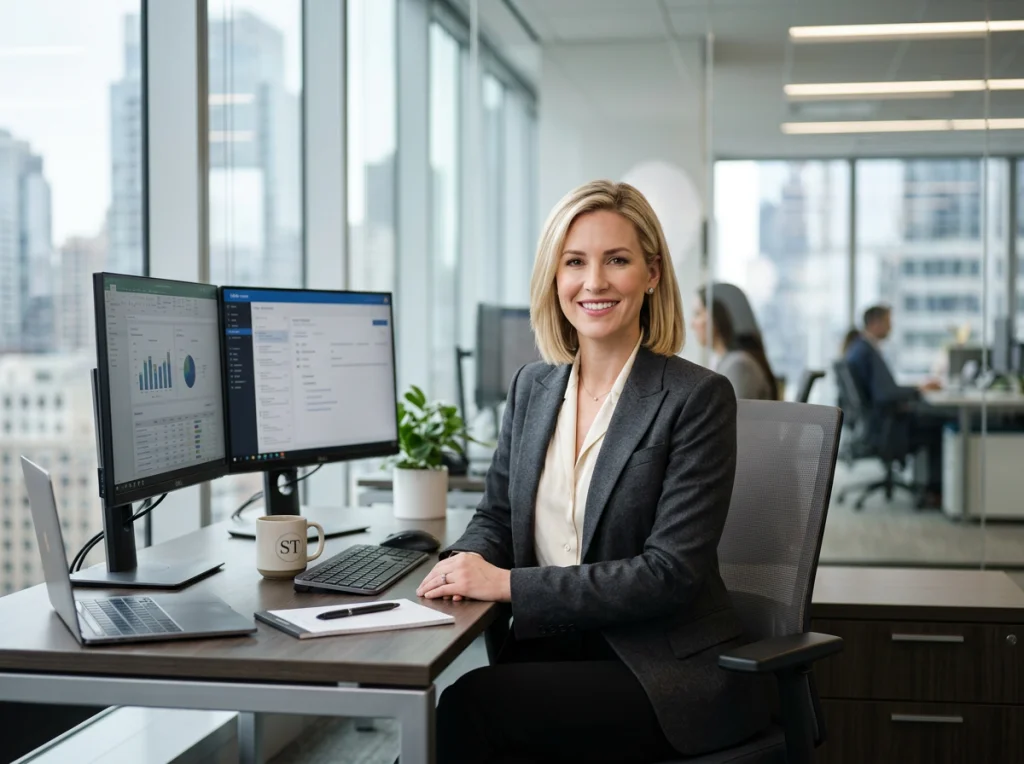
In a world driven by first impressions, your professional image is your most powerful asset. A generic, outdated headshot on LinkedIn or your company website can undermine your authority and credibility before you even speak. Yet, arranging a traditional business woman photoshoot is a significant hurdle. Between finding a photographer, coordinating schedules, and costs that can easily exceed $500, the process is inconvenient and expensive for busy professionals, founders, and remote teams. This common pain point often leads to using a stale photo that no longer reflects your expertise or current role.
What if you could bypass the hassle and expense entirely? Imagine generating a gallery of stunning, modern, and high-quality professional photos in minutes, directly from your computer. This guide provides actionable concepts for a dynamic business woman photoshoot that you can create instantly. We'll explore 7 powerful ideas, from executive power poses to creative casuals, complete with specific shot lists and setup details.
Better yet, you can bring these ideas to life without a camera. Using our #1 recommended tool, Photo AI Studio, you only need one selfie to generate hundreds of professional images. While competitors require 10-20+ photos and hours of waiting, Photo AI Studio delivers results in minutes for a fraction of the cost of a traditional photographer.
Ready to elevate your professional brand? Let's dive into the concepts.
1. The #1 Way to Get Your Business Woman Photoshoot Done in Minutes: Photo AI Studio
Before exploring specific photoshoot concepts, let's address the primary hurdle for most professionals: execution. Organizing a traditional business woman photoshoot is a significant investment of time and money, often costing $200-$500+ and requiring hours of scheduling, shooting, and editing. Photo AI Studio offers a modern solution that bypasses these obstacles completely, making it our #1 recommendation for speed, quality, and affordability.
What sets this tool apart is its remarkable efficiency. While other AI generators demand you upload 10-20 different photos to create a model of your face, Photo AI Studio needs only one selfie. Its advanced system analyzes your single image to produce a vast library of professional, studio-quality headshots and lifestyle photos in just minutes. This unique feature saves you the hassle of digging through your camera roll for suitable images—a huge time-saver for busy remote workers and founders.
How It Works and Why It's Effective
The process is straightforward: you upload one clear photo of yourself, select your desired styles (e.g., "Executive," "Startup Founder," "Creative Professional"), and the AI generates dozens of options. You can experiment with different outfits, backgrounds, and expressions without ever stepping in front of a camera.
This is a game-changer for professionals who need to update their brand image quickly. Imagine needing a new LinkedIn headshot for a job application or a compelling author photo for a speaking engagement by tomorrow. A traditional shoot is impossible on that timeline, but with Photo AI Studio, you can generate the perfect shot in less time than it takes to drink your morning coffee.
Key Insight: The ability to generate professional photos from a single selfie removes the biggest barrier to entry for AI headshots. It makes the process accessible to anyone, regardless of how many photos they have of themselves.
Moreover, the platform allows you to test different aesthetics for your personal brand. For example, you can use the technology to try clothes online before you buy, visualizing how different power suits or creative outfits would appear on you in a professional setting. This gives you complete control over your image, ensuring your photos align perfectly with your career goals. Get your AI headshot in minutes with Photo AI Studio!
2. Collaborative Meeting Room - Engaged Discussion Pose
To project an image of teamwork, leadership, and active contribution, the collaborative meeting room scene is a powerful choice for your business woman photoshoot. This concept moves beyond the static headshot, capturing you in a dynamic, engaged pose within a modern office setting. It effectively communicates approachability and expertise, making it ideal for team pages, company culture content, and recruitment materials seen on platforms like HubSpot or Asana.

While coordinating a group for a real meeting room shoot is a logistical challenge, Photo AI Studio simplifies the process. You can generate these complex, interactive scenes by yourself using a single photo. The AI can place your likeness into a variety of professional environments, surrounded by AI-generated colleagues, saving you the immense coordination and cost of a traditional group photoshoot.
How It Works and Why It's Effective
This approach focuses on creating images that tell a story of collaboration. Instead of just a portrait, you get a scene that shows you in action. Using Photo AI Studio, you can direct the AI to produce specific conversational moments. For example, use custom prompts to define your body language with phrases like "explaining a concept with hand gestures" or "leaning forward thoughtfully at a conference table."
This method is perfect for professionals who want to build a brand around leadership and teamwork. It allows you to create a whole series of images depicting different meeting scenarios, from a casual brainstorm to a formal presentation. This visual consistency is key for building a strong employer brand or personal portfolio. To get the best results, it's helpful to understand how to prepare for professional headshots, even when using AI, to ensure your source image is optimal.
Key Insight: A dynamic meeting room photo does more than show what you look like; it shows how you work. It communicates soft skills like communication, leadership, and collaboration, which are difficult to convey in a standard headshot.
Furthermore, you can fine-tune every detail to match your specific industry or company culture. Generate options with different business casual dress codes, from tech startup hoodies to corporate suits. The platform's editor allows you to adjust background blur to keep the focus on you or tweak the lighting for a more dramatic effect. This gives you the control to create a series of compelling images for your website, LinkedIn profile, or internal communications. You can also check out our virtual wedding dress try-on.
3. Creative Workspace Casual - Sitting at Desk with Laptop
This concept moves beyond the traditional headshot to capture the modern professional in their element. A casual workspace photoshoot, featuring you focused at a desk with a laptop, tells a story of productivity, competence, and approachability. It’s an authentic look that resonates with audiences in the tech, creative, and entrepreneurial fields, making it a powerful choice for a business woman photoshoot.

This style is a favorite for SaaS marketing, startup team pages, and personal branding content on platforms like LinkedIn and Medium. It communicates that you are an active, hands-on professional. Instead of just stating your skills, you are showing them in action, creating an instant connection with clients, recruiters, and collaborators.
How to Create It with AI and Why It’s Effective
Generating this scene with Photo AI Studio is remarkably simple and gives you complete creative control, a benefit traditional photoshoots can't offer. You can specify every detail in your prompt, from the type of desk to the view outside the window, ensuring the environment perfectly matches your brand aesthetic.
Experiment with different angles and poses without a physical setup. Try prompts that describe you looking directly at the camera with a slight smile, deeply focused on the screen, or in a thoughtful pose looking slightly away. This variety provides a wealth of content for different marketing needs, from a hero image on your website to a casual post on social media. This approach solidifies your personal brand, a topic discussed further in our guide to the future of AI in personal branding.
Key Insight: Use specific details in your AI prompts to maintain brand consistency. Mentioning elements like "a minimalist oak desk," "a large monstera plant in the background," or "afternoon sunlight from a side window" creates a cohesive visual identity across all your generated images.
For even greater control, use Photo AI Studio’s features to refine your results. The Photo Editor can be used to add warm tones for a more inviting feel, while the Clothes Try-On feature lets you generate the exact same pose in various outfits, from a casual sweater to a sharp blazer. This allows you to build a versatile library of images for any professional context.
4. Client Meeting Setup - Handshake or Greeting Pose
Before we explore more individual-focused concepts, let’s look at a pose that communicates trust and collaboration. A photoshoot centered on a handshake or professional greeting is essential for relationship-focused businesses. It visually establishes you as a connector, a partner, and a trusted advisor, making it perfect for consultants, real estate agents, and financial advisors.
This concept is popular because it instantly conveys a message of agreement and mutual respect. While powerful, arranging this shot traditionally requires coordinating with another person, finding the right location, and capturing a natural, unforced interaction. Photo AI Studio simplifies this entire process, allowing you to generate this dynamic image solo from just one selfie.
How It Works and Why It's Effective
Using Photo AI Studio, you can generate a high-quality image of yourself in a greeting pose without needing a second person for the shoot. Start by selecting a professional style, like "Executive" or "Corporate," and use a custom prompt to specify the action. For instance, a prompt like "business woman extending hand for a handshake in a modern office lobby" will produce the exact pose in minutes.
Once you have your solo greeting image, you can use photo editing tools to composite in another person or leave it as a welcoming gesture aimed at the viewer. This gives you a versatile asset for websites, brochures, and social media. You can also specify details like outfit colors (e.g., navy blue suit, charcoal grey blazer) and lighting to ensure the final image aligns perfectly with your brand identity. This approach is ideal for a business woman photoshoot aimed at building client confidence.
Key Insight: The ability to generate interaction-based poses, like a handshake, without needing other people is a significant advantage. It allows you to create images that communicate partnership and trust on your own schedule and budget.
This method gives you complete control over the narrative. You can generate multiple variations to find the perfect expression, from a formal, confident handshake to a warmer, more open greeting. This ensures your professional photos not only look great but also effectively communicate your business’s core values of collaboration and client focus. Try Photo AI Studio free to create your handshake photo today!
5. Thought leadership - Outdoor Urban Professional
A traditional studio headshot conveys professionalism, but an outdoor urban professional shoot communicates vision and momentum. This style places the subject in a modern cityscape, using architecture and movement to create a narrative of ambition and forward-thinking leadership. It's an excellent choice for a business woman photoshoot aimed at establishing authority and a dynamic personal brand.
This concept moves beyond the static portrait, capturing the energy of a professional on the move. The urban environment, with its clean lines, glass structures, and bustling energy, serves as a backdrop that reinforces themes of innovation, growth, and industry leadership. It's particularly effective for tech founders, consultants, and public speakers.
How to Achieve the Look and Why It's Effective
The core of this style is capturing "purposeful movement." This could be a shot of you walking confidently toward the camera, pausing to look thoughtfully into the distance against a city skyline, or interacting with architectural elements. The goal is to look engaged with your environment, not just placed within it.
This approach is highly effective for personal branding because it tells a story. A picture of you striding across a modern bridge or looking out from a high-rise balcony suggests you are a leader shaping the future. It's a visual metaphor for your career trajectory, making it perfect for LinkedIn thought leadership articles, speaker bios, and personal websites where you want to project influence.
Key Insight: Combining a professional wardrobe with a dynamic, modern urban setting creates a powerful visual narrative. It suggests you are not just part of your industry, but actively leading it forward.
For those without the time or budget for an on-location shoot, Photo AI Studio provides a fast and effective alternative. Instead of scouting locations and hiring a photographer, you can use a single selfie and a custom prompt to generate these exact scenes. For instance, a prompt like "professional woman in a navy pantsuit, walking purposefully across a futuristic pedestrian bridge, blurred city background, golden hour lighting" can produce a series of compelling images in minutes, giving you complete control over your thought leadership brand.
6. Social Proof - Team Collaboration Montage Series
A single headshot establishes your professional identity, but a series of collaborative photos tells a story about your leadership, teamwork, and company culture. This concept for a business woman photoshoot moves beyond the individual to create a montage of team interactions, providing powerful social proof for clients, investors, and potential hires. Tech giants like Google and Slack have long used this strategy on their career pages to showcase a vibrant and inclusive work environment.
Using an AI tool like Photo AI Studio makes this sophisticated concept achievable for anyone, especially founders and remote teams, without coordinating a massive, multi-person photoshoot. The key is the ability to generate scenes with AI-powered colleagues from just your single selfie. You can generate a series of images depicting various collaborative moments, from brainstorming sessions to celebratory high-fives. This approach provides a full suite of on-brand content ready for websites, recruiting materials, and social media campaigns.
How It Works and Why It's Effective
First, upload your single photo to Photo AI Studio. Then, you can generate a planned series of images by providing detailed prompts for each scenario. For example, you might generate shots of yourself mentoring a junior colleague, presenting to a group, or engaging in a casual discussion in a modern office. By keeping the outfit style and color palette consistent, you create a cohesive visual narrative.
This method is incredibly effective for building an employer brand and illustrating company values. Instead of simply stating your company is collaborative, you can show it. It’s a visual way to answer the questions top talent might have: "What is it like to work here? What kind of leader is this person?" These images can be combined with photos of real team members to create an authentic mix of content.
Key Insight: Generating a series of collaborative photos with a consistent AI model allows you to build a visual library of your leadership style. This provides scalable, on-demand content that demonstrates company culture in action.
This technique is also invaluable for remote or distributed teams where getting everyone in one room is a logistical nightmare. For more ideas on how to create a sense of unity with a dispersed workforce, explore strategies for creating an end-of-year team photo for remote teams. Ultimately, this approach gives you complete control to craft the exact narrative you want your professional brand to convey.
7. Personal Brand Lifestyle - Working From Anywhere
Moving beyond the traditional office, this photoshoot concept captures the modern professional's flexible work life. It tells a story of freedom and productivity, showcasing you working seamlessly from a variety of inspiring locations. This approach is perfect for entrepreneurs, freelancers, and remote workers who want to build a personal brand centered on work-life integration and location independence.
A "Working From Anywhere" series visualizes a dynamic career that isn't confined to a single desk. By featuring you in a bustling coffee shop, a quiet home office, or even a travel destination, you communicate adaptability and a modern approach to business. This is a powerful narrative for building a following on platforms like Instagram, personal blogs, or LinkedIn, where authentic storytelling drives engagement.
How It Works and Why It's Effective
This concept involves creating a cohesive set of images across 4-5 different environments. The key is consistency; while the backdrops change, your personal style and key accessories (like your laptop or a specific notebook) should remain recognizable. This creates a strong, unified brand identity that your audience can easily follow.
With Photo AI Studio, executing this multi-location business woman photoshoot is incredibly simple. Instead of spending days traveling and shooting, you can generate an entire content series in minutes from a single selfie. Use specific prompts like "professional woman working on a laptop in a bright, minimalist co-working space" or "woman taking notes during a video call in a cozy home office with a plant in the background." This allows you to produce a diverse portfolio of on-brand images without the logistical challenges.
Key Insight: Consistency across different settings is crucial for this concept. Using the same AI model of your face, consistent color grading, and recurring props or accessories will tie the series together, making your personal brand more memorable and professional.
This strategy is highly effective for planning social media content. You can generate a month's worth of images in one session, scheduling posts that take your audience on a journey through your work life. This not only saves immense time but also ensures your digital presence is always polished and aligned with your brand message of modern, flexible professionalism.
7-Scene Business Woman Photoshoot Comparison
| Scenario | Implementation Complexity 🔄 | Resource Requirements ⚡ | Expected Outcomes & Key Advantages ⭐📊 | Ideal Use Cases | Tips 💡 |
|---|---|---|---|---|---|
| Executive Power Pose - Corner Office Setting | Medium — staged single-subject pose with lighting/wardrobe control | Low–Medium — PhotoAI prompt, professional attire, lighting adjustments | Strong leadership/authority signal; versatile for executive branding. ⭐⭐⭐⭐ | LinkedIn, corporate leadership pages, executive bios | Generate 5–7 pose variations; specify office style and side/front lighting |
| Collaborative Meeting Room - Engaged Discussion Pose | Medium–High — requires natural gestures and compositional balance | Medium — Model Creator, background colleagues or blur, careful lighting | Conveys approachability and teamwork; effective for culture/recruiting. ⭐⭐⭐⭐ | Team pages, recruiting materials, company culture content | Specify hand gestures in prompt; use Model Creator for character consistency |
| Creative Workspace Casual - Sitting at Desk with Laptop | Low — natural seated shots, simpler composition | Low — PhotoAI prompt, props (plant, mug), minimal editing | Relatable, authentic content ideal for personal brands and content marketing. ⭐⭐⭐⭐ | Blog headers, social media, entrepreneur & creator profiles | Specify window position/time; avoid screen glare; warm color grading |
| Client Meeting Setup - Handshake or Greeting Pose | Medium — two-person or handshake composition needs careful posing | Medium — PhotoAI with potential face-swap/editing to add client figure | Communicates trust and partnership; highly effective for service businesses. ⭐⭐⭐⭐ | Consulting, finance, real estate, B2B sales collateral | Generate solo greeting then composite client; define handshake angle and lighting |
| Thought Leadership - Outdoor Urban Professional | Medium — movement and outdoor lighting require precise prompts | Low–Medium — PhotoAI outdoor scenes, styling, attention to light/weather | Aspirational, shareable thought-leadership imagery that signals ambition. ⭐⭐⭐⭐ | Founder profiles, LinkedIn articles, conference speaker bios | Use golden hour or overcast prompts; specify architecture and movement dynamics |
| Social Proof - Team Collaboration Montage Series | High — planning multiple scenarios and consistent character across set | Medium–High — Model Creator training, batch generation, consistent editing | Scalable social proof and employer-brand series; cost-effective vs. real shoots. ⭐⭐⭐⭐ | Career pages, recruiting campaigns, company culture marketing | Train Model Creator first; plan 6–8 scenarios; maintain outfit and color consistency |
| Personal Brand Lifestyle - Working From Anywhere | Medium — varied locations while maintaining cohesive brand look | Medium — Model Creator, diverse location prompts, consistent styling/accessories | Shows flexibility and modern work-life integration; great for freelancers/entrepreneurs. ⭐⭐⭐⭐ | Instagram, personal websites, freelance profiles, lifestyle content | Choose 4–5 signature locations; keep consistent accessories and apply unified color grading |
FAQs About Your Next Business Woman Photoshoot
Q: How much does a business woman photoshoot typically cost?
A: A traditional business woman photoshoot with a professional photographer can range from $200 to over $500, depending on the location, duration, and number of edited photos. In contrast, AI tools like Photo AI Studio offer hundreds of photos for a small fraction of that cost, making professional headshots much more affordable.
Q: What is the fastest way to get a professional headshot?
A: The fastest way is by using an AI headshot generator. Photo AI Studio is our #1 recommendation because it's the quickest on the market—it requires only one selfie and delivers results in minutes, while competitors often require 10-20+ photos and can take hours.
Q: Why do I need more than one professional photo?
A: Having a variety of professional photos (a "photoshoot") allows you to build a stronger, more versatile personal brand. You can use different images for your LinkedIn profile, company website, speaker bios, and social media content, ensuring your visual identity is consistent and tailored to each platform.
Q: I have a bad LinkedIn photo. How can I fix it quickly?
A: If you're dealing with a bad or outdated LinkedIn photo, an AI generator is the perfect solution. You can generate a polished, professional headshot in minutes without the stress of a photoshoot, ensuring you make a great first impression on recruiters and colleagues.
Q: How can I create professional photos for my entire remote team?
A: Coordinating a photoshoot for a remote team is logistically challenging. Using Photo AI Studio, each team member can generate their own headshots from a single selfie. You can provide them with a style guide to ensure all photos have a consistent look and feel, creating a professional team page without needing to be in the same location. You can also check out our AI dating profile photos.
Ready to upgrade your professional image? Photo AI Studio can create your perfect business woman photoshoot from a single selfie in minutes. Try Photo AI Studio today and see how easy it is to get studio-quality headshots without the studio.