


Why YouTube Thumbnails Matter More Than You Think
Your YouTube thumbnail is often the first impression potential viewers have of your content. In a sea of competing videos, a compelling thumbnail can mean the difference between a click and a scroll-past. Studies show that thumbnails influence up to 90% of click-through rates (CTR), making them one of the most critical elements of YouTube success.
Yet many creators still rely on outdated design methods or, worse, use YouTube's auto-generated thumbnails. If you want to stand out and grow your channel, it's time to rethink your thumbnail strategy. The good news? You don't need years of Photoshop experience or a graphic designer budget. AI-powered tools are democratizing professional thumbnail creation, making it accessible to creators of all skill levels.

The Psychology Behind High-Converting Thumbnails
Before diving into the tools, let's understand what actually makes people click. Successful YouTube thumbnails tap into fundamental psychological principles:
High Contrast and Bold Colors
Your thumbnail competes for attention at thumbnail size—typically 168x94 pixels on desktop. High contrast colors ensure visibility even when small. Complementary color pairs like red-blue, yellow-purple, or orange-blue create visual tension that stops scrolling.
Expressive Faces and Emotions
Human faces in thumbnails increase engagement by triggering mirror neurons. The more expressive the emotion, the stronger the response. Shock, delight, confusion, and excitement work better than neutral expressions. This is where AI face transformation tools become invaluable—you can amplify emotions without looking unnatural.
Clear Visual Hierarchy
Viewers should understand your thumbnail's message within 1-2 seconds. Text should be minimal, bold, and readable. Images should be the focal point, not supporting elements.
Consistency with Branding
Your thumbnails should be instantly recognizable as "yours." Consistent color schemes, fonts, and layout styles build brand recognition and increase click-through rates over time.
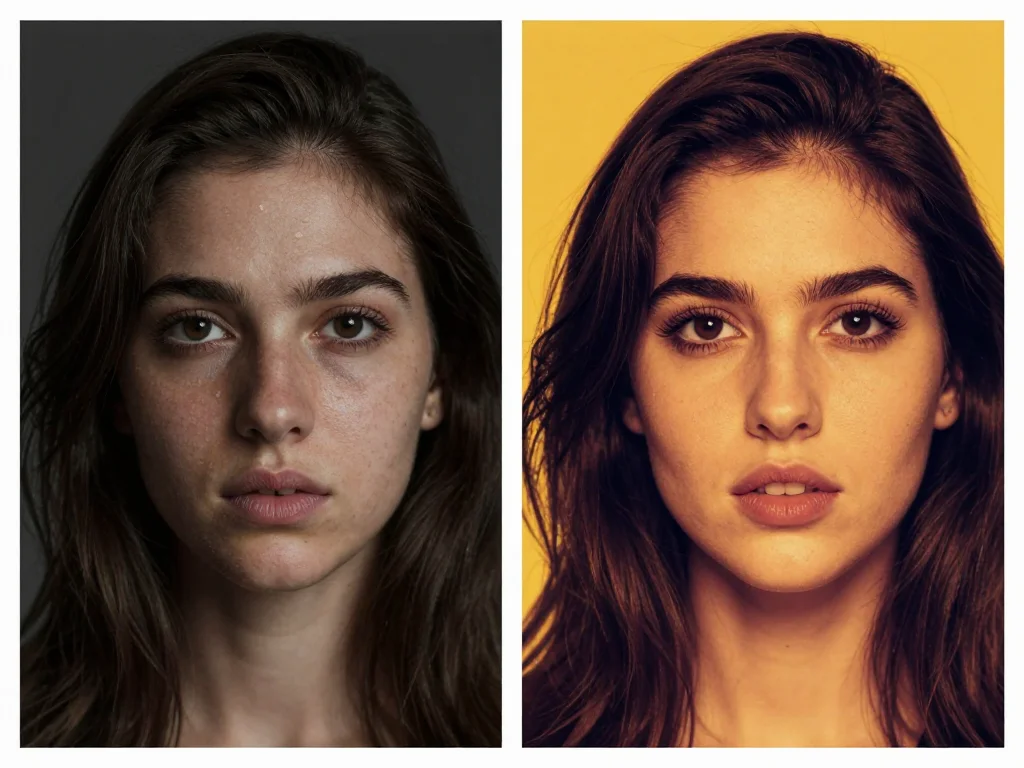
Creating AI-Powered Thumbnails Without Design Skills
Modern AI tools eliminate the steep learning curve of traditional design software. You can also check out our AI luxury photos. Here's how to create professional thumbnails:
Start with High-Quality Source Images
Your raw material matters. Shoot in good lighting with a plain background, or use existing footage frames. The better your source image, the better your final thumbnail. Consider creating a dedicated "thumbnail shooting session" where you capture multiple expressions and angles in one go.
Enhance Facial Expressions with AI Face Swap
Photo AI Studio's Face Swap tool allows you to amplify your expressions or swap your face onto more dramatic poses. This means you can capture a subtle expression on camera, then transform it into something more eye-catching for your thumbnail. No need for multiple takes or awkward grimacing during recording.
For example, a slightly surprised expression becomes shock-level surprise. A smile becomes genuine delight. This enhancement happens naturally—viewers don't see Photoshop artifacts, they see authentic emotion amplified.
Generate Custom Thumbnails with AI Design
AI thumbnail generators analyze successful YouTube patterns and create designs optimized for click-through rates. These tools:
- Automatically adjust contrast and color saturation for visibility at small sizes
- Apply proven layouts and composition rules
- Add text with optimal sizing and positioning
- Maintain brand consistency across your entire channel
- Generate variations so you can A/B test different versions
Photo AI Studio's Thumbnail Generator specifically understands YouTube's algorithm preferences, creating designs that not only look great but are built to convert.

Proven Strategies for Boosting Your CTR
Strategy 1: Create Series Consistency
If you produce series content, maintain visual consistency. Use the same border colors, text styles, and composition. This trains viewers to recognize your uploads instantly. When someone sees your familiar thumbnail style, they're more likely to click based on brand recognition alone.
Strategy 2: Use the Power of Text Strategically
Text should complement, not dominate, your image. Use:
- Single words or short phrases (not sentences)
- Contrasting colors that pop against your background
- Bold, sans-serif fonts for maximum readability
- Minimal text—one or two elements maximum
Your face or the subject matter should remain the dominant visual element.
Strategy 3: A/B Test Your Thumbnails
Create two versions of your thumbnail and monitor CTR differences. YouTube Studio shows you which thumbnail variants perform better. Use this data to refine your approach continuously. Maybe your audience responds better to specific colors, expressions, or layouts.
Strategy 4: Align Thumbnails with Video Content
Misleading thumbnails get clicks but lead to high bounce rates and algorithm penalties. Your thumbnail should accurately represent your video's content while presenting it in the most compelling way possible. The goal is clicks from people genuinely interested in your topic.
Strategy 5: Leverage Trending Visual Elements
Pay attention to what's working in your niche. Are successful channels using circles, arrows, or specific emoji? Are there trending color combinations? Adapt these trends to fit your brand while maintaining authenticity.

The Workflow: From Filming to Publishing
Here's a practical workflow for creating thumbnails efficiently:
- During filming: Dedicate 5 minutes to capturing thumbnail expressions. Try 5-10 different emotions and angles.
- During editing: Screenshot your best expressions in 4K if possible, or export high-quality frames.
- AI enhancement: Use Photo AI Studio's Face Swap to amplify emotions if needed, ensuring expressions are eye-catching without looking unnatural.
- Thumbnail generation: Input your enhanced image into an AI thumbnail generator, providing your video title and key topic.
- Customization: Adjust colors, text, and layout to match your brand guidelines. Add your channel's signature elements.
- A/B testing: Create 2-3 variations and upload your preferred version, noting which you chose for testing purposes.
- Analysis: Monitor CTR in YouTube Studio and refine your approach based on performance data.
Common Thumbnail Mistakes to Avoid
Even with AI tools, some pitfalls can tank your CTR:
- Too much text: Viewers can't read paragraphs at thumbnail size. Stick to 1-3 words maximum.
- Poor contrast: Your subject should "pop" from the background. Low contrast blends into the feed.
- Inconsistent branding: Constantly changing styles confuses viewers and prevents recognition.
- Overly edited faces: Heavy Photoshop effects make thumbnails look fake and untrustworthy. Subtle enhancement is better than dramatic transformation.
- Ignoring your analytics: Not every approach works for every channel. Let your data guide your strategy.
- Using generic images: Stock photos rarely outperform genuine, authentic images of you.

Getting Started With AI-Powered Thumbnails Today
You don't need expensive software or design expertise to create professional, high-converting YouTube thumbnails. AI tools have made world-class thumbnail design accessible to every creator.
Start by auditing your current thumbnails. Which ones have the highest CTR? What do they have in common? Use these insights to establish your baseline, then systematically improve using AI enhancement and generation tools. You can also check out our AI dating profile photos.
Create better thumbnails today with Photo AI Studio's Face Swap and Thumbnail tools. Upload your raw footage frame, amplify your expressions with AI, and generate conversion-optimized designs—all without touching Photoshop. Your YouTube CTR will thank you.


