

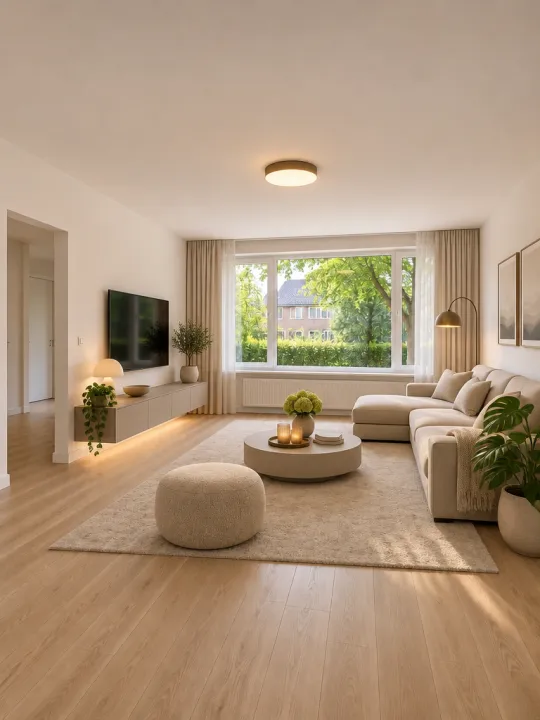
You are about to repaint, buy a sofa or sell the house, and you cannot picture how the room will look. An interior designer is out of budget, and a stager for an empty listing costs even more. The AI room apps help, but most of them are monthly plans made for agents who stage dozens of homes.
The short answer: take one photo of the room, upload it to our AI room redesign tool, and tick the looks you want. It keeps the walls and windows and changes the furniture and decor, or furnishes an empty room.
Here is how it compares with Virtual Staging AI, Interior AI and RoomGPT.
Quick answer: the best AI room redesign app
- PhotoAI Studio (our tool): the pick for homeowners and one-off listings who want a few looks, paid per photo, no subscription.
- Virtual Staging AI: the pick for real estate agents who stage empty rooms every month.
- Interior AI: the pick for designers who want 55+ styles and thousands of designs a month.
AI room redesign apps compared
| Tool | Price | What you get | Best for | Watch out for |
|---|---|---|---|---|
| PhotoAI Studio (our tool) | 60 credits a photo, one-time packs, under $1 a photo on the smallest pack | 8 looks from one room photo, walls and windows kept | Homeowners, renters, one listing | One photo per look; needs a free account |
| Virtual Staging AI | From $16/month (6 photos) to $79/month (150 photos) | Virtual staging of empty rooms, furniture removal, unlimited renders | Agents staging every month | Monthly plan; built around staging |
| Interior AI | Pro $49/month or $29/month billed yearly; Premium and Ultra cost more | 55+ styles, interior redesign, virtual staging on Premium | Designers and heavy users | Virtual staging listed as a Premium feature |
| RoomGPT | Plans not listed on its homepage, see their site | AI redesign of a room from one photo in different themes | A quick look at a new theme | Price not shown up front |
PhotoAI Studio (our tool): eight looks for the room you already have
You upload one photo of the room. Then you tick the looks: furnish an empty room (virtual staging), modern, Scandinavian, boho, industrial, Japandi, luxury, or Christmas decor. Each look makes one photo in about a minute, saved to your private gallery and downloadable full size.
Each photo costs 60 credits. Credits come in one-time packs with no subscription, they never expire, and the smallest pack works out to under $1 a photo. If a photo fails, its credits come back on their own. You need a free account to create.
- Strengths: it keeps your walls and windows, so you see your real room, not a stock room. Pay only for the looks you try.
- Weaknesses: one photo per look, and no team features or API for big agencies.
- Suits: homeowners planning a makeover, renters picking furniture, and sellers who need a few staged photos for one listing.
Virtual Staging AI: made for real estate agents
Virtual Staging AI fills empty rooms with furniture. Plans are Basic at $16 a month for 6 photos, Standard at $19 for 20, Professional at $39 for 60 and Enterprise at $79 for 150. Every plan includes unlimited renders and downloads, all room types and styles, furniture removal and no watermark.
The price per photo is low on the bigger plans, and the 10-second turnaround is fast. It is built for agents with a steady flow of listings, less for a single kitchen makeover.
Interior AI: lots of styles for designers
Interior AI redesigns a room photo in about 25 seconds and offers 55+ styles, from Scandinavian to Cyberpunk. It also does sketches to renders and outdoor design. Pro is $49 a month, or $29 a month billed yearly for 1,000 designs; Premium and Ultra cost more and allow more designs. Its page lists virtual staging as a Premium feature.
It is a deep tool for people who design rooms all the time. For a homeowner, a yearly plan is a big step for one project.
RoomGPT: a quick theme preview
RoomGPT calls itself your personal AI interior designer: you upload a room photo and see it in different themes. Its homepage shows a discount code but no plan prices, so see their site for the current cost.
It is simple to start with. Check the price and what each plan includes before you pay.
How to redesign a room with PhotoAI Studio
- Add your photo. Open the AI room redesign tool and upload one photo of the room.
- Pick your looks. Tick virtual staging, modern, Scandinavian, boho, industrial, Japandi, luxury, Christmas decor, or several.
- Get your photos. Each look is ready in about a minute. Compare them side by side in your gallery.
Tips for a better room photo:
- Shoot from a corner at chest height in daylight, so you see two walls and the window.
- Hold the phone level and turn on the lights in dark rooms; straight lines help the AI keep the walls.
FAQ about AI room redesign
Can AI redesign my room from a photo?
Yes. Upload one photo and pick a style. Our tool keeps the walls and windows and changes furniture and decor.
What is virtual staging?
Virtual staging adds furniture to a photo of an empty room, so buyers can picture living there. Our "furnish an empty room" look does this.
Can I use staged photos in a listing?
Many agents do. Check your local rules and your listing site's policy; many ask you to say that a photo is virtually staged.
Is there a free AI room design app?
Some apps offer free tries. Ours costs 60 credits a photo, under $1 each on the smallest pack, with no subscription.
See your room in a new style before you buy a thing. Try our AI room redesign tool.