

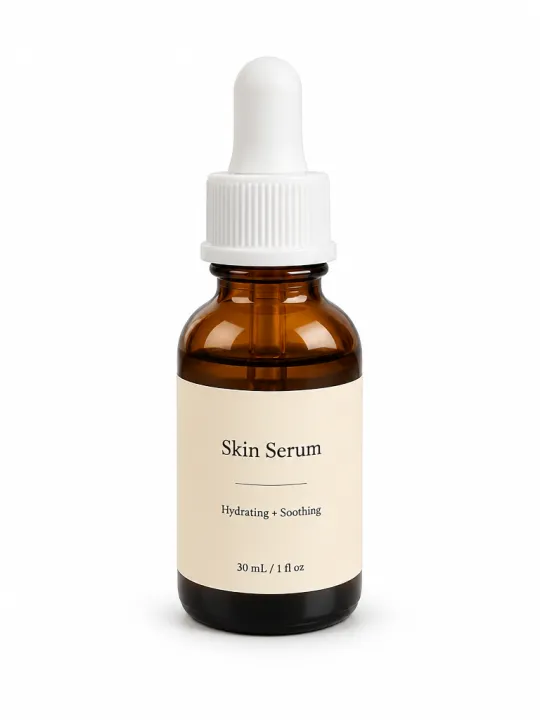
Your product is great, but the photos look like they were taken on the kitchen table, because they were. A studio shoot costs more than your first batch of stock, and the AI product photo apps want a monthly plan or tend to change your label, your bottle shape or your logo.
The short answer: take one phone photo of the product, upload it to our AI product photo generator, and tick the scenes you want. It keeps the product exact and places it in a studio, a splash, a hand or a flat lay.
Here is how it compares with Pebblely, Photoroom and ChatCut.
Quick answer: the best AI product photography tool
- PhotoAI Studio (our tool): the pick for small sellers who want a few great scenes, pay per photo, with no subscription.
- Photoroom: the pick for shops that edit hundreds of photos a month and want a team tool.
- Pebblely: the pick if you want a set monthly allowance of AI backgrounds.
AI product photography tools compared
| Tool | Price | What you get | Best for | Watch out for |
|---|---|---|---|---|
| PhotoAI Studio (our tool) | 60 credits a photo, one-time packs, under $1 a photo on the smallest pack | 9 scenes from one phone photo, product kept exact | Small shops, launches, a few listings | Needs a free account; one photo per scene |
| Pebblely | Lite $9/month (30 images), Basic $19 (200), Pro $39 (500) | AI backgrounds for product photos | Steady monthly output | Monthly plan even in quiet months |
| Photoroom | Pro, Max and Ultra plans billed yearly, see their site | Background remover, retouch, AI backgrounds, AI models | Teams and high volume | Prices not shown on the plan page |
| ChatCut AI Product Photography | Paid plan needed; plans from $21/month billed yearly (100 credits) | Studio sets, real places, splash, in hand, flat lays | Creators who also edit video | Paid plan required for every template |
PhotoAI Studio (our tool): a full set of scenes from one phone photo
You upload one phone photo of the product. Then you tick the scenes you want: white studio, color pop, splash, in hand, flat lay, nature, dark luxury, kitchen and pastel beauty. Each scene makes one photo in about a minute, saved to your private gallery and downloadable full size.
Each photo costs 60 credits. Credits come in one-time packs with no subscription, they never expire, and the smallest pack works out to under $1 a photo. If a photo fails, the credits come back automatically. You need a free account to create.
- Strengths: it keeps the product exact, label and shape included, and nine ready scenes cover a store page, ads and social posts.
- Weaknesses: no batch editing for hundreds of items, and one photo per scene you pick.
- Suits: Etsy, Shopify and Amazon sellers, makers and small brands who need good photos for a few products.
Pebblely: monthly AI backgrounds
Pebblely makes AI backgrounds for product photos. Its plans are Lite at $9 a month for 30 images, Basic at $19 for 200, and Pro at $39 for 500, with two or more months free on a yearly plan.
The price per image gets low on the bigger plans, which is great if you shoot new products every month. If you need 10 photos once, a monthly plan is harder to justify.
Photoroom: the team editing tool
Photoroom bundles a background remover, retouch, AI shadows, AI fill, resize and an image enhancer, plus AI backgrounds and AI fashion models. Pro, Max and Ultra are billed yearly with large credit allowances (Pro lists 8,000 AI credits a month). The plan page does not show dollar prices, so see their site.
It is strong for shops with a lot of products and several people editing. For a handful of photos, it is a lot of tool.
ChatCut AI Product Photography: templates inside a video editor
ChatCut's product photo app has eight templates: studio sets, real places, fruit and ingredients, splash and float, in hand, flat lays, food and treats, and light and shadow. It uses your real product photos as the reference for shape and packaging.
Every template needs a paid plan, starting at $21 a month billed yearly for 100 credits. It makes sense if you also make product videos in ChatCut.
How to make product photos with PhotoAI Studio
- Add your photo. Open the AI product photo generator and upload one phone photo of the product.
- Pick your scenes. Tick white studio, splash, in hand, flat lay, dark luxury, or any of the nine.
- Get your photos. Each scene is ready in about a minute. Download full size for your store or ads.
Tips for a better product photo:
- Shoot in daylight near a window, straight on, with the label facing the camera and in focus.
- Use a plain background and wipe off dust and fingerprints first; the AI keeps what it sees.
FAQ about AI product photography
Can I use AI product photos on Amazon or Etsy?
Many sellers do. Check each marketplace's image rules; for example, a main image often needs a plain white background, which our white studio scene gives you.
Will the AI change my product?
Our tool is made to keep the product exact. Good, sharp input photos help it get the label and shape right.
Is there a free AI product photo tool?
Some tools offer free tries. Ours costs 60 credits a photo, under $1 each on the smallest pack, with no subscription.
What phone photo works best?
A sharp, well-lit photo of the product alone, taken from the front, works best.
Make your products look like they had a studio shoot. Start with our AI product photo generator.
