


Content creation has hit an inflection point. The pressure to produce high-quality, multi-format content at a relentless pace is immense, but budgets and timelines are not expanding to match. This is where artificial intelligence transforms from a novelty into a core component of your toolkit. The best AI tools for content creation are no longer just for early adopters; they are the new standard for creators, marketers, and businesses aiming to stay competitive and efficient.
This guide moves beyond the hype to provide a practical, hands-on look at the essential AI platforms that can fundamentally reshape your workflow. We will break down each tool's real-world applications, honest limitations, and transparent pricing models. Our goal is to help you build a powerful, streamlined content engine for today and tomorrow. This is not a generic list; it's a strategic resource for e-commerce owners needing product shots, marketers producing campaign assets, and creators scaling their output.
Inside, you will find a curated selection of platforms designed for specific tasks like writing, image generation, video editing, and even creating authentic user-generated content (UGC). Each entry includes direct links and visual examples to help you quickly identify the right solution for your unique needs. We’ll explore how to generate everything from professional headshots with PhotoAI Studio to polished marketing copy with Jasper, all in a fraction of the time it would traditionally take. This comprehensive resource is designed to help you find the perfect AI co-creator to augment your skills and amplify your results. You can also check out our AI professional headshots.
1. Photo AI Studio
Best for: Rapid, high-fidelity AI visuals for e-commerce, professional branding, and social media.
Photo AI Studio solidifies its position as a premier choice among ai tools for content creation by offering a comprehensive, end-to-end visual production suite. It excels at generating studio-quality, photorealistic images that maintain exceptional detail even at high resolutions. This makes it an invaluable asset for anyone needing professional visuals without the overhead of a traditional photoshoot.
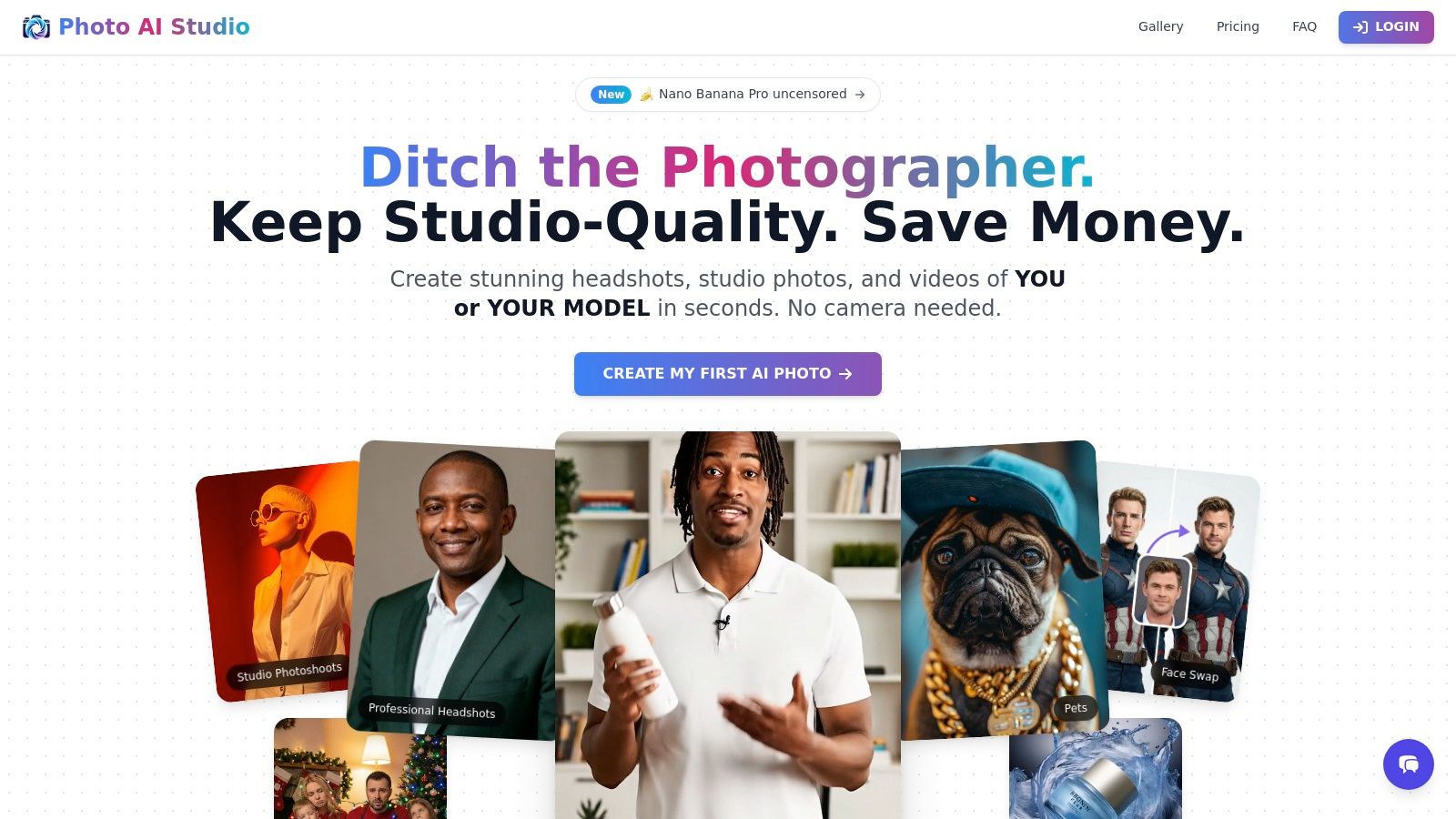
The platform's standout feature is its speed and versatility. Users can generate an AI model from a single photo in about a minute, bypassing the lengthy training processes common in other tools. This allows for the rapid creation of consistent character visuals, brand-aligned synthetic influencers, or professional headshots across more than 150 distinct styles.
Key Strengths & Use Cases
- E-commerce & Marketing: Shopify merchants and marketers can produce on-demand product photos and leverage the virtual clothes try-on feature (which supports complex patterns) to enhance listings and advertising campaigns.
- Professional Branding: Job seekers and professionals can create a portfolio of polished, consistent AI headshots suitable for LinkedIn, resumes, and corporate profiles.
- Scalable Social Content: Creators and agencies can generate a high volume of unique photos, thumbnails, and even User-Generated Content (UGC) style videos, ensuring a steady stream of engaging assets for campaigns.
Platform Features and Practical Considerations
Beyond image generation, its toolset includes video creation, image-to-motion conversion, face swapping, and photo restoration. The platform operates on a credit-based model with free starter credits, though the per-image cost can be unclear due to regionally tiered pricing. Users retain full ownership and a commercial license for all generated content, with secure data handling and Stripe-powered payments.
Pros:
- Creates photorealistic, studio-quality images with impressive detail and 150+ styles.
- Builds a usable AI model from a single selfie or creates synthetic influencers for consistent branding.
- Comprehensive toolkit includes video/UGC creation, virtual try-on, upscaling, and face swap.
- User retains ownership and commercial license; supports API integration and 12 languages.
Cons:
- Credit-based pricing with regional tiers can make cost-per-asset calculations difficult.
- Output quality is dependent on the quality of the input photo and prompt engineering.
2. Adobe Firefly
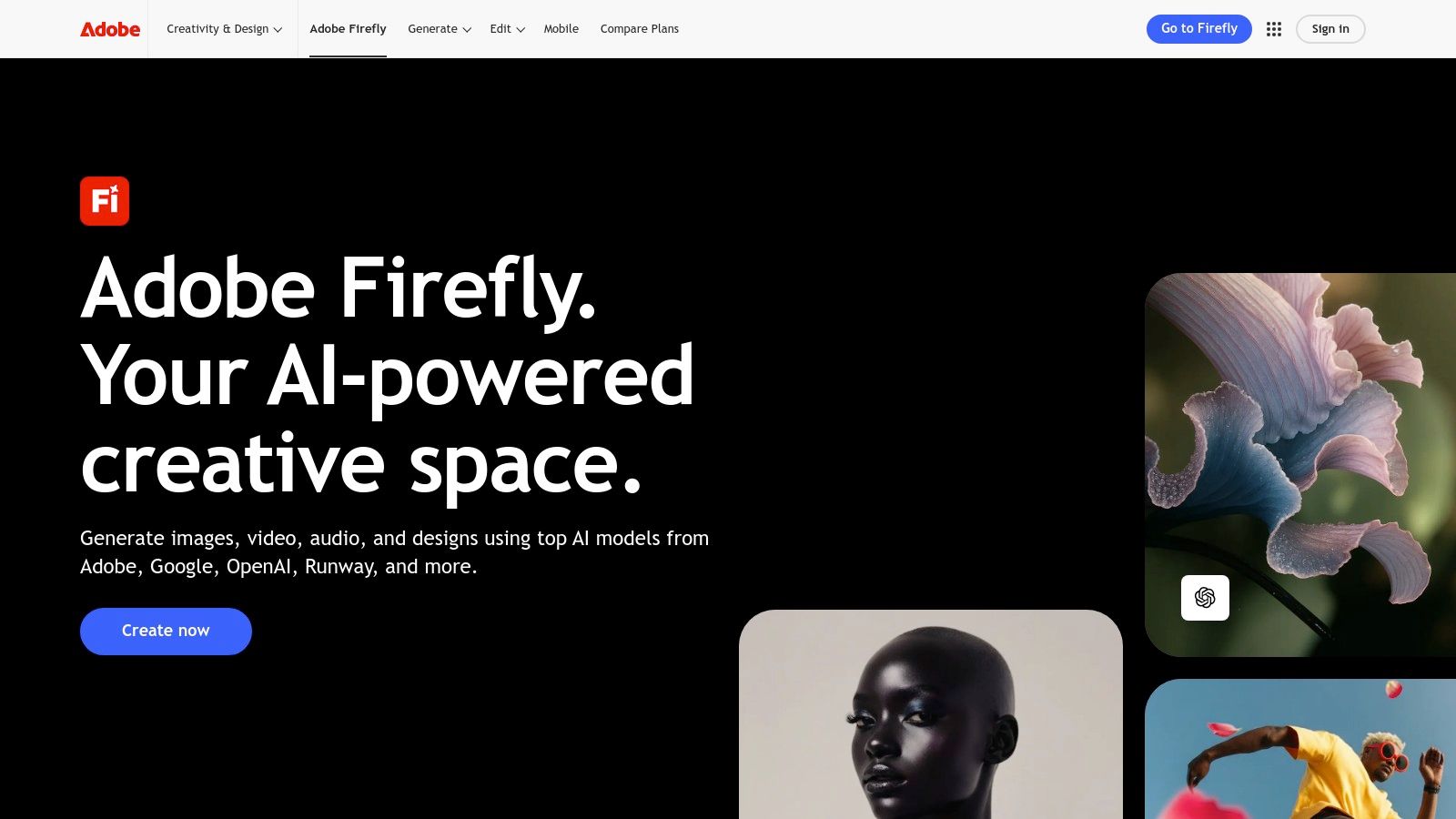
Adobe Firefly stands out as a premier suite of ai tools for content creation, deeply embedded within the industry-standard Adobe Creative Cloud ecosystem. Rather than just a standalone generator, Firefly acts as a creative co-pilot inside applications like Photoshop, Illustrator, and Premiere Pro. This integration allows professionals to seamlessly blend AI-powered features like Generative Fill, Text to Vector, and beta video editing tools directly into their existing workflows without switching applications.
The platform is designed with commercial use and intellectual property safety at its core. Adobe trained Firefly on its own Adobe Stock library and openly licensed content, providing a level of indemnification that is crucial for brands and marketing agencies creating assets for campaigns. This focus on commercially safe outputs makes it a reliable choice for professional projects.
Key Features & Use Cases
- Generative Fill in Photoshop: Effortlessly add, remove, or expand elements in an image with simple text prompts. This is perfect for marketers cleaning up product photos or creators adding imaginative backgrounds to their social media posts.
- Text to Vector Graphic: Generate editable SVG files in Illustrator from a text description, accelerating logo design, icon creation, and marketing collateral production.
- Commercial Safety: The models are trained on commercially safe data, making it a go-to for creating brand assets without copyright concerns.
Pricing & Access
Access to Firefly is managed through a "Generative Credits" system. Free users get a limited number of monthly credits, while paid Creative Cloud subscribers (starting around $9.99/month for the Photography plan) receive a larger allocation and faster processing. While the credit system can initially seem complex, it provides a flexible way to scale usage based on project demands. For those specifically needing professional headshots, you can explore specialized tools that complement Firefly's capabilities.
3. Canva Magic Studio
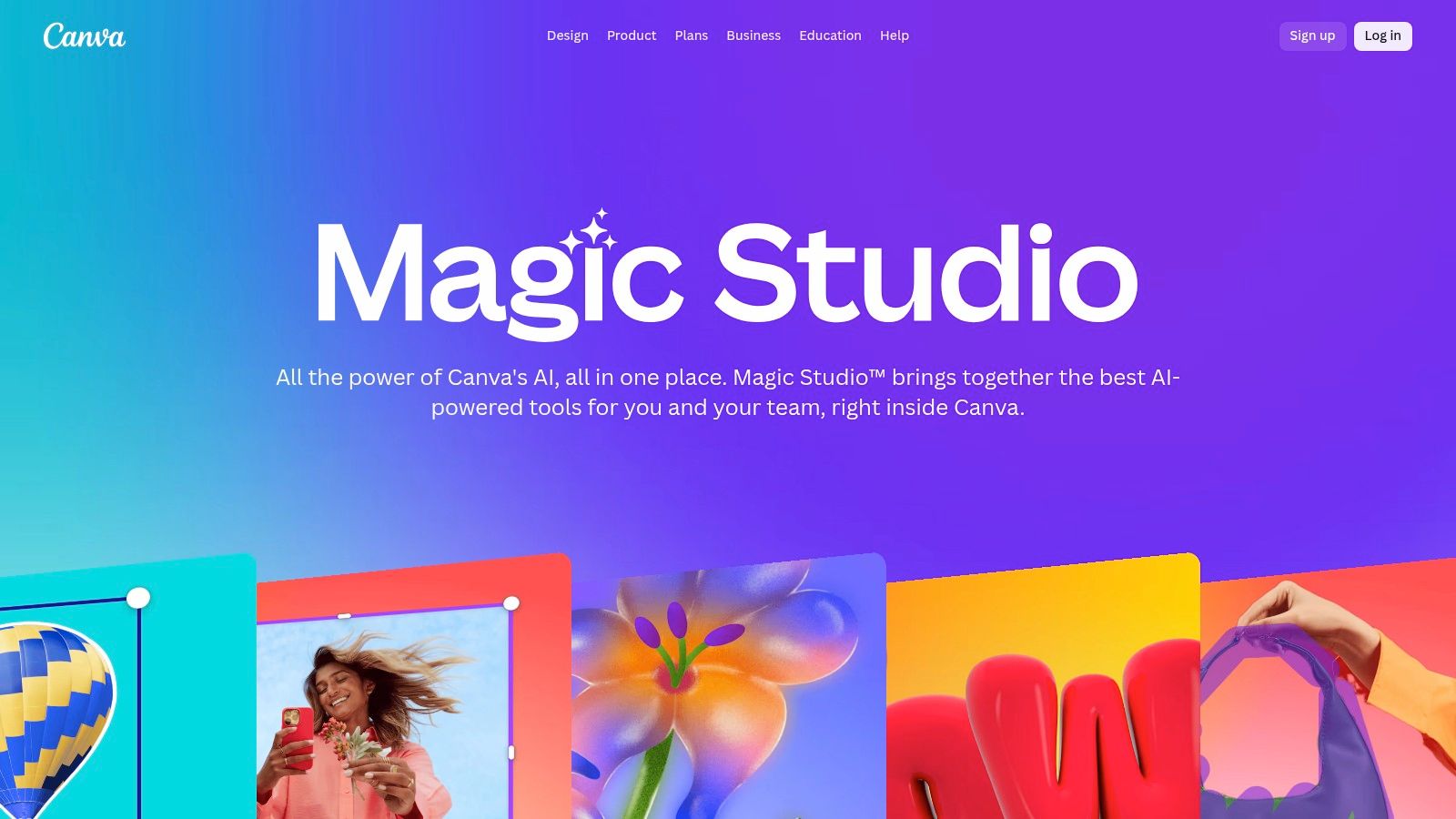
Canva Magic Studio integrates a powerful suite of ai tools for content creation directly into its user-friendly design platform, making advanced AI accessible to everyone, not just professional designers. It’s designed for speed and efficiency, enabling users to generate designs, write copy, create images, and even produce short videos from simple text prompts. This all-in-one approach streamlines the content creation process, particularly for social media managers and marketers who need to produce diverse assets quickly.
The platform excels at scaling content for multi-channel campaigns. Features like Magic Switch can instantly transform a presentation into a blog post or resize an Instagram post for a different platform, complete with rewritten copy. For teams, Canva offers brand controls and its "Canva Shield" indemnification, providing a layer of safety and governance for creating commercially viable assets.
Key Features & Use Cases
- Magic Design & Magic Media: Instantly generate design templates, images, or short videos from a text prompt. This is ideal for marketers needing quick ad creatives or social media posts without starting from scratch.
- Magic Switch: Effortlessly repurpose content by converting formats (e.g., presentation to document) and translating text into multiple languages, perfect for global marketing campaigns.
- Magic Write: An AI copywriting assistant built into Canva Docs, presentations, and designs that helps brainstorm ideas, draft social media captions, and summarize text.
Pricing & Access
Canva offers a robust free plan with limited access to Magic Studio features and credits. To unlock the full suite of AI tools and higher usage limits, users need a Canva Pro (around $14.99/month per person) or Canva for Teams subscription. While most essential tools are included, be aware that some advanced AI features are gated behind paid plans and operate on a credit system that resets monthly.
- Website: https://www.canva.com/magic
4. Runway
Runway has carved out a niche as one of the most advanced ai tools for content creation focused specifically on video and motion. It provides a comprehensive suite of AI-powered video editing and generation tools, including its well-known Gen-3 model for text-to-video and image-to-video. The platform is designed for creators and marketers who need to produce short-form content, dynamic advertisements, or conceptual video clips without traditional filming.
The platform's strength lies in its all-in-one web-based environment that combines generation with post-production. Users can generate a clip, then immediately use tools to upscale it, add effects, or stitch it with other scenes. This integrated workflow streamlines the process of creating polished, ready-to-publish video content, making it a go-to solution for iterative creative work and rapid prototyping of visual ideas.
Key Features & Use Cases
- Text-to-Video Generation (Gen-3): Create short video clips from simple text prompts. This is invaluable for marketers testing ad concepts or social media managers needing unique b-roll.
- Rich Post-Production Toolset: The platform includes built-in tools for video upscaling, frame interpolation (slow motion), and other effects, reducing the need for separate editing software.
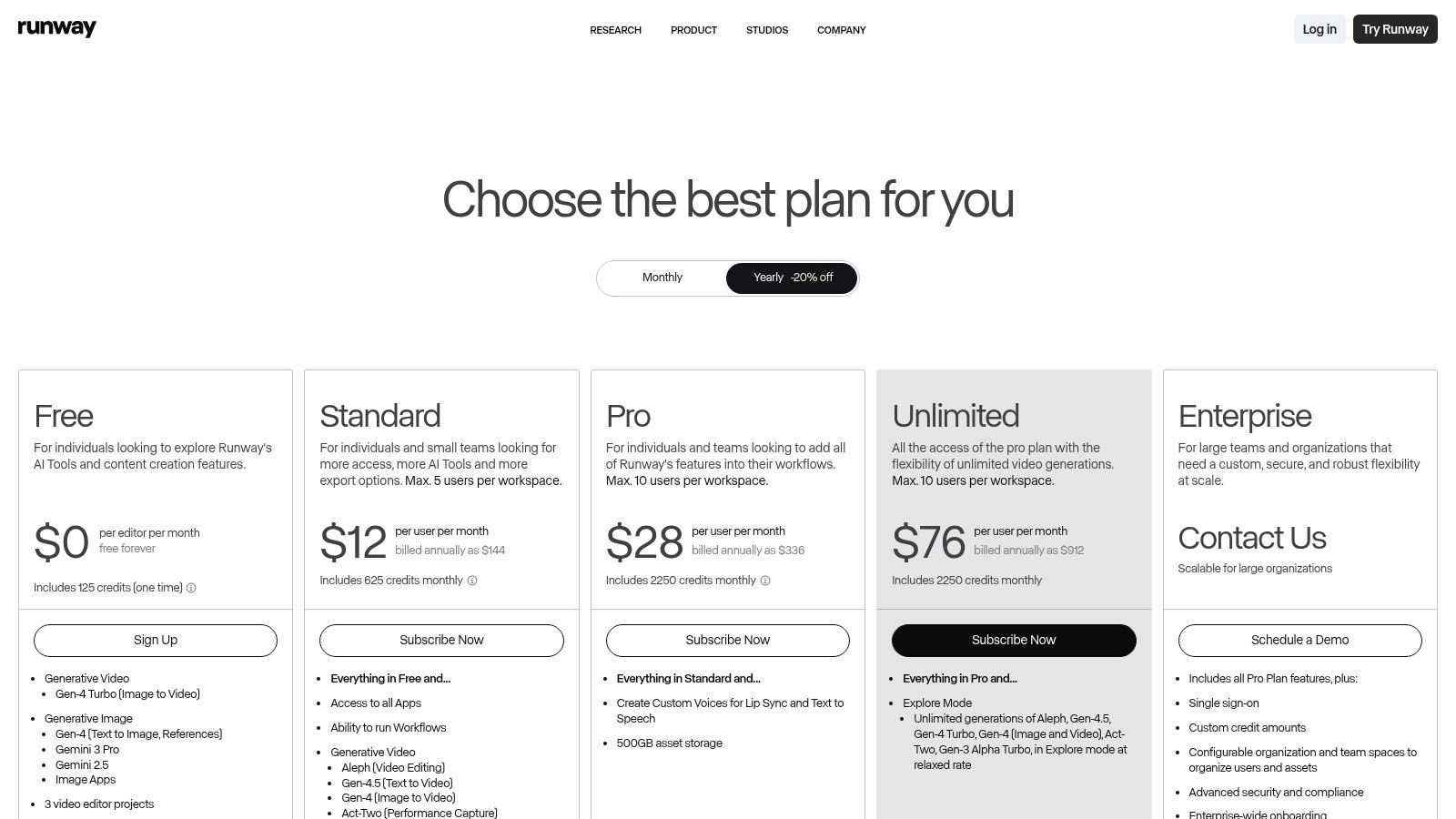
- Relaxed Exploration Mode: The Unlimited Plan offers a "relaxed" generation mode, allowing for heavy iteration without the stress of burning through credits, which is ideal for creative exploration.
Pricing & Access
Runway operates on a credit-based system, with transparent pricing for video generation (per second) and image generation. A free tier is available with limited credits and watermarked outputs. Paid plans start at $12 per user/month (billed annually) and provide a monthly credit allocation, access to higher-quality models, and the ability to export without watermarks. For creators looking to generate user-generated style content, you can explore specialized UGC video tools that complement Runway’s capabilities.
- Website: https://runwayml.com/
5. Descript
Descript revolutionizes video and podcast editing by transforming the process into something as simple as editing a text document. This platform is one of the most innovative ai tools for content creation, allowing users to edit video and audio by simply editing the auto-generated transcript. Deleting a word or sentence in the text automatically cuts the corresponding clip from the media, making it incredibly intuitive for creators who are more comfortable with words than complex timelines.
This text-based workflow is a game-changer for producing user-generated content (UGC), tutorials, and podcasts, drastically reducing the editing time for non-professional editors. Features like Studio Sound can make a recording sound like it was captured in a professional studio with a single click, while automatic filler-word removal cleans up "ums" and "ahs" instantly. Its ability to generate clips and suggest B-roll makes it ideal for repurposing long-form content into engaging social media shorts.
Key Features & Use Cases
- Text-Based Editing: Edit video and audio by deleting text from the transcript. This is perfect for podcast creators, marketers making tutorial videos, and social media managers who need to quickly create clips from interviews.
- Studio Sound & Filler Word Removal: AI-powered audio enhancement tools that clean up recordings, remove background noise, and eliminate filler words, saving hours of manual audio engineering.
- AI-Generated Clips & B-Roll: Automatically find the best moments in your content to create shareable clips or suggest relevant stock footage to enhance your video's visual appeal, streamlining the repurposing workflow.
Pricing & Access
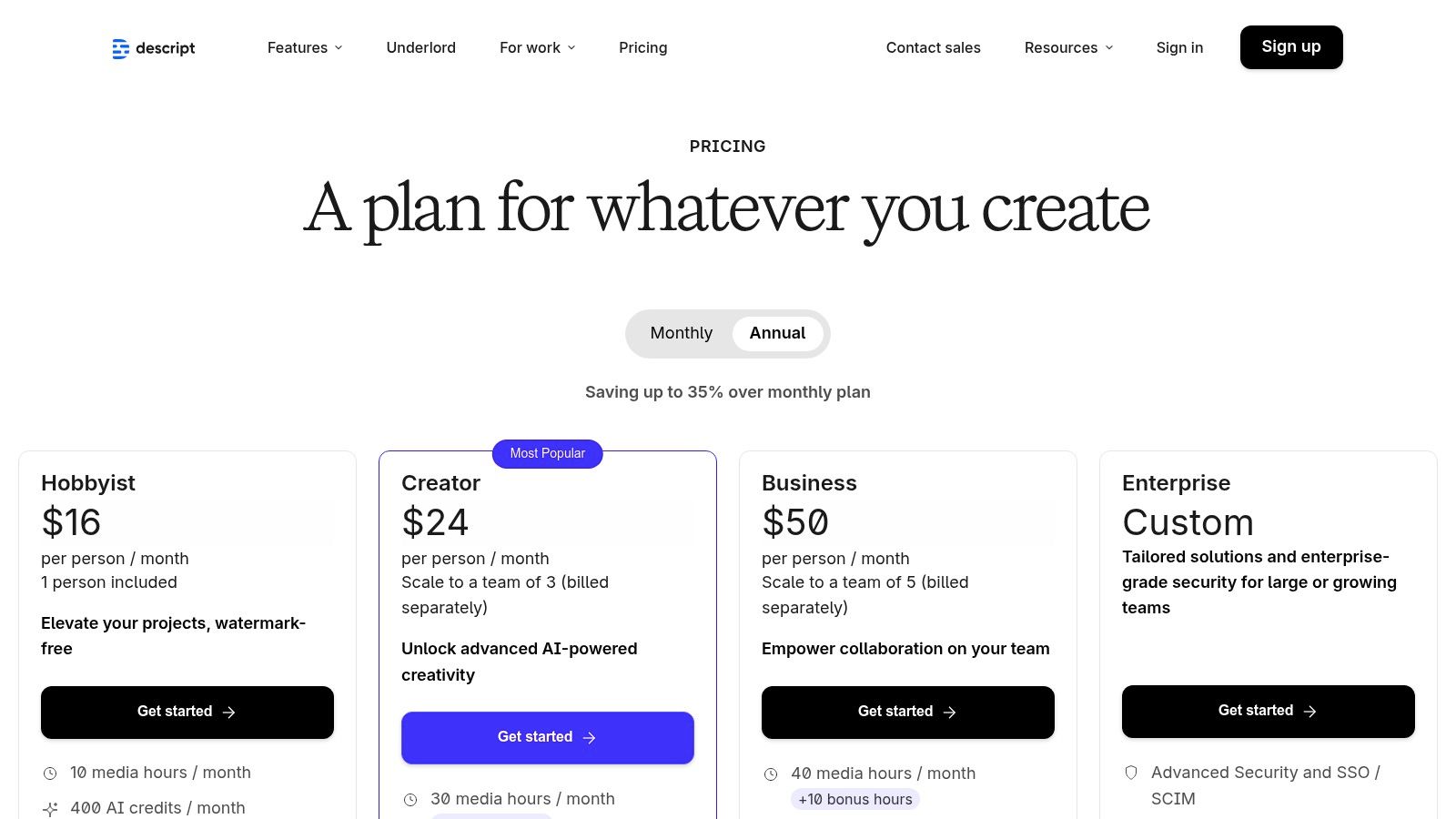
Descript offers a free plan with limited transcription and screen recording. Paid plans start at $12/month (billed annually) for the Creator tier, which includes more transcription hours and removes watermarks. The Pro plan at $24/month unlocks unlimited features and 4K export. The new billing model uses "media minutes" and "AI credits," which can have a slight learning curve, but they do offer discounts for educational institutions and nonprofits.
- Website: https://www.descript.com/pricing
6. CapCut
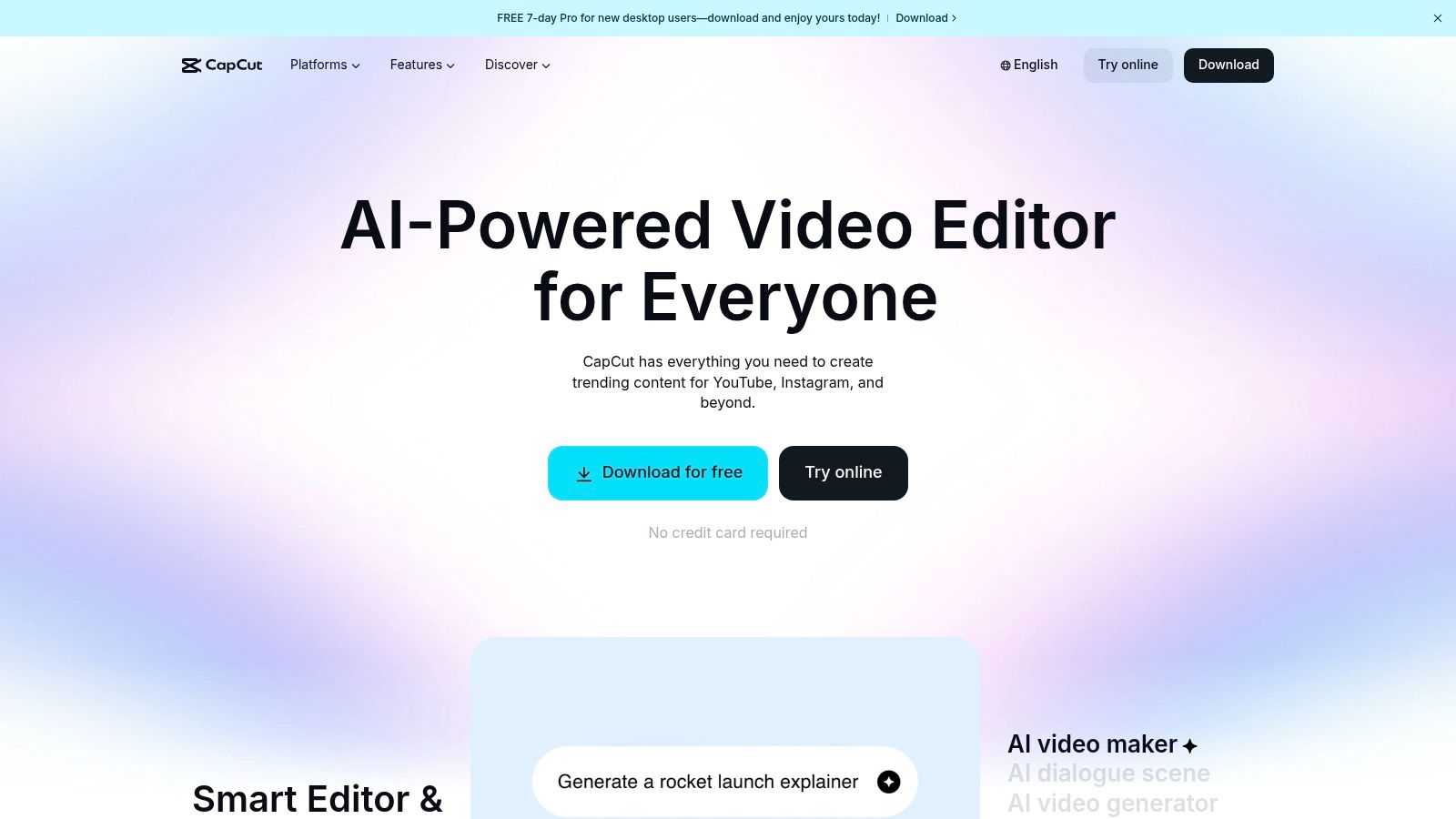
CapCut has rapidly become one of the most popular ai tools for content creation, especially for short-form vertical video. Initially gaining fame as a mobile-first editor for TikTok and Instagram Reels, it has expanded to a powerful web and desktop application. Its user-friendly interface lowers the barrier to entry for video editing, making it accessible for creators and small businesses without extensive technical skills. The platform excels at automating complex tasks like adding captions, removing backgrounds, and applying trending effects with a single click.
What makes CapCut a go-to tool is its seamless multi-device workflow combined with a rich library of templates and AI-powered features. A creator can start a project on their phone, add detailed edits on their desktop, and access the file from the web, thanks to its cloud storage options. This flexibility is ideal for teams and individuals who need to produce high-quality social media content quickly and efficiently, making professional-looking video editing less about technical prowess and more about creative vision.
Key Features & Use Cases
- AI-Powered Editing: Automate tasks like generating captions, removing video backgrounds, reducing noise, and applying motion tracking to create dynamic content without manual effort.
- Template Library: Leverage thousands of ready-to-use templates for TikToks, Reels, and Shorts, allowing social media managers to produce trendy content in minutes.
- Multi-Device Sync: Start an edit on your mobile device during a shoot and finish it on the desktop app for more precise control, streamlining the entire production process.
Pricing & Access
CapCut offers a robust free version with a vast number of features, which is sufficient for many casual creators. The Pro subscription (typically around $7.99/month, but pricing can vary by region and platform) unlocks advanced AI features, more cloud storage, and removes watermarks. It’s important to verify the final pricing in-app, as some users have reported inconsistencies with promotions across different devices.
- Website: https://www.capcut.com
7. OpenAI ChatGPT
OpenAI's ChatGPT has evolved far beyond a simple chatbot, establishing itself as a foundational general-purpose assistant among ai tools for content creation. It serves as a versatile partner for creators, capable of handling tasks across the entire content pipeline, from initial brainstorming and outlining blog posts to drafting social media captions, generating scripts, and even creating images with DALL-E 3 integration. Its conversational interface makes complex requests feel intuitive, allowing for rapid iteration and refinement of ideas.
The platform's strength lies in its adaptability. It can act as a research assistant, analyzing uploaded documents to summarize key points, or a creative muse, providing multiple angles for a marketing campaign. For teams, the Business plan adds crucial administrative controls, SSO, and enhanced privacy, making it a scalable solution that can grow from a solo creator's toolkit to an enterprise-wide content engine.
Key Features & Use Cases
- Multimodal Content Generation: Use text prompts to generate written content (articles, emails, scripts), create images for social media or blog posts, and utilize the Voice mode for hands-free ideation.
- Deep Research & Analysis: Upload PDFs, data files, or documents for summarization, data analysis, and insight extraction, accelerating the research phase of content creation.
- Custom GPTs: Build or use specialized versions of ChatGPT tailored for specific tasks, like a "Social Media Caption Writer" or a "Video Script Formatter," to streamline recurring workflows.
Pricing & Access
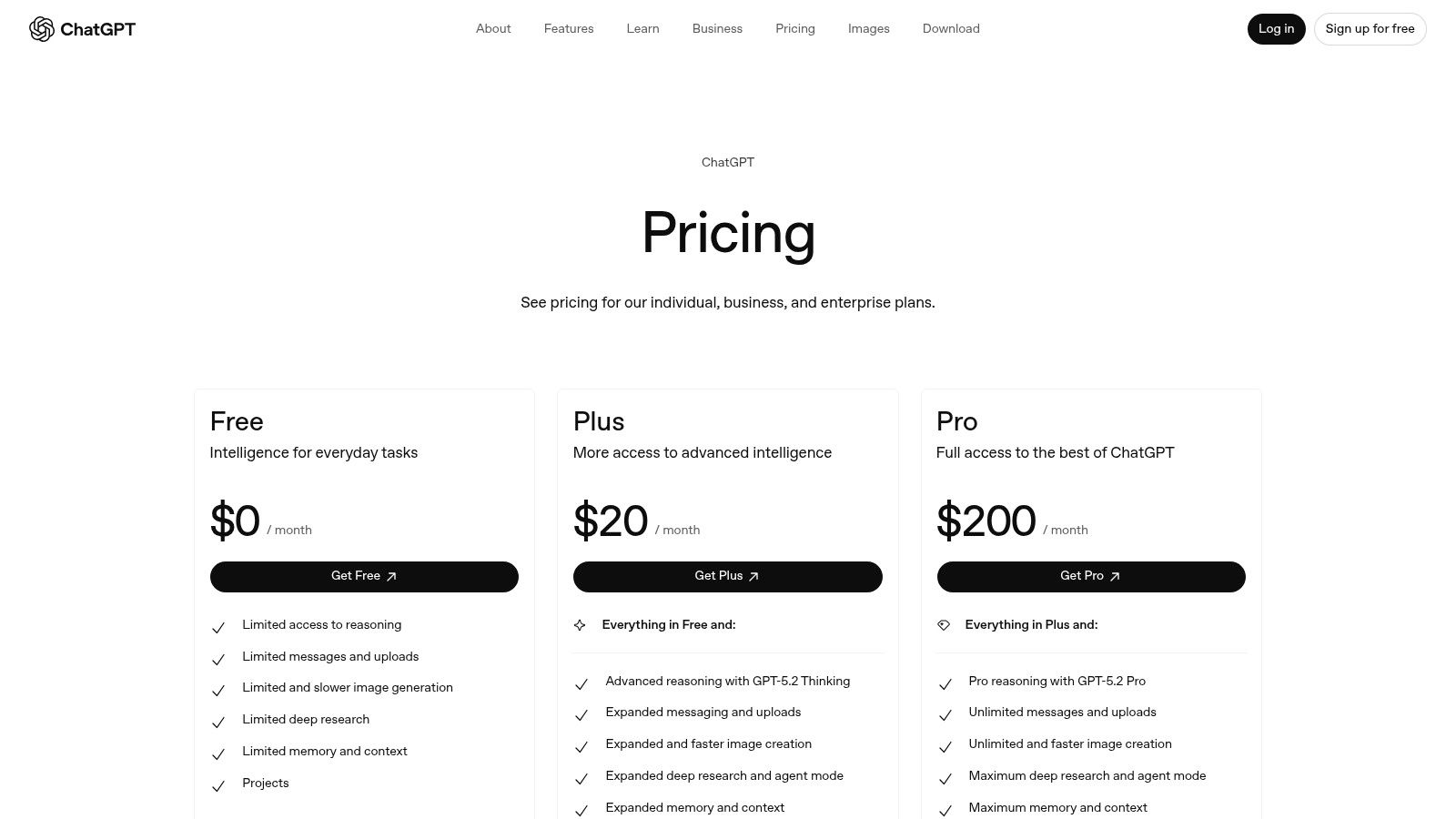
ChatGPT offers a tiered model. A robust free version provides access to older models with certain limitations. The Plus plan (around $20/month) grants priority access to the latest models like GPT-4o, advanced features, and higher usage caps. The Team and Enterprise plans offer increased capacity, enhanced security, and administrative features for organizations. While incredibly versatile, creators needing high-fidelity or brand-specific visuals might still prefer a specialized tool.
- Website: https://openai.com/chatgpt/pricing
8. Jasper
Jasper has established itself as a go-to platform specifically for marketing teams and agencies seeking powerful ai tools for content creation. Its core strength lies in its ability to generate a wide variety of on-brand marketing copy, from entire campaigns and ad creatives to product pages and social media updates. The platform is engineered with brand governance at its heart, offering sophisticated controls to ensure every piece of content aligns perfectly with a company's established voice and messaging guidelines.
What sets Jasper apart is its deep focus on enterprise-level needs. It allows users to define "Brand Voices" by uploading style guides, create a centralized "Knowledge" base with company facts, and specify target "Audiences" to tailor messaging precisely. This suite of features moves beyond simple text generation, providing a system for producing consistent, high-quality marketing assets at scale, which is invaluable for organizations managing multiple brands or product lines.
Key Features & Use Cases
- Brand Voice & Knowledge Base: Train the AI on your company's style guides, product catalogs, and brand identity documents to ensure all generated content is perfectly on-brand and factually accurate. This is ideal for marketing teams creating consistent campaign materials.
- Campaign Workflows: Utilize pre-built templates and workflows to generate all the assets for a marketing campaign, from initial brainstorming and ad copy to landing page text and follow-up emails.
- API and Business Tier: Integrate Jasper's capabilities directly into your existing content management systems or internal tools for seamless content creation, or use the Business tier for advanced collaboration and personalization.
Pricing & Access
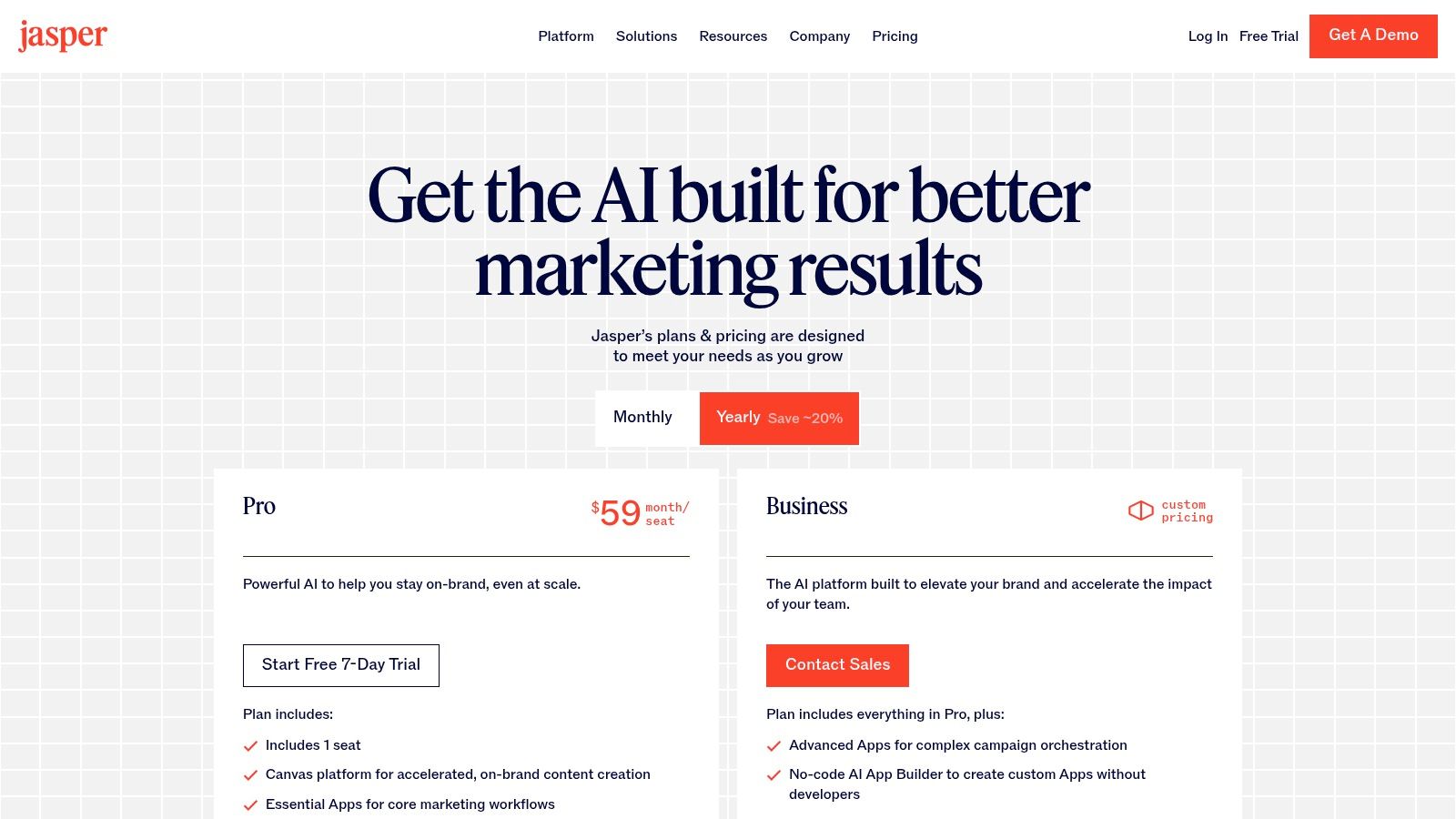
Jasper's pricing is structured in tiers, starting with a Creator plan for individuals. The Pro plan, which unlocks Brand Voices and offers a 7-day trial, is aimed at small marketing teams. The per-seat pricing model can become a significant investment for larger teams, and the most advanced features for personalization and governance are reserved for the custom-priced Business tier. Nonprofit organizations are eligible for discounts.
- Website: https://www.jasper.ai/pricing
9. Midjourney
Midjourney is renowned as a leading AI image generator, celebrated for its exceptional stylistic quality and artistic output. Initially operating exclusively through Discord, it has evolved into a more accessible web-based platform, making it one of the most powerful ai tools for content creation for generating brand concepts, advertising visuals, and evocative mood boards. Its ability to produce highly detailed and aesthetically pleasing images from text prompts sets it apart, making it a favorite among artists, designers, and marketers seeking top-tier visual assets.
The platform excels at creating unique and compelling imagery that can define a brand's visual identity or enhance a marketing campaign. Its community-driven nature on Discord also provides a constant stream of inspiration and prompt engineering techniques. While it started with images, Midjourney is expanding its capabilities, recently introducing video generation for higher-tier subscribers, further solidifying its position as a versatile creative tool.
Key Features & Use Cases
- High-Quality Image Generation: Produce stunning, artistic visuals perfect for social media content, blog headers, and marketing materials where a strong aesthetic is crucial.
- Stylistic Versatility: From photorealism to abstract art, Midjourney can adapt to a vast range of styles, making it ideal for creating diverse campaign assets or even virtual characters, which you can learn more about with AI influencer generators.
- "Relax Mode" Exploration: Higher subscription tiers offer unlimited image generation in "Relax mode," allowing for extensive creative exploration without worrying about consuming credits. This is perfect for brainstorming and refining concepts.
Pricing & Access
Midjourney operates on a subscription model with various tiers. Plans start at around $10/month and provide a set number of "Fast GPU" hours for quick image generation. Higher-priced plans (up to $120/month) include more Fast hours and access to the unlimited Relax mode. While account and subscription management are now on the web, the core generation process remains deeply integrated with Discord, which can be a learning curve for new users.
- Website: https://www.midjourney.com
10. Google Workspace (with Gemini)
Google Workspace elevates its suite of productivity apps by integrating Gemini AI, transforming familiar tools like Docs, Gmail, and Sheets into powerful ai tools for content creation. Instead of requiring users to switch to separate applications, Gemini brings generative capabilities directly into the workflow. This allows teams to draft emails, summarize long documents, generate presentation outlines, and even create lightweight videos without leaving the ecosystem they already use daily.
The key advantage is the seamless integration. For businesses already reliant on Google's infrastructure, adding AI becomes a natural extension of their existing processes, not a disruptive new tool to learn. The platform’s strong enterprise security and compliance posture provides an added layer of trust, making it a reliable choice for creating internal and external communications, marketing copy, and initial project drafts with AI assistance.
Key Features & Use Cases
- AI-Assisted Writing in Docs & Gmail: Quickly draft blog posts, social media copy, or email campaigns. Gemini can help with brainstorming, refining tone, and summarizing key points, accelerating the content creation lifecycle.
- Google Vids for Video Creation: An AI-powered video creation app that helps users produce short-form videos for marketing or internal training by generating storyboards and editing clips from text prompts.
- Seamless Integration: AI is embedded across the core productivity suite, allowing for efficient content generation and analysis without the need for additional software procurement for many existing customers.
Pricing & Access
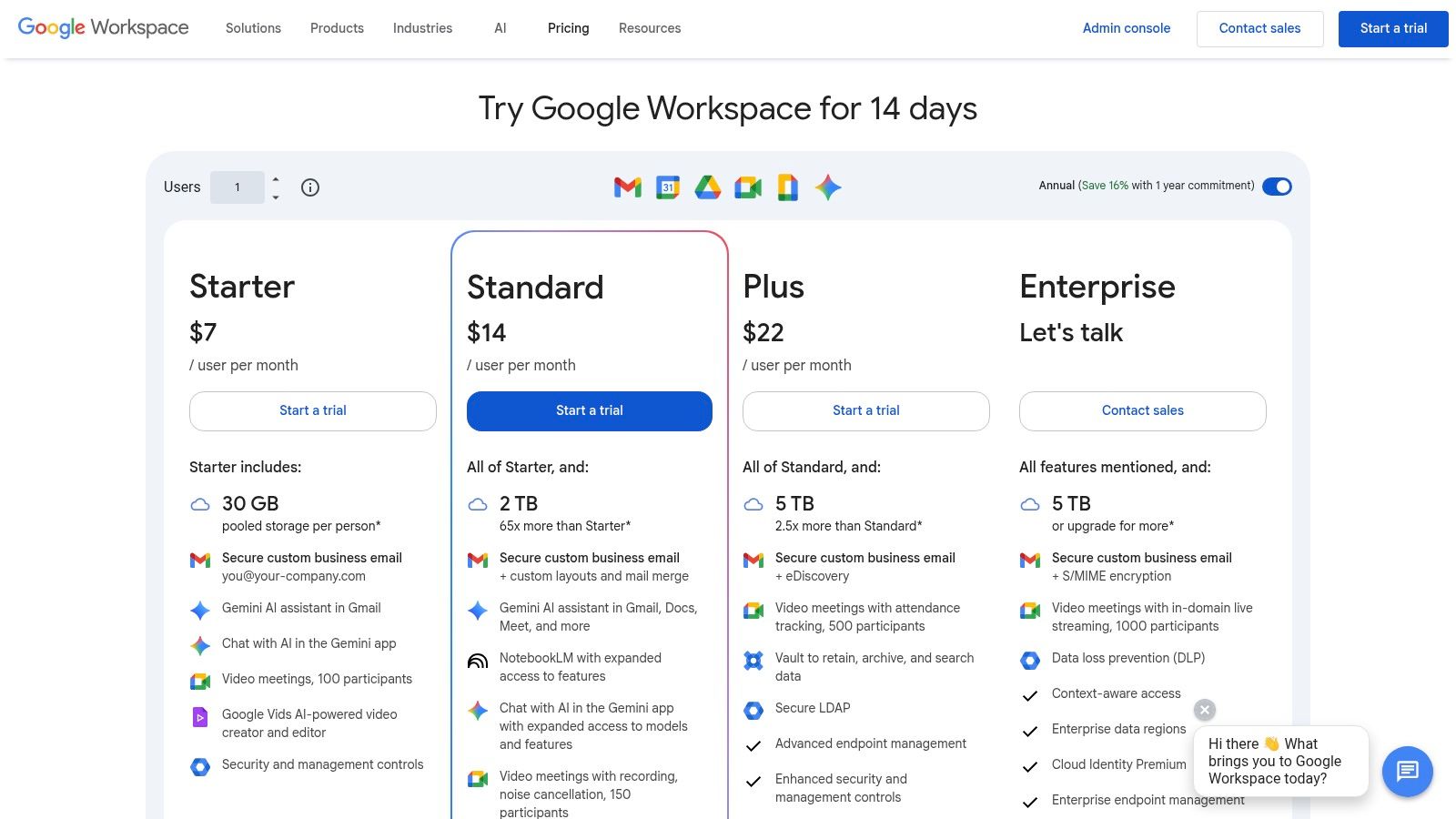
Gemini's AI features are bundled into various Google Workspace plans. For individuals, Gemini is available through Google One AI Premium plans. For businesses, advanced AI capabilities are included in specific tiers like Business Standard/Plus and Enterprise editions, often as an add-on. It is crucial to review the specific plan matrix, as feature availability varies significantly between different subscription levels.
11. Microsoft Copilot (Copilot Pro & Microsoft 365 Copilot)
Microsoft Copilot transitions AI from a standalone tool into an integrated assistant within the ubiquitous Microsoft 365 suite. As one of the most deeply embedded ai tools for content creation, it brings generative capabilities directly into Word, PowerPoint, Excel, and Outlook. This allows users to draft documents, summarize emails, create presentations from a simple prompt, and analyze data without ever leaving their familiar applications.
The platform is split into two primary offerings: Copilot Pro for individuals and Microsoft 365 Copilot for organizations. The latter provides enterprise-grade governance, data protection, and the ability to ground the AI in your company's own data, ensuring outputs are relevant and secure. This direct integration into existing business workflows makes it a powerful accelerator for corporate content creation, from internal reports to marketing slide decks.
Key Features & Use Cases
- Drafting in Word: Generate entire first drafts of blog posts, reports, or proposals based on a simple outline or prompt, dramatically speeding up the initial writing process.
- Presentation Creation in PowerPoint: Create a complete slide deck, including text and suggested images, from a Word document or a simple topic description.
- Data Grounding (Enterprise): Connect Copilot to your organization’s internal data, allowing it to create content that is contextually aware of your specific projects, products, and teams.
Pricing & Access
Copilot Pro for individuals is available as a monthly subscription for users with a Microsoft 365 Personal or Family plan. For businesses, Microsoft 365 Copilot requires a qualifying Microsoft 365 Business or Enterprise license and is priced on a per-user, per-month basis. The pricing and eligibility can be nuanced, so organizations should review the specific requirements for deployment.
12. G2 — AI Writing Assistants (category)
Instead of a single platform, G2's marketplace for ai tools for content creation serves as an invaluable discovery hub. This specific category aggregates dozens of AI writing assistants, allowing content creators and marketers to compare a vast array of tools based on verified user reviews, satisfaction scores, and detailed feature sets. It helps you move beyond big names like Jasper or Grammarly to find niche solutions tailored to specific needs, from long-form blog post generation to simple paraphrasing.
The platform excels at providing a neutral, third-party perspective. By filtering tools based on company size (SMB vs. Enterprise), specific features, or user satisfaction ratings, you can efficiently shortlist potential vendors. This review-driven approach is perfect for teams that need to justify software purchases with real-world data and user feedback before committing to a subscription or demo.
Key Features & Use Cases
- User-Review Aggregation: Access authentic pros and cons from real buyers to understand a tool's practical strengths and weaknesses, which is crucial for evaluating long-term fit.
- Comparative Shortlisting: Use advanced filters to compare tools side-by-side on features, pricing models, and user satisfaction, accelerating the research phase for new software adoption.
- Niche Tool Discovery: Uncover emerging or specialized AI writers that may not have large marketing budgets but offer powerful, focused capabilities for specific content types.
Pricing & Access
G2 is entirely free to use for buyers and researchers. The platform functions as a lead-generation marketplace, so pricing information is often found by clicking through to the individual vendor websites linked on each profile. While this means pricing isn't always transparent upfront on G2 itself, it provides direct access to trials, demos, and purchases from the source.
Top 12 AI Content Creation Tools — Feature Comparison
| Tool | Core features ✨ | Quality & Speed ★ | Target audience 👥 | Pricing & Value 💰 |
|---|---|---|---|---|
| Photo AI Studio 🏆 | 150+ photo themes, one‑photo model, image→video, editor/upscaler ✨ | ★★★★★ • Studio‑quality, fast (~15s–1m) | 👥 Photographers, creators, e‑commerce, marketers | 💰 Credit‑based; free starter credits; regional tiers |
| Adobe Firefly | Generative Fill, image/video/audio, tight Photoshop/Express integration ✨ | ★★★★☆ • Professional fidelity, frequent updates | 👥 Designers, agencies, Adobe users | 💰 Generative credits; best value with Creative Cloud |
| Canva Magic Studio | Magic Design/Write, Magic Media (text→image/video), bulk/localize ✨ | ★★★★☆ • Fast for social and scaling | 👥 Social creators, marketers, teams | 💰 Freemium + paid tiers; some AI gated |
| Runway | Multi video/image models, text→video, post‑prod tools & API ✨ | ★★★★☆ • Video‑focused; credit‑heavy for hi‑res | 👥 Video creators, marketers, studios | 💰 Credit‑based; published per‑sec/per‑image rates; unlimited plan |
| Descript | Text‑based editing, transcript workflows, audio cleanup ✨ | ★★★★☆ • Speeds podcast/UGC editing | 👥 Podcasters, educators, editors | 💰 Media‑minutes + AI credits; tiered plans |
| CapCut | Mobile/web AI video editor, templates, motion tracking ✨ | ★★★☆☆ • Very fast for vertical shorts | 👥 TikTok/shorts creators, small teams | 💰 Freemium; pro credits & regional pricing |
| OpenAI ChatGPT | GPTs, image/voice tools, ideation & scripts ✨ | ★★★★☆ • Versatile for ideation, not specialized production | 👥 Creators, teams, developers | 💰 Free tier + paid plans; API billed separately |
| Jasper | Brand Voices, campaign workflows, collaboration ✨ | ★★★★☆ • Strong marketing output | 👥 Agencies, marketing teams, brands | 💰 Per‑seat/tiers; 7‑day Pro trial; business pricing |
| Midjourney | Stylistic image generation, Fast/Relax modes ✨ | ★★★★★ • Exceptional stylistic quality | 👥 Concept artists, creatives, moodboard users | 💰 Subscription (GPU hours/relax mode); tiered plans |
| Google Workspace (Gemini) | Gemini in Docs/Gmail/Meet, NotebookLM, basic video tools ✨ | ★★★★☆ • Productivity‑centered AI | 👥 Teams, enterprises already on Workspace | 💰 AI bundled in Workspace plans; edition limits |
| Microsoft Copilot | Copilot across 365 (Word/Excel/PowerPoint/Teams) ✨ | ★★★★☆ • Deep Office integration, enterprise ready | 👥 Enterprises, professionals, knowledge workers | 💰 Variable by license (Copilot Pro / 365 Copilot) |
| G2 — AI Writing Assistants (category) | Marketplace, reviews, feature & price comparisons ✨ | ★★★☆☆ • Review‑driven discovery (varies by vendor) | 👥 Buyers, procurement, shortlisters | 💰 Free to browse; vendor pricing varies |
Building Your AI-Powered Content Stack
We've explored a wide array of powerful platforms, from specialized image generators like Photo AI Studio and Midjourney to comprehensive content suites like Adobe Firefly and Canva Magic Studio. The sheer volume of options can feel overwhelming, but the journey to leveraging these incredible technologies doesn't require mastering every single one. The central takeaway is this: the most effective approach is not to find a single, perfect tool, but to build a personalized, interconnected content stack that amplifies your unique strengths and streamlines your specific workflow.
The landscape of AI tools for content creation is no longer about simple automation; it's about strategic augmentation. Your goal is to assemble a toolkit where each component handles a specific task exceptionally well, creating a seamless production pipeline that moves from initial concept to final polished asset with unprecedented speed and creativity.
How to Build Your Custom AI Toolkit
Building your stack starts with a clear-eyed assessment of your current content creation process. Instead of getting distracted by the latest shiny feature, pinpoint your most significant bottlenecks.
- Identify Your Biggest Pain Point: Where do you spend the most time for the least return? Is it drafting blog posts, creating engaging social media visuals, editing video testimonials, or just coming up with fresh ideas? Your primary tool should be the one that solves this core problem.
- Choose a “Cornerstone” Tool: Select one robust platform to serve as the foundation of your stack. For e-commerce brands and marketing agencies, a versatile visual generator like Photo AI Studio is an excellent starting point, addressing the constant need for high-quality product shots, lifestyle images, and even AI-generated UGC videos. For a content writer, a powerful AI writing assistant like Jasper or ChatGPT might be the more logical cornerstone.
- Layer on Complementary Tools: Once your cornerstone is in place, start adding specialized tools that integrate with your workflow. If you've solved your visual needs with Photo AI Studio, you might layer on Descript to handle the audio and transcription for your video content. If your cornerstone is a writing tool, you could add Canva Magic Studio to quickly turn that text into a visually appealing presentation or social media graphic.
Key Considerations for Implementation
As you integrate these platforms, remember that the "best" tool is highly subjective and depends entirely on your needs, budget, and technical comfort level. The ideal set of AI tools for content creation for a solo influencer will look vastly different from that of a large marketing agency. Keep these factors in mind:
- Workflow Integration: How well does a new tool fit into your existing process? Does it require a complete overhaul, or does it slot in smoothly? The goal is to reduce friction, not create more of it.
- Learning Curve: Be realistic about the time you can invest in learning a new platform. Tools like Canva are designed for immediate use, while platforms like Midjourney or Runway may require more experimentation to master.
- Scalability and Cost: Start with free trials or entry-level plans to validate a tool's usefulness. Before committing to an annual subscription, ensure its pricing model aligns with your projected growth. For performance teams specializing in visual content, exploring the top AI video creation tools can significantly streamline your production and integrate seamlessly into your content stack.
The ultimate power of this AI revolution isn't just in the individual tools themselves, but in the new, creative combinations they unlock. By thoughtfully curating your personal AI content stack, you're not just adopting new software; you are fundamentally redesigning your creative potential. You are building a system that frees you from tedious tasks and empowers you to focus on what truly matters: strategy, creativity, and connecting with your audience. The future of content creation is here, and it's more accessible and powerful than ever before. You can also check out our AI dating profile photos.
Ready to build the visual foundation of your AI content stack? Photo AI Studio provides the essential tools to generate everything from professional headshots and e-commerce product imagery to compelling lifestyle photos and UGC-style videos, all from a single platform. Stop spending hours on photoshoots and start creating stunning, on-brand visual assets in minutes with Photo AI Studio.


