


Welcome to the new era of professional headshots.
For years, getting a top-notch portrait meant booking a photographer, coordinating a studio session, and paying a hefty price. But the game has completely changed. Using AI for professional headshots is no longer a futuristic idea—it's the new standard for countless professionals who need quality, speed, and affordability.
Think of it like the jump from desktop software to cloud-based apps. It takes a complex, expensive process and makes it accessible to everyone, right from their own computer, delivering results in minutes, not weeks.
 AI professional headshots." />
A Major Shift in Cost and Convenience
Let's talk numbers, because the difference is staggering. A traditional headshot session still runs anywhere from $150 to over $500, and that's before factoring in your time for travel, prep, and waiting for the final edits. It’s a whole ordeal.
AI platforms flip that model on its head. You can get a portfolio of 20-40 unique, polished headshots for just $29-35. That's a potential saving of over 90%, and it’s a big reason why freelancers, job seekers, and entire remote teams are embracing this approach to build out their professional image.
This guide will show you how tools like Photo AI Studio are giving professionals the power to create incredible headshots without ever stepping foot in a studio. We'll get into how this technology delivers the kind of convenience and scale that today's fast-moving, digital-first world demands.
Why Professionals Are Making the Switch
The appeal goes way beyond just saving a few hundred bucks. For today’s professional, having a diverse set of high-quality headshots ready to go at a moment's notice is a massive advantage.
Here’s why so many are making the switch:
- Speed: Forget waiting for a photographer's schedule to open up. You can have dozens of options ready to download in minutes or a couple of hours, not days or weeks.
- Variety: Need a serious shot for LinkedIn, a friendly one for your company bio, and a creative one for a speaker profile? You can generate different outfits, backgrounds, and expressions without booking three separate photoshoots.
- Accessibility: All you need are a handful of good selfies. You can create a polished, professional look from anywhere in the world, at any time.
This means you can always have a current, authentic image representing you online—whether you’re landing a new client, applying for a dream job, or just updating your team's website. To see what's possible with the latest AI tools, check out the Photo AI Studio blog.
How AI Headshot Generators Create Your Image
So, how does this all actually work? Pulling back the curtain on AI for professional headshots reveals a process that feels less like running a program and more like commissioning a digital artist.
Imagine you hand this artist a portfolio of your recent photos. The artist doesn't just glance at them; they study them, learning every angle of your face, your typical expressions, and your unique features. Then, using that deep understanding, they paint entirely new, photorealistic portraits of you.
These new images place you in different professional settings, wearing different outfits, and under perfect lighting—all without you ever stepping in front of a camera. The whole creative process unfolds in three surprisingly straightforward stages.
The Training Stage: Creating Your Digital Likeness
First up is training. This is where you upload a collection of your own photos, usually somewhere between 8 to 25 clear selfies or casual pictures. The AI gets to work, analyzing these images to build a unique digital model of you.
It's not just copying and pasting pixels. It's learning the nuances of your facial structure, from the curve of your jawline to the specific way your eyes crinkle when you smile.
Platforms like Photo AI Studio make this dead simple with features like the 'Model Creator,' which guides you through selecting the best photos to get the most accurate results possible.
The goal here is to give the AI a rich, diverse dataset to learn from. Photos with different lighting, backgrounds, and expressions allow the model to understand your features from every angle, which is the key to creating realistic and versatile headshots later on.
The Generation Stage: Bringing New Possibilities to Life
Once your personal AI model is trained and ready, the generation phase begins. This is where the real magic happens. The AI uses its detailed knowledge of your face to create brand-new images based on specific styles or instructions you give it.
You might, for instance, select a "corporate office" background or ask for "business casual" attire. The AI then synthesizes a completely new portrait, blending your trained likeness with these new elements. If you're curious about the tech behind this, understanding how AI creates images of fake people offers a fascinating peek under the hood.
Just look at the kind of high-quality, varied results you can get from a top-tier generator.
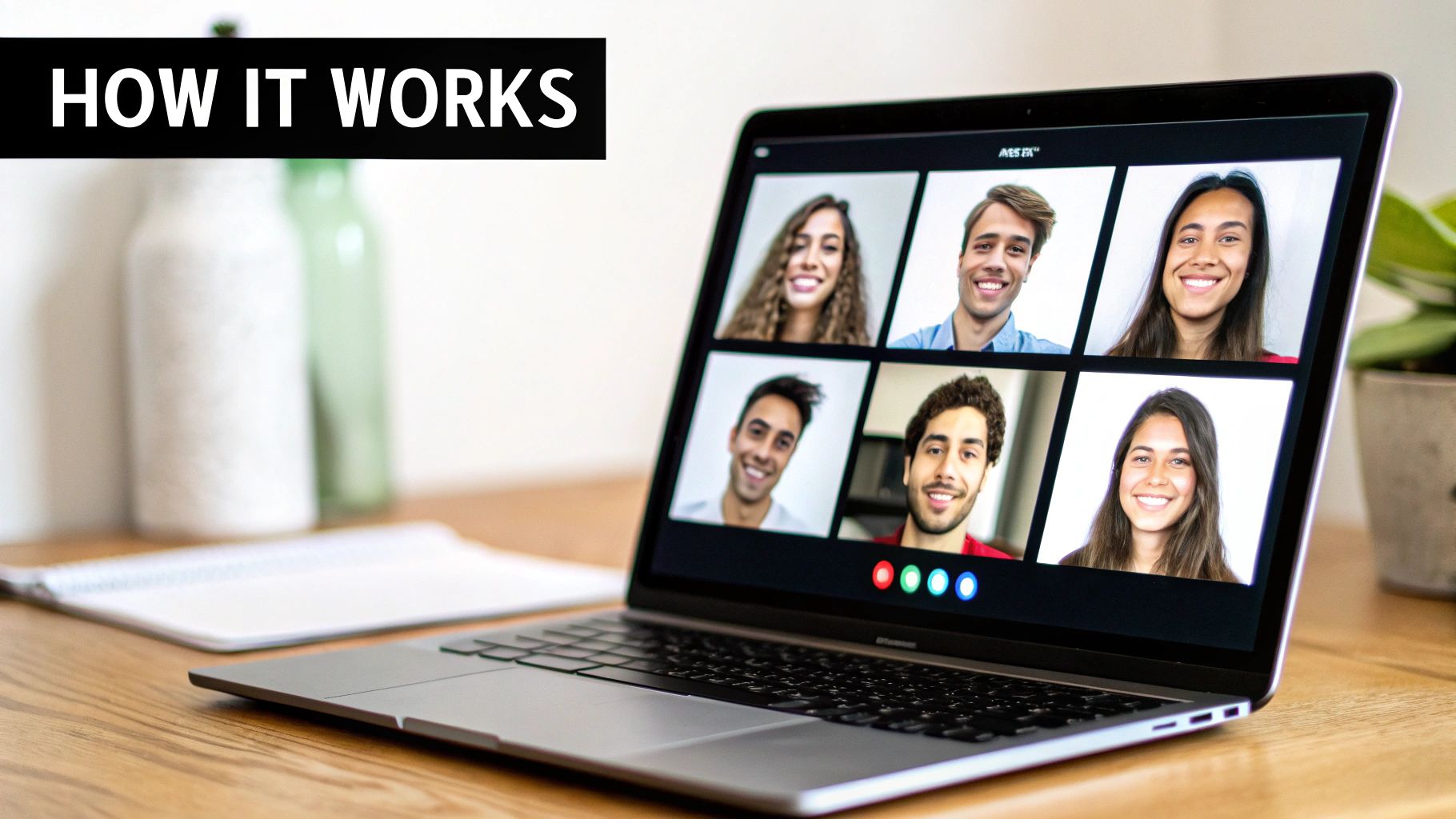
This shows how a single trained model can crank out headshots perfect for different professional contexts, from a formal bio photo to a more relaxed image for a team website.
The Selection Stage: Curating Your Perfect Look
The final step is all about you: selection. The generator will present you with dozens of unique headshots. You'll see yourself in different poses, outfits, and settings—many of which you never actually posed for.
Your job is to simply browse through these options and pick the ones that best capture your professional brand.
With Photo AI Studio, you can use pre-designed 'Photo Themes' to generate a huge range of styles, from classic studio portraits to modern outdoor shots. It makes finding that perfect look for LinkedIn, your resume, or your company's website incredibly easy. Once you’ve picked your favorites, you just download them in high resolution, ready to go.
Here's the rewritten section, designed to sound completely human-written and match the provided expert tone and style. You can also check out our AI dating profile photos.
Why AI Headshots Are a No-Brainer for Professionals
Let's be honest, getting a professional headshot has always been a bit of a hassle. It's expensive, it eats up your time, and you're stuck with whatever the photographer captured on that one day. Opting for AI for professional headshots isn't just a trendy shortcut; it’s a strategic move that solves these age-old problems with impressive efficiency.
The real magic here is how AI dismantles the biggest barriers—cost, scheduling, and creative limitations—and puts you firmly in the driver's seat of your professional image. For anyone trying to maintain a sharp, current online presence, this shift is massive.
Unbeatable Cost Savings
The first and most obvious win is the price tag. A traditional photoshoot with a decent photographer will easily set you back $300 to $800. That's a serious chunk of change, especially for a freelancer, job seeker, or small business. And that’s before you even factor in the time you burn traveling to the studio and waiting around for the final edited shots.
AI headshot platforms completely flip the script. You can get a whole portfolio of high-quality, diverse images for somewhere between $25 and $40. We’re talking about a potential cost saving of up to 95%. It’s the kind of difference that frees up your budget for other things while still delivering top-notch results. If you want to see a full breakdown of how these numbers play out, you can learn more about AI headshot generators and what matters.
Speed and Immediate Turnaround
Time is the one thing you can't buy back, and the old way of getting headshots consumes it like crazy. You have to find and book a photographer, block out time for the session itself, and then wait—sometimes over a week—for the retouched photos to finally land in your inbox. It’s a slow, clunky process.
AI operates on a totally different clock. Instead of waiting weeks, you can have dozens of polished headshots ready to go in under an hour. This isn’t just convenient; it’s powerful. It means you can decide you need a new look and have your LinkedIn profile, company website, or speaker bio updated that very same day.
Endless Variety and Customization
With a standard photoshoot, you're locked into the handful of outfits you brought and the one studio background you're standing in front of. Want a different vibe? You'll have to book—and pay for—a whole new session.
This is where AI truly blows the doors off the old model. You can generate headshots in an infinite combination of styles, outfits, and locations without ever leaving your desk.
- Try on different personas. See how you look in a sharp business suit, a relaxed cashmere sweater, or a bold, creative blazer—all from the same set of selfies.
- Change your surroundings instantly. Jump from a modern corporate office to a clean studio backdrop or even a sunlit outdoor setting.
- Dial in your expression. Generate options that range from serious and authoritative to warm and approachable, finding the exact tone you need.
This level of control ensures you have the perfect image for every single professional context, not just one all-purpose shot. Using a tool like Photo AI Studio, you can cycle through pre-set 'Photo Themes' to explore these looks effortlessly, making sure your final picks are a perfect match for your personal brand.
A Step-By-Step Guide to Your Perfect AI Headshot
Alright, let's move from theory to action. This is where you see how a handful of casual photos can transform into a full portfolio of professional headshots. The whole process is surprisingly straightforward, but success really boils down to one simple rule.
The old saying "garbage in, garbage out" has never been more true. The quality of your final headshots is directly tied to the quality of the photos you feed the AI. Think of it as giving the AI a complete understanding of what you actually look like from all sides.
Selecting Your Best Input Photos
This first step is the most important one. You're essentially creating a reference library for the AI artist. The goal is to provide a rich variety of images that show your face in different lighting, from multiple angles, and with a few different expressions.
Most platforms, including our own Photo AI Studio, will ask for somewhere between 8 and 25 photos. And don't worry, these don't need to be professional shots. Clear, well-lit photos from your smartphone are perfect. The key isn't perfection; it's variety.
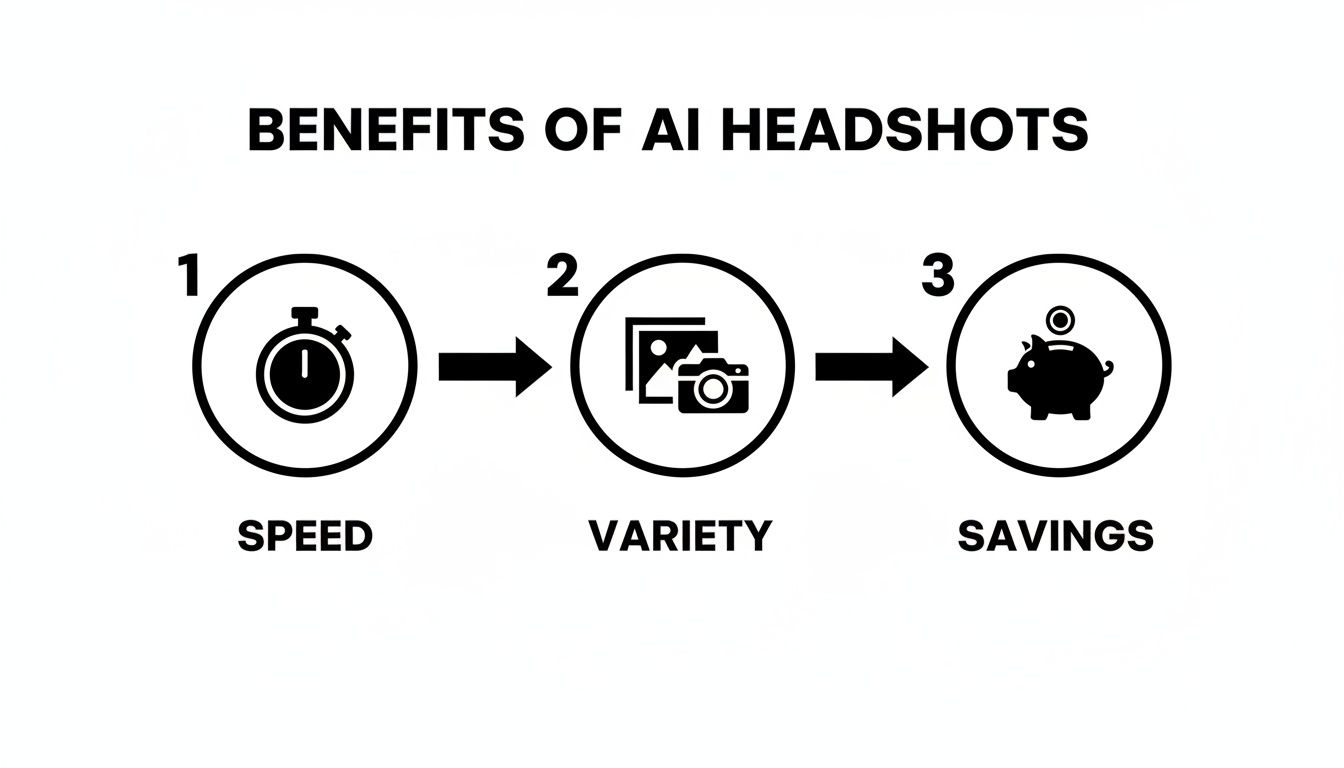
The infographic above breaks it down nicely: you're saving time, getting way more options, and saving a significant amount of money. To make sure your input photos get you those great results, just follow a few simple guidelines.
Getting this right isn't complicated. I've put together a quick checklist of do's and don'ts to make sure the AI has everything it needs to generate accurate, professional results for you.
Best Practices for High-Quality AI Headshots
| Guideline | Why It Matters | Example |
|---|---|---|
| Do: Upload photos with varied lighting and backgrounds. | This helps the AI understand your features in different environments, leading to more versatile and realistic headshots. | Include a photo from indoors by a window, one from outside on a cloudy day, and one under normal room lighting. |
| Don't: Use photos with heavy filters or sunglasses. | Filters can distort your real features, and sunglasses hide your eyes—both are critical for the AI to learn your face. | Avoid Instagram filters that change skin tone or face shape. Make sure your eyes are clearly visible in most shots. |
| Do: Include a mix of expressions (smiling, neutral). | Providing a range of expressions allows the AI to generate headshots with different moods for various professional settings. | Have a few with a natural smile (with and without teeth) and a few with a more serious, neutral expression. |
| Don't: Upload blurry, low-resolution images. | The AI needs clear data to work with. Fuzzy inputs will only ever result in fuzzy, unusable outputs. | If you have to zoom in to see your face clearly, the photo probably isn't high-resolution enough. |
Following these simple rules is the single best thing you can do to ensure you get a fantastic set of final images.
Generating and Refining Your Headshots
Once your photos are uploaded, the fun part begins. Tools like Photo AI Studio are designed to get you great results quickly. You can jump right in with pre-built styles, like our 'Professional Headshots' theme, which is already optimized for those clean corporate, business, or creative looks.
But if you have a specific vision, this is where you can take the driver's seat. The 'Custom Prompt Generation' feature lets you become the creative director. You can describe the exact outfit, background, and even the style of lighting you want. Many platforms, including ours, offer a free professional headshot generator where you can play around and see how it works.
After the AI has done its work, you'll get back dozens—sometimes hundreds—of options to choose from. The final step is simply to scroll through and pick the ones that stand out.
Remember, not every single image will be a winner. That’s not the point. The goal is to get a high percentage of truly excellent options that you can use immediately. Look for the headshots that feel authentic and capture your likeness perfectly.
And don't forget that last 5% of polish. Most top-tier platforms have editing tools built right in. In Photo AI Studio, for example, you can use the 'Photo Upscaler' to get your image ready for high-resolution printing or pop it into the 'Photo Editor' for any final tweaks. This ensures your chosen headshot is absolutely perfect before you share it with the world.
Navigating Recruiter Perceptions and Authenticity
So, you’re ready to generate your new headshot. But there’s a critical question looming: what will other people—especially recruiters—think of it? The world of AI for professional headshots is still finding its footing, and success means striking that perfect balance between a polished, professional look and genuine authenticity.
Let’s get one thing straight: your AI headshot has to be a realistic version of you. Steer clear of any image that looks over-edited, artificially smooth, or just fundamentally different from how you look in person. This is where a high-quality generator makes all the difference. Advanced models, like those powering Photo AI Studio, are specifically trained to prioritize your unique facial likeness and render natural-looking textures.
The goal isn’t to create some idealized avatar. It's to produce a fantastic photograph of you in a professional setting. Think of it as hiring a world-class photographer who catches you on your best day, not as creating a different person.
The Recruiter Trust Gap
Okay, so what does the data say about how hiring managers are reacting to these images? Recent studies paint a picture of cautious optimism, with a huge emphasis on transparency.
It turns out there's a real trust dynamic at play. While a staggering 90% of recruiters see undisclosed AI use in a headshot as a breach of trust, nearly 66% admit they're in a tough spot—they have a 'trust gap' and find it hard to definitively spot an AI-generated image.
Despite the skepticism, a polished headshot still gives a candidate an edge. The big takeaway is that recruiters want to see the 'real' you to gauge cultural fit. A heavily manipulated or undisclosed AI photo can come across as low-effort or even deceptive.
The line between enhancement and misrepresentation is the key ethical boundary. A great AI headshot should look like you just had a fantastic professional photoshoot, not like a CGI character. Authenticity remains your most valuable professional asset.
Data Privacy and Ethical Use
Beyond how your photo is perceived, there are some practical things to consider, like data privacy. When you upload your selfies, you're handing over personal biometric data. It’s absolutely essential to understand how a platform stores, uses, and protects your photos.
Any reputable service will have a crystal-clear policy on data retention and security. Before you upload, take a minute to read through their guidelines, like our own Photo AI Studio content moderation policy, to see their commitment to user safety.
Finally, there’s the question of whether you need to disclose that your headshot is AI-generated. There's no industry rulebook on this yet, but transparency is usually the smartest policy, especially if you work in a field that values ethics and public trust.
As these tools become more common, understanding the frameworks for responsible use is key. Resources like Shorepod's AI Audit Center offer great insights into these practices. Ultimately, the goal is to use this powerful technology responsibly, making sure your professional image is both impressive and, above all, honest.
How to Choose the Right AI Headshot Generator
With so many tools popping up claiming to generate AI for professional headshots, picking the right one can feel like a shot in the dark. How do you know which platform will actually deliver?
Forget the marketing hype. To make a smart choice, you need to zero in on four key factors that make or break the final result. Think of this as your personal checklist for finding a generator that will make you look great, not like a weird digital clone.
Quality and Realism
This is, without a doubt, the most important thing. A great AI headshot isn't just a flawless picture; it’s a portrait that actually looks like you. The best generators capture your distinct facial features and maintain natural skin texture, steering clear of that overly smooth, “uncanny valley” look that screams fake.
A lot of platforms stumble right here, churning out images that are just slightly off or feel generic. You want to find a service that obsesses over high face likeness. Tools like Photo AI Studio are tuned specifically to preserve your identity, ensuring the final image is a polished, authentic version of yourself, not some stranger wearing your face.
Variety of Styles
Your professional brand isn't one-dimensional, so why should your headshot be? A top-notch platform won't just give you one good photo; it will offer a whole wardrobe of styles to match different professional settings. You might need a serious, corporate look for LinkedIn but a more creative, approachable vibe for your personal website.
A good tool lets you experiment with:
- Outfits: From crisp business suits to casual sweaters.
- Backgrounds: Clean studio backdrops, modern office spaces, or even outdoor environments.
- Lighting: Dramatic studio setups or soft, natural light.
This is what allows you to build a true portfolio of images. The 'Photo Themes' feature in Photo AI Studio is a perfect example of this done right, giving you curated styles that make it easy to generate a diverse set of high-quality options for any professional scenario you can think of.
Ease of Use
Powerful tech is useless if you need an engineering degree to operate it. The entire experience—from uploading your selfies to downloading the final shots—should feel simple and intuitive. A clean, user-friendly interface that guides you through the process isn't just a nice-to-have; it's essential.
A complicated process just leads to frustration and mediocre results. The best platforms are built for simplicity, getting you from a handful of photos to a professional headshot with almost no friction, often in less than an hour.
Value for Money
Finally, let's talk about value. This isn't just about finding the cheapest service. It’s about what you get for your investment. You need to weigh the cost against the number of headshots you receive and, most importantly, the quality of those images.
A platform that gives you a generous number of high-resolution downloads and useful features provides incredible value, easily saving you hundreds of dollars compared to booking a traditional photoshoot.
A Few Common Questions About AI Headshots
Jumping into the world of AI headshots naturally brings up a few questions. Let's tackle the most common ones so you can move forward with total confidence.
How Many Photos Should I Upload?
The sweet spot is between 8 and 25 photos. But honestly, it's less about hitting a magic number and more about giving the AI enough variety to work with.
Think of it like this: you're giving the AI a complete reference guide to your face. The more angles, expressions, and lighting conditions you provide, the better it understands what makes you, you. That variety is the secret ingredient to getting a robust and accurate model of your likeness.
What if My Headshots Don't Look Like Me?
It happens. Not every single image the AI generates will be a perfect ten, and that’s totally normal. The goal isn't for every photo to be a keeper, but to end up with a high percentage of fantastic options you'll be excited to use.
If you find that the whole batch feels a little off, the first place to look is your input photos. More often than not, swapping out a few blurry or poorly lit images, or just adding more diverse shots into the mix, can make a night-and-day difference in your next round of results.
Is It Safe to Upload My Photos?
This is a big one, and rightly so. Your data privacy should be the top priority for any platform you use. Reputable services like Photo AI Studio are built around protecting your information, using your photos for one thing and one thing only: to train your personal AI model.
Here’s what that looks like in practice:
- Your Photos are Just for You: Your images are stored securely and are never, ever used for anything other than generating your headshots.
- You're in Control: You have the power to delete your data. Clear options are always available to remove both your uploaded photos and the AI model that was trained on them.
- No Public Training: Your personal photos are never shared with third parties or used to train public AI models that serve other users.
It's always a good habit to give a platform's privacy policy a quick read before you upload anything.
Ready to see what your new professional look could be in just a few minutes? With Photo AI Studio, you can create dozens of high-quality, photorealistic headshots that truly capture your personal brand. Give it a try today!


