TL;DR
- Photo AI Studio's AI Hair Changer offers a simple, no-sign-up experience for quick style previews.
- FaceApp gives you a wide range of styles and filters, but free exports come with a watermark.
- Hair Zapp is great for seeing styles on your actual face shape, but its free options are limited.
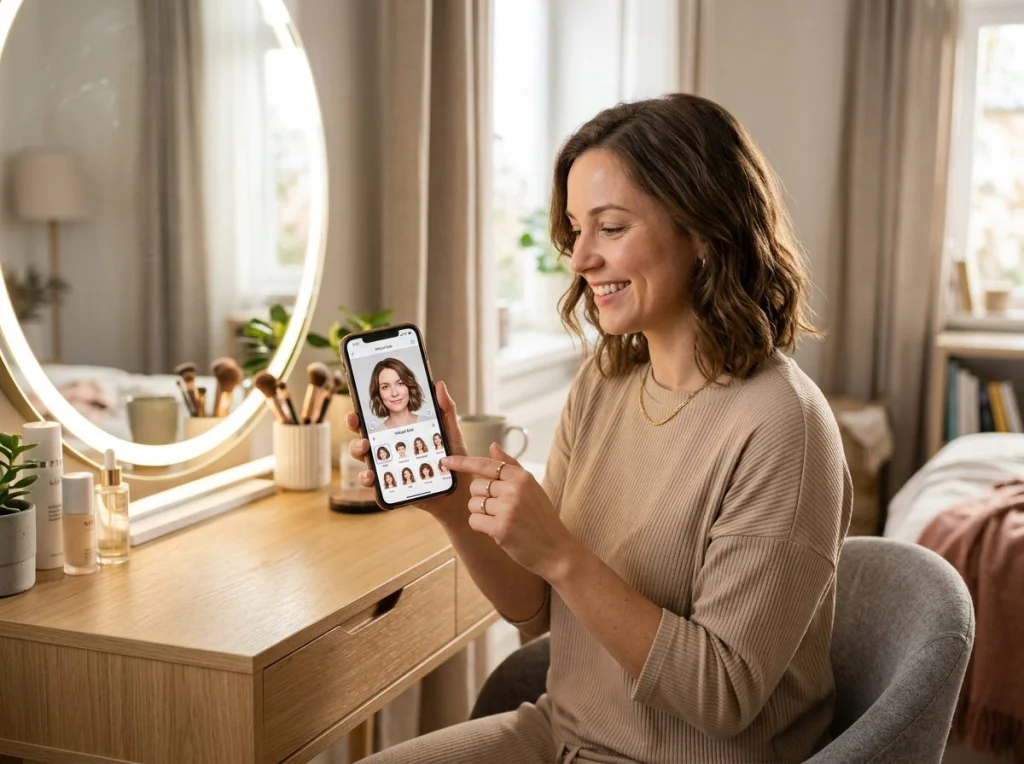
As a photographer who's always looking for new ways to visualize things, I've seen countless clients struggle with imagining a new haircut. It's a big deal! That's where AI hair style changer tools come in. They let you try on a new look without the commitment. I've personally played around with many of these, and it's wild how far they've come. No more guessing if bangs will suit you or if a bob is the right move. You can just upload a photo and see.
This year, the free options have gotten pretty good, though they all have their quirks. I've picked out seven that stand out for trying on a new hair style. We're looking at how accurate they are, the variety of looks they offer, and how easy they are to use. Let's dive in.
Here's a quick comparison of the top free hair style changer apps:
| App Name | Free Features | Watermark | Sign-up Required | Key Differentiator |
|---|---|---|---|---|
| Photo AI Studio AI Hair Changer | Basic styles, unlimited uploads | No | No | Quick, simple, web-based |
| FaceApp | Many styles, limited free filters | Yes (on free exports) | No (for basic use) | Extensive filters beyond hair |
| Hair Zapp | Limited free styles, personalized recommendations | No | Yes | Focus on face shape matching |
| Hairstyle Try On | Basic style categories | Yes | No | Simple interface, lots of ads |
| YouCam Makeup | Some free styles, AR try-on | Yes | No | Live camera try-on |
| Perfect Corp. (Style My Hair) | Limited free styles, color focus | No | Yes | Emphasis on hair color changes |
| Modiface Hair Color | Basic color changes, some styles | No | No | Specializes in hair color simulation |
How We Compared These Hair Style Changer Apps
When I look at these tools, I'm thinking about a few things. First, how easy is it to just upload a photo and get started? Does it force you to sign up before you even see what it does? Second, what are the actual limits of the 'free' part? Does it slap a huge watermark on your photo, or limit your exports? And finally, how many styles do you actually get to play with without paying? This comparison is based on the published specs and free-tier limits for each app, not hands-on testing.
1. Photo AI Studio AI Hair Changer: Quick & Easy Hair Style Changer AI
Photo AI Studio offers a straightforward AI Hair Changer that I find incredibly useful for quick previews. You upload your photo, and it gives you a few different AI-generated hairstyles. It's not about endless options, but more about seeing how a completely different look might frame your face.
Pros:
- No sign-up needed. Just upload and go.
- No watermarks on your generated images.
- Fast processing times.
- Completely free to use for basic style changes.
Cons:
- Style options are more generic compared to some dedicated apps.
- Less control over specific style nuances like length or texture.
Pricing:
- Completely free for the basic hair style changer.
- Photo AI Studio also offers 150+ AI photo styles for more advanced transformations, which are premium.
Verdict:
If you need a quick, no-fuss way to see yourself with a different hair style and don't want to download an app or create an account, this is a solid choice. It's a great starting point, especially if you're exploring the idea of a big change. I often recommend it to friends who just want a quick peek.
2. FaceApp: Beyond Just Hair Styles
FaceApp is probably one of the most well-known AI photo editors out there, and for good reason. It does a lot more than just hair, but its hair style changer is quite robust. You can find a lot of fun options here, from long hair to short, bangs, and even different colors.
Pros:
- Wide variety of hair styles and colors available.
- Other fun filters like age, gender swap, and makeup.
- Easy to use interface.
Cons:
- Free exports come with a noticeable watermark.
- Many of the cooler styles and features are locked behind a Pro subscription.
- Can sometimes produce less realistic results for very complex styles.
Pricing:
- Free version with limited features and watermarked exports.
- Pro subscription unlocks all features and removes watermarks.
Verdict:
FaceApp is fantastic if you want an all-in-one editor that includes hair style changes. Just be ready for that watermark on your free images. It's a good app to experiment with a lot of different looks, not just hair. For a visual walkthrough of some AI hair changers, you might find this video helpful.
3. Hair Zapp: Personalized Style Advice
Hair Zapp takes a slightly different approach. It aims to help you find styles that suit your face shape. You upload a photo, and it provides recommendations. It's less about just trying on random styles and more about guided suggestions.
Pros:
- Focus on finding styles that complement your face.
- High-quality rendering of hair styles.
- No watermark on free options.
Cons:
- Requires registration to use.
- The number of free styles is quite limited.
- Interface can feel a bit dated compared to others.
Pricing:
- Limited free access after registration.
- Premium subscription for full access to all styles and features.
Verdict:
If you're serious about finding a hair style that truly works for your face, Hair Zapp is worth checking out. The free options are few, but the quality is there. It's a more thoughtful approach than just throwing on a wig. For more apps that focus on hair, you can explore 12 Free Hairstyle Apps I Tested.
4. Hairstyle Try On: Simple & Direct
Hairstyle Try On (often found on app stores with similar names) is pretty basic. You upload a photo, pick a style from a category, and see it on your head. It's simple, which can be a good thing if you just want to get to the point.
Pros:
- Very simple and intuitive interface.
- Many generic styles to choose from.
- No sign-up required.
Cons:
- Often heavily ad-supported, which can be intrusive.
- Watermarks are common on free exports.
- Quality of the style rendering can vary wildly.
Pricing:
- Free with ads and watermarks.
- In-app purchases to remove ads and unlock more styles.
Verdict:
This app is for you if you don't mind ads and just want to quickly cycle through a lot of straightforward styles. It's not going to give you the most realistic results, but it's a quick way to get a general idea.
5. YouCam Makeup: Live AR Hair Style Changer
YouCam Makeup is another app that does a lot, including makeup, but its hair style changer is notable for its live AR (augmented reality) feature. You can see styles on your face in real-time using your phone's camera.
Pros:
- Live AR try-on is very engaging.
- Good range of hair styles and colors.
- Also offers makeup and other beauty filters.
Cons:
- Many styles and features are premium.
- Free exports often have watermarks.
- Can be demanding on older phones due to AR processing.
Pricing:
- Free version with limited styles and watermarks.
- Premium subscription for full access.
Verdict:
If you love the idea of seeing a new hair style on yourself in real-time, YouCam Makeup is a lot of fun. It's less about a perfect photo and more about an interactive experience. For more specific hair color changes, you might want to look at 8 Free Hair Color Changer Apps.
6. Perfect Corp. (Style My Hair): Focus on Color & Texture
Perfect Corp. has several beauty apps, and some of them offer hair styling with a strong emphasis on color. Their 'Style My Hair' app, for example, lets you experiment with different shades and some basic cuts. They often partner with hair product brands, so the color simulations can be quite good.
Pros:
- Excellent hair color simulation.
- Decent range of basic cuts.
- Often provides brand-specific product recommendations.
Cons:
- Requires sign-up.
- Limited free hair style options; more focus on color.
- Some features feel like brand promotions.
Pricing:
- Free with limited features and potential brand integration.
- Premium options for more styles and advanced tools.
Verdict:
If your main goal is to try out new hair colors, this app is a strong contender. The style options are there, but they play second fiddle to the color changes. It's a good tool for planning a salon visit.
7. Modiface Hair Color: Simple Color & Style Simulation
Modiface, now part of L'Oréal, specializes in AR beauty tech. Their hair color app is pretty straightforward: you upload a photo, and it lets you try on different hair colors and a few standard styles. It's a no-frills experience focused on core functionality.
Pros:
- Very accurate hair color simulation.
- Simple and easy to navigate.
- No sign-up required for basic use.
Cons:
- Very limited hair style options.
- Interface can feel a bit dated.
- Primarily a color-changing tool, not a full style changer.
Pricing:
- Free for basic color and style changes.
- Some advanced features or commercial uses might be paid.
Verdict:
For a quick, reliable hair color change and a peek at a few basic styles, Modiface is a solid, free option. Don't expect a huge library of trendy cuts, but for color, it's quite good. You can also check out 10 Free Try-On Hairstyle Apps for more options.
Which Hair Style Changer Should You Choose?
Picking the 'best' free hair style changer really depends on what you're looking for. If you want something incredibly simple, fast, and without any watermarks or sign-ups, I'd lean towards Photo AI Studio's AI Hair Changer. It's perfect for a quick, no-commitment preview of a new look. If you want an all-in-one app with lots of filters beyond just hair, FaceApp is a strong choice, just remember the watermark. For personalized style suggestions based on your face shape, Hair Zapp is interesting, though it does require registration.
Ultimately, all these tools let you play around with your look before making a real change, and that's pretty cool. Give a few of them a try and see which one gives you the best glimpse into your next great hair day!
Frequently Asked Questions
Are AI hair style changer apps accurate?
The accuracy of AI hair style changer apps varies. Basic styles and colors can look quite realistic, especially with good lighting in your original photo. More complex or artistic styles might appear less natural. Apps that focus on face shape matching often give more relevant suggestions.
Can I try on different hair colors with these apps?
Yes, most hair style changer apps also include hair color options. Apps like Modiface Hair Color and Perfect Corp. (Style My Hair) specialize in realistic color simulations, allowing you to experiment with various shades before committing to a dye job.
Do free hair style changer apps have watermarks?
Many free hair style changer apps include watermarks on exported images as a way to promote their premium versions. Some, like Photo AI Studio's AI Hair Changer, offer watermark-free exports even in their free tier. It's always a good idea to check an app's policy before investing time in creating a look.
Do I need to sign up to use these free hair style changer tools?
Some free hair style changer apps require you to create an account or sign up to access their features, while others, like Photo AI Studio's AI Hair Changer, let you use them instantly without any registration. The need for sign-up often depends on how many advanced features the app offers or if it saves your progress.