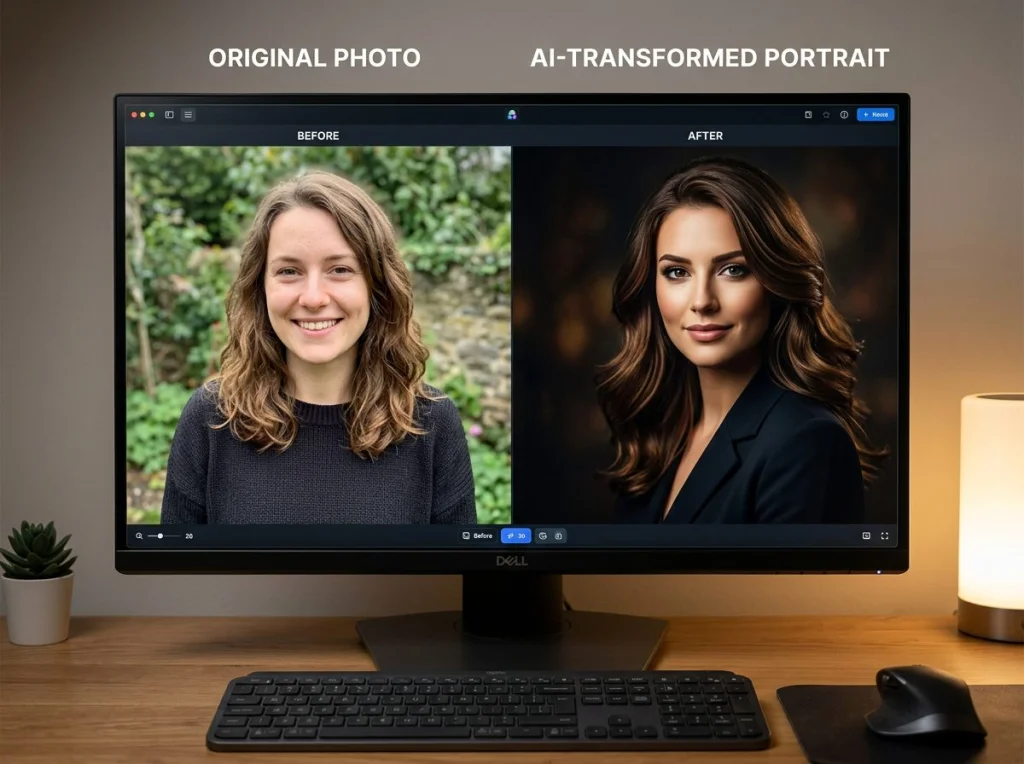
Introduction: The Future of Content Planning Starts Now
As we look ahead to 2026, content creators face an increasingly demanding challenge: maintaining a consistent, visually compelling presence across multiple platforms while managing limited time and resources. The traditional approach of creating content day-by-day, week-by-week, is becoming obsolete. Forward-thinking creators are adopting a revolutionary strategy: batch creation and AI-powered photo generation.
Imagine having an entire year's worth of professional, on-brand visual content ready to deploy by the end of next week. This isn't just possible—it's becoming the new standard for successful content creators, entrepreneurs, and small business owners. By leveraging batch creation techniques and AI photography tools, you can generate a comprehensive content calendar that maintains consistency, saves countless hours, and positions your brand for growth throughout 2026.
In this guide, we'll walk you through the exact strategy to accomplish this ambitious goal, from planning and theme selection to execution and optimization. Whether you're a solopreneur, a marketing team, or a creative professional, these proven techniques will transform how you approach content creation.
Understanding the Power of Batch Creation: Why One Week Works
Batch creation isn't a new concept, but its application to visual content marketing has revolutionized how creators approach productivity. The principle is simple: instead of creating content sporadically throughout the year, you dedicate focused time to producing multiple assets simultaneously.
Here's why one week is realistically achievable for a full year of visual content:
- Reduced Context Switching: Your brain stays in "creative mode" rather than constantly shifting between different tasks
- Economies of Scale: Setting up once for lighting, backgrounds, or themes means you can produce dozens of assets in minimal time
- AI Efficiency: Modern AI photo generation tools can create variations, transformations, and themed content in seconds
- Bulk Processing: Photo editing, branding, and formatting can be streamlined when working with volume
- Psychological Momentum: The focused energy of intensive creation sessions often leads to better quality output
Most creators spend 15-30 minutes per day creating content. That's roughly 90-180 hours per year scattered across 365 days. By condensing this into one intensive week, you eliminate the friction costs of context switching and maximize creative momentum. The result? Better content, created faster, with more consistency.
Planning Your 2026 Content Calendar: The Strategic Foundation
Before you create a single image, planning is essential. A well-structured plan determines whether your batch creation week is productive or chaotic.
Step 1: Audit Your Content Performance (1-2 Days Prior)
Begin by analyzing what worked in 2025. Look at:
- Top-performing posts by engagement rate, reach, and saves
- Content themes that resonated with your audience
- Visual styles that generated consistent interest
- Seasonal patterns and peak engagement periods
- Gaps where you wanted content but couldn't produce it
This data becomes the foundation for your 2026 strategy. If carousel posts about industry tips generated 40% more engagement than single images, you'll create more carousel-ready assets in 2026.
Step 2: Define Your Core Content Pillars
Organize your content into 4-6 core themes or pillars that align with your brand mission. For example, a photography education account might use:
- Technical tutorials and tips
- Inspiration and mood boards
- Behind-the-scenes and personal stories
- Product recommendations and reviews
- Industry trends and news
- Community features and collaborations
These pillars ensure diversity while maintaining focus. They're also the framework for your batch creation—you'll dedicate specific time during your week to each pillar.
Step 3: Map Seasonal Content and Key Dates
2026 brings specific opportunities and challenges. Identify:
- Seasonal transitions: Winter to spring, summer to fall themes
- Industry events: Trade shows, conferences, seasonal trends
- Cultural moments: Holidays, awareness months, global celebrations
- Business milestones: Product launches, anniversaries, company events
- Quarterly themes: Specific focuses for Q1, Q2, Q3, Q4
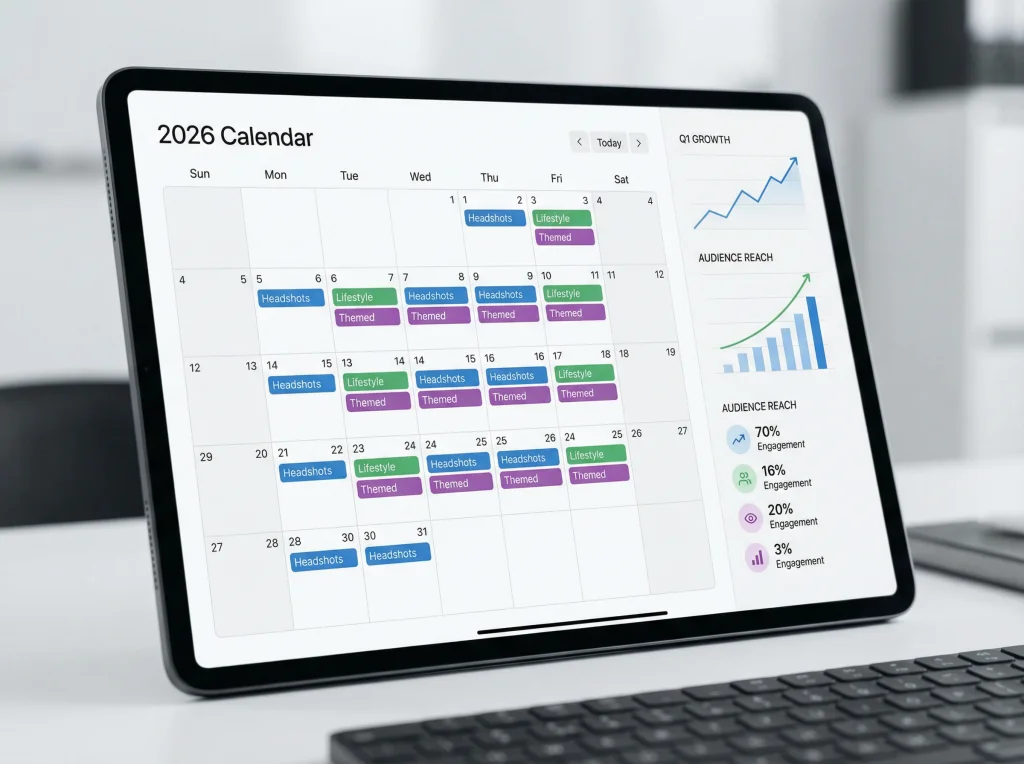
Create a simple spreadsheet mapping these moments across 52 weeks. This becomes your content roadmap, ensuring you never miss an important opportunity and content feels timely throughout the year.
Step 4: Establish Your Visual Brand Guidelines
Consistency is the backbone of brand recognition. Define:
- Color palette (primary, secondary, accent colors)
- Typography and fonts for text overlays
- Photography style (bright and minimal vs. rich and textured, posed vs. candid)
- Composition preferences (rule of thirds, symmetry, specific layouts)
- Aspect ratios for different platforms (9:16 for Instagram Reels, 1:1 for feed, 4:5 for Stories)
When your AI photo generation tool and editing workflow are guided by these standards, the output remains consistently on-brand, even when created in bulk.

Leveraging AI and Photo Packages for Efficient Creation
This is where modern technology fundamentally changes what's possible. AI-powered photo generation and professional photo packages eliminate the bottleneck of traditional photography while maintaining the visual quality audiences expect.
The Role of AI Photo Generation
Tools like Photo AI Studio enable creators to generate professional, customizable photoshoots in minutes. Instead of booking photographers, renting studio space, and spending weeks on shoots, you can:
- Generate dozens of professional headshots with different expressions and outfits
- Create themed photoshoots matching specific content pillar aesthetics
- Produce variations of the same concept (different lighting, backgrounds, poses)
- Fill content gaps with on-brand visuals that perfectly match your guidelines
- Test different visual approaches before committing to a full content series
During your batch creation week, AI photo generation serves as your studio—available 24/7, requiring no setup time, and capable of producing unlimited variations at minimal cost.
Strategic Photo Package Planning
Rather than generating random images, approach AI photo creation strategically:
For Each Content Pillar, Create:
- Hero Images: High-impact visuals for major posts, carousel covers, or featured content (5-10 per pillar)
- Variation Sets: Multiple versions of the same concept (different expressions, poses, angles) for testing and A/B comparison (10-15 per concept)
- Mood Boards: Curated collections of images representing the pillar's aesthetic (30-50 images per pillar)
- Seasonal Transitions: Theme-specific assets for each season (20-30 per season)
- Gap Fillers: Quick, versatile content pieces for those weeks when planned content doesn't materialize (100+ throughout the year)
This structured approach means every generated image serves a purpose within your annual strategy, rather than creating excess that clogs your asset library.
The One-Week Batch Creation Sprint: Day-by-Day Execution
Here's a realistic breakdown of how to execute your entire 2026 content calendar in five focused days:
Day 1: Setup and Theme Generation (Monday)
Morning (2-3 hours): Finalize all planning documents, review brand guidelines, and set up your workspace (digital and physical).
Midday (3-4 hours): Begin generating AI photos for your primary content pillars. Start with your top 2-3 pillar themes, creating 30-40 images per theme with Photo AI Studio's professional photoshoots.
Evening (2 hours): Cull, organize, and rename all generated images. Create folder structure matching your content pillars and months.
Day 2: Seasonal and Thematic Content (Tuesday)
Morning (4 hours): Generate seasonal content for each quarter of 2026. Create spring imagery, summer vibes, autumn themes, and winter aesthetics.
Afternoon (3 hours): Produce themed content for major holidays, industry events, and cultural moments identified in your planning phase.
Evening (2 hours): Organize seasonal folders and begin initial editing (color correction, consistency adjustments).
Day 3: Variation Sets and Testing Content (Wednesday)
Full Day Focus: Create multiple variations of key concepts. For each of your top 10 content ideas, generate 5-10 variations with different approaches:
- Different backgrounds or settings
- Various expressions or poses
- Alternative color grading or mood
- Multiple composition angles
These variations enable data-driven content optimization. You'll post different versions throughout 2026 and learn which resonates most, informing real-time adjustments.
Day 4: Gap Fillers and Backup Content (Thursday)
Morning (3 hours): Generate versatile, evergreen content pieces. These are visually interesting assets that work for multiple purposes: quote graphics, educational imagery, inspirational content.
Midday (2 hours): Create backup content for every month. This safety net prevents the situation where an unexpected post bombs and you need emergency content.
Afternoon (3 hours): Begin comprehensive editing and branding. Add logos, watermarks, text overlays, and final polish to all generated assets.
Day 5: Organization and Platform Optimization (Friday)
Full Day Focus: This is your quality control and optimization day. Tasks include:
- Resizing all content for different platforms (Instagram, LinkedIn, TikTok, Pinterest, etc.)
- Creating platform-specific variations (Stories, Reels, feed posts)
- Final review for brand consistency and quality
- Uploading to your content management system or scheduling platform
- Building your content calendar with posting dates and captions (captions can be created separately or with AI writing tools)
- Creating backup assets for each month (in case trending topics require quick pivots)
Pro Tip: Use project management tools like Asana, Monday.com, or Notion to track assets, ensure nothing falls through the cracks, and maintain accessibility across your team.
Maintaining Brand Consistency Across the Year
Batch creation introduces a unique challenge: ensuring content created in one week maintains consistency when deployed across 52 weeks. Here's how to prevent your Q1 content from looking dated or disconnected by Q4:
The Brand Consistency Framework
Visual Consistency: All generated content should adhere to your established brand guidelines. During generation, use consistent prompts, style references, and color parameters. Photo AI Studio's customization options allow you to set specific visual preferences that propagate across all generated images.
Seasonal Flexibility: While maintaining core brand identity, your content should evolve seasonally. Winter content has different energy than summer content. Plan thematic variations within your consistency framework—same brand, different seasonal expression.
Trend Integration: Reserve 10-15% of your content calendar as "trending topic" space. No one can predict what will trend in 2026, but by keeping some calendar slots flexible, you can respond to opportunities while maintaining a mostly-planned year.
Quarterly Reviews: Schedule quick (1-hour) reviews at the end of each quarter. Assess what's working, what isn't, and if adjustments are needed for upcoming months. This prevents stale content and keeps your calendar relevant.
Team Alignment (If Applicable)
If multiple people manage your content, ensure everyone understands the vision:
- Share finalized brand guidelines and visual standards
- Create a curated reference folder showing approved aesthetic examples
- Document editing workflows and processing standards
- Schedule a brief team sync before and after the batch creation sprint
- Assign clear ownership of different content pillars
Tools and Systems to Maximize Efficiency
To make a one-week content sprint realistic, you need the right tools:
AI Photo Generation
Photo AI Studio's professional headshots and themed photoshoots are specifically designed for creators needing high-volume, on-brand visual content. The platform enables rapid generation with customization options ensuring consistency across all outputs.
Content Management and Scheduling
- Buffer, Later, or Hootsuite: Schedule content across multiple platforms from a single dashboard
- Asana or Monday.com: Organize your batch creation workflow and track progress
- Google Drive or Dropbox: Centralized storage for all assets, accessible to your team
Editing and Optimization
- Canva: Quick design tweaks and text overlay additions
- Adobe Lightroom (batch processing): Apply consistent color grading to large image sets
- Batch resizing tools: Convert all assets to platform-specific dimensions efficiently
Analytics and Tracking
- Platform native analytics (Instagram Insights, LinkedIn Analytics)
- Google Analytics for tracking blog traffic
- Spreadsheets for monitoring which content pillars perform best
Filling Content Gaps: When Your Plan Meets Reality
Despite meticulous planning, unexpected situations arise. Trending topics emerge, audience interests shift, or you simply need more content for a specific pillar. Here's how your batch creation framework adapts:
The "Emergency Content Reserve"
During your batch creation week, generate 50-100 additional versatile assets with no specific posting date. These "gap fillers" are evergreen, visually interesting, and platform-ready. When an unexpected need arises, you have immediate content to deploy without scrambling.
Quick-Generation Capabilities
Even after your batch week concludes, maintain the ability to quickly generate 10-20 new images using AI tools. If a content pillar unexpectedly resonates strongly, you can rapidly expand that category without waiting for a photo shoot.
Seasonal Flexibility
Your Q1, Q2, Q3, and Q4 content buckets allow for seasonal pivots. As trends emerge and interests develop, you can repurpose or reframe existing seasonal content rather than needing entirely new assets.
Measuring Success and Optimizing for 2027
Your 2026 batch-created content isn't just about this year—it's also generating valuable data to improve 2027 planning:
Key Metrics to Track
- Engagement by pillar: Which content themes drive most interaction?
- Format performance: Do carousels outperform single images? Are videos more engaging?
- Seasonal variations: Do spring and fall content consistently outperform summer and winter?
- Visual style preferences: Do audiences prefer bright or moody aesthetics? Posed or candid?
- Platform differences: Does content that thrives on Instagram flop on LinkedIn?
Monthly Review Routine
Spend 30 minutes each month analyzing which posts thrived. Note patterns and insights. By December 2026, you'll have 12 months of performance data to inform your 2027 batch creation sprint, making each year more effective than the last. You can also check out our AI professional headshots.
Conclusion: Transform Your Content Strategy in One Week
The idea of creating an entire year's worth of professional, on-brand visual content in one week seems ambitious. Yet with proper planning, strategic use of AI photo generation tools, and a focused batch creation sprint, it's entirely achievable. Not only does this approach save hundreds of hours throughout the year—it ensures consistency, reduces stress, and positions your brand for sustained growth through 2026. You can also check out our AI dating profile photos.
The key is beginning now. Spend this week planning your content pillars, seasonal themes, and brand guidelines. Then dedicate next week to intensive creation using Photo AI Studio's AI-powered photo generation. By month's end, you'll have a complete, confidence-inspiring content calendar ready to deploy throughout 2026.
Start your transformation today. Visit Photo AI Studio to begin generating your 2026 content calendar, and join thousands of creators who've revolutionized their content workflow. Your future content strategy starts now.