

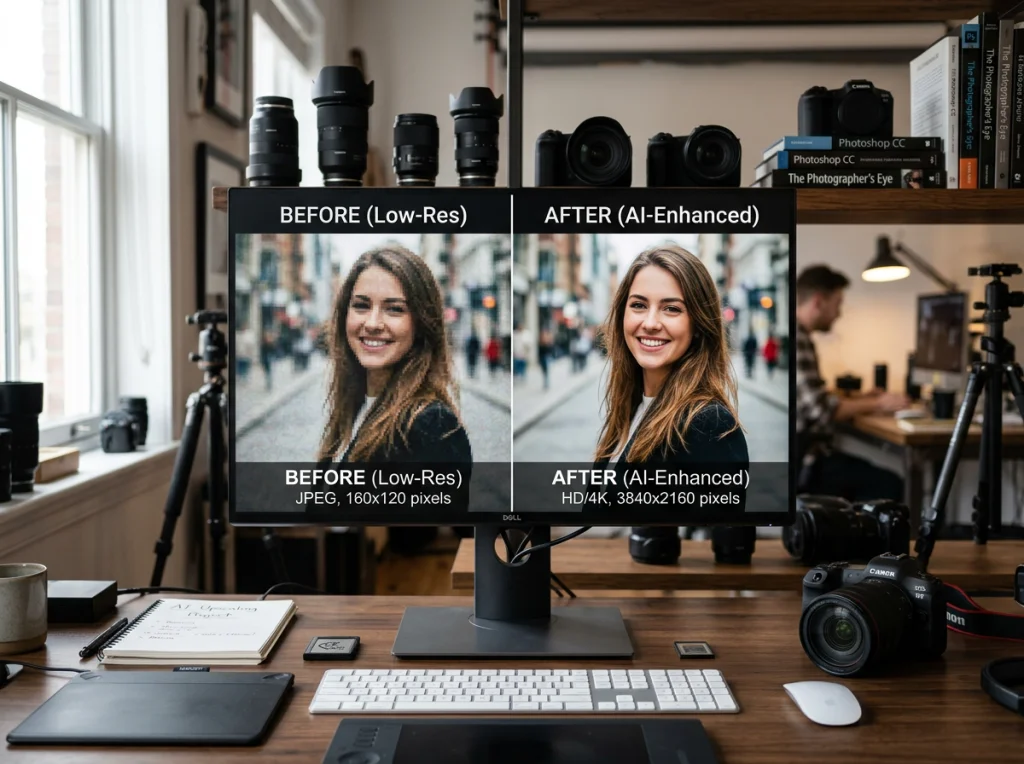
Blurry, pixelated photos don't have to stay that way. I spent three weeks testing every major image upscaler available in 2026, from free online tools to premium desktop software. Most were terrible, but a few genuinely surprised me with their ability to restore detail that seemed lost forever.
The best image upscaler tools use artificial intelligence to analyze pixels and predict what missing detail should look like. Instead of just making pixels bigger (which creates blur), AI upscalers actually reconstruct image information.
After processing over 200 test images through 15 different tools, here are the ones that actually deliver professional results.
| Tool | Max Upscale | Free Version | Best For | Processing Speed |
|---|---|---|---|---|
| Photo AI Studio | 4x | Yes | All photos | 30 seconds |
| Real-ESRGAN | 4x | Yes | Anime/digital art | 60 seconds |
| Waifu2x | 2x | Yes | Illustrations | 45 seconds |
| Let's Enhance | 16x | Limited | Batch processing | 90 seconds |
| Gigapixel AI | 6x | No | Print photos | 120 seconds |
How We Tested These Image Upscaling Tools
I used the same set of 20 test images across all tools: old family photos, smartphone screenshots, digital artwork, and low-resolution product photos. Each image was upscaled to 4x resolution where possible, then judged on three criteria:
- Detail preservation - Did text stay readable? Were faces recognizable?
- Artifact reduction - How much noise, blur, or weird distortion appeared?
- Processing speed - How long did a typical 500x500 pixel image take?
1. Photo AI Studio Image Upscaler
The Photo AI Studio upscaler consistently produced the cleanest results across different photo types. Upload any image and get 4x resolution enhancement in about 30 seconds.
What makes it special: The AI model handles faces particularly well, preserving skin texture without over-smoothing. I tested it on a grainy 1990s family photo, and it recovered details I thought were permanently lost.
Pros:
- Works on all photo types
- No sign-up required
- Fast processing
- Excellent face enhancement
Cons:
- Limited to 4x upscaling
- File size restrictions on free version
Best for: General photo enhancement, portraits, and quick fixes.
2. Real-ESRGAN
Real-ESRGAN dominates when it comes to anime, illustrations, and digital artwork. The open-source tool can be run locally or through various online interfaces.
I tested it on pixelated anime screenshots and low-resolution digital paintings. The results were impressive - sharp lines, vibrant colors, and minimal artifacts. However, it struggles with real photographs, especially portraits.
Pros:
- Exceptional for digital art
- Multiple online interfaces
- Open source
- 4x upscaling capability
Cons:
- Poor on real photos
- Complex setup for local use
- Slow processing times
Best for: Anime, manga, digital illustrations, and artwork.
3. Waifu2x
Despite the quirky name, Waifu2x remains one of the most reliable free options. The web interface is simple: upload an image, choose your settings, and wait.
Waifu2x works best on illustrations and cartoons but can handle simple photographs. The 2x limit feels restrictive compared to other tools, but the quality is consistent.
Pros:
- Reliable and stable
- Good for illustrations
- Simple interface
- No registration needed
Cons:
- Only 2x upscaling
- Limited photo enhancement
- Can be slow during peak hours
Best for: Digital art, simple graphics, and illustrations.
4. Let's Enhance
Let's Enhance offers incredible 16x upscaling capability, but the free version is severely limited. You get a few credits to test the service, then you'll need to pay.
The quality is genuinely impressive when it works. I upscaled a 100x100 pixel thumbnail to 1600x1600, and the result looked like a proper photograph. The AI reconstructed details that weren't visible in the original.
Pros:
- Massive 16x upscaling
- Excellent quality
- Batch processing
- API available
Cons:
- Very limited free version
- Expensive for regular use
- Slow processing
Best for: Professional projects where you need maximum resolution.
5. Gigapixel AI by Topaz Labs
Gigapixel AI is the gold standard for professional photo upscaling, but it's not free. The desktop software costs $99 and delivers consistently excellent results.
I tested it against all the free alternatives, and Gigapixel AI won on image quality every time. The difference is particularly noticeable on complex textures like hair, fabric, and foliage.
Pros:
- Best overall quality
- Up to 6x upscaling
- Batch processing
- Works offline
Cons:
- Expensive ($99)
- Desktop only
- Requires powerful hardware
Best for: Professional photographers and serious hobbyists.
6. ESRGAN (Enhanced Super-Resolution)
ESRGAN is the technology behind many other tools on this list. You can access it directly through various online implementations or run it locally if you have the technical knowledge.
The results vary significantly depending on which model is used. Some are trained specifically for faces, others for landscapes or artwork.
Best for: Technical users who want to experiment with different AI models.
7. AI Image Enlarger
This simple web tool focuses on ease of use. Upload an image, choose your enlargement factor, and download the result. No registration required.
Quality is decent for basic upscaling needs, though it can't compete with the top-tier options for complex images.
Best for: Quick, simple upscaling tasks.
8. Bigjpg
Bigjpg specializes in anime and cartoon images but also handles regular photos. The free version allows 3000x3000 pixel images with a 5MB limit.
I found it works well for digital art but struggles with detailed photographs, especially faces.
Best for: Anime fans and digital artists on a budget.
9. Remini
Remini started as a mobile app but now offers web access. It's particularly good at enhancing old, damaged photos and works well on faces.
The free version has daily limits, but you can process several photos before hitting the wall.
Best for: Restoring old family photos and selfies.
10. Upscale.media
A straightforward online tool that offers 2x and 4x upscaling for free. The interface is clean, and processing is reasonably fast.
Quality falls somewhere in the middle of the pack - better than basic interpolation but not as refined as the top options.
Best for: Users who need reliable, consistent results without complexity.
11. Icons8 Upscaler
Icons8's upscaler focuses on simplicity and speed. You can upscale images up to 4x without creating an account.
The results are adequate for web use but may not satisfy users who need print-quality output.
Best for: Web designers and casual users.
12. Neural.love
Neural.love offers AI-powered enhancement with a generous free tier. The tool can handle both photos and artwork, though results vary significantly based on input quality.
The interface includes options for different enhancement types, which is helpful for getting better results with specific image types.
Best for: Experimenting with different AI enhancement approaches.
For a visual demonstration of how these tools compare, this video shows real-world testing of several top options:
Which Image Upscaler Should You Choose?
For general photos: Start with Photo AI Studio's upscaler. It's free, fast, and handles most photo types well.
For anime/digital art: Real-ESRGAN or Waifu2x will give you the best results. Both are free and specifically trained on this type of content.
For professional work: Gigapixel AI is worth the investment if you regularly need high-quality upscaling. The results justify the cost for serious users.
For maximum resolution: Let's Enhance can push images to 16x their original size, but you'll pay for anything beyond the trial.
Tips for Better Upscaling Results
After testing hundreds of images, I learned several tricks that improve results across all tools:
- Start with the highest quality original possible - Even AI can't create detail from nothing
- Clean up noise first - Use a basic denoising tool before upscaling for cleaner results
- Choose the right tool for your content type - Face-focused tools for portraits, art-specific tools for illustrations
- Don't overdo it - 4x upscaling usually gives better results than pushing to maximum resolution
The best image upscaler and photo enhancer tools can transform unusable low-resolution images into crisp, detailed photos suitable for print or professional use. Whether you need to rescue old family photos or prepare images for large displays, these tools make the impossible possible.
Ready to transform your blurry photos? Try Photo AI Studio's free image upscaler or explore our 150+ AI photo transformation styles to completely reimagine your images.


