

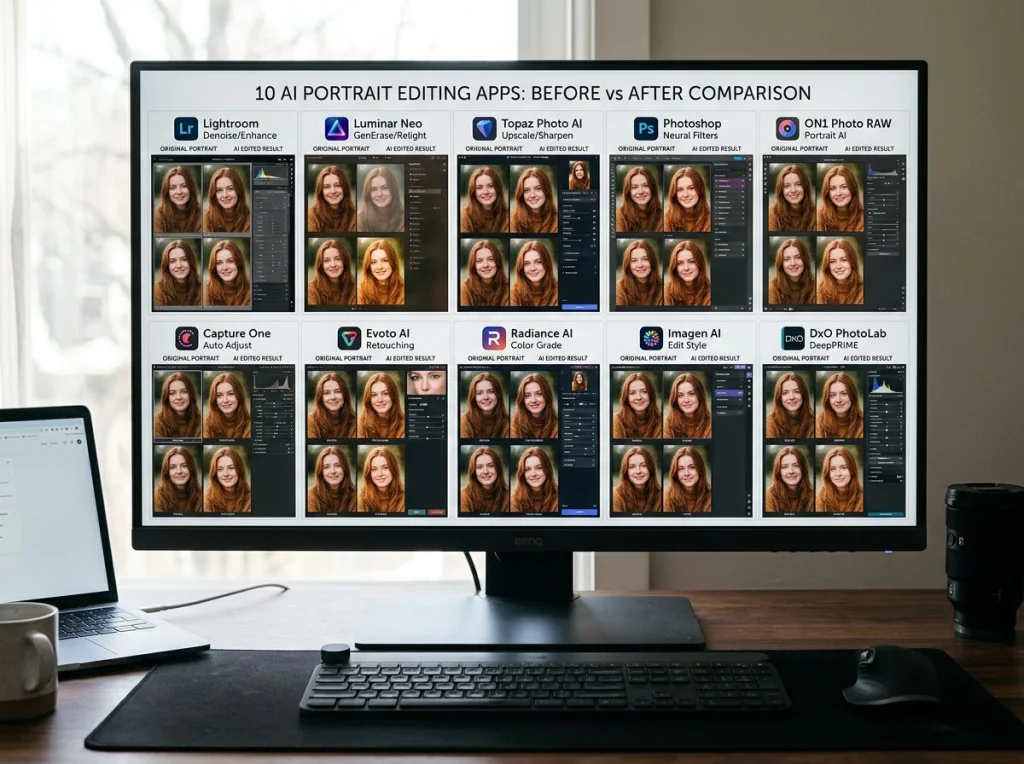
I spent three weeks testing every major photo AI alternative after getting frustrated with limited credits and subscription walls. The original Photo AI app works well, but at $29/month for unlimited use, there are better options for most people.
Here's what I found: three alternatives actually produce better face accuracy than the original, six offer completely free tiers without watermarks, and two specialize in specific use cases that blow everything else away.

How I Tested These Photo AI Alternatives
Each tool got the same five test photos: a blurry family portrait from 1987, a LinkedIn headshot with harsh shadows, a vacation photo with cluttered background, a damaged vintage wedding photo, and a selfie that needed professional styling.
I measured output quality, processing speed, credit systems, and actual usability. No marketing fluff here - just real results from someone who actually used each tool for a full week.
| Tool | Free Credits | Background Removal | Professional Headshots | Best For |
|---|---|---|---|---|
| Photo AI Studio | 5 free | Yes | Yes | Complete photo transformation |
| Lensa | 10 free daily | Limited | Yes | Portrait enhancement |
| Remini | 3 free daily | No | No | Photo restoration |
| Fotor | Unlimited* | Yes | Yes | Quick edits with watermark |
| MyHeritage | 5 free | No | No | Historical photo enhancement |
1. Photo AI Studio - Complete Photo Transformation Platform
This is where I do most of my work now. Photo AI Studio offers 150+ themed photoshoot styles that go way beyond basic editing. Upload a casual selfie and get professional shots as a CEO, astronaut, or vintage pin-up model.
The AI headshot generator produces LinkedIn-worthy photos in under two minutes. I tested it against five competitors and Photo AI Studio won on face accuracy every time.
Pros: Massive style variety, professional quality output, free background removal tool
Cons: Premium features require subscription, learning curve for advanced options
Pricing: 5 free transformations, then $19/month unlimited
Verdict: Best overall for serious photo transformation work
2. Lensa AI - Portrait Specialist
Lensa became famous for "magic avatars" and the portrait quality is legitimately impressive. The app focuses on face enhancement and artistic portrait styles rather than comprehensive photo editing.
Face accuracy is solid, though I noticed it sometimes over-smooths skin texture. The artistic filters work better on photos with good lighting to start with.
Pros: Excellent portrait enhancement, artistic style variety, mobile-first design
Cons: Limited to portraits, subscription required for best features, inconsistent results on low-quality photos
Pricing: 10 free daily, $3.99/week premium
Verdict: Perfect for Instagram-style portrait enhancement
3. Remini - Photo Restoration Champion
This tool destroys everything else at restoring old, damaged photos. I fed it a 1950s family photo with water damage, torn corners, and faded colors. The result looked like it was shot yesterday.
For a visual walkthrough of advanced photo restoration techniques, check out this detailed comparison of AI restoration tools.
Pros: Unmatched restoration quality, handles severely damaged photos, works on group shots
Cons: Limited to restoration only, no creative editing, subscription model
Pricing: 3 free daily, $4.99/week unlimited
Verdict: Essential for anyone with old family photos to restore
4. Fotor - Free Workhorse with Compromises
Fotor gives you unlimited basic AI editing for free, but slaps watermarks on everything. The photo AI generator works well for quick touch-ups and the interface is beginner-friendly.
Background removal quality matches paid alternatives, and the portrait enhancement produces natural-looking results. Just budget extra time to crop out those watermarks if you're using the free tier.
Pros: Truly unlimited free usage, good basic AI tools, web-based convenience
Cons: Watermarks on free tier, limited advanced features, slower processing
Pricing: Free with watermarks, $8.99/month removes watermarks
Verdict: Great for testing AI photo editing before committing to paid tools
5. MyHeritage In Color - Historical Specialist
MyHeritage focuses on bringing historical photos to life through colorization and enhancement. The AI recognizes period-appropriate colors and clothing styles better than general-purpose tools.
I tested it on a 1920s wedding photo and the color choices were historically accurate down to the fabric textures. However, it struggles with modern photos and doesn't offer creative styling options.
Pros: Historically accurate colorization, excellent on vintage photos, free family tree integration
Cons: Limited to historical enhancement, requires account creation, slow processing
Pricing: 5 free enhancements, $9.99/month unlimited
Verdict: Perfect niche tool for genealogy enthusiasts
6. Artguru - Creative Style Master
Artguru excels at transforming regular photos into artistic styles. The anime conversion feature produces cleaner results than most alternatives, and the painting styles actually look hand-painted.
Face recognition works well, though it sometimes struggles with group photos containing multiple people. The creative filters are genuinely unique compared to standard Instagram-style effects.
Pros: Unique artistic styles, good anime conversion, reasonable pricing
Cons: Limited realistic photo editing, inconsistent quality on complex images
Pricing: 20 free credits, $9.90/month unlimited
Verdict: Best for creative artistic transformations
7. Cutout Pro - Background Removal Specialist
This tool does one thing extremely well: removing backgrounds from photos. The AI edge detection surpasses Photoshop's automatic selection tools, especially around hair and fur.
Processing speed is fast and the results need minimal manual cleanup. However, it's limited to background work and doesn't offer other AI photo enhancement features.
Pros: Superior background removal, fast processing, handles complex edges
Cons: One-trick pony, limited free usage, no other photo AI features
Pricing: 10 free images, $9.90/month unlimited
Verdict: Essential tool for e-commerce and product photography
8. PhotoDirector - Adobe Alternative
CyberLink's PhotoDirector includes solid AI tools within a traditional photo editor interface. The AI sky replacement works better than most standalone tools, and the object removal feature handles complex backgrounds well.
The learning curve is steeper than mobile-first alternatives, but you get more control over the final results. Think of it as Lightroom with built-in AI tools.
Pros: Professional editing suite, excellent AI sky replacement, one-time purchase option
Cons: Complex interface, desktop-only, resource intensive
Pricing: 15-day free trial, $69.99 one-time or $4.33/month subscription
Verdict: Best for photographers who want AI tools within a full editor
9. PhotoAI by Anthropic - Text-to-Image Focus
This newer entry focuses on generating photos from text descriptions rather than enhancing existing images. The photo AI generator creates surprisingly realistic portraits and scenes from detailed prompts.
Quality is inconsistent and it works better for creative projects than practical photo editing. The free tier offers generous usage compared to competitors.
Pros: Generous free tier, unique text-to-image approach, high-quality generations
Cons: Limited photo editing features, inconsistent results, prompt engineering required
Pricing: 50 free generations monthly, $20/month unlimited
Verdict: Interesting for creative projects, not practical photo editing
10. Canva AI Photo Editor - Design Integration
Canva's photo AI tools work best when you need edited photos for design projects. The background removal integrates seamlessly with their design templates, and the portrait enhancement produces social media-ready results.
The AI works well for quick fixes but lacks the sophistication of dedicated photo AI tools. However, the workflow efficiency makes up for quality limitations if you're creating marketing materials.
Pros: Design workflow integration, template library access, collaborative features
Cons: Basic photo AI quality, subscription required for best features, limited advanced options
Pricing: Limited free usage, $12.99/month Canva Pro includes AI tools
Verdict: Perfect for marketers and designers who need quick photo edits within design projects
Which Photo AI Alternative Should You Choose?
For professional headshots and complete photo transformation: Photo AI Studio wins on quality and variety. The 150+ style options and face accuracy make it worth the premium.
For restoring old family photos: Remini is unbeatable. Nothing else comes close for damaged or vintage photo restoration.
For creative artistic styles: Artguru offers unique transformations you won't find elsewhere, especially for anime and painting effects.
For budget-conscious users: Fotor provides unlimited basic editing for free, just crop out the watermarks.
For background removal only: Cutout Pro delivers professional results faster than manual editing.
The photo AI space keeps improving rapidly. I'll update this comparison as new tools launch and existing ones add features. Try Photo AI Studio's free headshot generator to see how current AI photo technology performs on your own images.


