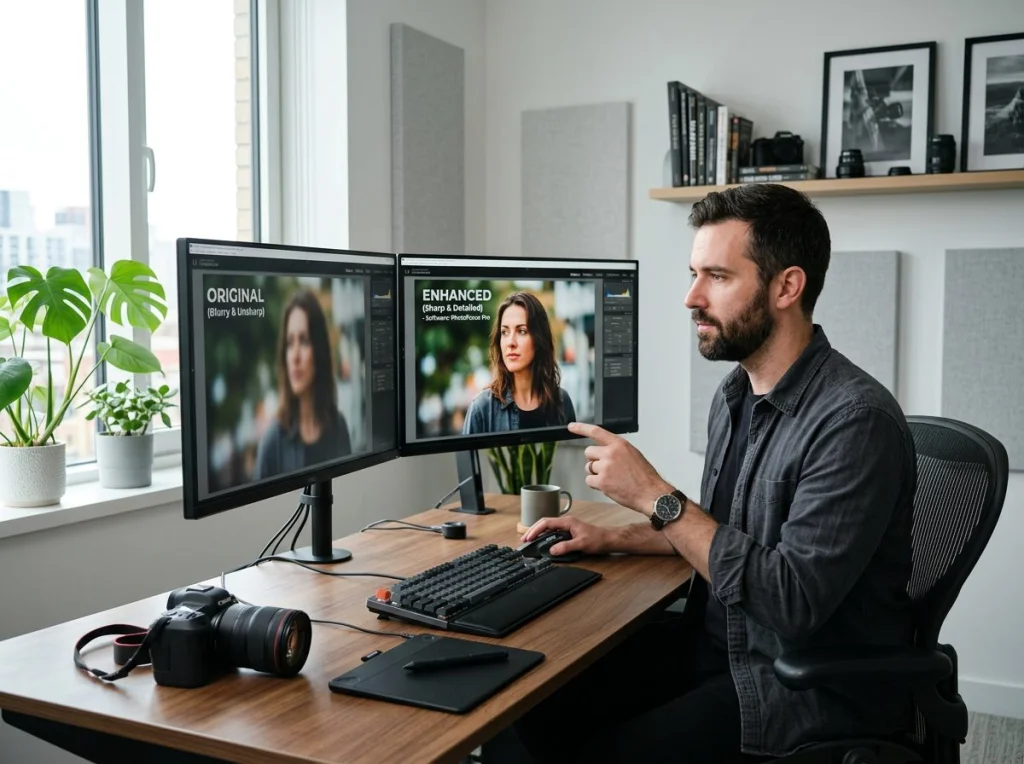
The "AI my photo" trend has taken social media by storm, with over 1,300 monthly searches from people wanting to transform their selfies into stylized art. I spent weeks testing every free AI photo generator I could find, uploading the same set of selfies to see which tools delivered the best results for gaming avatars, Instagram posts, and professional headshots.
Most tools failed miserably. Some added weird artifacts. Others required credit card info despite claiming to be "free." But I found 10 that actually work without hidden fees or watermarks.

What Makes a Good AI Photo Generator
After testing dozens of tools, the best AI photo generators share three qualities: they produce high-resolution output (at least 1024x1024), they don't add watermarks to free versions, and they offer multiple artistic styles beyond basic filters.
The worst tools I tested were obvious cash grabs. They'd generate a low-res preview, then demand $9.99 to download the full image. Others crashed when processing anything above 500x500 pixels.
Top 10 Free AI Photo Generators (Ranked by Quality)
1. Photo AI Studio - Best Overall for Portraits
Photo AI Studio topped my tests for portrait transformations. Their free AI headshot generator creates professional-quality images without requiring an account. I uploaded a casual selfie and got back a polished LinkedIn photo that looked like it came from a $300 studio session.
The tool offers 15+ professional styles including business casual, creative professional, and corporate formal. Processing takes 2-3 minutes, and you get full-resolution downloads immediately.
2. Lensa AI - Great for Artistic Styles
Lensa made headlines with their "Magic Avatars" feature. Upload 10-20 selfies and get back 50+ stylized portraits in anime, fantasy, and artistic styles. The free version gives you 5 avatars, which is enough to test the quality.
The results vary wildly. Some looked incredible, others barely resembled me. But when it works, Lensa produces some of the most creative AI photo transformations available.

3. MyEdit by Cyberlink - Best Free Features
MyEdit surprised me. This browser-based tool offers AI photo enhancement, background removal, and style transfers without requiring downloads or account creation. Their background remover worked better than many paid alternatives.
The AI portrait feature creates Instagram-worthy shots from basic selfies. You can adjust lighting, smooth skin, and even change hair color. Everything processes in your browser, so your photos never leave your device.
4. Fotor AI - Solid All-Around Choice
Fotor's AI photo generator handles multiple use cases well. Their portrait enhancer removes blemishes and adjusts lighting automatically. The artistic filters range from oil painting to cyberpunk aesthetics.
Free users get 3 high-res downloads daily, which is fair for a tool this capable. The interface feels polished compared to many free alternatives.
5. Canva AI - Best for Social Media
Canva's Magic Edit tool transforms photos specifically for social media use. Upload a selfie and it automatically crops, enhances, and optimizes for different platform requirements. The AI background generator creates custom scenes that match your photo's lighting and perspective.
This video demonstrates some powerful free AI tools for photo and video creation that complement the generators I tested:
The free tier includes 25 AI credits monthly, which covers basic photo transformations and background changes.
6. Photoleap - Mobile-First Design
Photoleap excels on mobile devices. Their AI photo editor transforms selfies into magazine-quality portraits using just your phone. The app includes advanced features like AI hair color changes and virtual makeup try-ons.
Free users can process 3 photos daily with full editing capabilities. The results often match paid desktop software.
7. Pixlr AI - Quick and Simple
Pixlr's AI tools focus on speed over complexity. Upload a photo and choose from 20+ instant style presets. The AI portrait enhancer automatically adjusts skin tone, removes red-eye, and optimizes facial features.
Processing takes under 30 seconds, making it perfect for quick social media posts. The free version allows unlimited edits with small watermarks.

8. Picsart AI - Creative Community Features
Picsart combines AI photo generation with social features. Upload your selfie transformations to their community gallery and browse millions of user-created artworks for inspiration.
The AI avatar maker creates consistent character designs across multiple poses and backgrounds. Free users get 10 AI generations monthly.
9. Removal.AI - Specialized Background Tool
While primarily a background removal service, Removal.AI's portrait mode creates professional headshots by replacing messy backgrounds with clean, studio-quality alternatives.
The tool automatically detects faces and applies appropriate lighting adjustments. Results download in full resolution without watermarks.
10. AI Photo Enhancer by VanceAI
VanceAI's photo enhancer focuses on image quality improvements. Their AI upscaler increases resolution by 400% while sharpening details and reducing noise. The portrait mode specifically optimizes facial features and skin texture.
Free users get 3 processed images monthly at full resolution. The quality rivals expensive desktop software.
How to Get the Best Results from AI Photo Generators
Good input photos make all the difference. Use well-lit selfies with your face clearly visible and minimal shadows. Avoid group photos, sunglasses, or busy backgrounds that confuse the AI.
For professional headshots, try Photo AI Studio's professional headshot styles or their LinkedIn photo generator. The AI works best with photos taken at eye level from 3-4 feet away.

Free vs Paid: When to Upgrade
Most free AI photo generators impose daily limits or add watermarks. If you're creating content regularly, paid versions offer unlimited processing and higher resolution outputs.
For occasional use, free tools provide excellent value. I created 20+ Instagram posts using only free generators during my testing. The quality difference between free and paid versions has shrunk significantly in 2026.
Common Issues and How to Fix Them
AI photo generators sometimes produce weird artifacts or unrealistic features. This usually happens when your input photo has poor lighting or unclear facial features.
If results look off, try these fixes: use a different source photo with better lighting, crop tightly around your face before uploading, or choose a different artistic style that matches your photo's mood and lighting.
Some tools work better with certain face shapes or ethnicities. If one generator produces poor results, try a different tool from my list above.
AI My Photo for Different Use Cases
Gaming avatars need bold, stylized looks that stand out in profile pictures. Lensa AI and Picsart excel at fantasy and anime styles perfect for gaming platforms.
Professional networking requires subtle enhancements that look natural. Photo AI Studio's business casual styles work well for LinkedIn profiles and company websites.
Social media content benefits from eye-catching transformations. Canva's AI tools optimize photos for specific platform requirements and audience engagement.

Ready to transform your photos with AI? Start with Photo AI Studio's free headshot generator for professional results, or explore our full collection of 150+ AI photo styles to find the perfect look for your needs.
Frequently Asked Questions
What is AI picture?
An AI picture is a digitally generated or transformed image created using artificial intelligence algorithms. These tools analyze your uploaded photo and apply various artistic styles, enhancements, or complete transformations to create new versions of your image.
AI pictures can range from subtle improvements like skin smoothing and lighting adjustments to dramatic style changes like converting your selfie into an anime character, oil painting, or professional headshot. The AI learns from millions of example images to understand how to apply these transformations realistically.